A single cement plant often runs 40–80 conveyor belts moving clinker, limestone, gypsum and finished cement, and each belt carries hundreds of inspection points that shift crews are expected to verify daily. Moving those points from a clipboard to a digital conveyor inspection checklist is the fastest, lowest-risk reliability upgrade most plants can make in a single quarter. A mobile inspection app captures photos, geo-stamps each reading, and pushes defects straight into your CMMS as prioritized work orders — closing the loop between inspection and action. Start your Start Free Trial to see how quickly paper routes become a data-driven maintenance program.
Turn every belt walk-down into structured reliability data
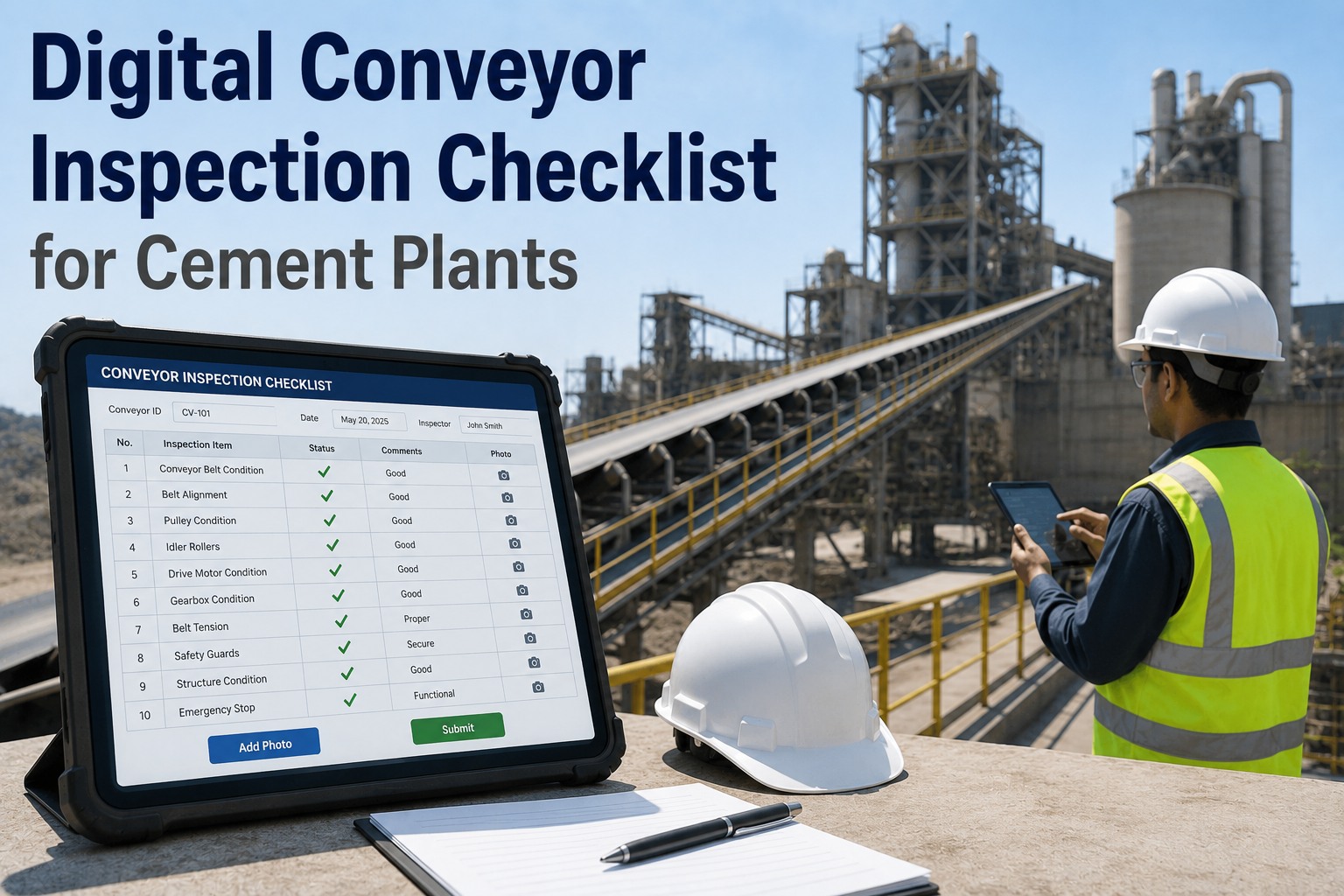
Replace clipboard checklists with a mobile inspection app that captures photos, timestamps and defects — then auto-converts them into CMMS work orders the moment a deficiency is found.
-
Belt alignment & trackingVisual + laser reference at head/tail pulley
-
Idler rotation & temperatureHot or frozen idlers flagged instantly
-
Belt splice & cover conditionPhoto of suspect splice attached
-
Pull-cord & E-stop continuityTested, signed, time-stamped
Why clipboard inspections fail cement conveyors
Industry studies put conveyor failure as the single largest contributor to unplanned downtime in bulk-materials plants — accounting for roughly 25–30% of lost production hours. Yet most cement plants still inspect belts the same way they did in 1995.
The 6 categories every digital conveyor checklist must cover
A complete digital checklist groups inspection points by failure mode so nothing falls between cracks. Below is the structure used by high-reliability cement plants aligned with ISO 55000 asset-management principles.
Belt & splice integrity
- Belt cover wear & gouges
- Splice condition (mechanical / vulcanized)
- Edge fraying and cupping
- Tension & sag measurement
Idlers & pulleys
- Idler rotation — free / noisy / frozen
- Bearing temperature (IR scan)
- Pulley lagging wear
- Shaft alignment & runout
Drive & motor assembly
- Gearbox oil level & leaks
- Motor current draw vs baseline
- Coupling wear & alignment
- Vibration spot-check (mm/s)
Safety devices
- Pull-cord switch continuity test
- Belt-sway / misalignment switch
- Slip detection & underspeed
- E-stop & local control stations
Chute & transfer points
- Buildup & blockage inspection
- Liner wear & thickness
- Skirt board seal condition
- Dust suppression function
Belt cleaning & housekeeping
- Primary / secondary scraper blade
- Plough & v-plow condition
- Spillage under carry-side
- Walkway & guard clearance
From walk-down to work order in under 90 seconds
A route-based mobile inspection app eliminates the lag between finding a defect and acting on it. Here is the five-step workflow inspectors follow on a rugged tablet or phone.
Route assigned in CMMS
Planner pushes a sequenced route (e.g. Belt CL-04 → CL-05 → CL-06) to the inspector's mobile app. Each stop carries its own checklist, baseline readings and last-defect history.
Scan QR & open checklist
Inspector scans the asset QR tag. The correct digital checklist loads instantly — no searching, no wrong form. GPS confirms the inspector is at the right belt.
Capture readings & photos
Numeric inputs (temperature, mm/s, mm sag) are validated against thresholds. Out-of-range values auto-flag amber or red. Inspector snaps a photo of the suspect component and annotates it.
Defect auto-creates work order
A red-flag reading triggers an instant CMMS work order pre-filled with asset ID, defect type, photo, severity and recommended action. Priority is set by configurable rules — not by memory.
Sign & sync — even offline
Inspector e-signs the route. The app caches data offline (cement plants have dead zones) and auto-syncs to the CMMS when signal returns. Audit trail complete, time-stamped, tamper-evident.
Closing the loop: how defects become prioritized work
The real ROI of a digital conveyor inspection checklist isn't the checklist itself — it's the automatic conversion of a flagged reading into a tracked, prioritized work order. Worked example: a 180-asset cement plant running daily belt inspections logs roughly 1,200 inspection records per week. On paper, about 40 defect notes are written; half are lost. On a digital app, those same 40 defects become 40 work orders — automatically routed, severity-ranked, and visible on the planner's board.
| Defect type | Detection trigger | Auto-priority | WO action generated | Target SLA |
|---|---|---|---|---|
| Frozen idler | Manual flag + photo | Critical | Replace idler — shut down belt | 2 hrs |
| Hot bearing (IR > 80°C) | Temp threshold exceeded | High | Lubricate + schedule IR thermography | 8 hrs |
| Belt splice lifting | Photo + inspector note | High | Schedule vulcanized splice repair | 24 hrs |
| Scraper blade worn | Visual — wear limit reached | Medium | Order replacement blade | 7 days |
| Minor spillage at transfer | Inspector observation | Low | Housekeeping ticket — next outage | 14 days |
Stop inspecting on paper. Start closing the loop.
Deploy a digital conveyor inspection checklist in days — not months — and watch defect-to-work-order conversion climb past 95%.
What a cement plant gains in the first 90 days
Plants that switch from paper to a mobile conveyor inspection app typically see measurable gains inside one quarter. Here are the benchmarks drawn from mid-size cement operations running 40–60 belt conveyors.
Defects caught at inspection instead of at failure. A 5,000 TPD plant saved an estimated $310K in lost production over six months.
GPS + QR validation ensures every belt is actually walked. Paper audits averaged 58% route completion; digital routes hit 95%+ within 30 days.
Auto-generated WOs eliminate manual data entry. Average time from defect found to WO logged dropped from 36 hours to under 9.
We had three near-miss belt fires in two years because hot-idler defects were written on paper nobody read. After moving to a digital checklist with auto work-orders, a bearing over 80°C now creates a critical WO before the inspector leaves the belt. That alone justified the switch.
Configuring your CMMS for route-based conveyor inspection
A digital checklist only delivers value when it's wired into your CMMS correctly. Follow these four setup steps to ensure inspection data flows cleanly into your reliability program.
Tag every conveyor asset with a unique QR
Each belt, idler bank, drive and transfer point gets a durable QR or NFC tag linked to its CMMS asset record. Without unique tagging, inspectors default to generic forms and traceability is lost. Budget roughly $2–4 per tag; a 50-belt plant needs 400–600 tags.
Build checklist templates by failure mode
Don't create one giant form. Build modular templates per asset class (belt, idler, drive, chute) and let the CMMS assemble the right form per asset. Include numeric thresholds so the app can auto-flag — never rely on free-text judgment for critical readings.
Define severity rules & auto-WO triggers
Map each checklist failure to a priority level and a pre-built work-order template. Example: bearing temp > 90°C = Critical WO "Replace idler" + belt shutdown request. Configurable rules — not human memory — should decide priority every time.
Schedule routes & assign inspector zones
Sequence routes by physical location to minimize walking time — a well-sequenced digital route is 20–30% faster than a random paper walk. Assign inspectors to fixed zones so the same person reads the same belt daily; pattern recognition is where early defect detection lives.
Frequently asked questions
How long does it take to deploy a digital conveyor inspection checklist in a cement plant?
A typical 40–60 belt plant goes live in 2–4 weeks. Week one covers asset tagging and CMMS integration; week two is checklist template build and severity-rule configuration; weeks three and four are inspector training and pilot routes. You can start your deployment with a Start Free Trial and configure templates before purchase.
Does the mobile app work in areas with no Wi-Fi or cellular signal?
Yes. The app caches checklists, asset data and QR mappings locally on the device. Inspectors complete full routes offline — including photo capture — and the app auto-syncs to the CMMS the moment a connection returns. This is critical for kiln preheat towers, underground galleries and remote stacker-reclaimer areas.
Can we keep our existing inspection categories and just digitize them?
Absolutely. The platform mirrors your current paper checklist structure so inspectors recognize the format on day one. During setup, most plants take the opportunity to add numeric thresholds (temperature, vibration, sag) that paper forms couldn't validate — but the categories themselves stay the same.
How does the system handle different inspection frequencies — daily, weekly, monthly?
Each asset can carry multiple checklist templates tied to different frequencies. A belt might get a 12-point daily walk-down, a 35-point weekly mechanical inspection, and a 60-point monthly comprehensive. The CMMS schedules each route and pushes only the due checklist to the inspector's app on the right day.
What does it cost and what is the typical payback period?
For a 50-belt plant, a mobile inspection + CMMS package runs roughly $18–30K per year including seats, mobile app and support. With even one prevented unplanned belt failure saving $15–25K and most plants preventing 4–8 in year one, payback typically lands between 4 and 7 months. You can Book a Demo for a plant-specific ROI calculation.
Your conveyors are inspected every day. Is the data working for you?
Turn daily belt walk-downs into a data-driven reliability program — photos, thresholds, auto work-orders and full audit trail, all in one mobile-first platform built for cement.
Free 14-day trial · No credit card