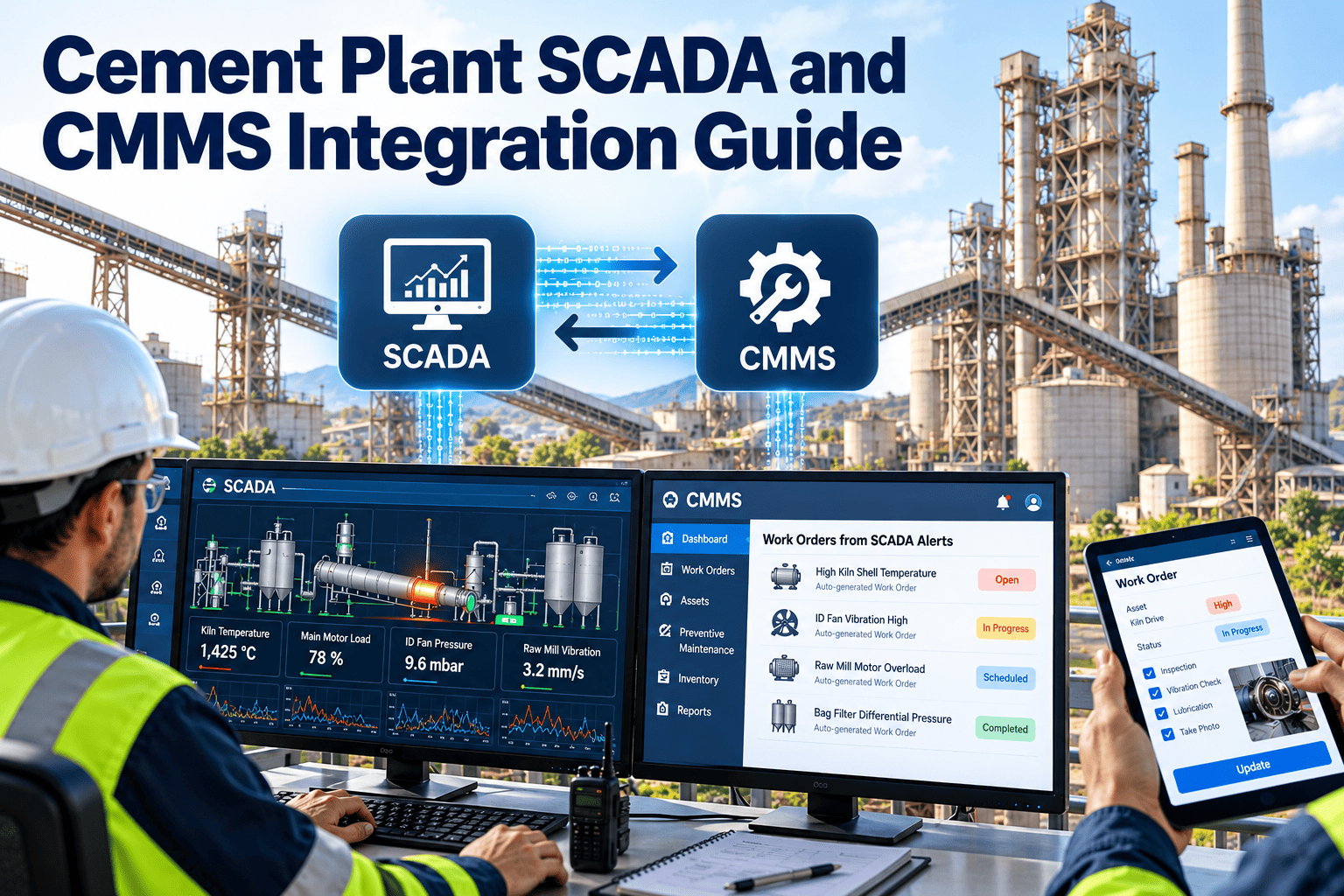
Most cement plants already capture kiln temperature, motor vibration and fan amperage through SCADA — yet 60% of maintenance work orders are still raised by hand after a phone call from the operator. Bridging SCADA and CMMS changes that: PLC alarms become work orders automatically, process tags feed predictive models, and reliability engineers stop firefighting in batches. This guide walks through the integration architecture, tag mapping and alarm-to-work-order logic that turns real-time plant data into real-time maintenance action. When you're ready to wire your historian to your CMMS, you can Start Free Trial and connect your first 25 assets this week.
Your kiln already knows it's failing — is your CMMS listening?
When SCADA alarms trigger work orders automatically, cement plants cut unplanned downtime by up to 40% and shrink mean-time-to-repair by half. The data is already there — the integration is what's missing.
Why batch-and-late maintenance is bleeding cement margins
A typical 8,000 TPD kiln loses $180–250K per day of unplanned outage. Yet most plants still rely on a control-room operator phoning maintenance — a handoff that injects 6–8 hours of latency between anomaly detection and work-order creation. SCADA-CMMS integration collapses that gap to minutes.
A single delayed bearing replacement on a preheater ID fan can cascade into a 14-hour kiln stop. Integrated SCADA alerts catch the temperature drift 72 hours earlier — while it's still a $4,000 job, not a $180,000 outage.
— Reliability engineering benchmark, mid-size integrated cement plantFrom PLC tag to work order: the four-layer pipeline
A production-grade SCADA-CMMS integration isn't a direct cable — it's a staged pipeline that filters, contextualizes and routes data. Each layer has a job; skip one and you either drown in false alarms or miss the signal entirely.
PLC & Field Device Layer
Sensors on kiln shell, preheater fans, cooler grates and raw-mill motors stream 1–5 second polling data to PLCs. A single integrated line exposes 2,000–3,000 tags covering temperature, vibration, pressure, amperage and speed.
SCADA & Historian
The SCADA HMI aggregates tags, applies alarm deadbands and writes to a process historian (Pi System, AVEVA, or native). This is where alarm thresholds, persistence timers and acknowledgement states live — and where most plants stop.
Tag Mapping & Rule Engine
A middleware layer (OPC UA gateway, REST bridge or OxMaint's connector) maps SCADA tags to CMMS asset IDs, applies severity rules, and filters noise. This is where "KILN1_BEARING_TEMP > 95°C for 10 min" becomes "Critical alarm — Kiln 1 Inlet Bearing."
CMMS Work-Order Engine
The CMMS receives the enriched alarm, auto-creates a work order with asset context, priority, suggested task template and required parts — then routes it to the right technician via mobile dispatch. Maintenance action begins within minutes, not hours.
Mapping kiln process tags to CMMS asset records
Tag mapping is the unglamorous work that decides whether integration succeeds. Every SCADA tag must resolve to a CMMS asset, a failure mode and a task template. Below is a worked mapping for a typical preheater kiln line — the pattern repeats across raw mill, cement mill and packing.
| SCADA Tag | Asset (CMMS) | Failure Mode | Threshold / Rule | Auto WO Priority | Task Template |
|---|---|---|---|---|---|
| K1_INLET_BRG_TEMP | Kiln 1 Inlet Bearing | Overheating / lubrication loss | > 95°C for 10 min | P1 — Critical | Bearing inspection + oil top-up |
| PH_IDF_VIB_X | Preheater ID Fan | Bearing wear / imbalance | > 7.1 mm/s RMS | P2 — High | Vibration analysis + alignment check |
| RM_MAIN_MOT_AMP | Raw Mill Main Motor | Overload / charge flooding | > 105% FLA for 30 sec | P2 — High | Mill load inspection + feed trim |
| CL_GRATE_SPEED | Cooler Grate Drive | Drive instability / clinker bed | < 12 strokes/min sustained | P3 — Medium | Bed condition + hydraulic pressure check |
| K1_SHELL_SCAN_DEV | Kiln 1 Shell | Refractory wear / hotspot | Local deviation > +60°C | P1 — Critical | Shell scan review + refractory plan |
| CEM_MILL_OUTLET_TMP | Cement Mill Outlet | Cooling failure / coating | > 130°C for 15 min | P3 — Medium | Spray water system + vent check |
A mid-size integrated plant typically maps 800–1,200 high-value tags — not every point, but every point that maps to an asset whose failure costs more than $10K. Start with critical-path equipment (kiln, preheater fan, main mill drives) and expand outward.
180-asset plant, $42K/yr maintenance software spend — the payoff
Consider a single-cement-line plant running 180 critical assets, spending $42,000 annually on CMMS, historian and integration middleware combined. Before integration, the plant averaged 14 unplanned kiln stops per year totaling 168 outage hours. After wiring SCADA alarms to CMMS work orders with severity-based routing, unplanned stops dropped to 8 per year and outage hours to 92.
Even discounting the avoided downtime by 50% for causality uncertainty, payback still exceeds 16×. The integration pays for itself in fewer than 11 days of operation — which is why the decision is rarely "whether" but "how fast."
From signal to dispatched technician in five stages
The conversion logic sits in the middleware rule engine. Each stage filters or enriches the alarm so the CMMS receives a clean, actionable work order — not raw telemetry. Skip a stage and technicians lose trust in the system within weeks.
SCADA alarm fires
A process tag breaches its threshold (e.g., kiln inlet bearing temp exceeds 95°C). SCADA applies deadband and persistence timers to avoid chatter. The alarm is written to the historian with timestamp, value and state.
Tag resolves to asset & failure mode
The middleware looks up the tag in the mapping table, resolves it to a CMMS asset ID, attaches the failure mode, criticality and operating context (current production rate, last maintenance date, running hours).
Rule engine assigns priority
Severity rules combine alarm state, asset criticality and concurrency (is a related alarm already active?). A bearing temp spike on the kiln = P1. The same spike on a redundant conveyor = P3. Noise is filtered; signal survives.
CMMS auto-generates the work order
A work order is created with asset context, priority, task template, required parts list and safety permits. Spare-part availability is checked against inventory; missing parts trigger a purchase requisition in parallel.
Technician receives the job on mobile
The work order routes to the on-shift technician with the right skills, via mobile app push. Acknowledgement, travel and repair timestamps feed back to the historian — closing the loop between maintenance action and process response.
Six things your CMMS must have before you flip the switch
Integration amplifies whatever state your CMMS is in. If asset records are stale, the integration floods technicians with mis-routed work orders. Get these six foundations right first — then connect SCADA.
Verified asset hierarchy
Every critical asset has a functional location, parent system and unique ID. Kiln 1 Inlet Bearing is nested under Kiln 1 Drive, not orphaned under "Miscellaneous."
Task templates per failure mode
Each mapped failure mode links to a pre-built task template with steps, labor hours, parts and permits. No template = technician arrives with no instructions and improvises.
BOMs tied to real inventory
Bill of materials for each asset reflects actual storeroom stock with min/max levels. A work order that requests a bearing you don't have is worse than no work order at all.
Severity-based priority matrix
A documented matrix maps alarm severity × asset criticality to WO priority (P1–P4). Without it, everything arrives as "urgent" and technicians stop trusting the system within a month.
Mobile dispatch configured
Technicians have the mobile app installed, trained and tested. Push notifications, offline mode and acknowledgement workflows are validated before the first SCADA-triggered WO lands.
Closed-loop feedback to historian
Work-order completion, root-cause code and repair timestamps write back to the process historian. This closes the loop and lets reliability engineers correlate maintenance actions with process response.
Wire your SCADA to your CMMS this quarter
Connect your first 25 kiln, mill and fan tags in under a week. OxMaint's connector supports OPC UA, Pi System and REST — no rip-and-replace required.
SCADA-CMMS integration questions, answered
The five questions cement reliability and IT teams ask most before connecting their historian to a CMMS.
How long does a typical SCADA-CMMS integration take for a cement plant?
A focused integration covering critical-path assets (kiln, preheater fan, main mill drives) takes 4–6 weeks: two weeks for tag mapping and asset-hierarchy validation, two weeks for middleware configuration and rule tuning, and one to two weeks for pilot, burn-in and technician training. Plants that attempt to map all 2,400+ tags at once typically stall — start with 200–400 high-value tags and expand quarterly. You can pilot the connector with Start Free Trial and connect your first assets within days.
Do I need to replace my existing SCADA or historian?
No. The integration reads from your existing SCADA and historian via OPC UA, REST API or a database connector. Whether you're running Siemens WinCC, AVEVA PI System, Rockwell FactoryTalk or a custom HMI, the middleware sits alongside — not in front of — your supervisory layer. No control-system downtime is required for deployment.
How do we avoid flooding technicians with false alarms?
Three layers of filtering: SCADA-side deadbands and persistence timers suppress chatter at the source; the middleware rule engine applies severity logic (asset criticality × alarm state × concurrency) so a redundant conveyor alarm never arrives as P1; and a 30-day tuning phase lets reliability engineers adjust thresholds against actual failure history. Well-tuned integrations typically route 15–25 auto-generated work orders per week — not hundreds.
What tags should we map first for a cement plant?
Start with critical-path equipment where failure causes kiln or mill stops: kiln shell temperature scans, inlet/outlet bearing temperatures and vibration, preheater ID fan vibration and amperage, cooler grate drive speed and hydraulic pressure, and main mill motor amperage. A practical first wave is 200–400 tags covering 40–60 assets. Each tag should map to a named failure mode with a pre-built task template — unmapped tags are noise. Book a Book a Demo session and we'll help you build the first mapping table.
Can SCADA-triggered work orders include parts and permits automatically?
Yes — if your CMMS asset records carry validated bills of materials and linked permit templates. When the work order is auto-created, the CMMS checks part availability against storeroom stock, attaches the required safety permits (hot work, confined space, LOTO) and flags missing parts as a parallel purchase requisition. This is why CMMS data quality must be addressed before — not after — the integration goes live.
Stop losing hours between alarm and action
Every hour of latency between a SCADA alarm and a dispatched work order is production value evaporating. Connect your plant data to your maintenance workflow and start recovering it.
Free 14-day trial · No credit card