Most campus facilities directors can tell you their annual maintenance budget. Almost none can prove how much of that budget was saved by their CMMS investment — not because the savings are not there, but because nobody built a system to document them. A maintenance cost savings audit is the structured process of extracting that proof from CMMS data: comparing emergency repair frequency before and after CMMS adoption, quantifying labor hours recovered from administrative friction, calculating asset life extension value from PM compliance records, and presenting the total in a format that justifies the platform investment to finance teams and governing boards. The institutions that run annual savings audits secure larger maintenance budgets, easier technology approvals, and significantly more organizational credibility than those that operate on faith that the CMMS is worth its cost. If your campus cannot currently answer the question "how much is your CMMS saving per year," start a free trial with Oxmaint or book a demo to see the reporting framework that makes the answer calculable.
Campus CMMS Audit · ROI Documentation · Cost Savings
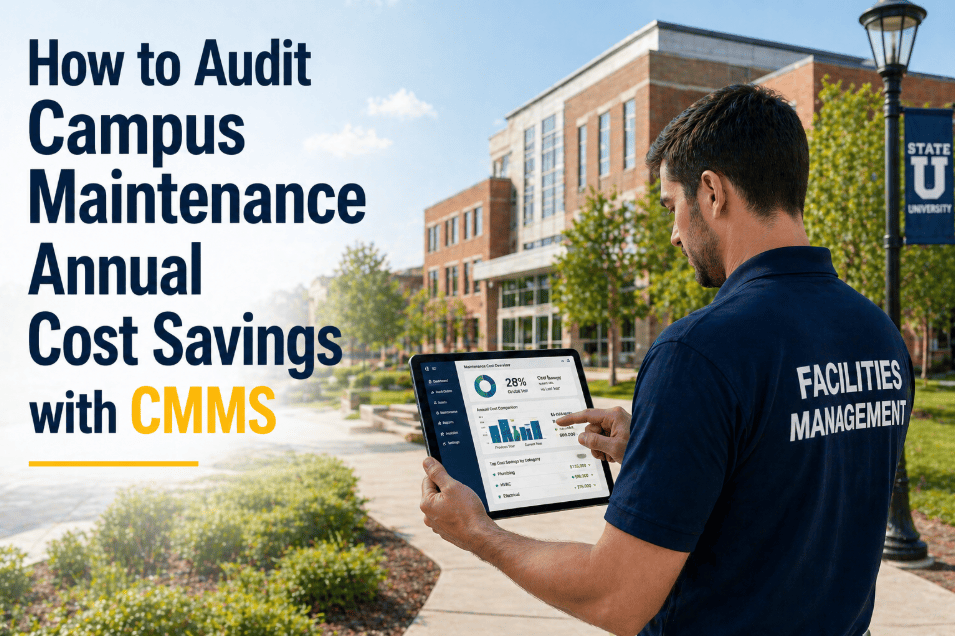
How to Audit Campus Maintenance Annual Cost Savings — The CMMS Data Framework That Proves Your ROI
A structured annual savings audit extracts four measurable value streams from CMMS data — emergency repair reduction, labor recovery, asset life extension, and warranty capture — and presents them in a format that finance teams and governing boards can act on.
4.8x
Emergency repair cost vs. planned maintenance — the core ROI driver in every savings audit
$340K
Average annual CMMS savings documented by mid-size universities running structured audits
6.2hr
Weekly labor recovered per technician from administrative friction elimination
Why This Matters
Why Most Campus CMMS Investments Go Unjustified — and What That Costs
A CMMS platform that saves $340,000 annually but cannot prove it is perpetually vulnerable to budget cuts, subscription cancellations, and "why are we paying for this" questions from new administrators. Four organizational consequences follow when savings go undocumented.
01
Budget Cuts Target the Invisible
When a new VP of Finance reviews discretionary spend, a $95,000 CMMS subscription without documented ROI looks like a luxury. A CMMS that demonstrably saves $340,000 annually looks like infrastructure. The difference is entirely documentation — not performance.
02
Technology Upgrades Denied Without Evidence
A request for IoT sensor integration, mobile device deployment, or additional CMMS modules requires a business case. Without an annual savings audit establishing the baseline ROI of the existing platform, the business case for expansion has no foundation to build on.
03
Maintenance Gets Blamed for the Budget It Prevents
When emergency repairs drop from 18 per month to 4 per month, the credit goes to "fewer breakdowns this year" rather than to the PM program that caused the reduction. Without documented comparison data, the facilities team gets no organizational credit for the work that prevented the crises nobody sees.
04
Staff Resourcing Arguments Fail
A facilities director requesting two additional technicians needs to demonstrate demand. CMMS data showing that existing technicians are recovering 6.2 hours weekly from administrative friction — time now filled with backlog — provides the quantified demand evidence that a staffing request without data cannot.
The Audit Framework
The Four-Stream Campus Maintenance Savings Audit
A complete campus maintenance savings audit quantifies value across four measurable streams — each drawn from data that already exists in a well-run CMMS. The audit takes 4–8 hours to prepare with organized CMMS data and produces a board-ready financial summary.
How to calculate:
Count emergency work orders in current year vs. baseline year (first year of CMMS or pre-CMMS data)
Multiply reduction in emergency events by average emergency repair cost (industry benchmark: $2,400–$4,800 per event including overtime, emergency freight, and production impact)
Subtract the PM labor cost that prevented those emergencies
Net savings = avoided emergency costs minus PM investment for those assets
Example: 42 fewer emergency events x $3,200 average cost = $134,400 avoided. PM labor cost for those assets: $28,000. Net stream value: $106,400.
How to calculate:
Benchmark technician time saved per work order with mobile CMMS vs. paper/desktop (industry average: 43 minutes per work order saved)
Multiply by total work orders completed annually
Convert to hours and multiply by fully-loaded technician hourly cost (typically $38–$62/hour including benefits)
This represents recovered productive time — use it to demonstrate backlog reduction or avoided overtime
Example: 3,200 work orders x 43 min saved = 2,293 hours. 2,293 hours x $48/hr = $110,064 in recovered labor value. Partially redirected to backlog — avoids $52,000 in contractor spend.
How to calculate:
Identify assets that were deferred from replacement due to improved condition from PM programs (CMMS condition scores show assets previously rated "3/5" now at "4/5" after 2 years of structured PM)
Calculate the replacement cost of each deferred asset divided by its remaining useful life added
Sum across all assets with documented life extension to produce annual capital deferral value
Cross-reference with CapEx budget savings — replacements that were budgeted but not required
Example: 8 HVAC units deferred 3 years by PM programs x $38,000 average replacement cost / 15-year life = $20,267/year deferred. Across portfolio: $142,000 in annual capital deferral.
How to calculate:
Sum all warranty claim values processed during the audit period — repairs completed under warranty that previously would have been paid out-of-pocket
Add contractor accountability recoveries — documented service failures that resulted in remediation without additional cost
Include any vendor credits obtained from documented equipment defect patterns (CMMS failure history provides the evidence for these claims)
Note any warranty expirations approaching — these represent future savings at risk if maintenance documentation lapses
Example: $47,000 in warranty repairs completed vs. $0 pre-CMMS (no tracking). $12,000 contractor remediation. $8,500 vendor credits from documented failure patterns. Total: $67,500.
Run Your Savings Audit in Oxmaint
The Data for Your Savings Audit Is Already in Your CMMS — Oxmaint Makes It Exportable
Oxmaint's reporting layer extracts emergency vs. planned work order ratios, labor hours by work order type, asset condition trends, and warranty capture data in board-ready formats. Your annual savings audit runs from the reporting dashboard, not from a spreadsheet rebuild.
CMMS Reporting
How Oxmaint Makes the Annual Savings Audit Exportable — Not Assembled
Emergency Ratio
Reactive vs. Planned Work Order Tracking
Every work order classified as reactive or planned at creation. Dashboard shows current reactive ratio vs. baseline and prior year — the primary metric for Stream 1 savings calculation.
Reactive ratio report exportable with year-over-year comparison
Labor Analysis
Work Order Time and Cost by Category
Actual hours logged per work order, per technician, per asset category. Comparison of planned vs. actual time identifies efficiency gains. Emergency labor premium tracked separately from standard rate.
Labor cost report broken down by planned, reactive, and emergency categories
Asset Condition
Condition Score Trend Reporting
Asset condition scores tracked over time from inspection work orders. Upward trends document PM program effectiveness. Assets with improving scores despite age provide evidence for life extension claims in Stream 3.
Condition trend chart per asset — supports capital deferral documentation
Warranty Records
Warranty Capture and Expiry Reporting
All warranty claim work orders tagged and valued. Upcoming warranty expirations flagged with replacement cost at risk. Completed warranty repairs summed by period for Stream 4 calculation.
Warranty capture summary — completed claims and upcoming expiry risk
Audit Output
What a Complete Campus Maintenance Savings Audit Looks Like
| Savings Stream | Data Source in CMMS | Calculation Method | Typical Annual Value |
| Emergency repair reduction |
Reactive work order count + cost |
Year-over-year emergency count x average emergency cost |
$85K–$180K |
| Labor recovery |
Work order hours + technician count |
Hours saved per WO x WO count x loaded labor rate |
$45K–$95K |
| Asset life extension |
Condition scores + replacement cost |
Deferred replacement value / remaining life added |
$60K–$140K |
| Warranty capture |
Warranty-tagged work orders |
Sum of warranty repair values + contractor recoveries |
$18K–$85K |
| Total documented savings |
All four streams combined |
Sum of all streams net of PM program cost |
$208K–$500K |
| CMMS platform cost |
Annual subscription |
Subtract from total savings for net ROI |
$35K–$95K |
| Net annual ROI |
Total savings minus platform cost |
Net value delivered to campus budget |
$173K–$405K |
Documented Outcomes
What Campus Facilities Teams Report After Running Annual Savings Audits
$340K
Average Annual Documented Savings
Mid-size university, all four savings streams combined, net of CMMS platform cost — APPA 2025 benchmark data
100%
Budget Approval Rate for CMMS Renewals
Campus facilities teams presenting documented savings audits report zero rejected renewal requests — finance teams approve what they can quantify
3.6x
Average ROI Multiple
Documented savings divided by CMMS platform cost — every dollar of CMMS investment returning $3.60 in measurable campus facility savings
68%
Easier Technology Expansion Approvals
Facilities teams with documented CMMS ROI report significantly faster approval for IoT sensors, mobile devices, and platform upgrades than those without baseline savings evidence
Common Questions
Campus Maintenance Savings Audit — Questions Answered
What if we do not have pre-CMMS baseline data to compare against?+
You have two options. First, use industry benchmarks as your baseline — APPA and IFMA publish reactive work order ratios, emergency repair frequencies, and maintenance cost per square foot for higher education facilities. Compare your current CMMS data against the applicable industry benchmark. Second, use your first year of CMMS data (when adoption was lowest and old habits persisted) as a soft baseline, comparing year 1 to year 3 to document the program's improvement trajectory. Both approaches are defensible to finance teams when the methodology is clearly stated.
Book a demo to see how Oxmaint's benchmarking reports position your data against industry standards.
How do we put a dollar value on emergency repair avoidance when costs vary widely?+
Use a tiered emergency cost model rather than a single average. Tier 1 emergencies (minor, resolved in under 2 hours, no production impact): $400–$800. Tier 2 emergencies (moderate, 2–8 hours, limited production impact): $1,200–$2,800. Tier 3 emergencies (major, 8+ hours, significant production impact): $4,000–$12,000+. Tag each emergency work order with its tier at closure. The weighted average across your actual emergency distribution produces a defensible per-event cost that reflects your campus's specific emergency profile rather than a generic benchmark.
How often should the savings audit be run, and who should receive it?+
Annual cadence aligned with fiscal year reporting is the standard. The primary audience is the VP of Finance or CFO, the Provost or VP of Administration, and the relevant board finance or facilities committee. Secondary audiences include the facilities director's direct reports (demonstrating program impact) and IT leadership (supporting technology investment justification). A condensed version — one-page executive summary with four key numbers — is more effective for governance audiences than the full methodology document. Oxmaint's reporting layer generates both formats.
What data does Oxmaint need to be tracking now to enable a savings audit in 12 months?+
Four data categories must be captured consistently from day one: (1) Work order classification — reactive vs. planned, with actual labor hours and parts cost logged at closure. (2) Asset condition scores — recorded at each PM inspection using a consistent 1–5 scale. (3) Warranty data — expiry dates entered for all assets at registration, claims tagged when processed. (4) Emergency cost data — overtime premium, parts expediting cost, and production impact estimate logged on all Tier 2+ emergency work orders. With these four fields populated consistently, a complete savings audit is exportable in under 4 hours at the 12-month mark.
Start a free trial to begin capturing audit-ready data today.
Prove Your CMMS Value
Your CMMS Is Saving Money. Now Prove It — In Writing, With Numbers, to the People Who Control Your Budget.
Oxmaint's reporting layer makes the annual maintenance savings audit a 4-hour exercise, not a 4-week project. Emergency reduction, labor recovery, asset life extension, and warranty capture — all four streams exportable from the dashboard in board-ready format. Build the business case that secures your budget, your team, and your technology investment for years to come.
![university-sustainability-initiatives-carbon-tracking-scope-1-2-3-cmms[1]](./manage-post-2k26/uploads/university-sustainability-initiatives-carbon-tracking-scope-1-2-3-cmms[1].png)