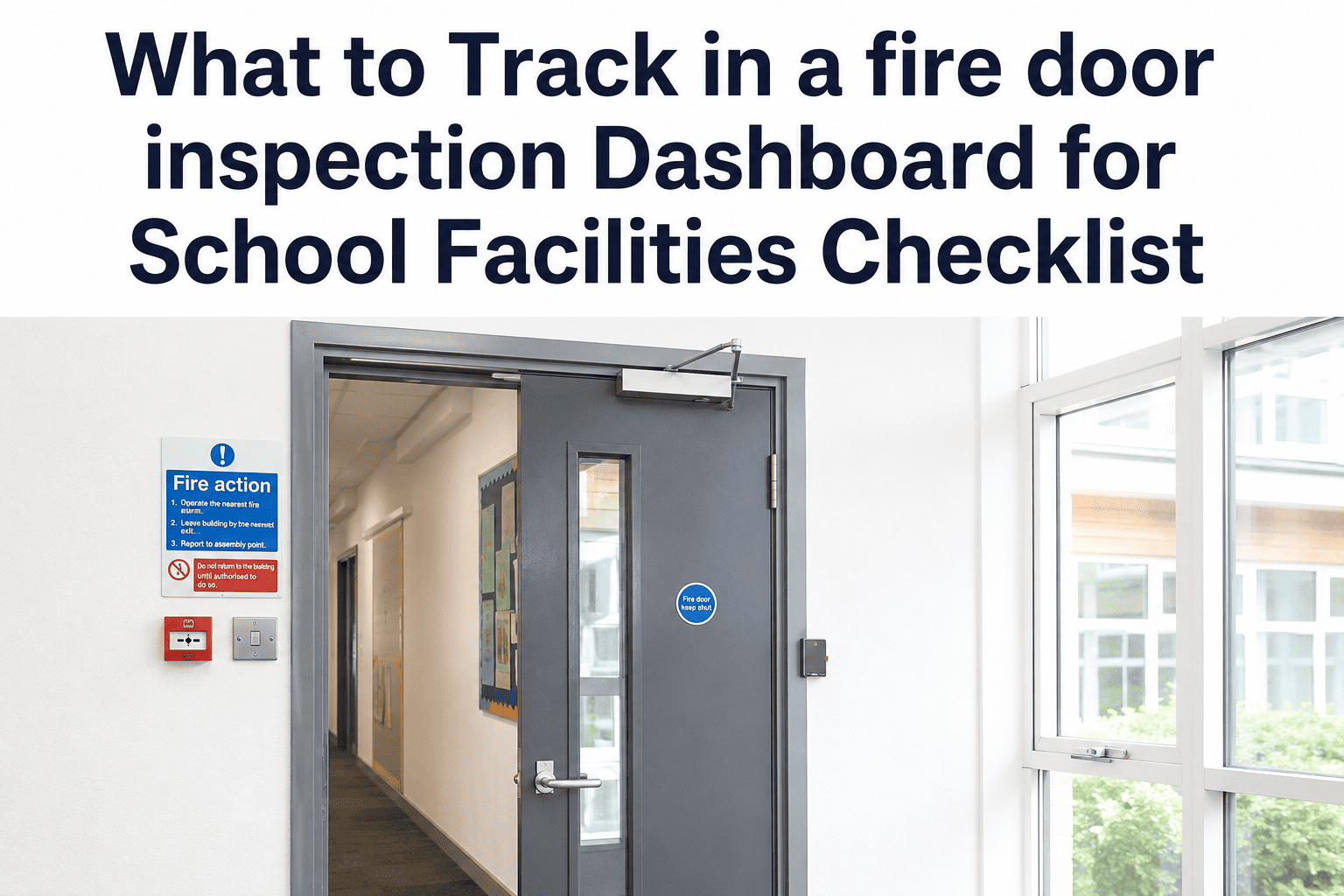
Most school facilities teams inspect fire doors once a year and then lose track of the results within weeks. Paper reports go into binders, spreadsheets go stale, and when an authority having jurisdiction walks in unannounced, nobody can answer a simple question: how many doors failed last year, and are they all fixed? A fire door inspection dashboard answers that question in seconds — but only if the right data is being tracked. NFPA 80 sets the inspection standard, but it does not tell you how to organize what you find. This checklist defines exactly which metrics, statuses, and records belong in a school facilities dashboard, and how OxMaint surfaces all of it without manual data entry.
Fire Door Dashboard — School Facilities
What to Track in a Fire Door Inspection Dashboard
The metrics, statuses, and records every school facilities team needs in one view — so every door's compliance history is available the moment an inspector or auditor asks.
Real-Time
Door compliance status, updated per inspection
3 Years
Minimum record retention NFPA 80 requires
13 Points
NFPA 80 checklist items to track per door
Minutes
To export an audit-ready report in OxMaint
Why a Dashboard Matters More Than a Spreadsheet
A spreadsheet is a snapshot. A dashboard is a live view. The difference is the difference between knowing your doors were compliant six months ago and knowing they are compliant today. Auditors ask about today.
1. Door Asset Status — The Foundation of Every Dashboard
Before you track inspection results, you need a complete, up-to-date list of every rated door assembly in your facility. Status without an accurate asset base is meaningless — you cannot show a door is compliant if you did not know it existed.
Track This
Door ID and Location
Unique identifier, building name, floor, and corridor for every rated assembly. Location data lets inspectors find the door and lets admins filter by building during an audit.
Track This
Fire Resistance Rating
The rating from the factory label — 20, 45, 60, or 90 minute — matched against the rating listed in the building's life safety plan. Mismatches are a compliance failure on their own.
Track This
Current Compliance Status
One of three states: Compliant (passed last inspection), Out of Service (failed, corrective work order open), or Overdue (no inspection within the required window). Every door should show one of these at any moment.
Track This
Last Inspection Date
The date the most recent annual inspection was completed and signed off. This is the first thing an authority having jurisdiction will ask for — if you cannot answer immediately, the audit starts badly.
Track This
Next Inspection Due Date
Calculated from the last inspection date. Doors approaching their annual deadline should surface in the dashboard automatically — not require someone to check manually.
Track This
Inspector Name on Record
The name of the qualified person who performed the most recent inspection. NFPA 80 requires signed inspection records — the inspector's identity is part of the legal record, not optional metadata.
2. Compliance Metrics — What Your Dashboard Numbers Should Tell You
Aggregate numbers give administrators the picture across all buildings. Individual door data gives inspectors what they need at the door. Both belong in a school facilities dashboard.
3. Inspection History — What to Retain Per Door
Every door's inspection history is its compliance passport. An authority having jurisdiction can ask for the full history of any door on any corridor — your dashboard should retrieve it without searching through binders.
OxMaint Dashboard
See Every Door's Status Without Opening a Spreadsheet
OxMaint gives school facilities teams a live dashboard showing compliance status, overdue inspections, open work orders, and inspection history for every door in every building — updated automatically as inspectors complete their checklists on mobile.
4. Corrective Work Orders — Tracking Failed Doors to Resolution
A failed inspection that does not generate an immediate work order is a gap in your compliance record. The work order is the documented proof that a failure was discovered, acted on, and resolved.
5. Schedule Tracking — What a Dashboard Should Surface Automatically
A dashboard that only shows past results is half a dashboard. The other half is forward-looking: which doors and buildings need attention before the next audit window opens.
6. Audit Export — What an AHJ Expects to See
When an authority having jurisdiction arrives for a fire safety audit, they will ask for specific records in a specific order. Your dashboard's export should produce all of these without custom formatting or data assembly.
| What the AHJ Asks For |
What Your Dashboard Should Produce |
Time to Produce (Target) |
| List of all rated door assemblies |
Full asset inventory by building, floor, and door ID with fire resistance ratings |
Under 2 minutes |
| Proof of annual inspections |
Signed inspection reports for every door in the current 12-month window |
Under 5 minutes |
| Failed door records |
List of every failed door, the specific checklist point that failed, and the corrective work order |
Under 3 minutes |
| Corrective action proof |
Work order records with completion date, technician name, and closure photographs |
Under 5 minutes |
| Inspector qualifications on record |
Inspector name and qualification documentation linked to their inspection records |
Under 2 minutes |
| Historical records (3-year minimum) |
Full inspection history per door going back three or more years, exportable by building |
Under 5 minutes |
Frequently Asked Questions
OxMaint — School Facilities CMMS
Stop Hunting for Inspection Records. Start Your Audit Confident.
OxMaint's fire door inspection dashboard gives school facilities teams real-time compliance status for every door, automatic overdue alerts, instant corrective work orders on failure, and a full audit export in minutes — not days.
Live compliance status for every door, updated automatically after each inspection
Overdue inspections surfaced automatically — no manual monitoring required
Failed items convert to corrective work orders instantly with door ID and failure type
Full AHJ audit export for any building or district in under 5 minutes