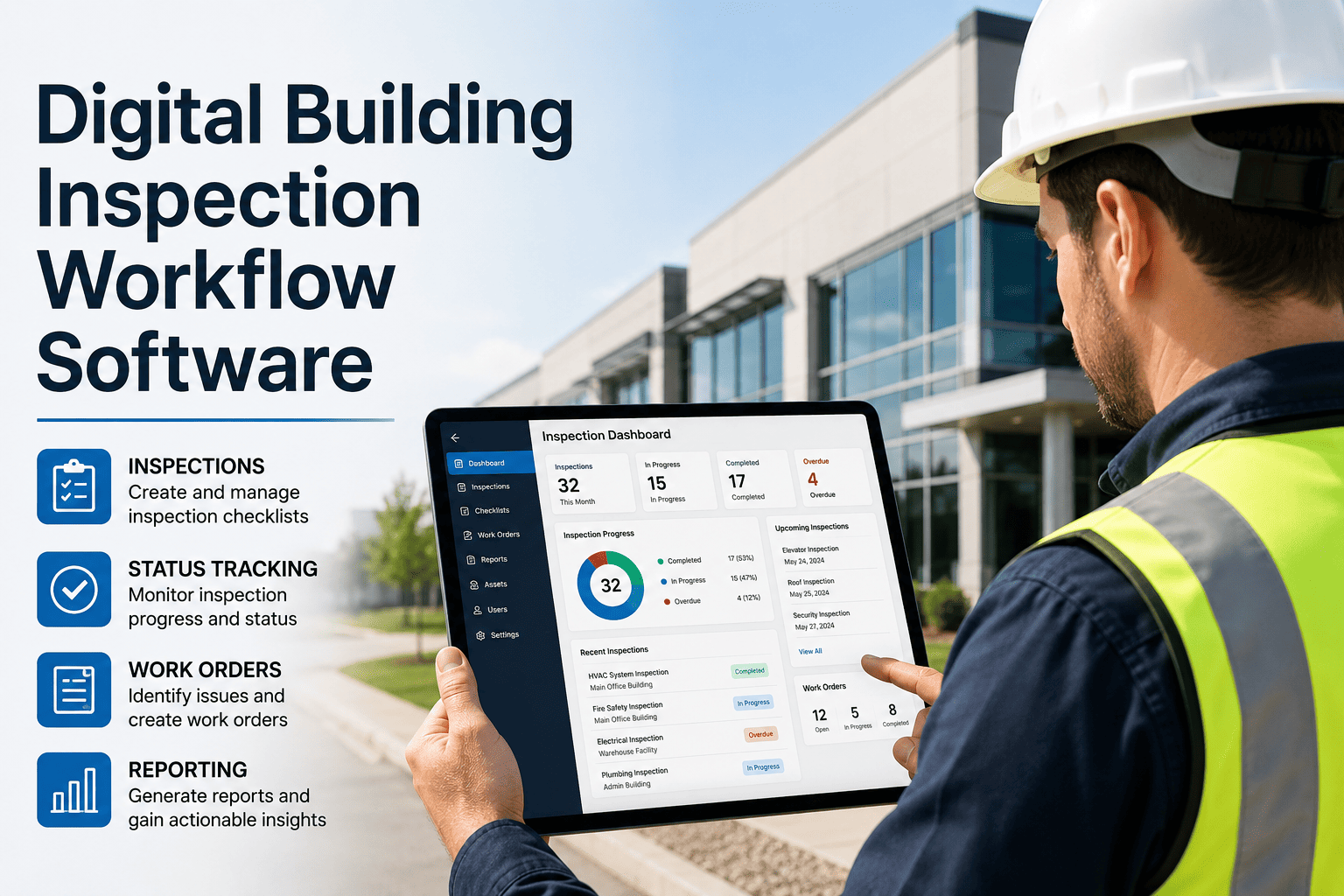
Most inspection programs cost more than anyone has measured. Inspectors fill in paper forms, someone retypes them, defects sit in a pile until a supervisor reads the sheet, and the same hazard gets found twice. For a portfolio of several buildings, that overhead adds up quickly. This guide gives you a simple ROI model you can fill in with your own numbers, shows where digital inspection typically earns its cost back, and explains how Oxmaint inspection management fits into the calculation.
Building Inspection ROI Model: When Digital Pays Back in 90 Days
A transparent model covering labor, missed defects, and insurance impact, built from your own inspection data rather than vendor claims.
Why Portfolio Size Changes the Math
Fixed setup effort, such as building templates and training, is spread across more sites as the portfolio grows. Variable savings, such as admin time per inspection, scale with every building added.
The 90-day payback is a target for larger portfolios, not a promise. Test it against your own data.
Step 1: Capture Your Current Inspection Baseline
| Input | How to find it | Your value |
|---|---|---|
| Inspections per month | Count scheduled rounds across all buildings | Fill in |
| Minutes of admin per inspection | Form completion, retyping, filing, and chasing signatures | Fill in |
| Loaded hourly labor rate | Wages plus burden for inspectors and supervisors | Fill in |
| Missed or late rounds | Compare the schedule to completed records | Fill in |
| Defects found late | Repairs that escalated from an earlier missed finding | Fill in |
| Claims and incident costs | Insurance deductibles and defense effort | Fill in |
Step 2: Four Value Levers
Worked Example With Illustrative Numbers
These figures are assumptions for demonstration only. Replace them with your own.
Labor alone may not cover the cost in a small portfolio. Payback usually depends on adding earlier repairs, fewer repeat inspections, and reduced exposure.
Run the Numbers With Your Own Portfolio
Bring your inspection counts and we will walk through how a digital workflow would change each line of the model.
A 90-Day Payback Timeline
Risks to payback
- Templates copied from paper without simplifying them
- Inspectors without devices or connectivity plans
- No owner for turning findings into repairs
- Savings never measured against a baseline
What to Look for in Inspection Software
Metrics to Track After Go-Live
Inspection ROI FAQs
Is 90 days realistic for every portfolio?
Can I count insurance savings?
What about inspector resistance?
What baseline data do I need first?
Can I try before committing?
Where Inspection Cost Hides in a Paper Program
Most teams know what they pay inspectors. Few know what the process around the inspector costs. The hidden items below rarely appear on a budget line, which is why they are worth listing before you build any model.
- Transcription: someone retypes paper findings into a spreadsheet or work order system, often days after the round.
- Chasing: supervisors call inspectors to decode handwriting, confirm locations, or ask whether a hazard was already reported.
- Duplicate findings: the same defect is reported by two inspectors on two sheets because neither can see what is already open.
- Lost sheets: a missing form means the inspection is repeated or, worse, assumed to have happened.
- Late reporting: monthly summaries are compiled by hand from stacks of paper, which consumes a manager for days.
- Audit preparation: gathering evidence for an insurer, lender, or regulator takes far longer than the inspection itself.
- Filing and storage: cabinets, scanning, and retrieval time carry real cost even when nobody budgets for them.
A quick way to measure it
- Shadow three inspectors for one round each and time every step from start to filed record.
- Ask the person who compiles the monthly report how many hours it takes.
- Pick one past claim or audit and count the hours spent finding records.
Task-Level Comparison: Paper Versus Digital
Instead of claiming a flat percentage saving, compare each task. The differences usually concentrate in a few steps.
| Task | Paper workflow | Digital workflow | Where the saving comes from |
|---|---|---|---|
| Prepare the round | Print or collect forms, check which areas are due | Route and checklist appear on the device from the schedule | No printing or manual scheduling |
| Record findings | Handwritten notes, sketches, loose photos | Structured answers, photos attached to each item | Less ambiguity and no later clarification |
| Report a defect | Phone call, email, or note left for a supervisor | Failed item creates a work order automatically | Hours or days removed from response time |
| Retype results | Admin enters data after the round | No second entry needed | Admin time eliminated for this step |
| Check completion | Supervisor reviews sheets, notices gaps late | Dashboard shows overdue rounds immediately | Gaps closed within the day |
| Produce a report | Manual compilation from sheets | Filtered export by site, area, or date | Report time drops sharply |
Modeling the Cost of a Missed or Late Defect
Earlier detection is the hardest lever to price, but a simple structure keeps the estimate honest. Use real repair history, not generic multipliers.
Sensitivity Table for the Labor Lever
Using the earlier example of 60 inspections per month at a loaded rate of $50 per hour, here is how the monthly labor value changes with the minutes actually saved. These figures are illustrative.
| Scenario | Minutes saved per inspection | Hours saved per month | Monthly labor value |
|---|---|---|---|
| Conservative | 10 | 10 | $500 |
| Likely | 20 | 20 | $1,000 |
| Optimistic | 30 | 30 | $1,500 |
Compare these figures to your platform quote and rollout effort. If labor alone does not clear the cost, the case rests on the other levers, and you should say so.
Cost Side: What to Include in the Investment
- Subscription or license fees for the inspection and maintenance platform.
- Devices for inspectors, if existing phones or tablets are not suitable.
- Template design: converting paper forms into short, clear digital checklists.
- Training time for inspectors and supervisors, including a short pilot period.
- Asset and location setup so inspections link to the right equipment and areas.
- Integration or data import work if you are moving from existing records.
- Internal project time for a rollout owner, which is easy to forget and should be counted.
Tips for a credible payback calculation
- Count one-time and recurring costs separately.
- Use the same loaded labor rate on both sides of the model.
- Exclude benefits you cannot measure and list them as upside instead.
- Recalculate at day 90 using actual data, not forecasts.
Insurance and Risk: What to Ask, Not Assume
Insurers evaluate risk in different ways, and no software purchase guarantees a premium change. Treat this lever as a conversation to have, not a number to book.
- Ask your broker which inspection records an underwriter values most.
- Ask whether documented, time-stamped inspections affect loss control reviews.
- Ask what evidence helps when a claim is disputed or a deductible is argued.
- Track claim-related staff hours before and after digital records are in place.
Evidence that tends to matter
- Proof that scheduled inspections happened on time.
- Photos of conditions before and after repairs.
- A clear link between each hazard and its corrective work order.
- Records that can be produced quickly for a specific date range and area.
Making the Rollout Stick So the Savings Appear
Questions to Ask Any Inspection Software Vendor
Ninety-Day Scorecard: What Success Looks Like
Decide before the pilot what you will measure at day 90. A short scorecard prevents debate about whether the rollout worked.
| Measure | Baseline | Day 90 target | Source |
|---|---|---|---|
| Admin minutes per inspection | Timed before pilot | Clear reduction | Observation and system data |
| Rounds completed on schedule | Paper sheets reviewed | Higher completion | Platform schedule report |
| Finding to work order time | Typical delay in days | Same day | Work order timestamps |
| Report preparation hours | Monthly manual effort | Minutes from export | Manager estimate |
| Inspector satisfaction | Short survey | Neutral or better | Pilot feedback |
Key Takeaways for Business Case Owners
- Measure the paper baseline first, because it determines every saving you claim later.
- Model labor, earlier defect detection, and risk separately, and state the assumptions behind each.
- Present conservative, likely, and optimistic cases instead of a single figure.
- Count training, setup, and project time on the cost side.
- Review actual results at day 90 and adjust the model with real numbers.
Measure Payback, Not Promises
Move inspections onto a mobile workflow and compare the results to your own baseline within one quarter.