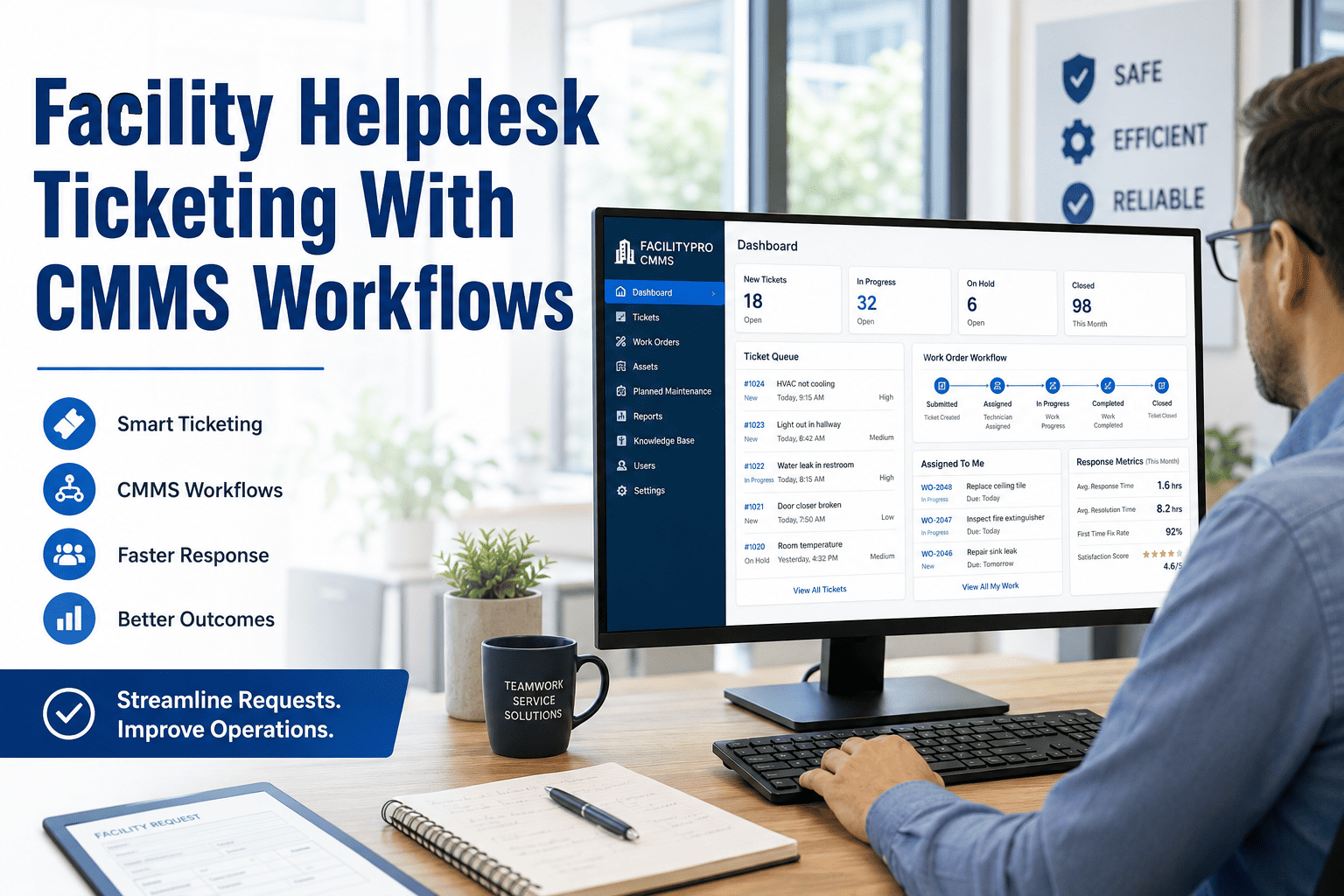
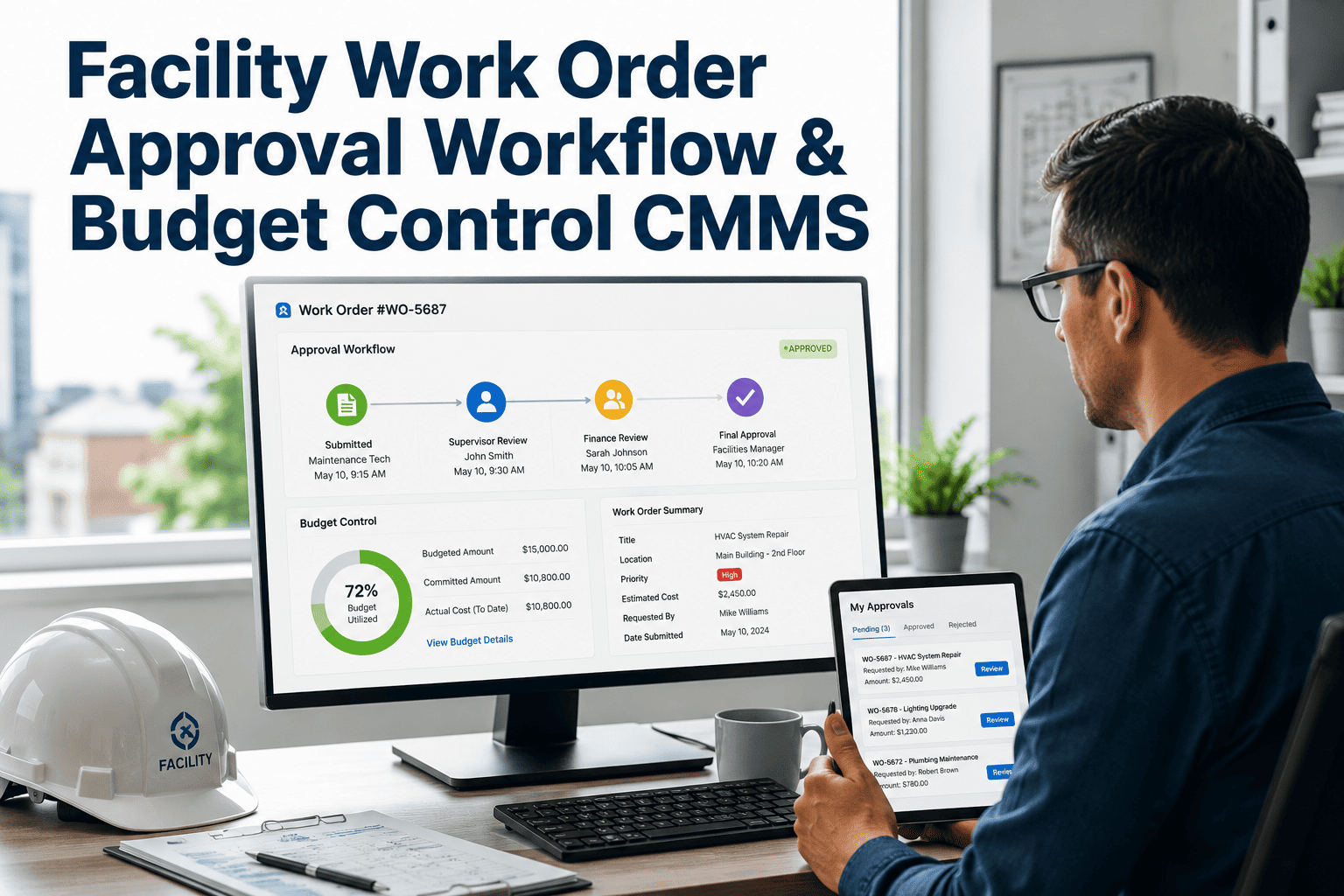
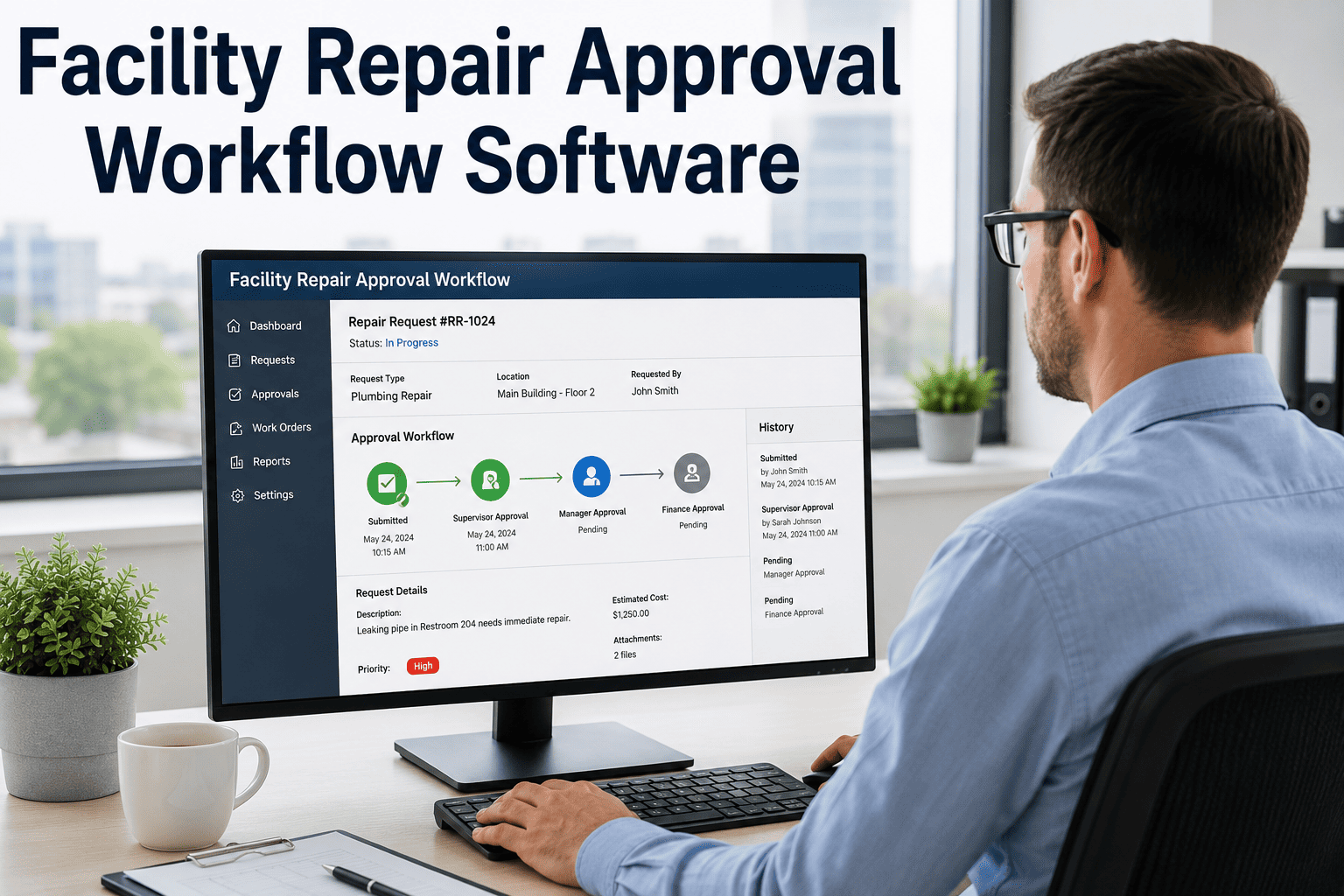
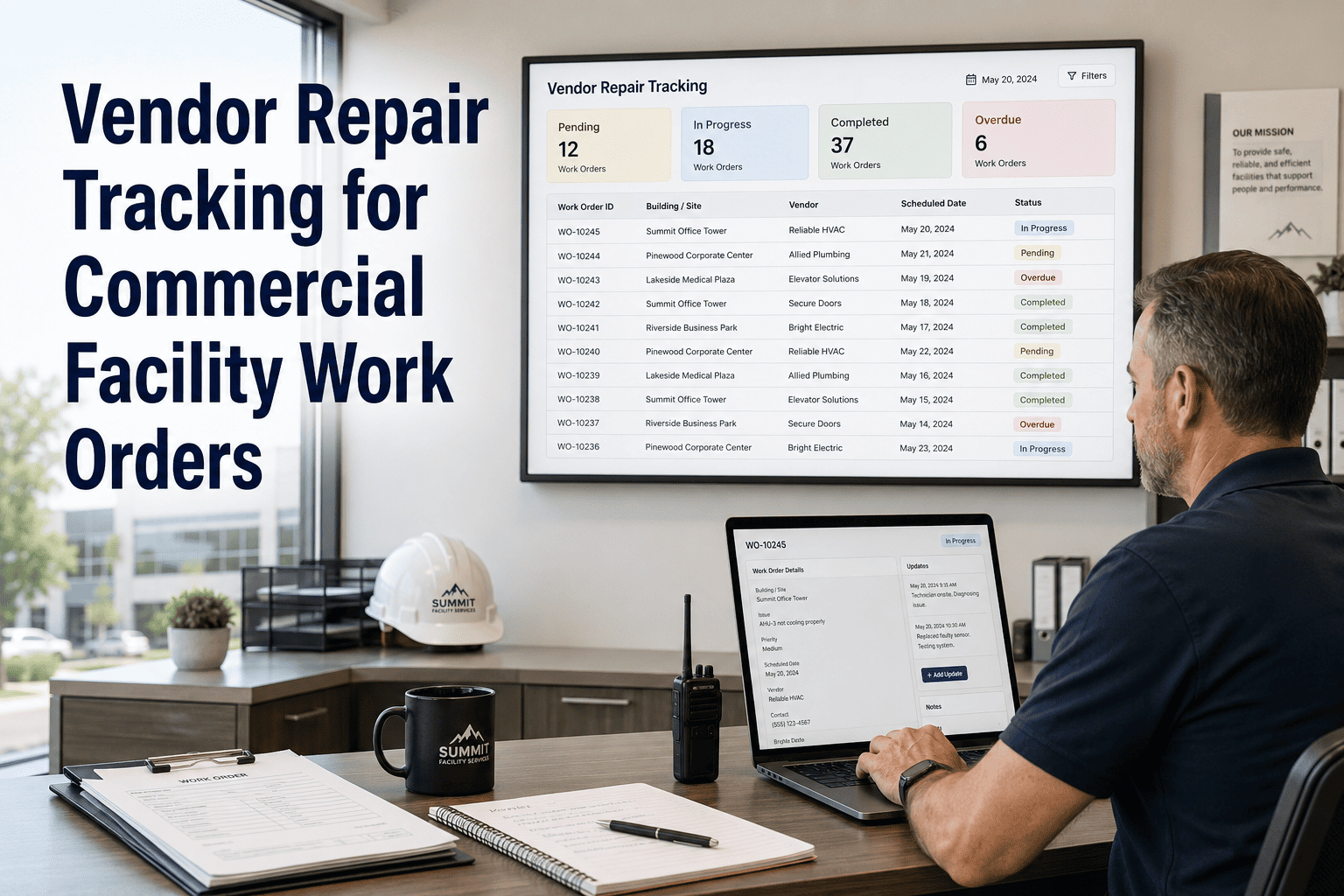
Facility helpdesk tickets that don't connect to a CMMS are data dead ends. Your team logs the issue, handles the call, and dispatches a tech — but the request leaves no asset record, no SLA log, and no maintenance history behind it. OxMaint bridges every helpdesk ticket directly into a CMMS work order workflow, so every request becomes an assigned, tracked, and reportable maintenance job — with full documentation from intake to sign-off.
Facility Helpdesk · CMMS Ticketing · Work Order Management
Your Helpdesk Tickets Should Be Work Orders. Now They Are.
Connect your facility helpdesk to a full CMMS workflow — so every ticket gets assigned, tracked, escalated, and closed with complete documentation. No ticket gets lost. No repair goes unlogged.
The Gap That Costs You
What Happens When Helpdesk and CMMS Don't Connect
Helpdesk Only
Tickets logged but no asset history attached
No technician routing — dispatcher calls manually
SLA tracked in a separate spreadsheet
Completion not documented — ticket just closed
No repeat-failure detection across assets
Audit trail requires manual reconstruction
Helpdesk + CMMS
Every ticket linked to asset ID and full history
Auto-routed by issue type, zone, and technician skill
SLA tracked and enforced inside the same system
Photo, signature, and parts log captured on close
Repeat failure flags trigger PM review automatically
Full audit trail exportable in one click
44%
of helpdesk tickets in disconnected systems result in incomplete or missing maintenance records
2.8x
faster average work order resolution when helpdesk and CMMS share a single workflow
38%
of repeat maintenance calls are for assets with no logged service history from prior tickets
Ticket-to-Work-Order Workflow
How Every Ticket Becomes a Trackable Maintenance Job
| Stage |
Helpdesk Action |
CMMS Action |
Who Benefits |
| Intake |
Ticket created from portal, QR, or call |
Work order auto-generated with asset link |
Dispatcher — no manual data entry |
| Routing |
Priority and category assigned |
Auto-routed to correct tech by zone and skill |
Technician — arrives with full context |
| Execution |
Ticket status updated to In Progress |
Labor, parts, and time logged in real-time |
Manager — live visibility without calls |
| Completion |
Ticket closed with resolution note |
Photo, sign-off, and test result recorded |
Submitter — notified automatically |
| Review |
SLA compliance checked |
Root cause and PM trigger assessed |
Director — audit-ready report generated |
See what connected helpdesk and CMMS looks like in your environment.
Book a 30-minute walkthrough and walk out with a clear picture of how OxMaint connects your intake, dispatch, and documentation into one accountable workflow.
Expert Review
What Facility Operations Leaders Say
"The most expensive gap in facility operations isn't broken equipment — it's broken data flow. When a helpdesk ticket closes without generating a CMMS record, that asset's service history has a gap that will cost the organization money the next time that asset fails. The teams that connect these systems see measurable improvements in first-call resolution rates, technician productivity, and capital planning accuracy within the first quarter."
91%
of FM leaders say incomplete asset histories are their biggest barrier to predictive maintenance
1 click
to export a full ticket and work order history for any asset in OxMaint
FAQ
Common Questions About Helpdesk-CMMS Integration
Does OxMaint replace our existing helpdesk, or integrate with it?
OxMaint can serve as your complete helpdesk-plus-CMMS platform in one, eliminating the need for a separate helpdesk tool entirely. For teams already using a standalone ticketing system, OxMaint's work order module becomes the CMMS layer that gives every ticket a maintenance record, asset history, and compliance trail. The goal is one place for intake, dispatch, execution, and documentation — so your team is never toggling between two disconnected systems.
Start your free trial and connect your first workflow today.
How does OxMaint handle SLA enforcement across different ticket priorities?
OxMaint lets facility managers configure SLA rules by ticket category, priority level, building zone, or submitter type. Urgent safety tickets can carry a 1-hour response SLA with automatic supervisor escalation if the threshold is breached. Standard requests can have 24-to-48-hour targets with no escalation. All SLA performance — acknowledgment time, response time, and resolution time — is tracked in the analytics dashboard and available for export as a compliance or board-level reporting deliverable.
Book a demo to walk through SLA configuration.
Can different buildings or teams have their own helpdesk queues in OxMaint?
Yes. OxMaint supports multi-site and multi-team queue structures. Each building, campus, or department can have its own intake form, routing rules, technician assignments, and SLA targets — all feeding into a centralized dashboard where facility directors can monitor performance across the full portfolio. This is particularly valuable for property management companies, universities, or healthcare systems managing facilities across multiple locations with different team structures and compliance requirements.
What documentation does OxMaint generate when a helpdesk ticket is closed?
When a work order is closed in OxMaint, the system captures and stores: completion timestamp, technician signature, repair notes, photographic evidence, parts consumed, labor hours, and test results where applicable. This creates a permanent, auditable record attached to the asset's history. For compliance reviews, insurance documentation, or capital planning decisions, this record is exportable as a structured report — eliminating the hours teams typically spend reconstructing records after the fact.
Free Trial · CMMS Ready Day One · No IT Setup Required
Every helpdesk ticket that closes without a CMMS record is a data gap your next audit will find.
Connect your intake, dispatch, and documentation into one workflow — and give every ticket a traceable, compliant maintenance record from the first call to the final sign-off.