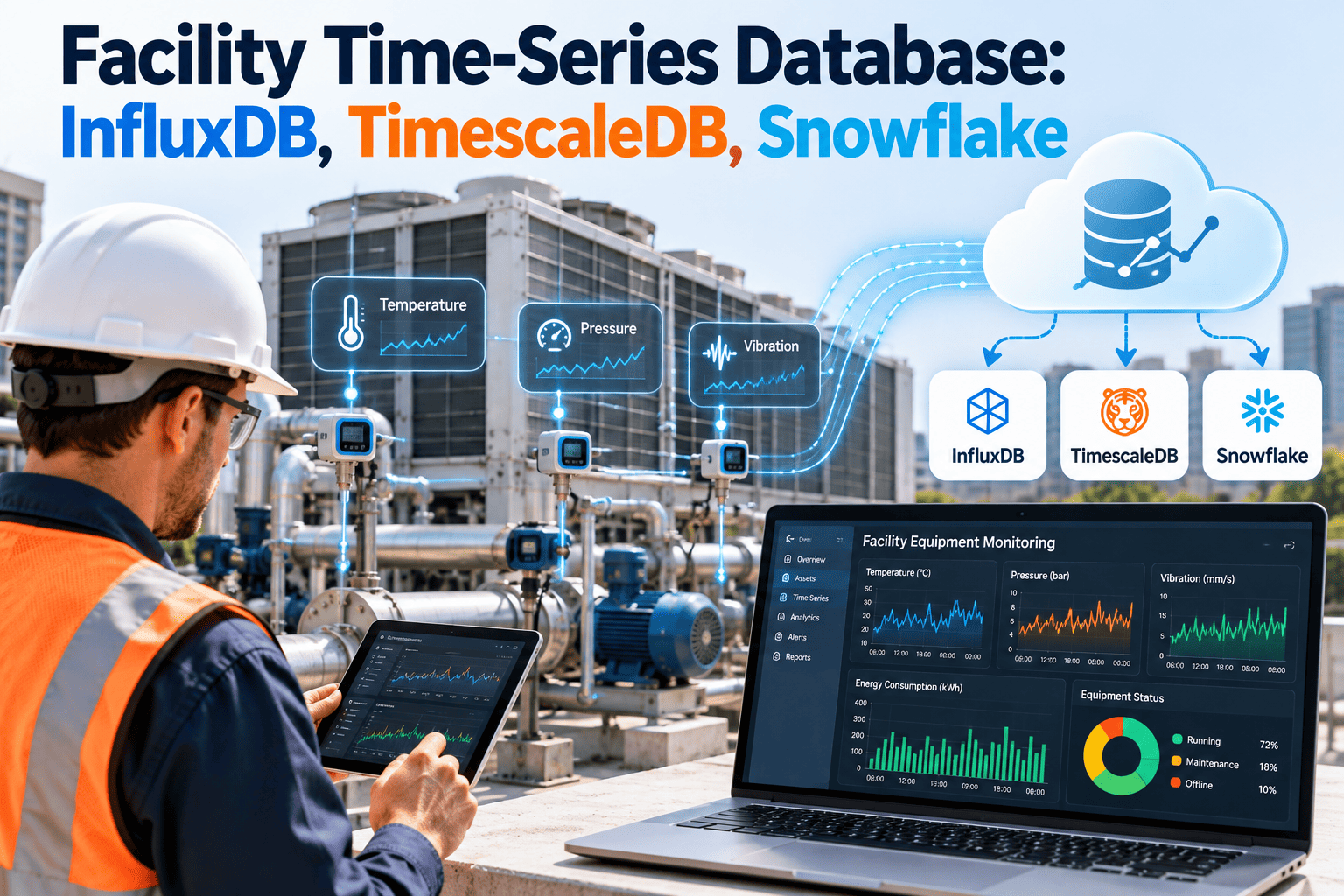
A modern building produces a steady stream of readings: temperatures, pressures, power, flow, vibration, and equipment status, often every few seconds. A general-purpose database can store that data, but queries slow down and storage costs climb as history grows. Time-series databases are designed for this pattern of timestamped, append-heavy data. This article compares InfluxDB, TimescaleDB, and Snowflake for facility workloads and explains how a CMMS turns stored readings into maintenance action.
Facility Time-Series Database: InfluxDB, TimescaleDB, Snowflake
Choose storage that fits how your building data arrives, how long you keep it, and who needs to query it. Then connect it to the work your technicians do.
What Makes Facility Sensor Data Different
Facility data has a recognizable shape. Knowing it helps you judge each database fairly.
Timestamped and ordered
Every record is a reading at a point in time, and most queries ask about a time window.
Append-heavy
New data arrives constantly. Old readings are rarely changed.
Many small series
Thousands of points, each with its own history, such as one per sensor or meter.
Value declines with age
Recent data needs detail. Older data can usually be summarized.
The Three Options in Plain Terms
Features change between releases, so confirm details against each vendor's current documentation before deciding.
InfluxDB
- Database designed from the start for time-series data
- Strong fit for high-rate sensor ingest and monitoring dashboards
- Built-in retention and downsampling concepts
- Query language and capabilities differ between major versions
TimescaleDB
- Extension built on PostgreSQL
- Lets you join sensor data with asset and relational tables using standard SQL
- Offers time-partitioned tables, compression, and pre-computed rollups
- Familiar to teams that already run PostgreSQL
Snowflake
- General cloud data platform, not specialized for real-time telemetry
- Strong for large-scale analytics across portfolios and business data
- Works best when sensor data lands in batches or near-real-time pipelines
- Cost depends on compute and storage usage
Comparison by Facility Workload
Use this table as a starting point for discussion. It describes general tendencies, not benchmarks.
| Workload | InfluxDB | TimescaleDB | Snowflake |
|---|---|---|---|
| High-frequency sensor ingest | Natural fit | Good fit with tuning | Usually via pipelines |
| Live operations dashboards | Natural fit | Good fit | Possible, less typical |
| Joining readings with asset records | Needs extra work | Strong, uses SQL joins | Strong across data sources |
| Long-term portfolio analytics | Possible | Possible | Strong fit |
| Team skills needed | Time-series tooling | PostgreSQL and SQL | SQL and cloud data engineering |
| Operating model | Self-managed or managed service | Self-managed or managed service | Managed cloud service |
Connect Stored Readings to Maintenance Work
Data only pays off when it triggers action. See how condition-based work orders fit your setup.
Choosing by Situation
Start from your constraints rather than from a product name.
Retention Tiers: Keep Detail Only While It Matters
Raw readings are expensive to keep forever. A tiered policy controls cost without losing insight.
Design Choices That Matter More Than the Brand
- Naming and tagging. Use a consistent scheme for site, building, system, and point so queries stay manageable.
- Asset mapping. Link each point to an asset ID shared with your maintenance system.
- Data quality. Flag missing, frozen, and out-of-range readings rather than storing them silently.
- Sampling interval. Collect at the rate the use case needs, not the fastest rate available.
- Time handling. Store timestamps in a single standard, and handle time zones at display.
- Security. Segment building networks and control access to operational data.
From Stored Data to Technician Action
The database is the memory. The maintenance system is how the organization responds.
| Data insight | Maintenance response in Oxmaint |
|---|---|
| Rising vibration or temperature trend | Condition-based work order for the linked asset |
| Runtime hours reaching a threshold | Preventive maintenance task triggered by usage |
| Repeated alarm on one unit | Corrective work order with fault history attached |
| Comfort or energy anomaly | Inspection task assigned through mobile workflows |
| Audit or review request | Compliance records and reports from asset history |
Frequently Asked Questions
Do we need a time-series database at all?
For small sites a BMS historian may be enough. Growth in sensors and history is what usually forces the change.
Can we use more than one database?
Yes. Many teams keep recent detail in one store and summaries in a warehouse.
What is the biggest mistake?
Storing data with no link to assets, which makes it hard to act on. Match point names to asset IDs early.
How do alerts become work orders?
Define thresholds and rules, then create condition-based tasks tied to the asset.
Can we discuss our architecture?
Yes. Book a demo to review how readings and maintenance records connect.
Make Building Data Drive Maintenance Decisions
Link readings to assets, assign the work, and keep a record of every response.