Facility budgets are made of hundreds of line items, but the money that can actually be moved is usually concentrated in a handful of them. The 80/20 idea, where a small share of cost drivers explains most of the controllable spend, is a rule of thumb rather than a law, yet it is a reliable way to decide where to look first. A driver analysis ranks spend by cause, not by invoice, so effort goes where savings are real. With maintenance cost tracking software, the labor, parts, and vendor data needed for that ranking is already in one place.
Where the 80/20 savings in facility management actually live
A practical driver analysis for HVAC energy, reactive maintenance, and vendor overlap, showing how to rank spend by cause and turn the top few drivers into measurable savings.
How to run a cost driver analysis in five steps
The method is simple. The discipline is in using cause-based categories and honest data.
Collect twelve months of spend
Pull invoices, payroll for in-house labor, utilities, contracts, and parts.Re-categorize by cause
Group by driver such as energy, emergency repair, or duplicated service, not by general ledger code.Rank and cumulate
Sort largest to smallest and mark where the running total passes roughly 80 percent.Separate controllable from fixed
Rent, taxes, and statutory costs are not savings targets. Focus on what management can change.Assign an owner and a lever
Each top driver needs one accountable person and a specific action to test.Common data traps
- Costs coded to the wrong building or system, which hides the true driver.
- In-house labor left out, so reactive work looks cheaper than it is.
- Comparing sites without adjusting for size, age, climate, and use.
HVAC energy: where maintenance and utility cost meet
HVAC is often the largest controllable energy load in a commercial building. Many of the losses behind it are maintenance conditions, not design problems.
How to test an HVAC savings lever
Pick one building, change one thing, and compare energy per square foot before and after, adjusting for weather. Record the result so the next site can copy it.
Reactive maintenance: the cost that hides in plain sight
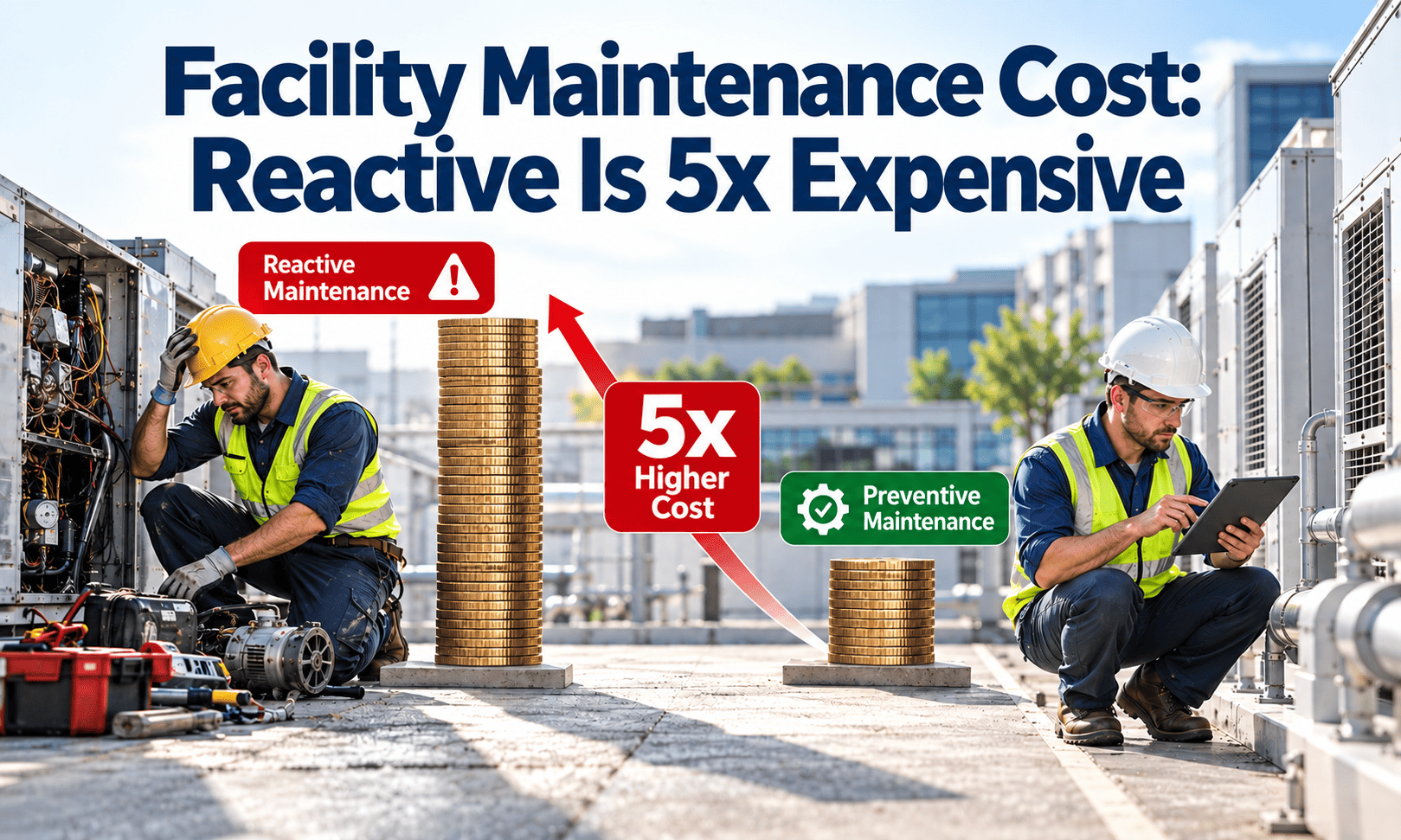
Emergency work usually costs more than planned work because of overtime, expedited parts, premium vendor rates, and damage to nearby assets.
- Failure first, diagnosis second
- Rush parts and call-out rates
- Tenant disruption and complaints
- Same fault returns because root cause is skipped
- Inspection finds the fault early
- Parts staged and work scheduled
- Work done in a low-impact window
- History reviewed to prevent a repeat
Measures to watch
- Planned versus reactive share of work orders and labor hours.
- Repeat failure rate on the same assets.
- Overtime hours linked to emergency calls.
- Average cost of a reactive job compared with a planned one for the same asset type.
Find your top three cost drivers with your own data
Track labor, parts, and vendor spend against assets and work orders, then rank them by cause without rebuilding spreadsheets.
Vendor overlap: paying twice for the same coverage
Across several sites, it is common for more than one contractor to cover the same trade, or for overlapping contracts to bundle services already done in-house.
| Trade | Site A vendor | Site B vendor | Site C vendor | Signal |
|---|---|---|---|---|
| HVAC service | Vendor 1 | Vendor 2 | Vendor 3 | Three rate cards for one trade |
| Fire systems | Vendor 4 | Vendor 4 | Vendor 5 | Consolidation candidate |
| Lift service | Vendor 6 | Vendor 6 | Vendor 6 | Single vendor, review terms |
| General repairs | In-house | Vendor 7 | Vendor 7 | Check duplicated call-outs |
Questions to ask before consolidating
- Do contracts pay for tasks already covered by another contract?
- Are response times and compliance records comparable across vendors?
- Does consolidating create dependency risk on a single contractor?
- Can vendor work be tracked through work orders with the same priority tiers?
Quick wins versus structural savings
Once drivers are ranked, sort the possible actions by effort and by how long the savings last.
Beware of deferral disguised as savings
Cutting preventive work can lower this year's spend and raise next year's reactive cost. Count deferred maintenance as a liability, not a saving.
Turning findings into verified savings
A saving is only real if it can be seen in the data later. Use a simple loop for every action.
KPIs for the driver review
| KPI | Purpose | Caution |
|---|---|---|
| Maintenance cost per square foot | Compare buildings and track trend | Compare like with like by use, age, and climate |
| Energy per square foot | Show HVAC and controls impact | Adjust for weather and occupancy |
| Planned maintenance share | Show shift from reactive work | Define planned consistently |
| Vendors per trade | Show fragmentation | Fewer is not always better |
| Repeat failure rate | Show quality of repairs | Needs consistent defect coding |
How Oxmaint supports cost driver analysis
- Work orders with cost: capture labor, parts, and vendor charges against each job and asset.
- Asset records: see cost and failure history for every system, building, and equipment type.
- Preventive scheduling: move work from reactive to planned and measure the shift.
- Inventory: track parts usage to reduce rush purchases.
- Reporting: view planned versus reactive share and cost trends by site.
Start with one portfolio slice
Choose the three highest-spend buildings, rank their drivers, and test one lever per driver before scaling.
Reading each driver the way a budget owner would
A ranked list is only a starting point. For each top driver, ask what causes it, what data proves it, and what the first lever is.
| Driver | Typical causes | Data to pull | First lever to test |
|---|---|---|---|
| HVAC energy | Poor schedules, dirty coils, drifting sensors, simultaneous heating and cooling | Meter data, run hours, work orders on HVAC assets | Schedule and set point review on one building |
| Reactive repairs | Missed preventive work, repeat failures, aging equipment | Work order type, overtime hours, repeat defects | Preventive plan for the assets with most breakdowns |
| Vendor overlap | Site-by-site buying, auto-renewed contracts, unclear scope | Contract list, invoices by trade and site | Scope comparison and rate benchmarking |
| Parts and inventory | Emergency purchases, duplicate stock, no reorder points | Purchase history, stock counts, usage by asset | Stock only the fast-moving critical spares |
| Cleaning and grounds | Frequency not matched to use, unclear specifications | Contract specs, complaint records | Frequency review by zone |
Separate price from volume
A cost rise may come from paying more per unit or from doing more units of work. The fix is different for each, so split the variance before choosing an action.
A 90-day plan to test one HVAC savings lever
A small controlled test produces proof that the finance team will accept. Here is a simple sequence.
Days 1 to 14: choose and baseline
Select one building with sub-metered or reliable utility data. Record energy, comfort complaints, and HVAC work orders for the previous year.Days 15 to 30: inspect and fix basics
Inspect coils, filters, dampers, valves, and sensors. Correct what is found and log every fix against the asset.Days 31 to 60: adjust schedules
Align start and stop times with real occupancy and review set points with tenants where agreed.Days 61 to 90: measure and decide
Compare energy per square foot with the baseline, adjusting for weather, and decide whether to roll out.Contract and procurement habits that inflate cost
Some of the largest savings come from how services are bought, not how they are delivered.
- Auto-renewing contracts. Without a diary reminder, rates continue unchanged for years. Track renewal dates and re-tender selectively.
- Unclear scope. When a contract does not list included tasks, extras are billed separately. Write the task list into the agreement.
- Inconsistent rate cards. The same trade at different sites may carry different hourly rates. Compare them side by side.
- Duplicate inspections. An in-house round and a contractor round may check the same items. Decide who owns each task.
- No performance data. If you cannot show response times and rework, you cannot negotiate from facts.
Use work order data in negotiation
Show a vendor their callback rate, response times, and spend by site. Concrete records make rate and scope conversations shorter and more productive.
Inventory: the quiet driver behind rush costs
Missing parts turn small jobs into long outages and expensive purchases. Holding too much stock ties up cash instead.
- Rush orders and express freight
- Extended downtime waiting for parts
- Temporary fixes that fail again
- Critical spares held for key assets
- Reorder points based on usage history
- Slow-moving items removed or shared across sites
Presenting results so finance trusts them
A savings claim needs a clear method. These habits make results credible.
- State the baseline period and how it was measured.
- Separate savings that are recurring from one-time effects.
- Adjust for weather, occupancy, and price changes.
- Show cost avoided separately from cost cut, since avoided cost is harder to verify.
- Keep a register of actions, owners, dates, and results.
Be honest about limits
Not every action works. Reporting tests that did not deliver builds credibility and stops other sites repeating the same experiment.
Ten questions that expose hidden cost drivers
Before building a model, a quick set of questions often points straight to the biggest opportunities.
- Which five assets generated the most reactive work orders last year?
- Which sites pay the highest hourly rate for the same trade?
- Which contracts renew automatically in the next twelve months?
- How many emergency purchases were made for parts that could have been stocked?
- How many work orders were repeat visits to the same asset?
- Which buildings use the most energy per square foot compared with similar buildings?
- Where do both an in-house team and a vendor cover the same task?
- How much overtime is linked to emergency call-outs?
- Which preventive tasks are overdue, and what failed as a result?
- Which spend categories have no named owner?
Benchmarking without drawing the wrong conclusion
Cost per square foot is useful for comparison and easy to misuse. A high figure is not automatically waste, and a low figure is not automatically efficient.
| Factor | Why it changes cost | How to adjust |
|---|---|---|
| Building age | Older plant needs more repairs | Compare within age bands |
| Use type | Labs and healthcare need more systems than offices | Compare like use types |
| Climate | Heating and cooling loads differ by region | Weather-adjust energy figures |
| Service level | Premium tenants expect faster response | Record the service standard |
| Deferred maintenance | Low spend today may hide a growing liability | Report backlog alongside cost |
Use benchmarks to ask questions
Treat a gap against peers as a prompt to investigate drivers, not a verdict. The explanation is usually found in the work order and asset history.
Cost driver analysis, answered
Is the 80/20 split always exact?
No. It is a pattern, not a rule. Your own ledger shows the real concentration.
What data do we need first?
Twelve months of invoices, labor hours, utility bills, and contracts by site. Oxmaint can hold the maintenance side.
How do we compare buildings fairly?
Normalize by area, age, use type, and climate before comparing cost per square foot.
Should we cut preventive maintenance to save money?
Rarely. Cuts often raise reactive cost later, so test changes on a small scale first.
Can you show a driver view on our data?
Yes. Book a demo and share a sample export.
Spend your effort where the savings are
Rank your drivers, assign owners, and verify savings with work order and asset data you can trust.