Every fleet has a defect reporting process. Most of them do not work. A driver notices something off with the steering on a Tuesday morning and mentions it to the dispatcher before pulling out of the yard. The dispatcher makes a mental note. The mechanic hears about it Thursday. By Friday, nobody is sure what truck it was, what the driver actually said, or whether it was ever looked at. This is not a people problem — it is a workflow problem. A defect reporting system that relies on verbal handoffs, paper forms, and tribal knowledge will always produce the same outcome: defects that slip through, vehicles that stay in service longer than they should, and maintenance teams that feel permanently behind. OxMaint's driver defect reporting workflow closes every gap between driver observation and mechanic action — digitally, in real time, with zero paperwork. See how it works for your fleet — start a free trial or book a demo.
DVIR & Defects · Fleet Maintenance Workflow · 2026
Driver Defect Reporting Workflow That Maintenance Teams Actually Use
The step-by-step workflow design, digital tools, and team habits that turn driver defect reporting from the weakest link in fleet maintenance into the fastest way to catch problems before they become breakdowns.
The Adoption Problem
Why Most Defect Reporting Systems Get Abandoned Within 60 Days
73%
of drivers report defects verbally rather than in writing because written forms are inconvenient in the field
58%
of paper DVIR defect reports contain insufficient detail for a mechanic to diagnose the issue without follow-up
41%
of defect reports submitted on paper are not seen by a mechanic until more than 24 hours after submission
29%
of drivers stop submitting defect reports consistently after the first 30 days if they receive no visible action on previous reports
The common thread: defect reporting fails when drivers do not see their reports resulting in action, and when the reporting mechanism is more work than a verbal mention. A workflow that fixes both problems is the only one maintenance teams will actually use.
The 6-Step Workflow
A Driver Defect Reporting Workflow That Actually Closes the Loop
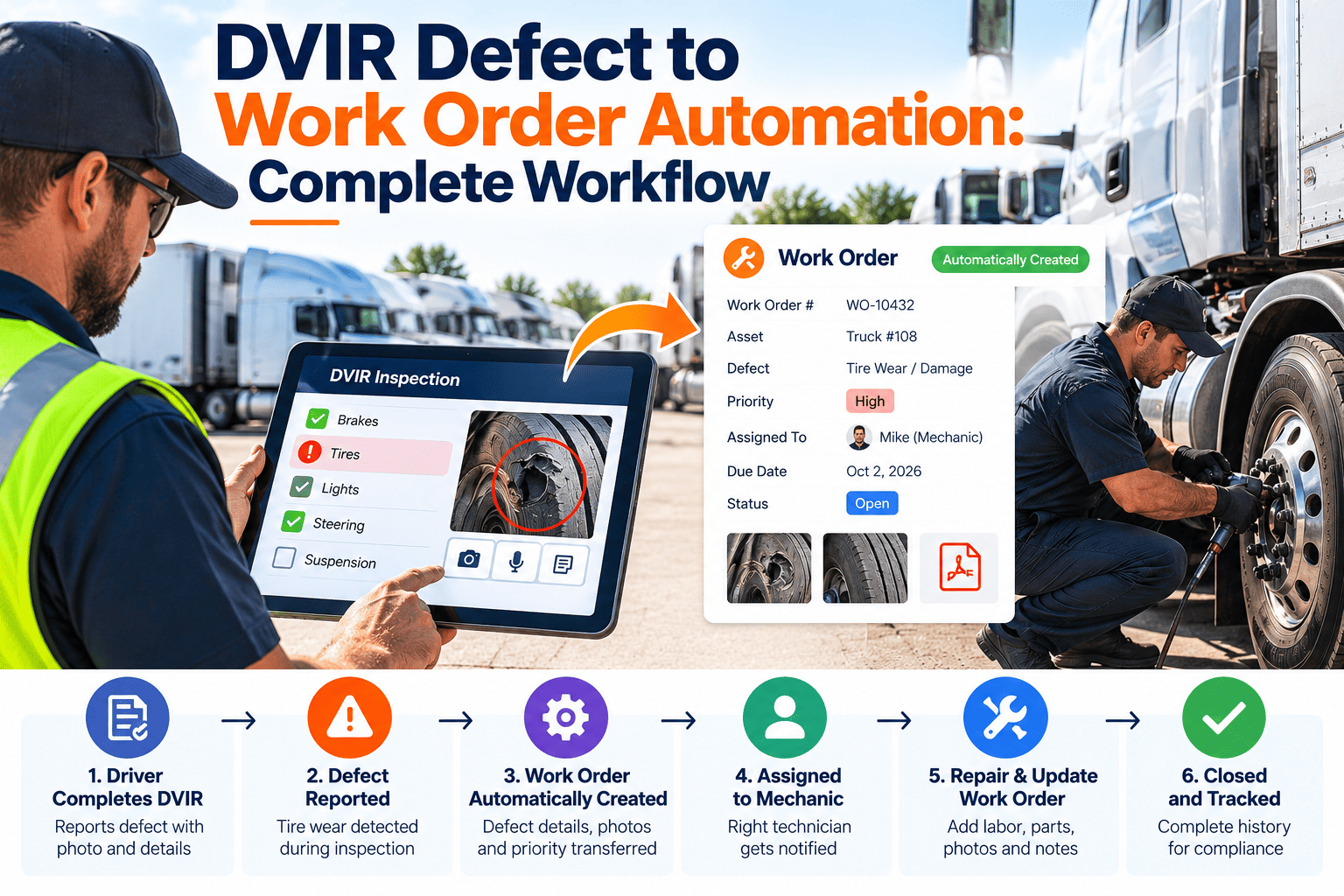
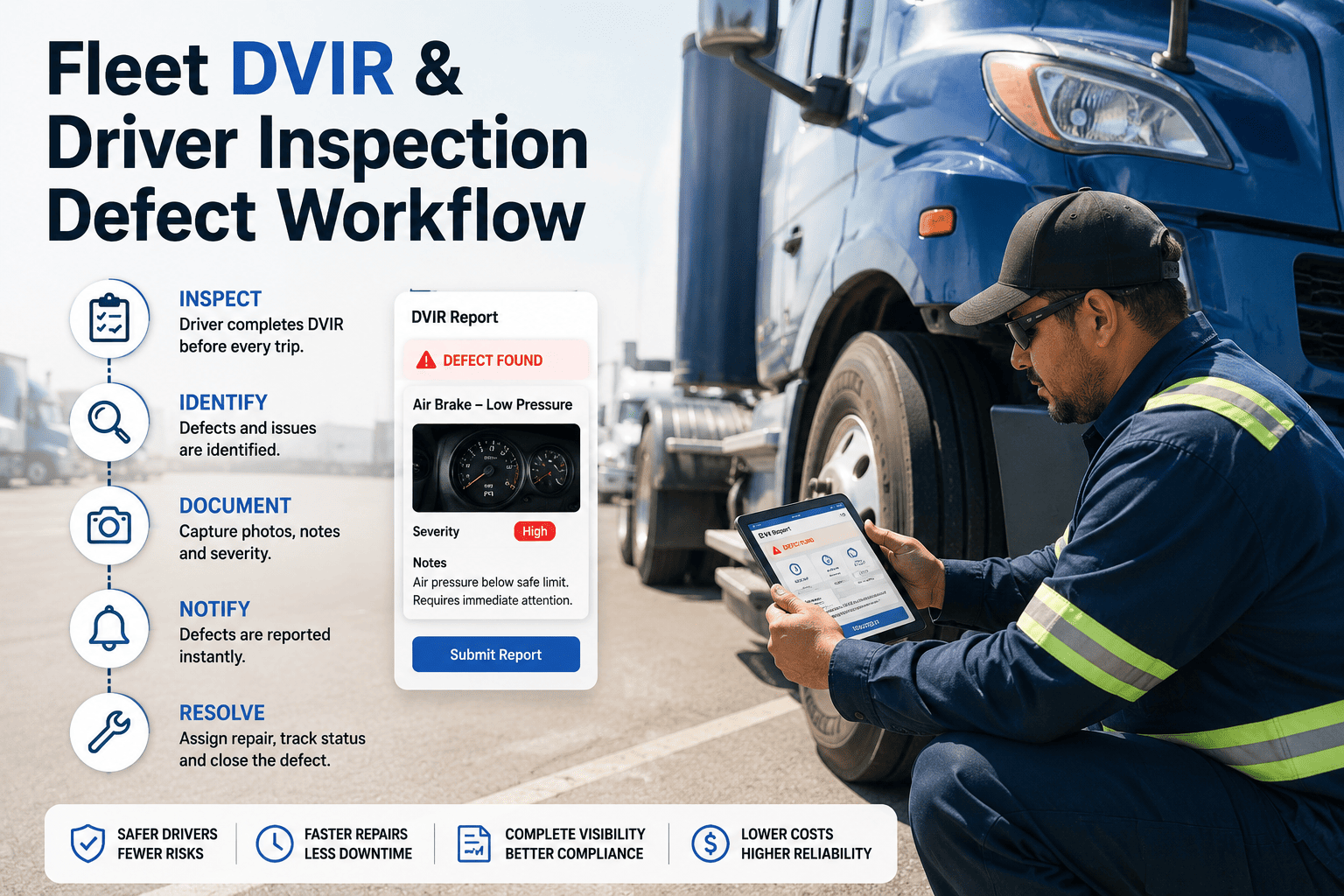
Driver Opens Mobile Inspection Checklist
Pre-trip or post-trip, the driver opens the OxMaint app on their phone. The checklist is vehicle-specific and tap-through — no typing, no free-text fields to skip. Each inspection item has pass, note, or defect as the three options.
Who: Driver — Time: 3 to 5 minutes
Defect Flagged With Photo and Description
When a driver selects defect on any checklist item, the app immediately prompts for a photo and a short description. The photo requirement changes defect quality dramatically — a picture of a brake line is unambiguous in a way that "brake feels soft" is not.
Who: Driver — Time: 30 to 90 seconds per defect
Maintenance Team Alerted Instantly
The moment the driver submits the inspection, the maintenance team receives a push notification with the defect details, photo, vehicle ID, and driver name. No relay through dispatch. No delay. The mechanic sees it before the driver starts the engine.
Who: System — Time: Immediate
Work Order Created and Assigned
The maintenance manager converts the defect report to a work order in one tap — with the photo, description, and vehicle details already populated. The work order is assigned to a mechanic with an estimated completion time and priority level.
Who: Maintenance Manager — Time: Under 2 minutes
Repair Completed and Documented
The mechanic works from the digital work order, records parts used, takes a post-repair photo, and signs off digitally. The defect status updates to resolved with a timestamped completion record tied to the original driver report.
Who: Mechanic — Time: Varies by repair
Driver Sees the Outcome
The driver receives a notification that their reported defect has been resolved — with the repair summary visible in the app. This single step is what transforms driver behavior: when drivers see results, they keep reporting. The feedback loop is what makes the system stick.
Who: System — Time: Automatic on completion
OxMaint DVIR Workflow
This entire 6-step workflow runs in OxMaint on mobile — from driver tap to mechanic sign-off with zero paperwork and no manual handoffs.
Driver Adoption
What Makes Drivers Actually Use a Defect Reporting System
It has to take under 5 minutes
Drivers are not office workers. They are starting a route, managing cargo, or ending a 10-hour shift. If the inspection takes longer than 5 minutes, it will be rushed, skipped, or backdated. OxMaint's tap-through checklist averages 3 minutes and 47 seconds to complete.
It has to work without internet
Yards, warehouses, and rural routes often have no signal. A defect reporting app that requires connectivity to save an inspection will collect incomplete records everywhere connectivity is unreliable. OxMaint saves inspections offline and syncs when connection is restored.
Drivers have to see their reports acted on
The fastest way to kill a defect reporting workflow is to let reports disappear into a queue that nobody visibly manages. The closed-loop notification in OxMaint — showing drivers that their defect was fixed — is the single most impactful feature for long-term adoption.
Non-tech drivers need zero training
If a system requires more than 10 minutes of training to use correctly, adoption will be selective and inconsistent. OxMaint's driver interface has been designed so that a first-time user can complete a full DVIR correctly without any instruction — the workflow guides itself.
AI Predictive Maintenance Layer
How AI Turns Defect Report Patterns Into Predictive Alerts
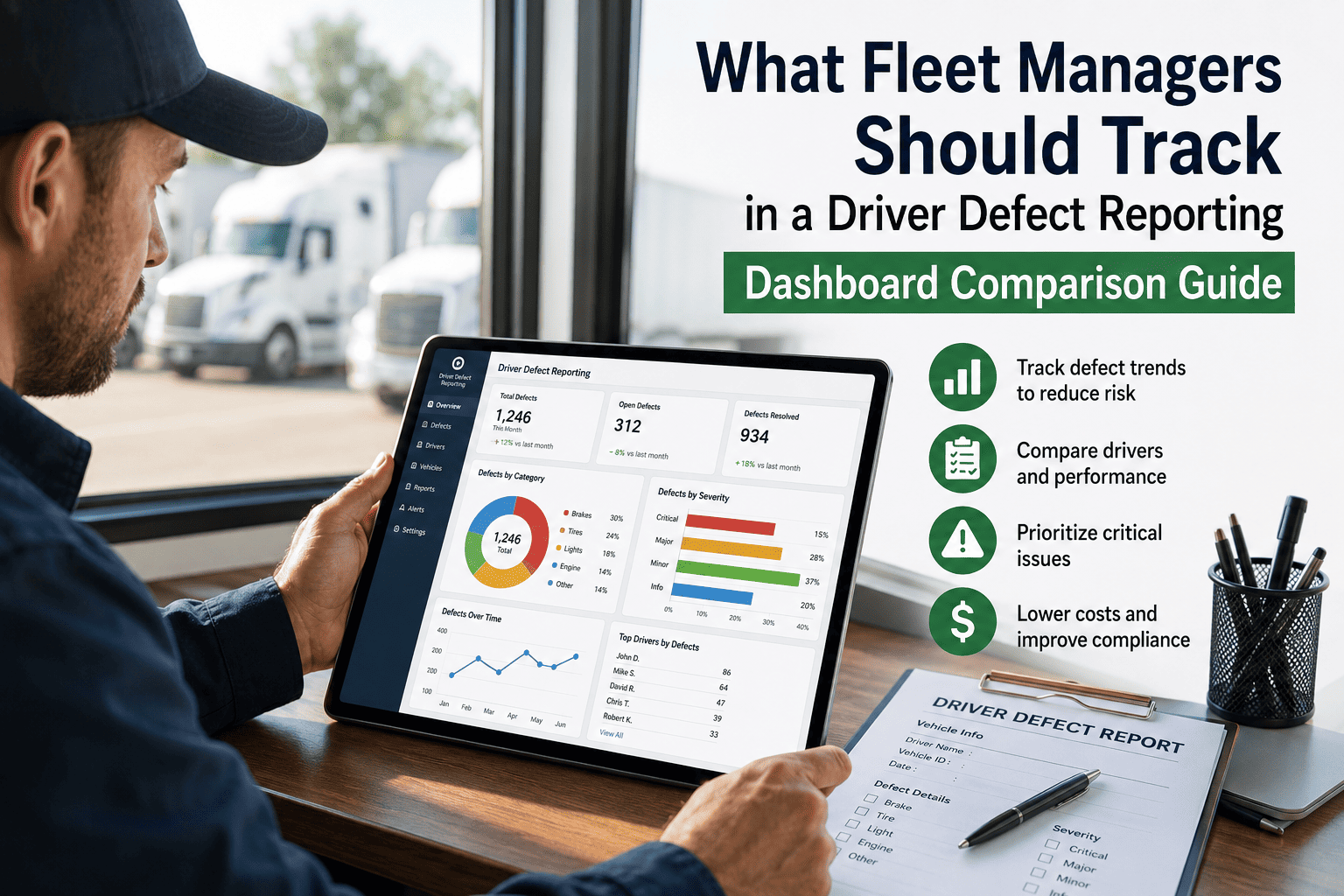
Individual defect reports are operational data. Patterns across defect reports are predictive intelligence. OxMaint's AI predictive maintenance layer reads defect history across your fleet to identify which vehicles and component types are trending toward failure — before any single defect triggers a critical repair.
01
Recurring Defect Pattern Recognition
If three drivers report soft brakes on the same vehicle class within 60 days, AI flags a fleet-wide brake inspection recommendation — not just reactive repair on reported vehicles.
Component Age Risk Scoring
02
Components with high defect frequency relative to their age and mileage receive elevated risk scores — which surfaces them on the maintenance dashboard before a driver report triggers an out-of-service situation.
03
Seasonal Defect Anticipation
Historical defect data reveals seasonal patterns — tire defects peak in temperature transition months, battery failures increase in winter. AI generates pre-season inspection recommendations timed to when defect rates historically rise.
04
Early Warning Before Driver Reports
Fault codes from connected vehicle systems are analyzed alongside historical defect patterns to surface predictive alerts for components showing early-stage failure signatures — before any driver notices and reports them.
Measurable Outcomes
What Changes When the Defect Reporting Workflow Actually Works
Increase in defect report completion rate
+88%
Reduction in time from defect report to work order creation
91% faster
Decrease in unplanned breakdowns within 90 days
43% fewer
Defects caught pre-trip before vehicle departs
76% caught early
Common Questions
Driver Defect Reporting — What Maintenance Managers Ask Before Switching
How do we get drivers to actually adopt a digital defect reporting system?+
The two factors that drive adoption are speed and visible action. OxMaint's checklist takes under 5 minutes, works offline, and sends drivers a notification when their reported defect is resolved. In fleets using OxMaint, 91% of drivers are completing digital inspections consistently by end of week one.
Book a demo to see the driver experience.
Can the system handle defect reports from drivers who are not comfortable with technology?+
Yes. The OxMaint driver interface is designed for zero-training use. The checklist is tap-through with no typing required for standard items. The photo capture is a single button. Drivers who have never used fleet software typically complete their first inspection correctly without any guidance.
Try the driver app free.
How does OxMaint prevent vehicles with open defects from being dispatched?+
When a defect is flagged in OxMaint, the vehicle's status changes to hold pending resolution. The dispatch view shows the vehicle as unavailable and the dispatcher receives an alert. The vehicle status only returns to available when the certifying mechanic closes the work order and the manager confirms return-to-service.
Does OxMaint's digital DVIR satisfy DOT inspection recordkeeping requirements?+
Yes. OxMaint's digital DVIR produces tamper-evident timestamped records that satisfy FMCSA Part 396 recordkeeping requirements for vehicle inspection reports. Records are stored for the regulatory minimum period and can be exported as PDF for roadside or audit presentation.
Start a free trial to review the compliance record format.
How quickly can a fleet transition from paper DVIRs to digital defect reporting in OxMaint?+
Most fleets complete the transition in 3 to 5 days. Day one: admin configures vehicle-specific checklists and adds drivers. Day two to three: drivers complete first digital inspections with the admin available for any questions. By day five, the paper process is typically retired entirely with no operational disruption.
OxMaint · Driver Defect Reporting
The Defect That Gets Reported Today Prevents the Breakdown That Grounds a Truck Next Week.
OxMaint gives drivers a defect reporting workflow they will actually use — and gives maintenance teams instant visibility, automatic work orders, and AI-powered pattern alerts that turn driver reports into a proactive maintenance program. Setup takes 30 minutes. First defect reported digitally on day one.