Federal rule 49 CFR 396.11 requires a commercial driver to prepare a written report at the end of each day's work, listing any defect that affects safe operation or could cause a breakdown. That single requirement has been met with a paper clipboard for decades, and paper is exactly where the three-signature chain the rule depends on tends to break, one carbon copy at a time, before it ever reaches a maintenance shop.
Fleet Driver Defect Reporting App Workflow
See how a digital defect reporting workflow carries a DVIR from a driver's pre-trip walk-around through repair certification and back to the next driver, without a signature getting lost along the way.
What 49 CFR 396.11 and 396.13 Actually Require
The Driver Vehicle Inspection Report exists to create a documented chain of accountability between the driver who finds a defect, the carrier who repairs it, and the next driver who confirms the repair before operating the vehicle again.
The Three Signatures That Make a DVIR Legally Complete
A DVIR audit almost always comes down to one question: can the full chain be traced? A single missing signature on a defect report is a citable finding, regardless of whether the repair actually happened.
A Defect Report That Can't Get Lost Between the Cab and the Shop.
Oxmaint's mobile defect reporting keeps the driver's report, the mechanic's certification, and the next driver's acknowledgment on one digital record that never leaves a truck cab behind.
Where Paper DVIRs Fail Before They Ever Reach the Shop
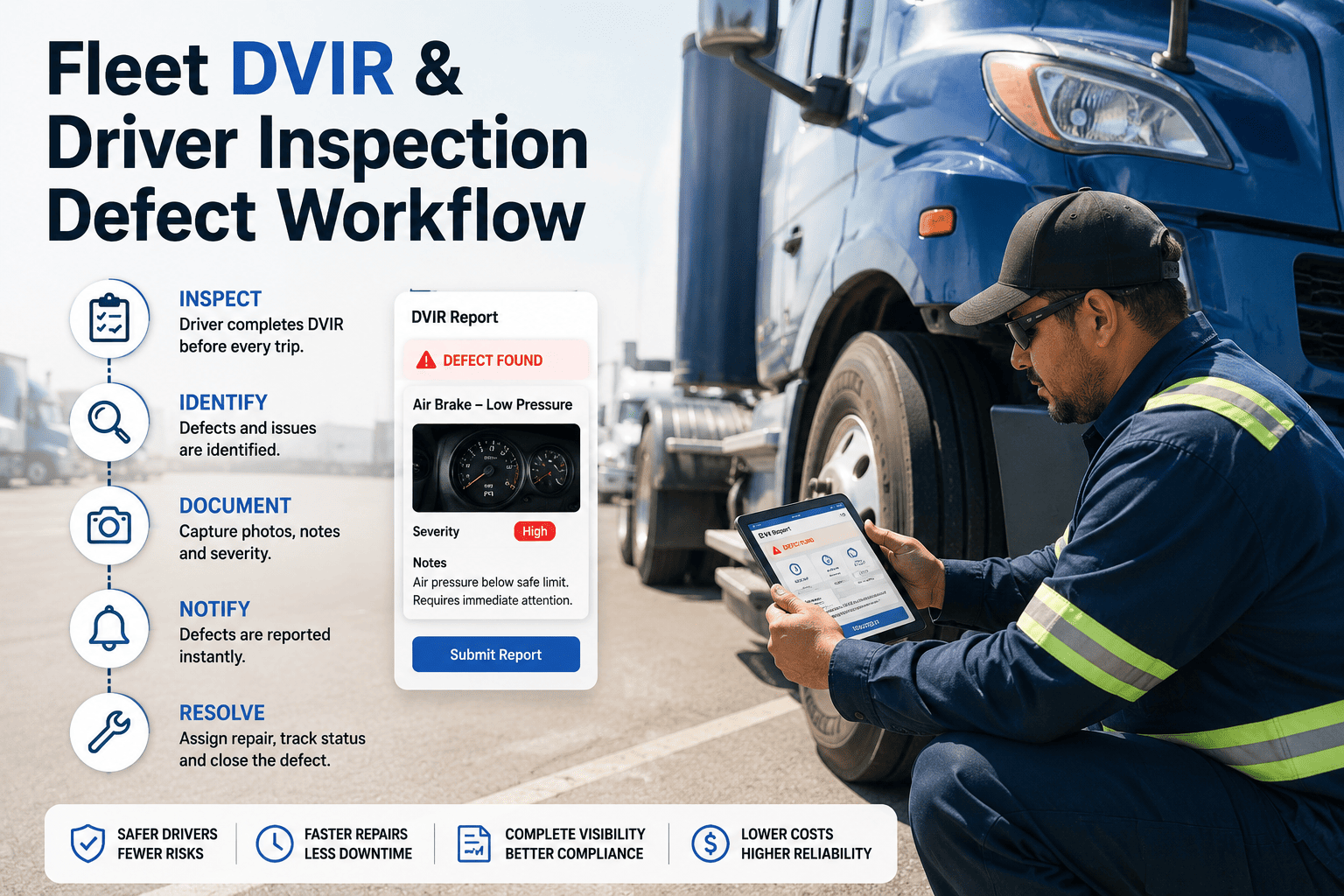
How a Defect Report Moves From Walk-Around to Closed Work Order
What a Compliant Defect Report Needs to Cover
Section 396.11 lists specific parts and accessories that must be checked when a defect exists. A digital checklist keeps every driver working from the same required list, instead of whatever they remember from training.
The Electronic DVIR Rule Fleets Need to Know
FMCSA has continued to clarify and reinforce electronic DVIR authorization through 2026, building on the digital signature provisions that have existed under 49 CFR 390.32 since 2018. For fleets still running paper clipboards, the direction of the regulation is unambiguous: electronic creation, maintenance, and signature of DVIRs is fully compliant, and the operational case for switching keeps getting stronger.
The practical effect for a fleet manager is that the excuse to stay on paper, that digital records might not hold up under audit, no longer applies. What auditors are actually looking for is a traceable chain: a driver's signature, a mechanic's certification, and the next driver's acknowledgment, all connected to the same defect. A digital workflow makes that chain easier to prove, not harder, because nothing depends on a physical slip of paper surviving three months in a glove box.
Getting Drivers to Actually Use a Defect Reporting App
The best digital DVIR workflow still fails if drivers treat it as an extra step instead of a replacement for the clipboard. Adoption tends to succeed when the app is framed, and built, as strictly faster than paper, not as an additional compliance burden layered on top of it.
New drivers benefit from walking through the defect reporting workflow during onboarding, ideally on the actual vehicle they'll be assigned, so the checklist items map to something physical rather than an abstract list on a screen. Fleets that build this into new-hire training see fewer incomplete inspections in the first weeks, when habits around thoroughness are still forming.
Not Every Defect Grounds a Vehicle the Same Way
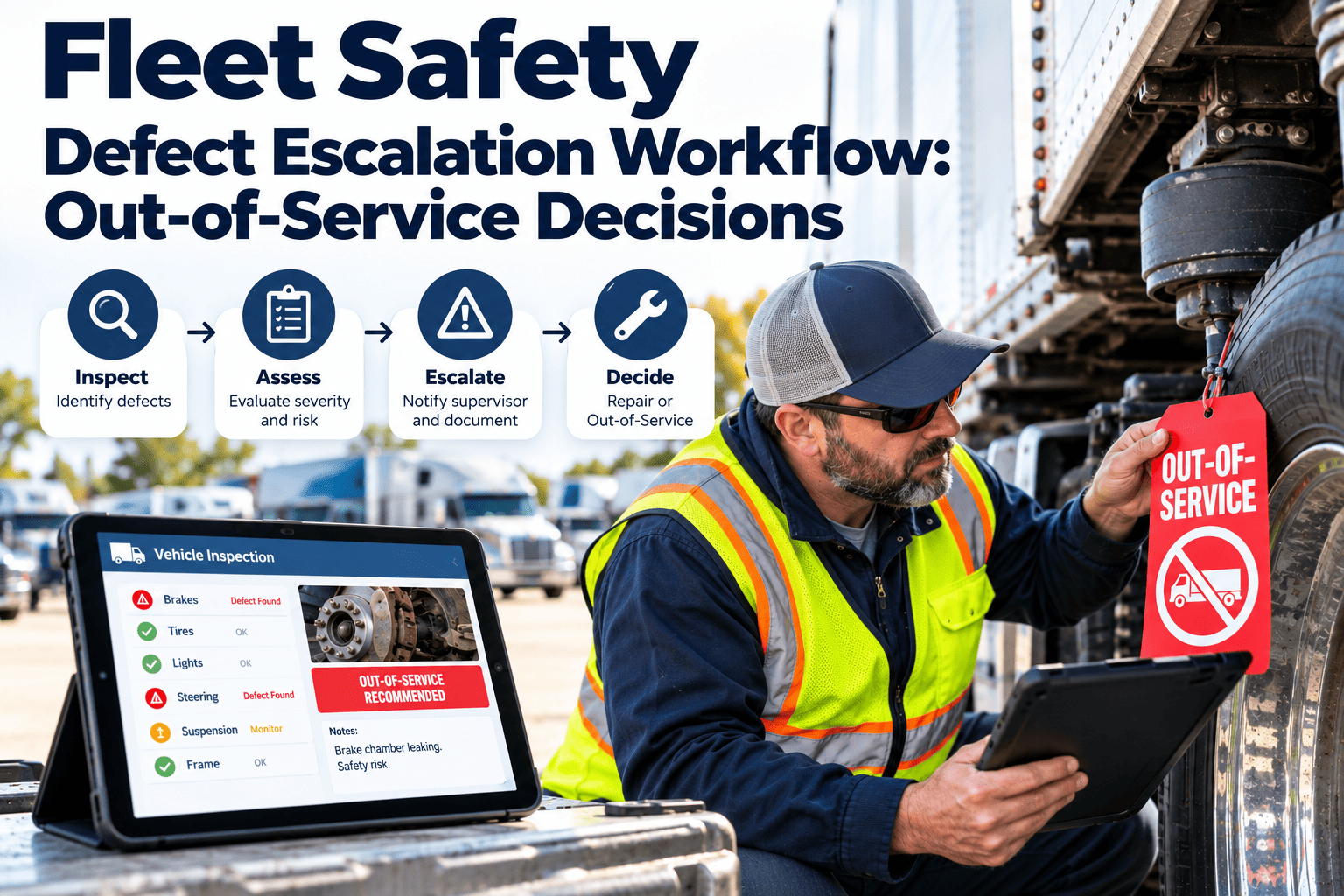
Part of what makes 396.11 workable in daily operations is that not every reported defect requires the vehicle to be pulled from service immediately. The rule distinguishes between defects that affect safe operation, which must be resolved before the vehicle is dispatched again, and minor issues that get scheduled for routine repair without stopping operations.
A digital defect reporting workflow makes that distinction explicit and consistent, rather than leaving it to an individual dispatcher's judgment call in the moment. Severity levels attached to each inspection item mean a cracked mirror housing and a failed service brake trigger very different responses, automatically, the instant a driver submits the report.
| Severity Level | Example Defect | Dispatch Impact |
|---|---|---|
| Out of Service | Service brake failure, steering defect | Vehicle held immediately, repair required before dispatch |
| Repair Required Soon | Worn tire below tread threshold | Scheduled for repair within a defined window, still dispatchable short-term |
| Monitor | Minor cosmetic damage, interior wear | Logged for routine repair, no dispatch restriction |
What Fleet Managers Gain Beyond a Single DVIR
Any individual defect report is a compliance requirement. A fleet's full history of defect reports, aggregated across every vehicle and driver, is an operational asset that most paper-based programs never actually use.
Patterns emerge once reports are digital and searchable: a specific vehicle generating repeat brake defects earlier than its peers, a particular route surfacing more tire damage, or a driver consistently submitting incomplete inspections. None of that is visible from a stack of paper forms sitting in a filing cabinet, but it becomes obvious within weeks once every report lands in the same searchable system, and it gives maintenance managers a head start on issues before they turn into a roadside failure.
Driver Defect Reporting — Common Questions
Yes. Electronic creation, maintenance, and signature of DVIRs has been permitted since 2018 under 49 CFR 390.32, and FMCSA has continued to reinforce that digital records satisfy the same requirements as paper forms. Book a demo to see a compliant electronic DVIR in action.
The pre-trip acknowledgment under 396.13 is a required part of the chain, and a missing signature is a citable finding during a compliance review, even if the underlying repair was actually completed.
A written report is required when a defect or deficiency is discovered. Carriers commonly still require a "no defects found" confirmation from every driver as an internal policy, since it closes the loop for the next driver.
Carriers must retain the original DVIR, the repair certification, and the reviewing driver's signature together for the retention period set by FMCSA, ready to produce during a compliance review. Sign up to keep that full record searchable in one place.
Yes, and this is where a digital workflow adds the most value over paper. A logged defect can generate a work order automatically, so the repair is tracked from report to certification without manual re-entry.
Give Every Driver a Defect Report That Actually Reaches the Shop.
Oxmaint connects driver inspections, maintenance work orders, and the full DVIR signature chain in one mobile workflow, so nothing gets lost between the cab and the compliance file.