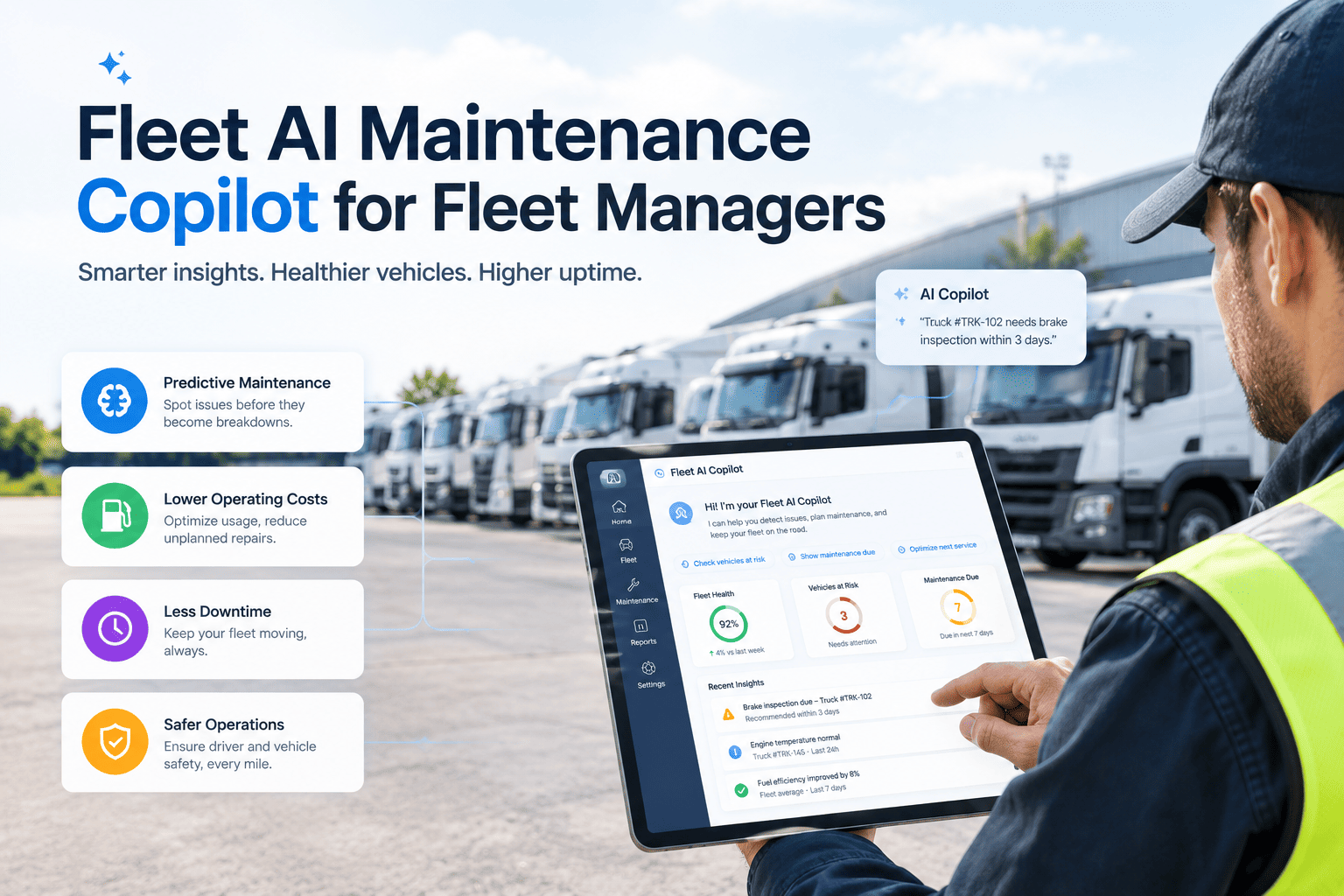
Fleet managers spend much of the day answering questions that the maintenance data could answer faster: which units are overdue, why is this truck back in the shop, what did the last three repairs cost. An AI maintenance copilot sits on top of that data and answers in plain language, drafts routine paperwork and points out patterns a busy person would miss. It is only as good as the records behind it, so it works best on top of a structured system such as Oxmaint work orders, inspections and asset history that keeps every repair and schedule in one place.
AI and Automation for Fleet Maintenance
Fleet AI maintenance copilot for fleet managers: faster answers, cleaner work orders, fewer surprises
Ask questions about your fleet in plain language, get drafted work orders and see repeat failures early, while your team keeps the final decision on every repair.
The Manager's Problem
Why fleet managers are drowning in maintenance questions
A fleet manager is asked for answers by drivers, technicians, finance and operations, usually at once. Getting a reliable answer means opening several screens, exporting reports and reading through repair notes.
What A Copilot Does
Six practical copilot use cases for fleet maintenance teams
The most useful copilots do a few well-defined jobs. Each of these can be checked by a person before anything changes.
| Use case | What the copilot does | Data it needs | Human check |
|---|---|---|---|
| Vehicle history summary | Condenses past repairs, costs and defects for one unit | Work orders, inspections, invoices | Manager reviews before deciding to repair or replace |
| Work order drafting | Turns a driver defect note into a structured draft | Defect reports, asset record, task library | Supervisor approves and assigns |
| PM planning | Highlights upcoming and overdue services and groups them | Meter readings, PM schedules, downtime windows | Planner confirms the schedule |
| Repeat failure detection | Flags similar failures across units or vehicle classes | Failure codes, parts used, mileage | Engineer validates the pattern |
| Parts guidance | Suggests likely parts and shows stock before a job starts | Parts history, inventory, asset details | Technician confirms fitment |
| Plain-language reporting | Answers questions about cost, downtime and backlog | Work orders, costs, asset groups | Manager checks totals against reports |
A Day With The Copilot
How the copilot changes a fleet manager's day
The value shows up in ordinary tasks. These moments are examples of where time goes today and how assistance could change it.
Morning review
Ask for overdue PMs, open safety defects and units waiting on parts, instead of assembling the list from several reports.
Defect intake
Driver notes arrive as free text. The copilot proposes a structured work order with likely checks, and a supervisor approves it.
Repair decision
Before approving a costly repair, ask for the unit's history and compare it with similar vehicles.
Reporting
Ask for downtime and cost summaries by depot or vehicle class, then export the numbers for finance.
Keep People In Control
Use AI to prepare the work, and keep your team in charge of the decision
Oxmaint keeps the records, approvals and audit trail that make AI assistance safe to use in a maintenance operation.
Autonomy Levels
How much should the copilot be allowed to do on its own?
Not every task deserves the same freedom. Match the level of autonomy to the risk of a wrong answer.
Answer
Reads data and responds to questions. Suits history, cost and backlog queries.
Draft
Prepares work orders, notes and summaries for a person to review and submit.
Recommend
Suggests priorities, schedule changes or parts orders and shows its reasoning.
Act with approval
Executes routine steps only after explicit approval, such as creating scheduled PM tasks.
Safety-critical items stay with people
Decisions that affect vehicle safety, out-of-service status and regulatory compliance should always be made and recorded by qualified staff, with the copilot in a supporting role.
Data Foundation
The data a fleet copilot needs before it is worth using
A copilot that reads messy records gives messy answers. Fix the basics first and every use case improves.
Asset data
- Unique IDs for every unit
- Correct make, model and year
- Accurate meter readings
- Assignments by depot and class
Work history
- Consistent failure and repair codes
- Parts and labor on every work order
- Closed tickets with findings
- Inspection results stored digitally
Planning data
- PM schedules by vehicle type
- Parts inventory and reorder levels
- Vendor and warranty information
- Downtime reasons recorded
Ask Better Questions
Example questions a fleet manager can put to a maintenance copilot
Specific questions produce useful answers. These examples show the kind of prompts that fit maintenance work.
- Which vehicles have had the same brake repair more than once this year?
- What is the maintenance cost per mile for each vehicle class at this depot?
- Which open work orders are waiting on parts, and how long have they waited?
- Show units with overdue inspections and unresolved safety defects.
- Summarize the last twelve months of repairs on this trailer before I decide on replacement.
- Which PMs can be combined with repairs already booked next week?
- List vendors whose repairs on this vehicle class have needed rework in the past year.
- Which units have warranty coverage remaining on the component that just failed?
Check the answer against the source
AI can misread data or state something confidently that is wrong. Good copilots show which records they used, so the manager can open the underlying work orders and confirm.
Copilot Or Dashboard
How a copilot differs from dashboards, reports and search
A copilot does not replace the reports you already trust. It adds a faster way to ask, draft and explore.
| Approach | Best at | Weak at | Use it for |
|---|---|---|---|
| Dashboards | Fixed, trusted measures viewed regularly | New questions that need a custom report | Daily and weekly monitoring |
| Standard reports | Audited totals and exports | Flexible drill-down and explanation | Finance, compliance and management review |
| Search and filters | Finding a specific record | Summarizing many records at once | Looking up a unit or work order |
| AI copilot | Plain-language questions, summaries and drafts | Guaranteed accuracy without checking sources | Exploration, preparation and routine paperwork |
Fault Codes And Telematics
Using a copilot to interpret fault codes and condition signals
Modern vehicles report diagnostic trouble codes and operating data through telematics. The volume can overwhelm a small maintenance team, which is where assistance helps.
- Explain a fault code in plain language and list the checks technicians usually start with
- Show whether the same code has appeared on this unit or similar units before
- Match a fault with open defects, so one visit can cover several issues
- Suggest whether an item can wait for the next scheduled service or needs earlier attention
Keep diagnosis with qualified technicians
A code points to a system, not always to the failed part. The copilot can organize information, and a qualified technician should still confirm the cause before parts are replaced.
Failure Modes
Where fleet copilots go wrong, and how to spot it early
Knowing the typical failure patterns makes review faster and rollout safer.
Data-driven errors
- Wrong asset matched to a note
- Old records treated as current
- Missing costs skew totals
- Inconsistent codes split one issue
Reasoning errors
- Confident but unsupported claims
- Patterns seen in too little data
- Correlation treated as cause
- Ignoring local operating conditions
Process errors
- Drafts approved without reading
- Staff stop checking source records
- No owner for wrong answers
- Changes not logged
People And Privacy
Winning technician trust and protecting driver and cost data
Technicians know the fleet better than any tool. If a copilot feels like surveillance or a replacement threat, they will work around it.
- Explain that the copilot prepares information and never overrides a technician's diagnosis
- Involve experienced technicians in testing drafts and correcting mistakes
- Limit access to driver identity, cost and performance data to roles that need it
- Follow your data protection obligations when records mention individuals
- Give staff a simple way to flag wrong or unhelpful answers
Share what improved
Report back when copilot suggestions saved a shop visit or caught a repeat failure. Visible wins build support faster than any training session.
Prioritization Support
Helping planners rank a crowded backlog
A long backlog is hard to sort by hand. A copilot can lay out the factors a planner already weighs and show them side by side for each open job.
| Factor | What the copilot can show | Planner decision |
|---|---|---|
| Safety impact | Whether a defect was flagged as safety-related or affects out-of-service rules | Confirms the priority and restrictions |
| Operational need | Route or contract commitments for the unit this week | Balances repair timing with service demand |
| Parts availability | Stock on hand, incoming orders and substitutes | Sequences jobs that can start now |
| Repeat history | Earlier repairs for the same fault | Decides whether to investigate root cause |
| Shop capacity | Technician availability and bay schedule | Assigns crew and location |
Keep the reasoning visible
A ranked list is only useful when the planner can see why a job sits where it does. Reasons should be listed beside each recommendation so the planner can agree, adjust or reject it.
Guardrails
Controls that make AI assistance safe in a maintenance operation
Trust is earned by design. Put these controls in place before wider rollout.
Risks to manage
- Answers that are wrong but sound convincing
- Drafts approved without review
- Sensitive driver or cost data exposed to the wrong users
- Changes that leave no audit trail
Controls to apply
- Answers linked to the records they came from
- Approval required before any record changes
- Role-based access matching existing permissions
- Logs of who asked, what changed and who approved
Where Oxmaint Fits
The maintenance system that gives a copilot something reliable to read
A copilot is a layer on top of maintenance records. Oxmaint provides the structured workflow that produces those records.
Getting Started
A cautious three-step path to your first fleet copilot use case
Prove value with one narrow task, and expand as trust builds.
Choose one job
Pick a repetitive task with a clear check, such as drafting work orders from defect notes.
Test on past records
Compare drafts and answers with what your team actually did, and note errors.
Roll out with review
Release to a small group, require approval, and review results before adding new tasks.
Measure The Value
Metrics that show whether a copilot is helping your fleet
Track these before and after rollout so gains are measured and not assumed.
FAQ
Fleet AI maintenance copilot: common questions
What is a fleet AI maintenance copilot?
It is an AI assistant that answers questions and drafts tasks using your fleet maintenance records, with staff approving decisions.
Can a copilot replace fleet technicians or planners?
No. It reduces search and paperwork time, while people make repair, safety and compliance decisions.
What do we need before adopting one?
Clean asset records, consistent work order data and digital inspections. Get started with Oxmaint to build that base.
How do we trust the answers?
Require links to source records and spot-check regularly. Book a demo to review approval and audit controls.
Which task should we automate first?
Start with drafting work orders from defect reports, since a supervisor can easily check each draft.
Work Smarter, Decide Yourself
Give your fleet team faster answers on top of maintenance records you can trust
Build the structured inspection, work order and asset history foundation that makes AI assistance useful and safe.