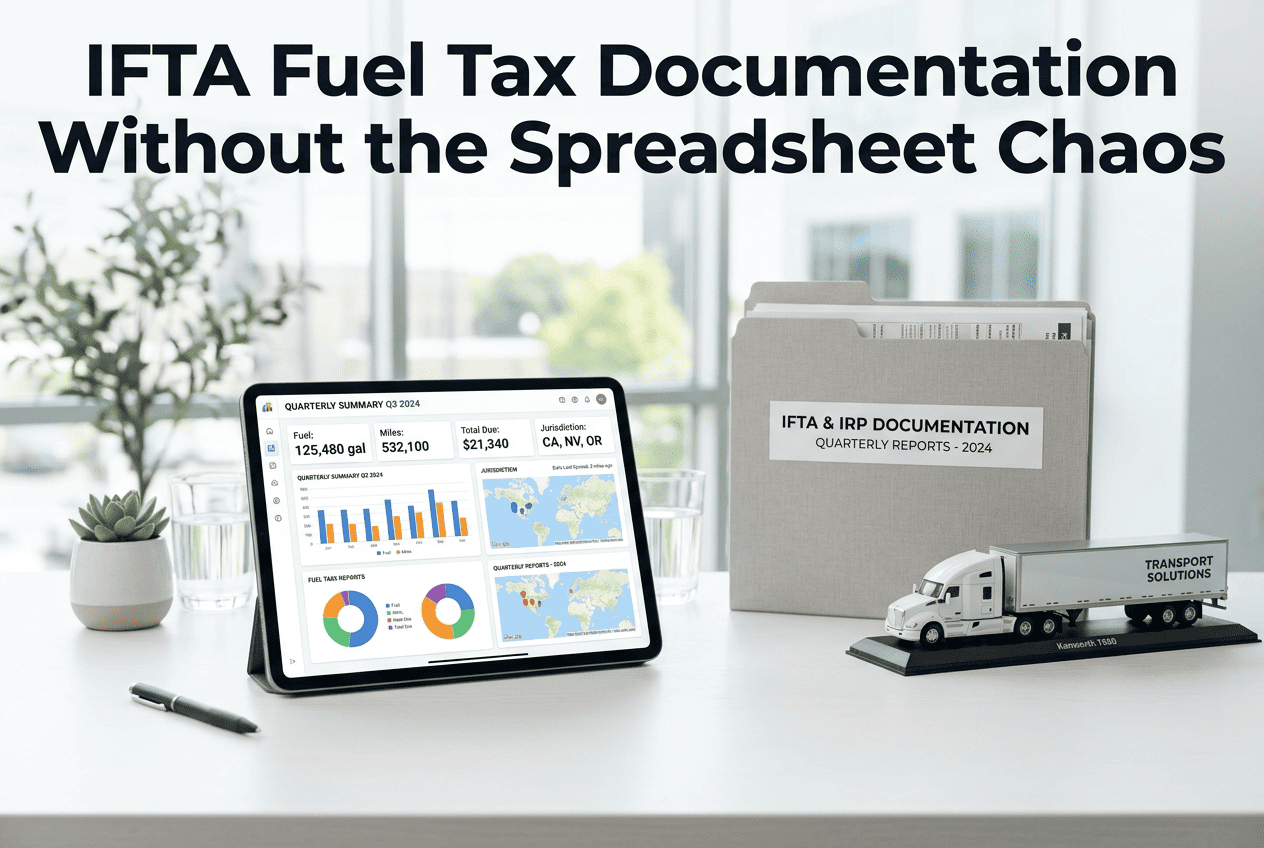
IFTA — the International Fuel Tax Agreement — requires every carrier operating qualified motor vehicles across two or more member jurisdictions to track miles driven and fuel purchased per state or province, file a quarterly return reconciling tax paid at the pump against tax owed by miles driven, and retain supporting records for four years. The maths is straightforward. The record-keeping is where fleets fail: a single missing fuel receipt, a mileage log with an unreconciled gap, or a quarterly return filed two weeks late generates penalties, interest, and in repeat cases, licence suspension across all IFTA member jurisdictions simultaneously. Oxmaint's fleet management platform captures mileage by jurisdiction automatically from telematics, links fuel purchases to vehicles in real time, and generates IFTA-ready reports at the end of every quarter — no manual data entry required.
IFTA Quarterly Filing Calendar
Every IFTA quarter has a fixed filing deadline, a specific set of records that must be complete before the return can be prepared, and a financial consequence for missing the window. The calendar below shows all four quarters at a glance — so compliance teams can build data-collection discipline throughout the quarter instead of scrambling in the final week before each deadline.
Technology That Makes IFTA Compliance Automatic
The majority of IFTA errors come from manual data entry — mileage logs transcribed from paper, fuel receipts matched to the wrong vehicle, or jurisdictions missed when a route crosses a state line at an unmanned crossing. Four technologies eliminate the manual steps that generate errors. Oxmaint connects all four into a single IFTA compliance workflow.
1. Mileage Records and Jurisdiction Tracking Checklist
Mileage by jurisdiction is the foundation of every IFTA return. Every mile driven in every IFTA member state or province must be captured and attributed to the correct jurisdiction — including deadhead miles, bobtail miles, and any miles driven in non-revenue service. Oxmaint captures jurisdiction miles automatically from telematics — no manual driver log entry required.
Total miles per jurisdiction — all IFTA member states and provinces
Record total miles driven in each IFTA jurisdiction for the quarter — all revenue, deadhead, and bobtail miles included. Missing a jurisdiction or rounding to estimates are both audit findings. Audit finding — missing jurisdiction
Total miles per vehicle — all qualified motor vehicles
IFTA tracks mileage per qualified vehicle, not per fleet. Each vehicle with a GVW or registered weight over 26,000 lbs or 3+ axles operating in 2+ jurisdictions must have its own mileage record. Violation — missing vehicle record
Individual trip records — source documents for mileage claims
Retain the source document for each jurisdiction's mileage — GPS trip reports, ELD logs, or driver trip sheets. IFTA auditors request source documents to verify summary figures; a summary with no source records is an automatic audit failure. Deficiency — no source records
Non-IFTA miles tracked separately — exempt jurisdictions
Miles driven in non-IFTA jurisdictions (e.g., Alaska, Hawaii, Yukon) must be tracked and reported separately. Including non-IFTA miles in the taxable mileage total overstates tax liability; excluding them from the total miles creates an MPG discrepancy that triggers audit review. Deficiency — incorrect classification
Odometer readings reconciled to GPS mileage
Cross-check total GPS-recorded mileage against vehicle odometer readings quarterly. A consistent 3–5% variance between GPS and odometer indicates a GPS or odometer calibration issue that will produce an MPG discrepancy in the IFTA return. Deficiency — unreconciled variance
GPS Telematics tip: Oxmaint's telematics integration detects every state line crossing automatically using geofence boundaries — recording exact GPS coordinates and odometer at each crossing and attributing miles to the correct jurisdiction in real time, so the quarterly mileage-by-state report builds itself throughout the quarter. See Oxmaint's automatic IFTA mileage tracking.
2. Fuel Purchase Records and Receipt Retention Checklist
Every gallon of fuel purchased must be supported by a receipt that meets IFTA's minimum documentation requirements — a fuel credit card statement alone is not sufficient. An IFTA audit that finds fuel claims without compliant receipts disallows the tax credit for those gallons, converting what was a refund into a tax liability plus interest. Link fuel receipts to vehicles and quarters in Oxmaint's digital document store.
Fuel receipts — all required fields present on every receipt
Each IFTA-compliant fuel receipt must show: date, seller name and address, vehicle unit number or licence plate, fuel type, number of gallons, and price per gallon. A receipt missing any one of these fields is non-compliant and the gallons cannot be credited. Audit failure — non-compliant receipt
Fuel receipts sorted by jurisdiction and quarter
Organise all receipts by the state or province where the fuel was purchased — not where it was used. Fuel tax credits are applied based on where fuel was purchased; tax is owed based on where miles were driven. These are two separate calculations that must be maintained separately. Deficiency — unsorted records
Bulk fuel purchases — dispensing log with vehicle attribution
For fuel dispensed from on-site bulk tanks, maintain a dispensing log showing: date, vehicle unit number, gallons dispensed, and cumulative tank reading. A bulk fuel purchase without per-vehicle dispensing records cannot be credited on the IFTA return for any individual vehicle. Audit failure — no dispensing log
Fuel card statements reconciled to individual receipts
Reconcile fuel card statements to physical receipts every month — not just at quarter end. A fuel card transaction that cannot be matched to a receipt is an undocumented purchase that auditors will disallow. Monthly reconciliation catches missing receipts while the purchase is recent enough to retrieve. Deficiency — unmatched transactions
Reefer and refrigeration fuel excluded — separate tracking
Fuel used exclusively in refrigeration units is not subject to IFTA tax. If your fleet uses separate reefer fuel tanks, maintain separate purchase records and exclude reefer gallons from the IFTA return. Including reefer fuel in IFTA calculations overpays tax; a commingled record fails audit. Deficiency — commingled records
3. Quarterly Return Preparation and Filing Checklist
The quarterly IFTA return is a tax reconciliation — calculating the difference between tax paid at the pump in each jurisdiction and tax owed based on miles driven in each jurisdiction. A net positive means a refund; a net negative means a payment is due. Both must be filed on time even if the result is zero. Generate your quarterly IFTA distance and fuel summary report from Oxmaint in minutes.
Total fleet miles — all jurisdictions combined for the quarter
Sum all miles driven across all jurisdictions for the quarter. This total divided by total fuel purchased gives your fleet MPG — a figure that IFTA auditors compare to industry averages. An MPG significantly above or below average triggers a detailed audit inquiry. Deficiency — MPG outside norms
Tax-paid gallons per jurisdiction — from receipts to return
Enter gallons purchased in each jurisdiction from verified receipt totals — not fuel card estimates. The tax paid at the pump in each state is the credit that reduces your net IFTA liability. Overstating credits or misattributing purchases to the wrong jurisdiction are the two most common IFTA audit findings. Audit finding — incorrect credits
Current tax rates confirmed — IFTA rate matrix for the quarter
Fuel tax rates change every quarter in multiple jurisdictions. Verify rates from the current IFTA tax rate matrix published by your base jurisdiction before filing — using prior quarter rates for even one jurisdiction produces an incorrect return that requires amendment and may trigger a penalty. Deficiency — stale rates used
Zero-activity jurisdictions reported — all member states included
Include all IFTA member jurisdictions on the return — including those with zero miles and zero fuel purchases for the quarter. Omitting a jurisdiction from the return is a filing error even if activity was zero. Most IFTA software includes all jurisdictions automatically; manual filers frequently omit zero-activity states. Deficiency — missing jurisdiction
Return filed and payment submitted before deadline
File and pay before the deadline — postmark date counts for mailed returns, submission timestamp for electronic filings. A return filed on the deadline date but with payment submitted the following day is a late payment and generates interest from the deadline date. Violation — late filing/payment
SAP Integration tip: Oxmaint's SAP connector posts the quarterly IFTA tax liability to the fuel tax expense account automatically on return submission — eliminating the manual journal entry that accounting teams perform at quarter-end and ensuring the payment instruction reaches accounts payable before the deadline. Book a demo to see IFTA-to-SAP GL automation.
4. Audit-Ready Record Retention Checklist
IFTA audits can be triggered at any time and can cover any of the four preceding years. A carrier whose records are complete, organised, and immediately retrievable typically resolves a routine IFTA audit in one day. A carrier with incomplete or disorganised records can face a 3-month audit process resulting in assessed tax, penalties, and interest on reconstructed figures that are rarely in the carrier's favour.
All records retained for 4 years — from filing date
The 4-year IFTA retention clock starts from the filing date of each quarterly return — not the end of the quarter. Purging records 4 years from the quarter end date rather than the filing date creates a 1–3 month window of non-compliance at every annual purge cycle. Audit failure — premature purge
Records retrievable within 24 hours of audit notice
IFTA auditors typically give 24–72 hours notice before an on-site review. All mileage records, fuel receipts, and quarterly returns must be retrievable within that window — organised by vehicle, quarter, and jurisdiction. Records in multiple systems or filing cabinets across multiple locations fail this test. Deficiency — retrieval failure
Amended returns filed for discovered errors — before audit
If an error in a prior quarter's return is discovered, file an amended return voluntarily before an audit is triggered. Voluntary amendments incur only the underpayment interest — an auditor-discovered error generates penalties on top of interest and creates a pattern finding that extends the audit scope to all prior years. Best practice — amend proactively
IFTA licence and decals current — displayed on all qualified vehicles
IFTA licence must be carried in the cab of every qualified vehicle. Decals must be affixed to both sides of the cab. A vehicle operating without current IFTA decals is subject to citation in every jurisdiction it enters — and the citation creates a CSA record in addition to the IFTA penalty. Violation — missing decal
We used to spend three days every quarter manually pulling fuel receipts, reconciling mileage logs, and calculating IFTA by state in spreadsheets. Since connecting Oxmaint's telematics integration, the quarterly IFTA summary report generates itself. Our Q3 filing took 40 minutes from report pull to submission — including the SAP payment posting.
Frequently Asked Questions
The most common questions from fleet accounting and compliance teams about IFTA filing requirements, record-keeping, and audit preparation.
Any CMV over 26,000 lbs GVW, or with 3+ axles, operating in 2 or more IFTA member jurisdictions. Single-jurisdiction vehicles are exempt but may have intrastate fuel tax obligations.
A penalty of $50 or 10% of net tax owed — whichever is greater — plus daily interest. Repeat late filings risk IFTA licence revocation across all member jurisdictions.
No. Each purchase needs an individual receipt showing date, seller address, vehicle ID, fuel type, and gallons. A card statement is a cross-reference only — not a primary receipt.
Four years from the filing date of each quarterly return. If fraud is suspected, the period is unlimited — maintain complete records for the full 4-year window.
Fleet MPG outside the expected range for the vehicle type. Auditors compare your return MPG to industry benchmarks — any significant variance triggers a full source-record review.
Yes. Oxmaint captures GPS-verified miles per jurisdiction in real time. At quarter end, the IFTA summary report generates per vehicle with trip-level source data attached — no manual entry needed.