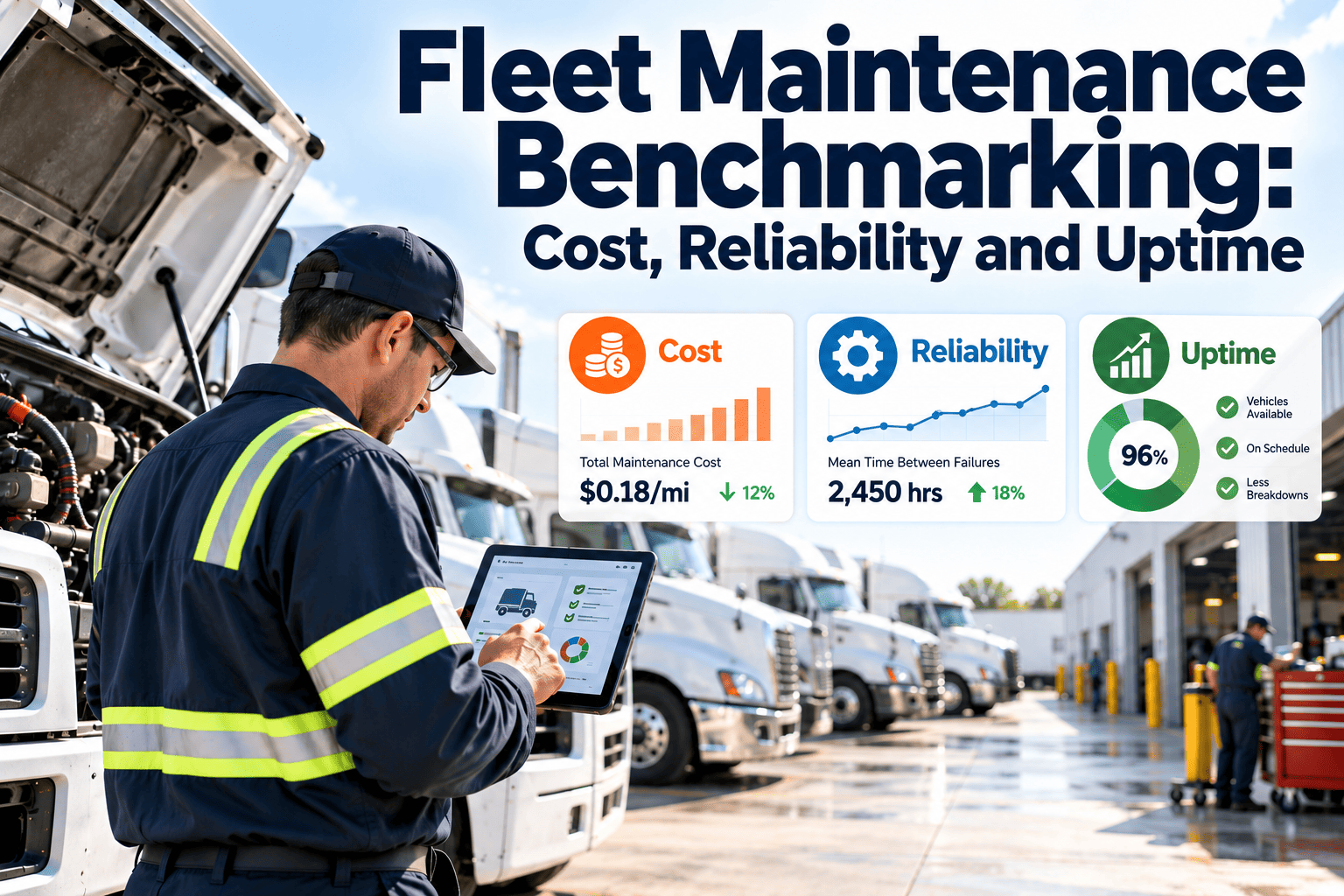
Is a maintenance cost per mile of a certain level good or bad? The honest answer is that it depends on the vehicle class, age, duty cycle and how costs are counted. Benchmarking gives fleets a structured way to answer that question by comparing performance against their own history, against similar groups of vehicles and against outside reference points. Done carefully, it shows where money is lost, where reliability is slipping and where uptime can be recovered. This guide explains how to benchmark fleet maintenance, supported by fleet maintenance software that keeps the data consistent.
Fleet Maintenance Benchmarking: Cost, Reliability and Uptime
Measure maintenance performance on three connected dimensions, compare it fairly, and turn the gaps into targeted improvement actions.
Three types of benchmark and when to use each
Start with the comparison you can trust most, then widen the view as your data matures.
Internal trend
Compare this quarter with the same period last year and with the prior quarter. This is the most reliable comparison because definitions are your own.
Internal peer groups
Compare similar vehicles, shops or locations against each other. Differences point to practices worth copying or fixing.
External reference points
Use published industry studies, peer fleets or manufacturer data as context, after confirming they define cost and downtime the same way you do.
Core metrics and how to define them
Benchmarks fail when two people calculate the same metric differently. Write each definition down and apply it everywhere.
| Dimension | Metric | How to calculate | What it tells you |
|---|---|---|---|
| Cost | Maintenance cost per mile or hour | Total maintenance cost divided by distance or hours in the period | Efficiency of keeping vehicles running |
| Cost | Cost per vehicle | Maintenance cost divided by active vehicles in the group | Comparison across classes and sites |
| Cost | Planned versus unplanned share | Planned work cost divided by total maintenance cost | Degree of control over repairs |
| Reliability | Mean distance between failures | Total distance divided by number of failures | How long vehicles run between breakdowns |
| Reliability | Road calls | Count of in-service breakdowns per period or per distance | Failures that disrupt operations |
| Reliability | Repeat repair rate | Repairs recurring on the same vehicle and system within a set window | Diagnosis and repair quality |
| Uptime | Availability | Hours or days available divided by hours or days scheduled | Share of time the fleet can work |
| Uptime | Downtime per vehicle | Total out-of-service time divided by vehicles | Scale of lost capacity |
| Process | PM compliance | PM services completed on time divided by PM services due | Discipline of the prevention program |
Normalize before you compare
A fair comparison needs like against like. Without normalizing, the oldest or hardest-working vehicles will always look like the problem.
Vehicle class
Separate vans, light trucks, tractors, trailers and specialty units.
Age and mileage
Group by age band or life stage, since wear patterns change over time.
Duty cycle
Consider stop-and-go, long haul, off-road and idle-heavy work separately.
Cost scope
Decide whether tires, fuel, accidents and overhead are included, and stay consistent.
Benchmark from data you can trust
Track work orders, costs, downtime and PM compliance in one maintenance system so every comparison starts from the same numbers.
Reading cost, reliability and uptime together
A single metric can mislead. Combining them reveals what is actually happening and what to do about it.
Low cost, high uptime
Healthy. Confirm that PM is not being deferred, which can push costs into the future.
High cost, high uptime
Uptime may be bought with heavy reactive spend or premium repairs. Look at planned versus unplanned work.
Low cost, low uptime
Possible under-maintenance or slow repairs. Check parts availability and shop capacity.
High cost, low uptime
The priority group. Review replacement timing, repeat failures and recurring root causes.
Where benchmarking goes wrong
Most problems come from the data and the framing, not the arithmetic.
Common pitfalls
- Comparing fleets that count costs differently.
- Mixing vehicle classes in one average.
- Ignoring downtime caused by waiting for parts.
- Using averages that hide a few extreme vehicles.
- Chasing a published number rather than your own trend.
- Reporting only cost, with no view of reliability.
Better habits
- Document definitions and keep them stable.
- Segment by class, age and duty cycle.
- Separate repair time from waiting time.
- Review the worst performers by vehicle, not just the average.
- Set targets based on your baseline and goals.
- Report cost, reliability and uptime together.
Turning benchmark gaps into actions
A benchmark is only useful if it changes something. Link each gap to a likely cause and a concrete next step.
| Gap observed | Likely causes to check | Typical action |
|---|---|---|
| Rising cost per mile | Aging vehicles, repeat repairs, price changes, deferred PM | Review lifecycle and replacement timing; tighten PM |
| High unplanned share | Missed inspections, overdue PM, late defect response | Raise inspection and PM compliance; track defect age |
| Frequent road calls | Component failures, poor diagnosis, tire or battery issues | Analyze top failure systems; add targeted checks |
| Low availability | Parts delays, limited shop capacity, long approval times | Improve stocking, scheduling and approval flow |
| High repeat repair rate | Incomplete root cause work, wrong parts, rushed repairs | Add verification steps; review technician training |
| Wide gap between sites | Different practices, staffing or data entry habits | Share best practices and standardize procedures |
A practical benchmarking workflow
Run this cycle each quarter so benchmarking becomes routine rather than a one-time project.
Data inputs benchmarking depends on
Poor inputs produce confident but wrong conclusions. Make these records complete before trusting the output.
Setting targets that are realistic and useful
Targets turn benchmarks into direction. Avoid copying an outside number and instead build targets from your own starting point.
Segment views that make comparisons meaningful
Use these cuts of the data to see where problems concentrate.
| Segment | What to compare | Insight it can reveal |
|---|---|---|
| By vehicle class | Cost and downtime within each class | Which classes consume the most effort |
| By age band | Repair cost and failure frequency over life | Where replacement becomes cheaper than repair |
| By location or shop | Turnaround time, repeat repairs, labor use | Practices worth sharing between sites |
| By make and model | Failure patterns and parts cost | Reliability differences that affect purchasing |
| By system or component | Share of cost and downtime by system | Targets for preventive focus |
| By driver or route | Damage, tire wear and defect reports | Operating conditions that drive wear |
Questions leadership will ask, and how to answer them
Prepare for the conversations that follow a benchmark report so the data leads to decisions.
Cost questions
- Where is spending rising, and is it planned or reactive?
- Which vehicles cost the most to keep, and why?
- Would earlier replacement lower total cost?
- How much spend goes to repeat repairs?
Operational questions
- How many vehicles are available on a typical day?
- What causes the longest downtime events?
- Are delays caused by parts, labor or approvals?
- Which improvements would raise availability fastest?
Agenda for a quarterly benchmark review
A fixed agenda keeps the meeting focused on decisions instead of debating numbers.
1. Results
Review cost, reliability and uptime against last quarter and the prior year.
2. Outliers
Discuss the vehicles, sites or systems furthest from expected performance.
3. Causes
Agree on the most likely root causes using work order and failure history.
4. Actions
Assign owners, deadlines and measures of success for each action.
Using benchmarks in lifecycle and replacement decisions
Benchmarking is most valuable when it informs when to keep, repair or replace vehicles.
Signals to keep and maintain
- Cost per mile is stable and in line with similar vehicles.
- Failures are isolated and not repeating.
- Availability meets operational needs.
- Major components have remaining service life.
Signals to review for replacement
- Cost per mile is rising faster than the rest of the group.
- The same systems fail repeatedly.
- Downtime is growing and spares are being used heavily.
- A major repair is due that exceeds a sensible share of value.
Checks before presenting your benchmark
- Confirm that definitions match the previous period.
- Spot-check a sample of vehicles against source work orders.
- Note any one-time events such as accident repairs or recalls.
- State what the benchmark does not cover, so conclusions are not overstated.
Keeping benchmark data current
A benchmark built on old data can point you toward the wrong problem. Decide how often each input is refreshed.
How Oxmaint supports fleet maintenance benchmarking
Reliable benchmarks start with consistent records. Oxmaint helps by keeping maintenance activity connected to the asset.
| Benchmark requirement | Oxmaint capability | Benefit |
|---|---|---|
| Cost by vehicle and group | Work orders with labor, parts and costs on the asset record | Cost history ready to segment and compare |
| Prevention discipline | Preventive maintenance scheduling and tracking | Visible PM compliance |
| Failure patterns | Corrective work orders and asset history | Repeat issues easier to find |
| Parts effect on uptime | Inventory tracking and reorder levels | Fewer delays from missing stock |
| Management view | Dashboards and reporting | Trends reviewed on a regular schedule |
Frequently asked questions
What is a good maintenance cost per mile?
It varies by vehicle class, age and cost scope, so a single number is misleading. Begin with your own trend, then compare similar groups.
Which metric should we start with?
Start with maintenance cost per vehicle, availability and PM compliance. They are easy to define and give a balanced early view.
How often should we benchmark?
Review key metrics monthly and run a deeper comparison quarterly. Annual reviews work well for lifecycle and replacement decisions.
Can Oxmaint provide the underlying data?
Oxmaint records work orders, costs, assets and PM activity that feed these measures. Try it through Oxmaint to see how your records line up.
How do we set targets from a benchmark?
Use your baseline and realistic improvement steps rather than copying an outside figure. A demo session can help map metrics to your fleet.
Know where your fleet stands on cost, reliability and uptime
Bring work orders, assets, PM schedules and parts into one system, then compare performance with confidence.