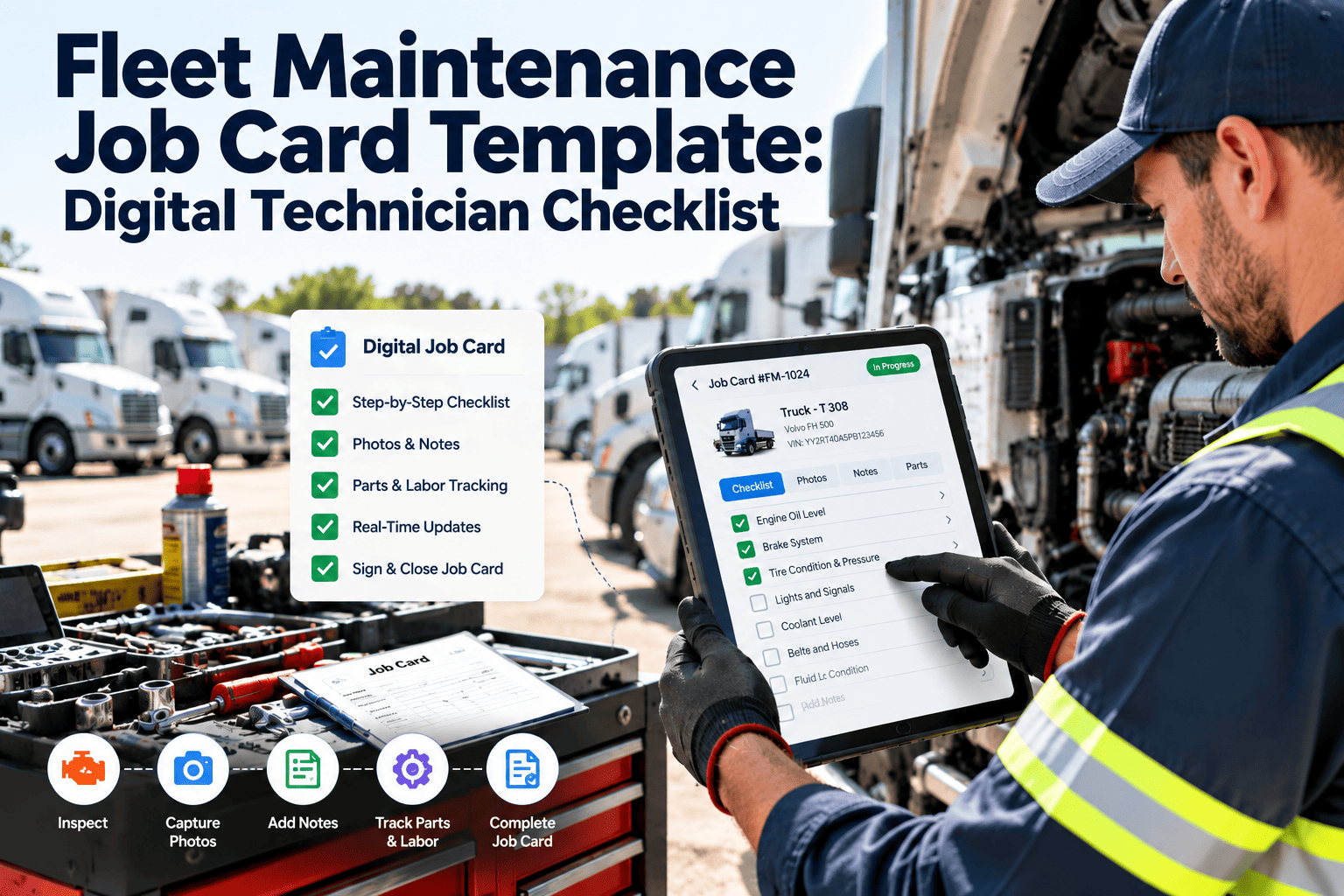
A fleet job card is the record that connects a complaint to a repair, a technician, a set of parts and a vehicle that is safe to release. When cards are handwritten, half-filled or closed days later, the shop loses labor data, parts usage and the evidence that critical work was checked. This digital technician checklist follows the job card from header to close-out, so every repair leaves a complete record inside fleet work order software that supports audits, warranty claims and the next diagnosis.
Fleet Inspections & Compliance · Technician Job Card
Fleet Maintenance Job Card Template: Digital Technician Checklist
A job card template and technician checklist that captures diagnosis, parts, torque values, tests, labor and sign-off on a phone or tablet, so each repair is complete before the vehicle leaves the bay.
8Checklist Categories
46Check Points
4Frequency Codes
Job Card · Sample Layout
Unit
Odometer
Job type
Priority
Technician
Bay
RequestedAssignedIn progressQuality checkClosed
Digital Technician Job Card Checklist
Work through the categories in the order of the job. Tick each item, enter measured values as numbers, and attach photos. Items marked with codes show when the step is mandatory.
JEvery jobBBrake or safety-critical workPPreventive maintenance jobSSupervisor review
01Job Header and Vehicle Identification
Record the job card number, date, requester and the trigger, such as a driver defect report, a preventive maintenance due date, a breakdown or an inspection finding.InitialsJEvery job · Service writer
Verify the unit number, VIN, plate, make, model and year on the vehicle itself, and confirm they match the asset record.InitialsJEvery job · Technician
Enter odometer and engine hours at job start, and flag any reading that does not fit the last recorded value.InitialsJEvery job · Technician
Select the job type and priority, such as preventive service, corrective repair, inspection, accident repair or warranty, and set the due date.InitialsJEvery job · Service writer
Record the location, bay, assigned technician and any helper.InitialsJEvery job · Shop coordinator
Confirm work authorisation and the spending limit before work begins.InitialsJEvery job · Service writer
02Safety and Pre-Work Checks
Park the vehicle on a level surface, set the parking brake, chock the wheels and remove or tag the key where required.InitialsJEvery job · Technician
Apply lockout or battery isolation for electrical, hydraulic and moving-part work, and release stored air or pressure before opening systems.InitialsJEvery job · Technician
Use lifts and jack stands rated for the load at approved lift points, and never rely on a jack alone.InitialsJEvery job · Technician
Wear the PPE the task requires, including eye protection, gloves, hearing protection and respiratory protection for brake dust where applicable.InitialsJEvery job · Technician
Check fire, fuel, hot work and confined space precautions before starting.InitialsJEvery job · Technician
Review open defects, recalls and service campaigns on the unit before starting, so related work is planned together.InitialsJEvery job · Service writer
03Complaint, Diagnosis and Root Cause
Copy the driver complaint word for word from the report or request, and attach any photos or audio.InitialsJEvery job · Service writer
Verify the symptom yourself and record the test conditions, such as load, speed, temperature and duty cycle.InitialsJEvery job · Technician
Read fault codes, record them with the time and status, and clear them only after they are saved to the card.InitialsJEvery job · Technician
Log diagnostic steps with measured values, such as pressure, voltage and clearance, and not just "checked OK".InitialsJEvery job · Technician
State the root cause separately from the symptom, using a standard failure code such as a VMRS code.InitialsJEvery job · Technician
Add any additional defects found during diagnosis as separate lines, and obtain approval before extra work.InitialsJEvery job · Technician
04Parts and Materials
Request parts through the job card with part number, quantity and source, and reserve stock.InitialsJEvery job · Technician
Verify received parts against part number, condition and warranty before fitting.InitialsJEvery job · Technician
Record fluids, filters and consumables with type and quantity used.InitialsJEvery job · Technician
Tag failed parts and cores with the unit and job number, and hold them where warranty or claim review may apply.InitialsJEvery job · Technician
Obtain approval before fitting any substitute or non-OEM part, and record the reason.InitialsJEvery job · Supervisor
05Repair Steps and Specifications
Record repair steps in order, with the manual or procedure reference used.InitialsJEvery job · Technician
Record torque values for wheel nuts, suspension and other critical fasteners, with the torque tool identifier.InitialsBBrake or safety-critical work · Technician
For brake work, record lining thickness, drum or rotor condition and pushrod stroke after adjustment.InitialsBBrake or safety-critical work · Technician
Enter measured values before and after repair for items such as pressures, voltage and clearances.InitialsJEvery job · Technician
Schedule a wheel nut re-torque after any wheel removal and track it as a follow-up task.InitialsBBrake or safety-critical work · Technician
Replace safety-critical parts in axle sets where required, and avoid mixed wear on the same axle.InitialsBBrake or safety-critical work · Technician
06Test and Quality Check
Perform a functional test of the repaired system, such as lights, brakes, steering or alarms, as relevant to the job.InitialsJEvery job · Technician
After fluid or air work, check for leaks with the engine running and the system at operating pressure.InitialsJEvery job · Technician
Where a road test is needed, record route, distance and findings, and complete brake tests on a safe surface.InitialsBBrake or safety-critical work · Technician
Recheck fault codes and confirm none remain active before release.InitialsJEvery job · Technician
Obtain a second-person quality check on safety-critical work, and record the checker name.InitialsSSupervisor review · Supervisor
Clean up: remove tools, wipe spills, refit guards and remove tags.InitialsJEvery job · Technician
07Labor, Time and Cost
Capture start and stop times for each task from the technician, and do not estimate them at the end of the day.InitialsJEvery job · Technician
Compare labor hours with the standard time for the task, and note the reason for any large variance.InitialsJEvery job · Supervisor
Record parts cost, outside labor, sublet work and shop supplies against the job.InitialsJEvery job · Service writer
Flag the job as warranty, chargeback or billable to a customer where applicable.InitialsJEvery job · Service writer
Record vehicle downtime hours from out-of-service to release.InitialsJEvery job · Shop coordinator
08Close-Out, Sign-Off and History
The technician certifies the work is complete, signs the card and lists any deferred items with reasons.InitialsJEvery job · Technician
The supervisor reviews the card for completeness and signs it before the unit is released.InitialsSSupervisor review · Supervisor
Deferred or recommended work becomes new work orders with due dates.InitialsJEvery job · Service writer
Reset preventive maintenance schedules from the actual odometer or engine hours at completion.InitialsPPreventive maintenance job · Planner
Save photos, test results and invoices to the card, and set the unit status to available.InitialsJEvery job · Service writer
Notify the driver or dispatcher that the unit is released, with any notes for the next trip.InitialsJEvery job · Shop coordinator
Replace Paper Job Cards With a Complete Digital Record
Give technicians a mobile job card in Oxmaint with required fields, parts, torque values and sign-off, and give supervisors a clean record the moment the job closes.
Job Card Field Map: What to Record and Why
Every field should earn its place. This map shows what each section feeds downstream.
| Section | Key fields | Why it matters |
|---|
| Header | Unit, VIN, odometer, job type, priority, requester | Links the work to the right asset and meter reading |
| Safety | Lockout, chocks, PPE, lift points | Shows safe working practice was followed |
| Diagnosis | Complaint, fault codes, readings, root cause | Builds failure history for repeat repairs |
| Parts | Part numbers, quantities, sources, cores | Controls inventory cost and supports warranty claims |
| Repair | Steps, torque values, measurements | Proves critical work met specification |
| Quality | Tests, second check, road test | Reduces comebacks and unsafe releases |
| Labor and cost | Task times, outside work, downtime | Feeds cost per unit and technician productivity |
| Close-out | Signatures, deferred work, status | Creates an auditable record and the next work orders |
Job Card Lifecycle: From Request to Closed
A defined status path keeps work visible and prevents cards from sitting open.
RequestedRequest createdA defect report, PM due date or breakdown call creates the card with unit, priority and complaint.
ApprovedAuthorisedEstimate or spending limit approved, and parts availability checked.
AssignedTechnician assignedBay, technician and planned start time are set.
In progressWork underwayDiagnosis, parts, repair steps and measurements are recorded as the work happens.
Quality checkVerifiedTests and second-person checks complete, with results entered.
ClosedReleasedSign-offs captured, history updated and the vehicle is available for dispatch.
Job Types and the Extra Checks Each Needs
The core template stays the same. Each job type adds required fields.
| Job type | Extra required checks | Typical output |
|---|
| Preventive maintenance service | Service checklist items, fluid and filter details, next due meter | PM reset and next service date |
| Brake job | Lining and rotor or drum measurements, pushrod stroke, post-repair test | Documented brake condition by axle |
| Tire and wheel job | Position, tread depth, pressure, torque and re-torque task | Tire history by position |
| Electrical and lighting | Circuit tested, connector condition, fault codes | Resolved fault with test result |
| Annual inspection | Inspector name and qualification, each inspected item, certificate details | Inspection record on the asset |
| Accident or damage repair | Damage photos, estimate approval, structural checks | Repair record for claims and audits |
Paper Job Cards Versus Digital Job Cards
The difference appears in data quality and follow-through.
Paper job cards- Fields skipped or illegible
- Times estimated at the end of the day
- Parts used not matched to stock
- Torque and test values not recorded
- Cards found missing during audits
Digital job cards- Required fields prevent incomplete closure
- Timers capture real labor time
- Parts issued against the job from inventory
- Measured values stored with the asset
- Records searchable by unit, date or failure code
Records and Compliance Context
Requirements differ by country and operation. In the United States, FMCSA rules are a common reference.
49 CFR 396.3Motor carriers keep records for each vehicle covering identification, inspection, repair and maintenance, including dates and the nature of work. Confirm retention periods in the current rule.
49 CFR 396.17 to 396.19Annual inspections must be performed by a qualified inspector, with a report or record showing the items inspected.
Internal quality recordsWarranty claims, vendor disputes and insurance reviews rely on complete job cards with evidence of what was done.
KPIs for Job Card Quality and Shop Performance
Use these measures to see whether the template is improving the work.
| Metric | How to measure | Direction |
|---|
| Job card completeness | Closed cards with all required fields divided by closed cards | Near 100% |
| Comeback rate | Repeat repairs of the same issue within the agreed window | Falling |
| Wrench time ratio | Hours on repair tasks divided by hours clocked | Rising |
| Planned versus actual hours | Actual labor divided by standard time | Close to 1.0 |
| Average downtime per job | Hours between out-of-service and release | Falling |
| Deferred work closure | Deferred items converted to work orders and closed on time | Rising |
How the Job Card Runs in Oxmaint
Oxmaint maintenance management software ties the card to the asset, the schedule and inventory.
Work ordersCreate cards from defects, PM schedules and requests with priority and due dates.
Mobile completionTechnicians complete checklists, enter values and attach photos at the vehicle.
InventoryParts are issued to the job, and stock is reduced as work is recorded.
Preventive maintenanceClosing a service card resets the next due meter or date.
Asset historyEvery card is stored on the unit for diagnosis and audits.
ReportsDashboards show labor, downtime and repeat failures across the fleet.
Frequently Asked Questions
What should a fleet maintenance job card include?
Vehicle details, complaint, diagnosis, parts, repair steps, measurements, tests, labor time and sign-off.
Why record torque and measurement values?
They prove safety-critical work met specification and help diagnose repeat failures. Book a demo to see numeric fields.
How long should maintenance records be kept?
Rules vary by country. In the US, 49 CFR 396.3 sets retention periods, so check the current text for your operation.
Can a digital job card reduce comebacks?
Required checks, second-person verification and recorded measurements reduce missed steps. Get started with one job type.
Who should sign off a job card?
The technician certifies the work, and a supervisor reviews and signs safety-critical or high-value jobs before release.
Close Every Repair With a Record You Can Trust
Move job cards, technician checklists, parts and sign-offs into one fleet maintenance system, and make every repair easy to audit, repeat and learn from.