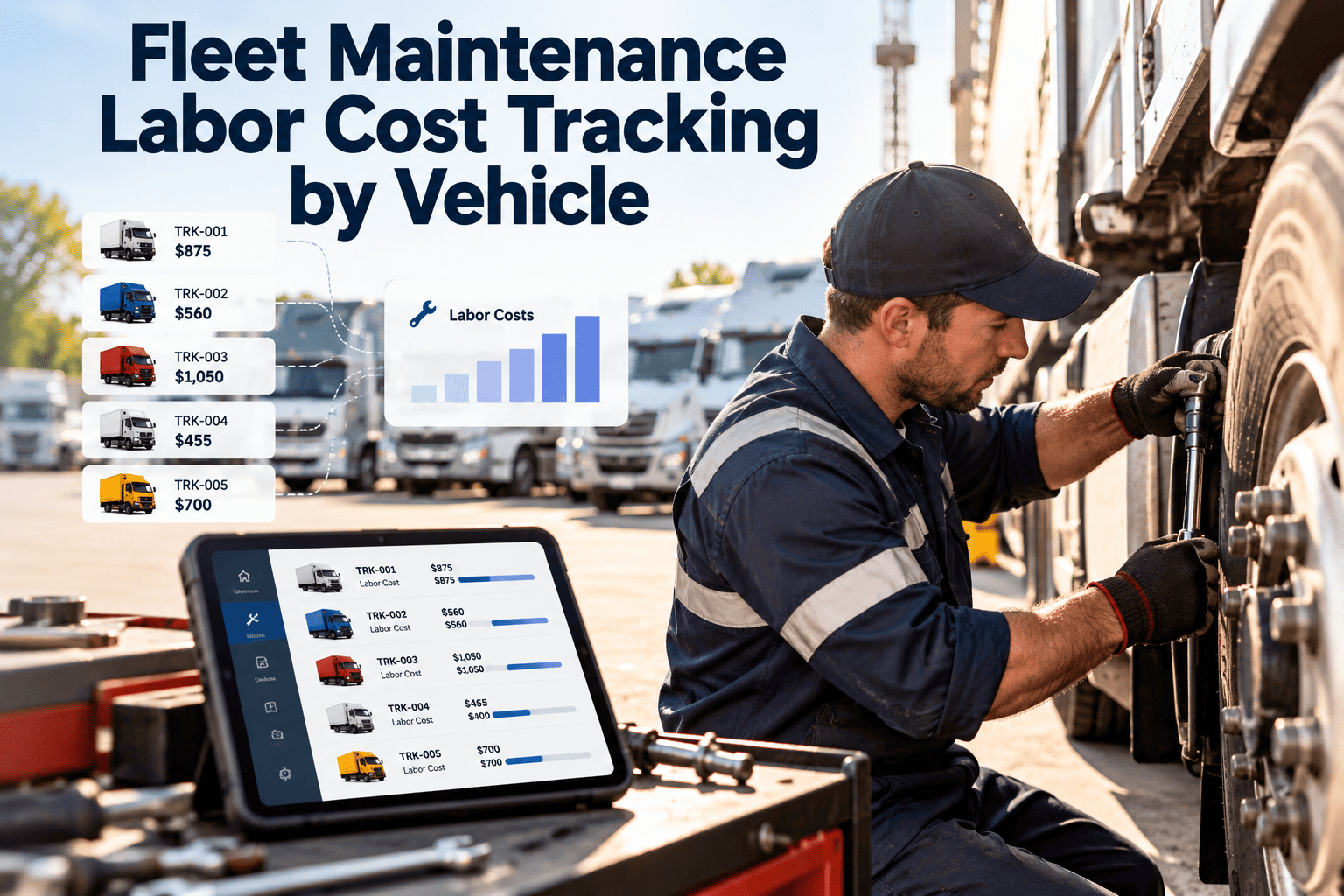
Most fleets know their total shop payroll but cannot say what labor each truck consumed last quarter. Without that number, you cannot spot the vehicles that quietly absorb technician hours, compare repair types honestly, or decide whether to repair, replace, or outsource. Tracking labor by vehicle turns payroll into a cost record tied to the asset. This guide covers what to capture, how to price an hour, and how Oxmaint fleet maintenance software links technician time to each work order.
Fleet Maintenance Labor Cost Tracking by Vehicle
Every labor hour should land on a work order, and every work order on a vehicle. That is how payroll becomes a per-unit cost you can manage.
Why total payroll is not enough
A single labor line in the accounts hides where hours go. Vehicle-level tracking answers questions that payroll cannot.
The anatomy of a labor hour
A paid hour is not the same as a productive hour. Cost per productive repair hour is the number that exposes shop efficiency.
- The segment sizes above are illustrative. Your own proportions come from measured work order time.
- Include only costs your finance team agrees belong in the rate, and apply the same method to every technician.
- Overtime, shift premiums, and contractor rates may need separate rate codes.
Where labor hours go missing
Untracked labor is time that never lands on a work order. It makes some vehicles look cheaper than they are and others look worse.
| Gap | How it appears | Effect on vehicle cost | Control |
|---|---|---|---|
| Paper time sheets | Hours written later from memory | Rounded, late, or missing entries | Start and stop time on mobile work orders |
| Hidden quick jobs | Small fixes done without a work order | Understated cost on problem vehicles | Require a work order for every job, however short |
| Shared jobs | Two technicians, one entry | Hours credited to one person only | Multiple technician lines per work order |
| General shop time | Cleanup, training, and meetings | Overhead spread unevenly or ignored | Separate non-vehicle codes and allocate by policy |
| Rework | Same fault repaired twice | Second visit hidden as a new job | Link return visits to the original work order |
| Outside shop labor | Vendor invoices booked as lump sums | Per-vehicle history incomplete | Enter invoice lines against the vehicle work order |
Put every technician hour on the right vehicle
Capture labor at the work order, roll it up by unit, and give your managers a cost record they can trust.
What every labor entry should contain
Consistent fields make reports possible. A short, required set beats a long form technicians skip.
Use a standard coding scheme
- Adopt one repair code structure, such as a recognized industry system, so brake work is coded the same way everywhere.
- Keep the list short enough that technicians choose the right code quickly.
- Review "other" and "miscellaneous" entries monthly and add codes where they cluster.
Sorting vehicles by labor and frequency
Once hours sit on vehicles, plot each unit by total labor and by number of repair events. Each quadrant needs a different response.
Few events, many hours
Big jobs such as engine or transmission work. Check whether a replacement decision is near.Many events, many hours
Chronic problem units. Review root causes, repeat repairs, and remaining life first.Few events, few hours
Healthy units. Keep PM on schedule and use them as comparison benchmarks.Many events, few hours
Nuisance faults. Look for inspection or driver reporting fixes that remove small repeat jobs.Left column is low event count; right column is high event count.
Reading the numbers: a worked illustration
The figures below are hypothetical and exist only to show the method.
Fair comparison across vehicle types
A refuse truck and a delivery van should not share one labor benchmark. Group units before you judge them.
Group by
- Vehicle class and body type
- Model year and engine family
- Duty cycle and annual mileage or hours
- Operating environment and route type
Normalize by
- Labor hours per 1,000 miles or per engine hour
- Labor cost per month in service
- Preventive hours versus corrective hours
- Age bands, since older units naturally need more
In-house shop labor versus outside vendors
The point is not that one always wins. Tracked labor gives you a fair internal cost to compare with a quote.
Without tracked labor
- Internal cost judged by gut feel
- Vendor invoices compared with payroll totals
- Hidden rework never counted
- Outsource decisions based on the latest complaint
With tracked labor
- Internal cost known per job type
- Quotes compared with real hours and rates
- Rework and delays visible by cause
- Decisions backed by vehicle and job history
Common mistakes when starting
Most failed rollouts come from process, not software. Watch for these early.
KPIs for labor cost control
Choose a small set, define each clearly, and review them on a fixed schedule.
How Oxmaint supports labor tracking
Oxmaint is maintenance management software. It records technician time against work orders and vehicles, and it does not replace your payroll or accounting system.
Labor cost tracking FAQs
What is the best way to track labor cost per vehicle?
Record start and stop time on every work order line and apply an agreed hourly rate. Roll the totals up by vehicle.
Should I use wages or a fully loaded rate?
A fully loaded rate gives a truer cost, including benefits and overhead. Agree the method with finance and keep it consistent.
How do I handle non-vehicle shop time?
Use separate codes for training, cleanup, and meetings, then allocate them by policy. Do not leave them as unexplained gaps.
Can labor tracking help with repair or replace decisions?
Yes, when labor is combined with parts and outside repair history. Book a demo to see the vehicle cost record.
Where should a small shop begin?
Begin with a work order for every job and a short code list. Create an Oxmaint account to set it up.
Know what every vehicle costs your shop
Connect technician time, parts, and repair history in one record. See how Oxmaint helps you manage maintenance labor by vehicle.