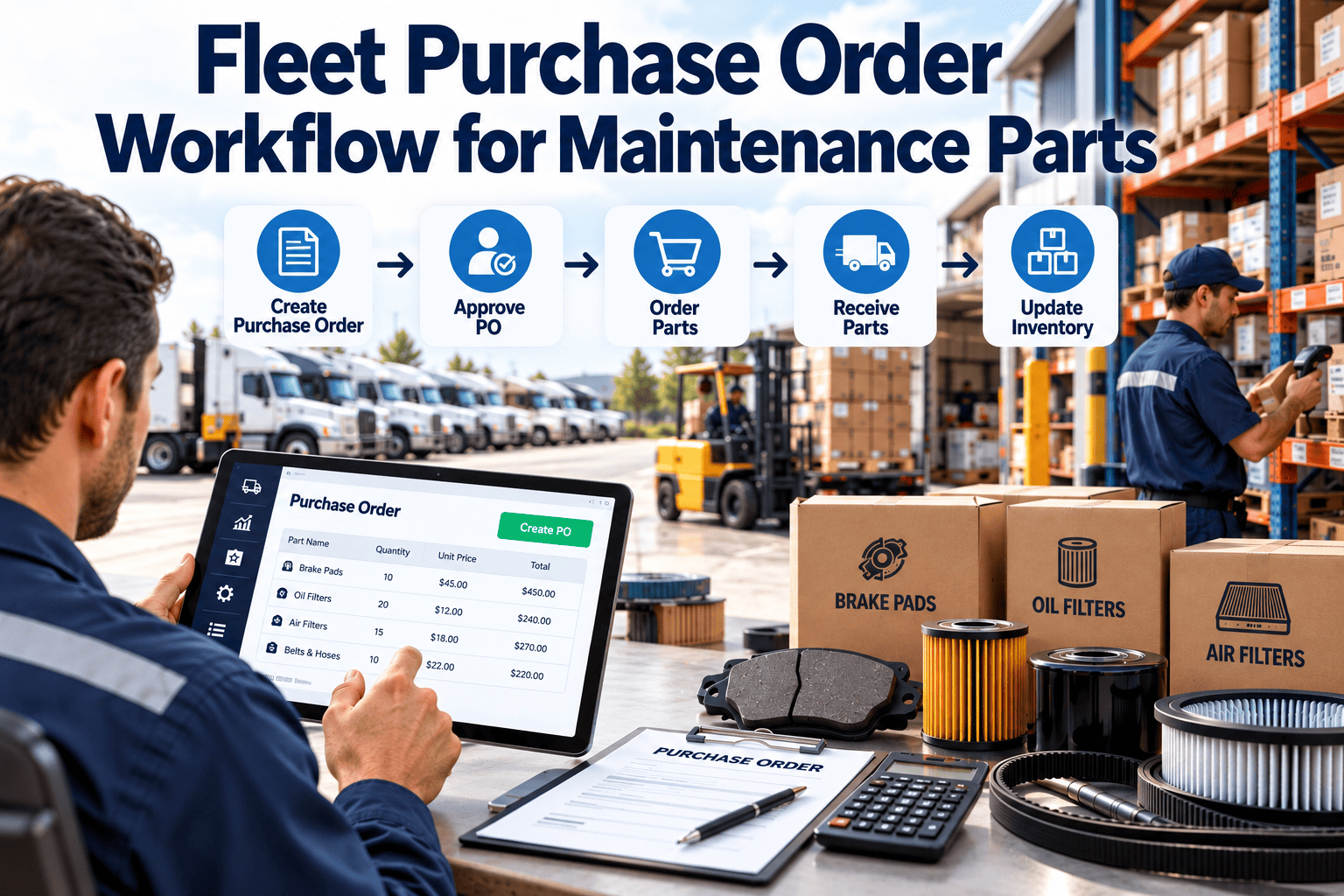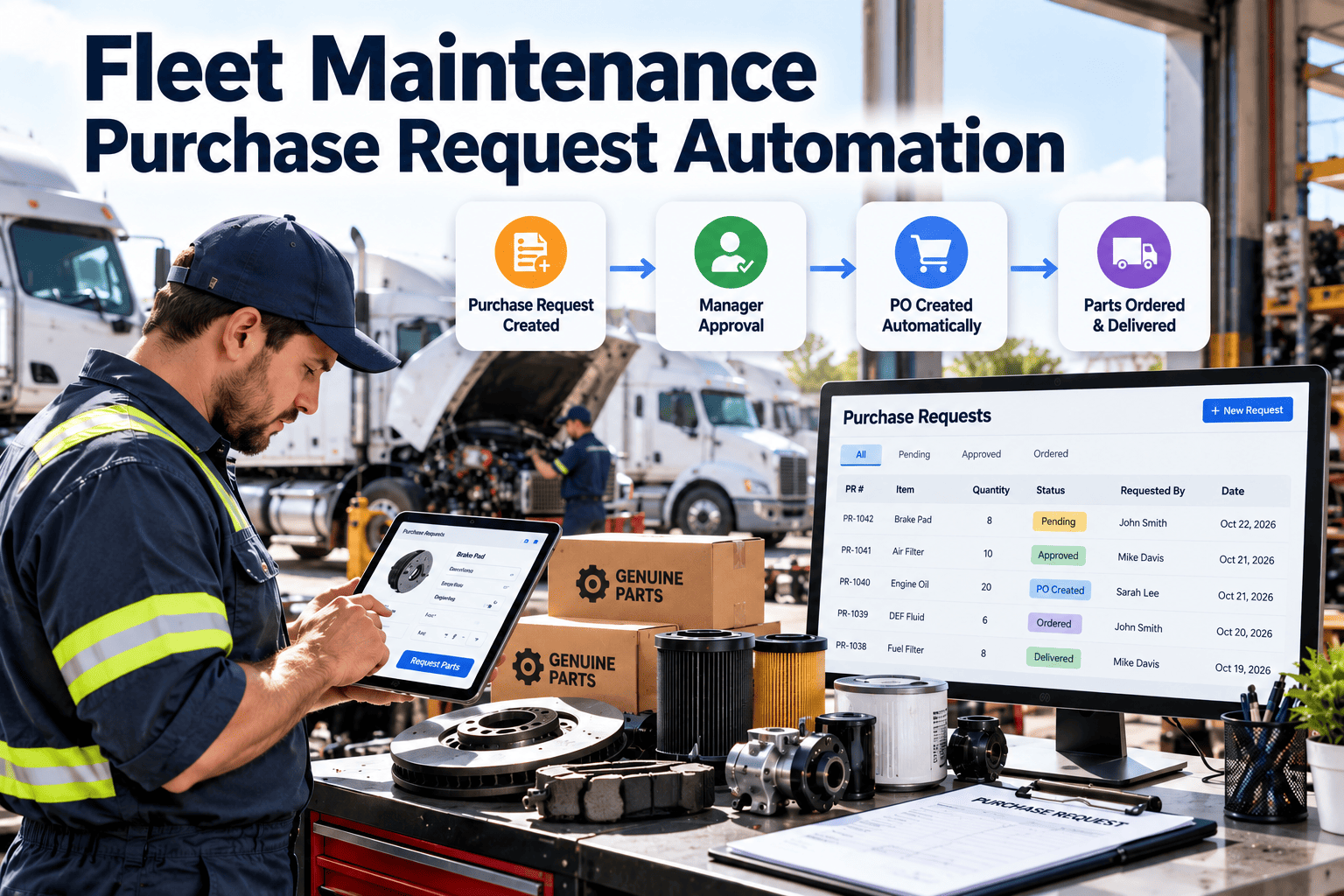
Fleet purchase requests are where a simple repair quietly turns into a multi-day delay. A technician finds a worn brake component, the request goes to email or a paper form, someone chases an approval, and the vehicle waits in the bay. Fleet maintenance purchase request automation links the defect, the work order, the approval, and the purchase into one traceable record. This guide shows how to design that workflow and how a maintenance-first CMMS such as Oxmaint supports it.
Fleet Maintenance Purchase Request Automation
Stop vehicles waiting on approvals. Turn every defect, part need, and sublet quote into a work-order-linked purchase request that routes, approves, and closes without chasing.
Why purchase requests stall fleet repairs
In most fleets the repair itself is not the slow part. The slow part is the wait between knowing what a vehicle needs and having that part, quote, or authorization in hand.
Manual request handling
- Requests live in email threads, texts, and paper slips
- Approvers lack the vehicle history behind the ask
- Technicians re-enter the same part details several times
- Nobody sees which requests are waiting on whom
- Costs reach the vehicle record weeks later, if at all
Automated request workflow
- Every request starts from a work order or inspection defect
- Approvers see the unit, meter reading, and repair history
- Part and labor details carry forward without retyping
- Queues show age, owner, and next action
- Approved spend posts to the asset automatically
Where repair time disappears between defect and part
Mapping idle time by stage shows which part of the request process deserves automation first. Each stage below is a common place for vehicles to sit unattended.
Request creation gap
The defect is known, but the request is written hours later from memory. Missing part numbers or vehicle details trigger follow-up questions.
Approval queue
Requests wait for a supervisor who is on the road, in a meeting, or simply unaware. Without escalation rules, low-value items wait as long as high-value ones.
Sourcing and quoting
Buyers re-check stock, call suppliers, and compare prices without a record of what was already tried. Duplicate effort is common.
Delivery and receiving
Parts arrive but are not matched to the waiting work order, so the technician does not know the bay can restart.
Invoice and cost posting
Invoices land in accounting without a work order reference, which makes cost per vehicle unreliable and audits painful.
An approval matrix that matches request type to risk
A single approval path for everything is either too slow or too loose. Define routes by request type, spend level, and urgency, then let the system apply them.
| Request type | Typical trigger | Approval route | Attach to request | Goal |
|---|---|---|---|---|
| Stocked part, within limit | PM or inspection finding | Auto-approve, shop lead notified | Work order, bin location | Issue same shift |
| Non-stock part | Corrective repair | Maintenance supervisor | Defect photo, vehicle history | Order same day |
| Emergency or roadside | In-service breakdown | On-call approver, post-review | Breakdown notes, location | Decision within minutes |
| Sublet repair | Specialty or capacity gap | Supervisor plus fleet manager | Quote, scope, vendor | Quote compared before work |
| Warranty-eligible part | Failure inside coverage | Warranty coordinator | Install date, mileage, failed part record | Claim started before disposal |
| High-value or capital item | Major component, replacement | Fleet manager and finance | Repair-versus-replace history | Reviewed against budget |
Designing the automated request workflow
Automation works best when each step has one owner, one trigger, and one record. These six steps give a practical sequence to build around.
Start from the work order
Never raise a request in isolation. Tie it to a work order so the vehicle, defect, and labor plan are already attached.
- Inspection defects can generate the work order
- Technicians add needed parts from the repair screen
Check stock before buying
The first question is whether the part is already on a shelf or in another location. Inventory visibility prevents avoidable orders.
- Reserve stocked parts against the work order
- Raise a purchase request only for the shortfall
Route by rules, not by memory
Approval rules use request type, cost, and urgency. Routine items move fast while unusual spend gets proper review.
- Set escalation when a request ages past its limit
- Name a backup approver for absences
Order and track delivery
Once approved, the order references the request and work order. Expected delivery dates keep the shop planning realistic.
- Flag vehicles waiting on parts in the shop queue
- Reschedule bays when delivery slips
Receive and release the repair
Receiving should update the work order immediately so the technician knows the repair can resume.
- Record quantity, condition, and part number received
- Notify the assigned technician
Close with cost on the asset
When the work order closes, parts, labor, and sublet cost post to the vehicle so cost history stays reliable.
- Reconcile invoices against the original request
- Capture failure cause for later analysis
See requests flow from defect to closed work order
Set up request routing, stock checks, and cost posting inside one maintenance system built around your vehicles.
What every purchase request should carry
Incomplete requests are the main reason approvers hesitate. A standard data set removes the back-and-forth and speeds the decision.
Vehicle and defect context
- Unit number, VIN, and current meter reading
- Linked work order and inspection defect
- Photos or notes showing the failure
- Safety or out-of-service status
- Recent repairs on the same system
- Warranty or coverage indicator
Commercial and control data
- Part number, description, and quantity
- Stock on hand and alternate locations
- Preferred vendor and price reference
- Required-by date tied to repair priority
- Cost center or budget line
- Requester, approver, and decision time
Request scenarios that break simple workflows
A good design handles exceptions without losing control. These four situations are where fleets most often fall back to phone calls and paper.
After-hours breakdowns
Allow an on-call approver to authorize by mobile, then require post-event review. Speed first, documentation immediately after.
Sublet and outside repairs
Capture the quote, scope, and expected return date on the work order. Compare outcomes by vendor over time.
Warranty-eligible failures
Flag requests for parts that may be covered and keep the failed component until the claim decision is made.
Bulk and consumable buys
Use min-max reorder triggers for filters, fluids, and tires so routine items never need individual approvals.
Root causes behind slow fleet purchasing
Slow approvals are usually symptoms. Fixing the underlying causes matters more than adding another reminder email.
Disconnected systems
Maintenance, purchasing, and accounting each keep their own records. Staff reconcile them by hand, and details are lost along the way.
Unclear authority
When spending limits are undefined, approvers either escalate everything or approve without context. Both slow repairs or weaken control.
Reactive maintenance mix
A fleet that repairs mostly after failure buys mostly under urgency. Preventive scheduling lets routine parts be ordered calmly in advance.
Poor part data
Missing part numbers, inconsistent descriptions, and unlinked vendors force buyers to research the same items repeatedly.
Operational impact of delayed requests
A delayed request rarely stays inside the purchasing process. It spreads through scheduling, dispatch, and cost control.
Shop and scheduling effects
- Vehicles occupy bays while waiting, blocking other repairs
- Technicians switch jobs and lose time restarting work
- Preventive maintenance slips because bays and people are tied up
Dispatch and service effects
- Dispatch plans routes around vehicles that may not return on time
- Spare units or rentals cover gaps at extra cost
- Drivers and customers feel the disruption first
Cost and control effects
- Rush freight and premium sourcing replace planned buying
- Duplicate orders and unmatched invoices inflate spend
- Cost per vehicle becomes unreliable for lifecycle decisions
Why it compounds
- Each delayed repair pushes the next scheduled inspection or service later
- Deferred small repairs can become larger failures that need bigger purchases
Compliance and audit trail benefits
Fleets with regulated vehicles need to show what was repaired, why, and who authorized it. Automated requests build that evidence as a by-product of normal work.
- Separate the person who requests from the person who approves where policy requires it
- Keep defect, repair, and part records linked for roadside and safety inspections
- Retain timestamps for every status change to support internal and external audits
- Match request, receipt, and invoice before payment to reduce billing disputes
- Preserve warranty evidence such as install date, mileage, and failure notes
KPIs to measure request performance
Track a small set of measures that connect purchasing speed to vehicle availability. Compare them month over month rather than against outside benchmarks.
Request-to-approval time
Hours from submission to decision. Reveals approver bottlenecks.
Approval-to-receipt time
Days from order to delivery. Highlights slow suppliers and sourcing habits.
Downtime waiting on parts
Vehicle hours idle while a repair awaits material. The most direct cost of delay.
Emergency purchase share
Urgent buys as a share of all requests. A rising share points to weak preventive planning.
Stock-fill rate
Requests satisfied from existing inventory. Shows whether stocking matches demand.
Requests missing a work order
Spend that cannot be traced to a repair. Should trend toward zero.
Trends shaping fleet purchasing in 2026
Fleets are moving purchasing closer to the maintenance record instead of treating it as a separate back-office task.
Request generation from inspections and PM
- Failed inspection items open work orders and suggest required parts
- Preventive maintenance schedules forecast part demand ahead of due dates
- Repeat failures prompt review before another identical purchase is approved
Mobile-first approvals
- Supervisors approve from the shop floor or yard on a phone
- Technicians attach photos and notes at the vehicle
- Notifications replace email chasing
Data-assisted decisions
- Asset history informs repair-versus-replace discussions
- Usage and failure patterns guide reorder levels
- Human approval stays in control of final spend decisions
How Oxmaint supports purchase request workflows
Oxmaint organizes request activity around the maintenance record, so purchasing never drifts away from the vehicle it serves.
- Work orders carry the defect, labor, and parts together
- Asset records keep repair and cost history by vehicle
- Inventory tracking supports stock checks and reorder points
- Preventive maintenance scheduling anticipates routine part needs
- Mobile workflows let technicians and approvers act from the field
- Reports and dashboards show aging requests and cost by unit
What this changes for each role
- Technicians describe the need once, at the vehicle, with photos and part details
- Supervisors see context and approve without calling the shop
- Parts staff work from one queue instead of scattered messages
- Fleet managers review spend, delays, and repeat failures in one place
- Finance receives invoices that already reference a request and work order
A daily and weekly request review routine
Automation reduces manual chasing, but a short review habit keeps the queue healthy and exposes process problems early.
Daily shop huddle
- Review vehicles waiting on approval or parts
- Confirm which deliveries are due today
- Reassign bays when a repair is blocked
- Check emergency requests awaiting documentation
- Release repairs whose parts have arrived
Weekly management review
- Look at the oldest open requests by owner
- Check spend against budget by cost center
- Identify parts bought repeatedly for the same failure
- Review supplier delivery performance
- Adjust reorder levels and approval limits
A four-phase rollout plan
Start with the highest-volume requests and expand as the team gains confidence.
Map and standardize
Document current request paths, owners, and delays. Define the required data fields and request types.
Connect records
Load vehicles, parts, and vendors. Link requests to work orders from day one.
Set approval rules
Configure routes, backups, and escalation by request type, then pilot with one shop or vehicle group.
Review and tune
Hold monthly reviews of aging requests and waiting-on-parts downtime. Adjust limits and stocking.
Common mistakes and practical fixes
| Mistake | Effect | Fix |
|---|---|---|
| Requests without work orders | Untraceable spend | Require a work order reference to submit |
| One approval path for all items | Slow routine buys, weak control | Tier routes by type and value |
| No backup approver | Requests stall during absences | Assign delegates and escalation timers |
| Skipping stock checks | Duplicate purchases | Check and reserve inventory first |
| Ignoring aging requests | Vehicles idle unnoticed | Review an aging queue weekly |
Frequently asked questions
What is fleet purchase request automation?
It routes part, service, and sublet requests through defined approvals tied to work orders, so purchasing follows the repair record.
Does automation remove human approval?
No. Rules route and escalate, while people still approve spend that needs judgment. You can book a demo to see approval routing.
How does it reduce vehicle downtime?
It cuts waiting between defect, approval, and delivery, and signals the shop when parts arrive so repairs restart promptly.
Can it handle emergency roadside purchases?
Yes. Use an on-call approver by mobile, then require post-event documentation linked to the breakdown work order.
Where should a fleet begin?
Start with the most frequent request type, link it to work orders, and create an account to pilot one shop.
Give every repair a clear path from request to receipt
Reduce waiting, protect budgets, and keep a clean cost record on every vehicle with a maintenance-first workflow.