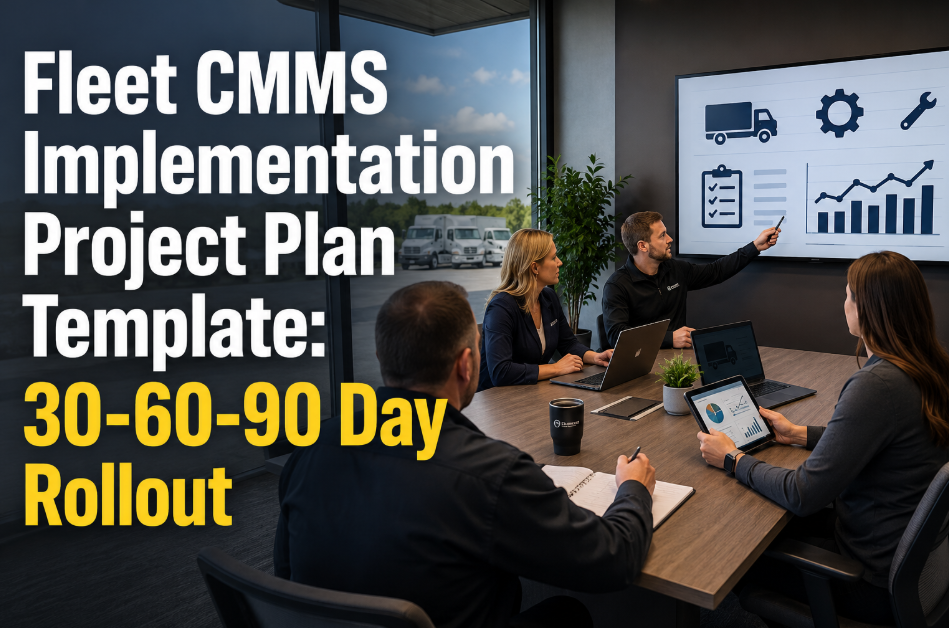
Most fleet maintenance software projects do not fail because the software is weak. They fail because the rollout tries to load every vehicle, every form and every workflow at once while technicians are still keeping trucks on the road. A 30-60-90 day plan breaks the work into gates: clean asset data and a working work-order flow in the first 30 days, preventive maintenance and inspections in the next 30, then parts, compliance records and reporting by day 90. This guide gives fleet managers and shop supervisors a practical sequence they can adapt, and shows where fleet maintenance software built around a maintenance-first CMMS supports each stage.
Go live in 90 days without stopping the shop
Sequence asset data, work orders, inspections, preventive maintenance, parts control and reporting into three 30-day gates, so every phase ends with something the shop can actually use.
- Clean asset register
- Work order workflow
- Core team trained
- Preventive maintenance live
- Mobile inspections
- Defect-to-repair link
- Parts and inventory
- Compliance records
- Dashboards and KPIs
Why fleet software rollouts stall
Before planning the first 30 days, it helps to name the patterns that quietly derail implementations. Each one has a cause that can be designed out of the plan.
Week zero: decisions to make before day one
The first week of a plan usually looks busy but produces little, because decisions were never made in advance. Settle these items before anyone imports a spreadsheet.
Decisions checklist
- Which vehicles, trailers and equipment are in scope for phase one
- Which locations or shops go live first
- Who approves preventive maintenance intervals and template changes
- How work orders are numbered and which statuses are allowed
- Which meter is the source of truth for each asset type
- What counts as a closed work order, including required fields
- How parts requests, vendor repairs and warranty claims are handled
- Which three or four measures will define success at day 90
Implementation team roles
| Role | Responsibility | Involvement |
|---|---|---|
| Executive sponsor | Removes blockers, confirms priorities and success measures | Gate reviews |
| Fleet or maintenance manager | Owns scope, intervals, approvals and adoption | Weekly |
| Shop lead or foreman | Validates workflows, coaches technicians, tests mobile flows | Daily |
| Data steward | Cleans and imports asset, meter and parts data | Heavy in weeks 1 to 3 |
| Parts or stores lead | Builds item records, locations and reorder points | Heavy in phase three |
| Safety or compliance lead | Defines inspection forms and record retention needs | Phase two |
Days 1 to 30: build the foundation
The goal of the first month is narrow: a trustworthy asset register and a work-order process that technicians will actually use. Preventive maintenance can wait until that base is stable.
Scope and data audit
- Confirm in-scope units and locations
- Export current spreadsheets, fuel and shop records
- Flag duplicates, missing VINs and unknown meters
Asset register build
- Import vehicles, trailers and equipment
- Group by class, duty cycle and location
- Record current odometer or engine hours
Work order workflow
- Define request, approval and closure steps
- Set priorities, failure and repair categories
- Pilot with one shop bay or one technician group
Train and stabilize
- Short role-based sessions at the bench
- Review the first closed work orders together
- Fix form fields that slow technicians down
The minimum useful asset record
Resist the urge to capture every field on day one. A record with these elements is enough to schedule maintenance and track cost.
Day 30 exit gate
- Every in-scope asset has a unique record and a verified meter reading
- Work orders are opened, assigned and closed inside the system for the pilot group
- Closed work orders carry labor, parts, cause and completion date
- Technicians can name where to find their assigned jobs on a phone or tablet
See what a 30-day foundation looks like in your shop
Walk through asset records, work orders and mobile workflows with the Oxmaint team, or start building your register today.
Days 31 to 60: bring preventive maintenance and inspections under control
With reliable assets and work orders in place, the second month shifts the shop from reacting to scheduling. This is where uptime gains begin to show.
Choose the right preventive maintenance trigger
| Trigger | Best suited to | Watch out for |
|---|---|---|
| Odometer miles or kilometers | Over-the-road tractors, vans, light-duty vehicles | Stale or mistyped readings that delay or advance services |
| Engine hours | Yard tractors, generators, idle-heavy vocational units | Hours not synced from the engine or not entered at all |
| Calendar interval | Trailers, annual inspections, seasonal checks, batteries | Units parked for months that still show as due |
| Condition or inspection result | Brakes, tires, fluid analysis, wear items | Inconsistent defect descriptions that hide trends |
Build templates by vehicle class, not by vehicle
- Start with two or three service levels per class, such as a basic service, an intermediate service and a major service.
- Attach task lists, expected labor time and common parts to each template so planners do not rebuild them each time.
- Follow manufacturer guidance and your own failure history when setting intervals, and review them after the first full cycle.
- Retire legacy schedules that duplicate each other, because overlapping services create double work and confusing history.
Day 60 exit gate
- Preventive maintenance templates exist for every in-scope vehicle class
- Upcoming services are visible on a schedule the shop actually works from
- Inspection defects convert into work orders without retyping
- All shops or pilot groups use the same status and priority definitions
Days 61 to 90: control parts, prove compliance, read the numbers
The final month adds the layers that turn a working system into a management tool. Parts, compliance and reporting rely on the clean records built in the first two phases.
Parts and inventory
- Create item records for fast movers first: filters, brake components, belts, lamps, fluids
- Assign storeroom and truck-stock locations
- Set minimum and reorder levels from actual usage on work orders
- Link parts to templates so planned jobs reserve what they need
Compliance records
- Confirm inspection forms match the requirements your operation falls under
- Keep maintenance, inspection and repair records tied to the specific unit
- Check retention periods against current regulations such as 49 CFR Part 396 where they apply
- Test how quickly a unit's full history can be produced on request
Reporting and dashboards
- Start with a small set of measures managers will review weekly
- Separate planned from unplanned work
- Track overdue preventive maintenance and open defects by location
- Review cost per unit and repeat repairs monthly
Measures worth watching at day 90
| Measure | What it tells you | Why it matters |
|---|---|---|
| Preventive maintenance compliance | Services completed within the allowed window | Shows whether the schedule is realistic and followed |
| Planned versus unplanned work | Share of labor spent on scheduled jobs | A rising planned share usually signals better control |
| Open defects by age | How long reported problems wait for repair | Exposes bottlenecks in triage, parts or labor |
| Repeat repairs | Same defect on the same unit within a set period | Points to root causes or quality problems |
| Maintenance cost per unit | Labor, parts and vendor spend by asset | Supports retain-or-replace decisions |
| Downtime per work order | Time from out of service to returned to service | Connects maintenance performance to operations |
Day 90 exit gate
- Parts consumption is recorded on work orders and stock levels are trusted
- A complete maintenance history can be produced for any in-scope unit
- Managers review the same dashboard in the same weekly meeting
- A backlog of phase-two improvements is documented for the next quarter
Implementation risks and how to contain them
Rank risks by likelihood and impact at the start, then review them at each gate. The matrix below shows common risks and where they usually sit.
Adoption: what changes for each role
People adopt tools that remove work from their day. Design the rollout so each role sees a concrete improvement within the first month.
Training habits that stick
- Keep sessions short and role-based, and hold them at the shop rather than in a conference room.
- Appoint one or two technician champions per shift who answer questions in the moment.
- Run a ten-minute weekly review of closed and rejected work orders during the first two months.
- Change a form the same week a technician points out a problem. Fast fixes build credibility.
Data migration rules that save weeks
Migration is where most schedules slip. These rules keep the import small, accurate and repeatable.
After day 90: keep the momentum
A go-live is a milestone, not a finish line. The first quarter after day 90 decides whether the system becomes the shop's daily tool or slowly drifts back to side spreadsheets.
Agenda for the day 90 review
- Review each exit gate and note which criteria were met fully, partly or not at all
- Compare the success measures chosen in week zero with what the data now shows
- Collect feedback from technicians, planners, parts staff and drivers separately, because each group sees different problems
- Decide which locations, vehicle classes or equipment types join the next wave
- Name an owner and a date for every open issue
Priorities for the next quarter
- Extend preventive maintenance templates to the remaining vehicle classes and tune intervals using the first completed cycles
- Add condition-based triggers, such as inspection results or fluid analysis, where records are now reliable enough to support them
- Bring vendor repairs and warranty claims into the same system so outside work sits beside in-house work
- Refine dashboards so each audience, from technician to executive, sees only the measures they act on
- Schedule refresher sessions for new hires and for any group with low adoption
Warning signs that adoption is slipping
- Work orders opened and closed in bulk at the end of the week instead of during the job
- Growing use of free-text notes where structured fields exist
- Parts leaving the storeroom without a matching work order
- Preventive maintenance marked complete with no labor or meter reading recorded
- Managers asking for reports to be built outside the system
Catching these early is usually a matter of conversation and a small form change, not retraining the whole shop.
Frequently asked questions
Can a fleet really implement maintenance software in 90 days?
Yes, for a defined scope, because the plan phases work instead of loading everything at once. Larger or multi-site fleets can extend the pattern location by location, and you can schedule a demo to scope it.
Should we start with preventive maintenance or work orders?
Start with the asset register and work orders. Preventive maintenance depends on accurate meters and a reliable way to close jobs, so it works better in the second month.
How much historical data should we import?
Import current asset data, open work and the most recent service dates. Keep older records archived and bring in more only if a specific analysis needs it.
Who needs to be involved besides the maintenance manager?
A shop lead, a data owner, a parts lead and someone responsible for safety or compliance records. An executive sponsor should review each gate.
Where can we try the workflow before committing?
You can sign up and build a pilot group of assets, work orders and inspections to test with your technicians.
Start your 30-60-90 day rollout with a clear plan
Build your asset register, launch work orders, and move from reactive repairs to scheduled maintenance with Oxmaint.