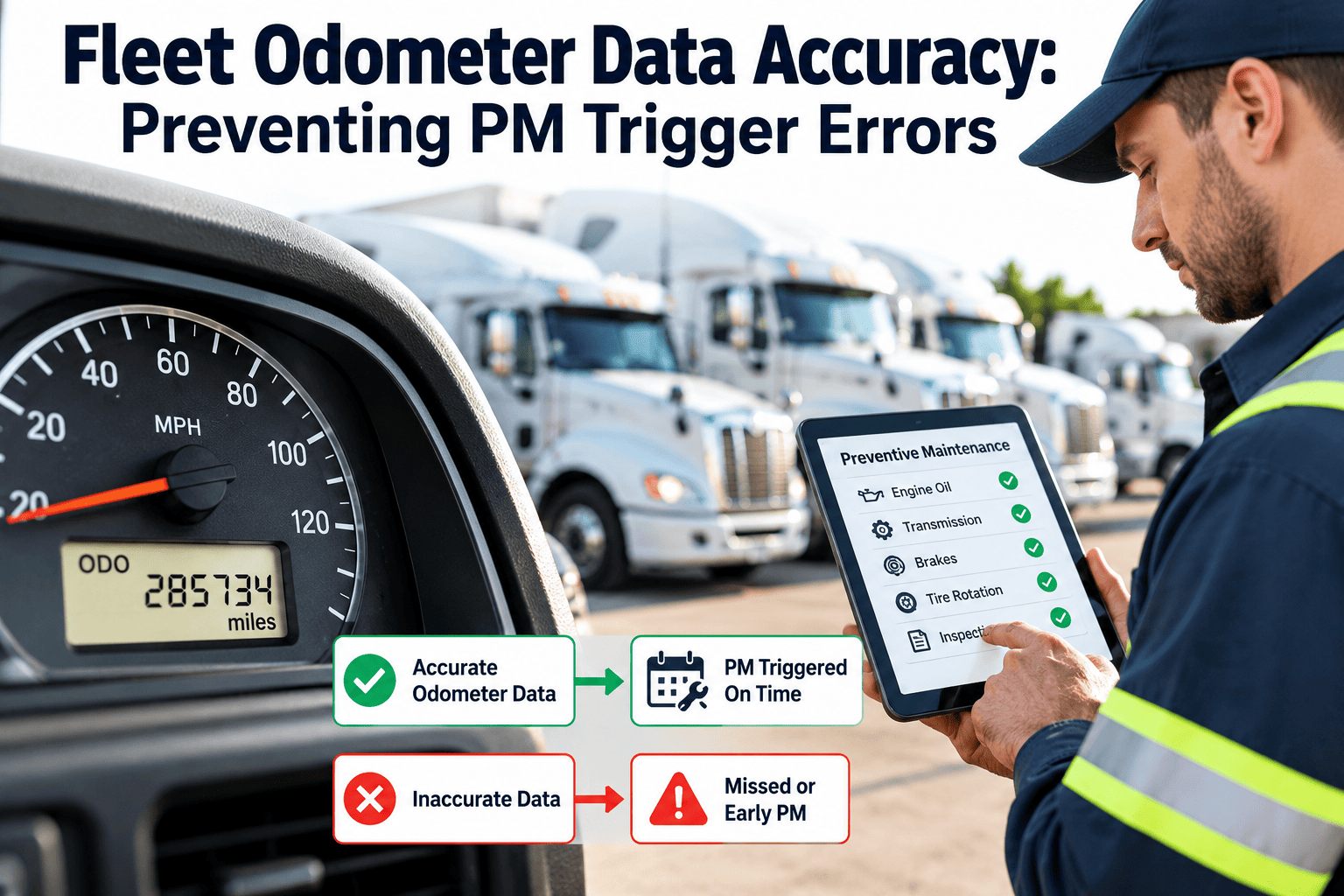
Preventive maintenance schedules are only as accurate as the meter readings that drive them. If a truck's odometer value in your system is two thousand miles behind reality, its oil change, brake inspection or tire rotation will arrive late. If a reading was mistyped with an extra digit, the system may think a service is years early or overdue. Odometer errors are easy to make and hard to notice until a component fails or an audit asks questions. This guide explains where bad readings come from, how to validate them, and how a fleet preventive maintenance system can protect scheduling from them.
Odometer data accuracy: preventing PM trigger errors before they cost you
Bad meter readings create late services, early services and weak audit trails. Fix the source, validate every entry, and design triggers that tolerate imperfect data.
Where wrong odometer data comes from
Most errors are not malicious. They come from busy people, mismatched systems and hardware changes. Knowing the pattern tells you which control to apply.
| Error type | How it happens | Effect on preventive maintenance |
|---|---|---|
| Stale reading | Nobody updates the meter for weeks or months | Services appear far from due when they are not |
| Typing error | Transposed, missing or extra digits during manual entry | Sudden jumps trigger false overdue alerts or hide real ones |
| Unit mix-up | Miles entered where kilometers are expected, or the reverse | Intervals are off by a constant factor for that unit |
| Wrong asset | Reading entered against a similar unit number | One unit is overstated and another understated |
| Instrument cluster or ECM replacement | New hardware starts from a different value | The reading drops or resets and breaks lifetime history |
| Source disagreement | Telematics, fuel card and driver entry show different values | The schedule follows whichever source updated last |
| Wrong meter type | Odometer used for idle-heavy or stationary equipment | Machines that run many hours show few miles and are under-serviced |
| Backdated or duplicated entries | Late paperwork lands out of sequence | Reading history is no longer in order |
What a trigger error costs
An inaccurate reading pushes risk in one of two directions. Both cost money, and the second is easy to overlook.
Services run late
- Oil, filters and inspections extend beyond intended intervals
- Wear items are caught later, which raises the chance of an in-service failure
- Warranty and compliance questions become harder to answer
Services run early
- Labor, fluids and parts are spent before they are needed
- Vehicles come off the road for work with no benefit
- Lifetime cost per mile looks better or worse than it really is
Rank your data sources by confidence
Not every reading deserves equal trust. Decide which source is primary for each asset and treat the others as cross-checks. The ranking below is a typical starting point, which you should adapt to your equipment and technology.
Make every meter reading earn its place in the schedule
Track meters, trigger preventive maintenance and keep full asset history in Oxmaint, with a workflow your technicians can follow.
Validation rules every entry should pass
Validation catches most errors at the moment of entry, when the person who made them can still correct them. Set the thresholds from your own usage patterns.
The exception workflow
Validation is only useful if flagged readings go somewhere. Define who reviews them and how quickly.
Handling hardware swaps and resets
Replacing an instrument cluster or engine module is the most common legitimate reason for a reading to drop. Treat it as a controlled event rather than an edit.
Recommended steps
- Record the last verified reading before the replacement
- Record the starting value on the new hardware
- Store an offset so lifetime mileage continues without a gap
- Attach the work order and parts record to the asset history
- Resume preventive maintenance calculations from the adjusted value
Why it matters
- Warranty and resale records depend on a continuous mileage history
- Service intervals measured from the last service stay valid
- Auditors can see the reason for any discontinuity
- Technicians avoid overriding the value ad hoc
Choose the right meter for each asset
An odometer is not always the best trigger. Use the meter that reflects how the equipment actually wears.
| Asset type | Primary trigger | Secondary trigger |
|---|---|---|
| Over-the-road tractors | Odometer distance | Calendar interval and engine hours |
| Delivery vans and pickups | Odometer distance | Calendar interval |
| Yard tractors and terminal equipment | Engine hours | Calendar interval |
| Refrigerated trailers | Reefer unit hours | Calendar interval and trailer inspection date |
| Vehicles with power take-off | PTO or engine hours | Odometer distance |
| Seasonal or low-use units | Calendar interval | Distance or hours, whichever comes first |
Design triggers that tolerate imperfect data
Even with validation, readings will sometimes lag. Build the schedule so a small error does not turn into a missed service.
Health measures for your meter data
Track a few simple measures each week. They show whether data quality is improving and where to focus.
A 30-day cleanup sequence
- Week 1: export every unit's last reading and date, then list units with no reading in the last month.
- Week 2: verify those units physically or through a connected device and correct the records.
- Week 3: turn on validation rules and name the person who reviews exceptions.
- Week 4: connect or schedule the most reliable data source for each asset type and review the first variance report.
Connected sources: telematics and ELD considerations
Automatic readings remove most typing mistakes, but they bring their own checks. Treat a connected source as trustworthy only after you have compared it with the dash.
Before relying on a connected source
- Compare the device reading with the instrument cluster on a sample of units across makes and model years
- Confirm whether the device reads the engine data bus or estimates distance from GPS
- Check how the device behaves after a battery disconnect, module replacement or device swap
- Map each device to the right asset record, and review the mapping whenever a device moves between vehicles
- Decide what happens when a device stops reporting, so a silent unit does not look like an idle one
Typical integration risks
- A device installed on the wrong vehicle posts readings to the wrong record
- Different sources disagree by a constant offset that nobody notices
- Readings are delayed, so a work order closes with an older value than the vehicle shows
- Trailers and unpowered equipment have no engine source and need a separate hours or calendar method
Habits that protect meter data day to day
Technology reduces errors, but habits close the gaps. A few small routines at the points where readings are captured make a large difference.
For drivers and operators
- Enter the reading from the dash at every pre-trip or post-trip inspection
- Check the previous value shown on screen before saving
- Report a dash that is blank, frozen or recently replaced
- Confirm the unit number before entering anything
For technicians and planners
- Record the meter value on every work order, not only on preventive jobs
- Verify the reading against the dash when a vehicle enters the bay
- Review the exception queue daily during the first month of rollout
- Document cluster, ECM and device replacements as controlled events
Why meter accuracy matters beyond scheduling
- Warranty claims depend on accurate mileage and hours at the time of failure
- Cost per mile reporting is wrong when the denominator is wrong
- Resale and lease-return documentation relies on a credible mileage history
- Audits are easier when each service record carries a verified reading
How validation catches a typing error: an illustrative walk-through
The numbers below are invented to show the logic, and your own thresholds will depend on your usage patterns.
Setting sensible thresholds
- Calculate each class's typical daily and weekly distance from the last few months of accepted readings.
- Set the upper limit above the busiest normal week so real peaks do not create false alarms.
- Use tighter limits for units with a stable route and looser limits for relief or spare vehicles.
- Review the thresholds after the first month, when false alarms and missed errors become visible.
Special cases to plan for
- Seasonal or standby units may show no change for long periods, so flag them differently from broken sources.
- Trailers and attachments need hours, calendar triggers or a paired tractor reading.
- Units transferred between locations should keep their reading history intact.
- Vehicles purchased used should start from a verified reading with the source documented.
Frequently asked questions
Why do wrong odometer readings affect preventive maintenance so much?
Distance-based triggers calculate due dates from the latest reading. If the reading is wrong, every service tied to it moves too early or too late.
How often should odometer readings be updated?
As often as practical. Connected sources update continuously, while manual sources should be captured at every inspection, fueling and work order.
What should we do when a reading is lower than the last one?
Hold it for review. It is usually a typing mistake, but it can be a real hardware replacement that needs an offset recorded.
Should every asset use the odometer as its trigger?
No. Idle-heavy and stationary equipment often need engine or unit hours. You can schedule a demo to see multiple meter types in one schedule.
How do we begin cleaning up our meter data?
List stale units, verify readings, then turn on validation. You can sign up to set up meters and preventive maintenance in one place.
Schedule maintenance from numbers you can trust
Validate meter readings, trigger preventive maintenance on time and keep a complete service history for every vehicle.