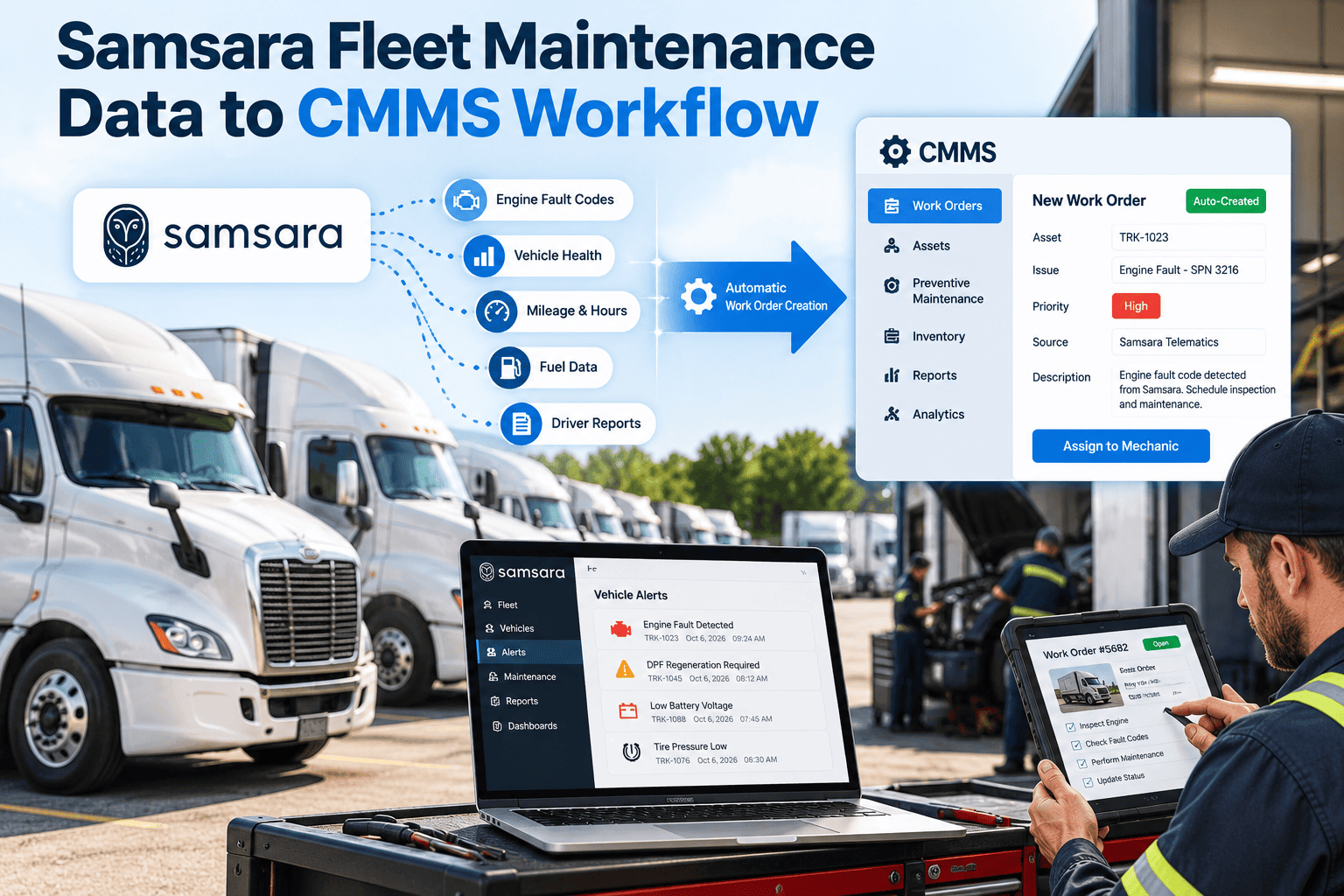
Telematics tells a fleet what each vehicle is doing right now, but it does not decide who fixes what, in which bay, with which part. That decision belongs to a maintenance system. When odometer readings, engine hours, fault codes, and driver inspection defects from Samsara stay inside the telematics dashboard, someone still re-keys them into a spreadsheet or work order. This guide maps a clean path from Samsara data to CMMS work orders, with the rules, checks, and ownership that keep it trustworthy. To see how Oxmaint handles the maintenance side of that path, you can book a walkthrough with the team.
Samsara Fleet Maintenance Data to CMMS Workflow: From Vehicle Signals to Closed Work Orders
Turn mileage, engine hours, fault codes, and inspection defects into scheduled, assigned, and documented maintenance work.
Telematics Data Is Not a Maintenance Plan
What Telematics Does Well
- Reports live location and engine state
- Streams odometer and engine hour readings
- Surfaces diagnostic fault codes as they occur
- Collects driver vehicle inspection reports
What a CMMS Adds
- Turns a signal into an assigned, tracked job
- Reserves parts and bay time before the vehicle arrives
- Keeps the full repair history per asset
- Proves work was done for audits and warranty
Fleets that treat these as one system avoid the usual failure: an alert fires, a manager notices it, and the follow-up depends on memory. A connected workflow makes the alert the first step of a work order instead of a message to chase.
Which Samsara Data Matters for Maintenance
Samsara exposes vehicle data through its API and its marketplace integrations, including odometer, engine hours, fault codes, engine state, battery voltage, tire pressure, oil life, and location. Not every signal belongs in a CMMS. Decide what drives a maintenance decision and ignore the rest.
| Data signal | Maintenance use | Typical CMMS action | Priority |
|---|---|---|---|
| Odometer reading | Distance-based service intervals | Update meter, check PM due dates | Core |
| Engine hours | Hour-based service for idling and PTO work | Update meter, trigger hour-based PM | Core |
| Diagnostic fault codes | Early warning of component trouble | Create or flag a corrective work order | Core |
| Driver inspection defects | Safety and compliance defects | Create a work order, block release if critical | Core |
| Battery voltage | Starting and charging problems | Raise inspection task on repeated low readings | Useful |
| Tire pressure | Tire wear and blowout risk | Schedule a tire check | Useful |
| Oil life | Service timing where the vehicle reports it | Cross-check against PM schedule | Useful |
| Location | Finding the vehicle for service | Plan pickup or mobile service | Context |
If This Signal, Then This Work Order
The quality of the workflow lives in the rules. Start with a small set and widen it only after the shop trusts the output.
Let Your Maintenance System Do the Follow-Up
Oxmaint gives your fleet the work orders, preventive schedules, inventory, and asset history that telematics data needs to become action.
A Seven-Stage Data to Work Order Workflow
Three Signals, Three Different Paths
Where Telematics to CMMS Projects Go Wrong
What Oxmaint Contributes to the Workflow
Telematics supplies the signal and Oxmaint supplies the maintenance engine behind it. The capabilities below are the ones this workflow depends on. Integration scope and data exchange for your Samsara setup should be confirmed in a walkthrough.
Mapping Samsara Fields to CMMS Records
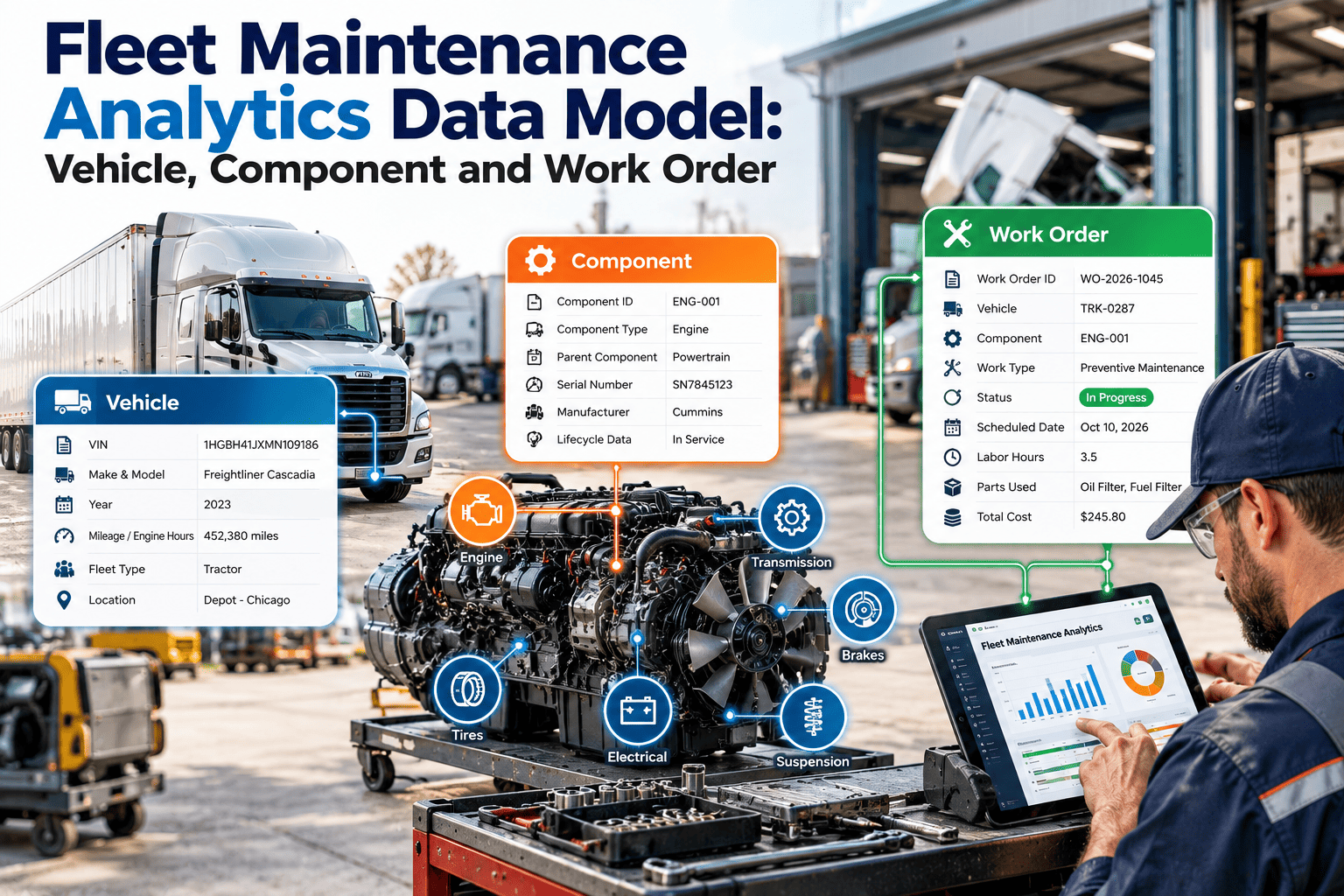
Most integration problems start with unclear mapping. Before any data moves, write down where each incoming value lands in the maintenance system, who relies on it, and what happens when it is missing. Field names below are descriptive, and the exact names depend on the endpoint or integration you use.
| Incoming value | Lands in CMMS as | Used by | If missing |
|---|---|---|---|
| Vehicle identifier and VIN | Asset record key | Every downstream rule | Hold the vehicle out of automation |
| Engine-reported odometer | Distance meter reading | Mileage PM schedules | Fall back to GPS distance and flag it |
| Engine runtime | Hour meter reading | Hour-based PM and idle-heavy units | Use calendar interval as a safety net |
| Fault code and description | Alert or work order note | Triage and diagnosis | Rely on the driver defect report |
| Defect text, vehicle, and time | Work order header and priority | Shop planner | Require manual entry at the shop |
| Defect resolution status | Status sent back to the source | Drivers and dispatch | Escalate for manual closure |
Hybrid Triggers: Whichever Comes First
Delivery vans, service trucks, and snow equipment often accumulate engine hours faster than miles. A schedule that watches only one meter will let those units run past service. Define each preventive task with a distance limit, an hour limit, and a calendar limit, and let the first one reached create the work order.
Access, Ownership, and Data Hygiene
A telematics link touches live vehicle data, so treat it as a controlled system rather than a one-time setup. Decide who may change it, what it can read, and how problems are noticed.
Three Waves From Pilot to Full Fleet
- Pick a class with clear PM intervals
- Run meter updates and defect intake only
- Compare automated work orders with manual ones
- Introduce severity and repeat rules
- Train technicians on reading attached context
- Tune thresholds using the shop's feedback
- Extend to remaining classes and depots
- Publish PM compliance and downtime dashboards
- Review rules quarterly with an owner sign-off
Situations the Rules Must Handle
Real fleets produce awkward data. Decide in advance how the workflow behaves in these cases, because the first time they appear in production is the wrong time to improvise.
| Situation | Risk if ignored | Recommended handling |
|---|---|---|
| Gateway replaced on a vehicle | Duplicate asset or a meter reset to zero | Re-link by VIN and reject readings lower than the last one without review |
| Vehicle sold or retired | Phantom work orders for a unit that has left | Close the asset record and stop automation on disposal |
| Same fault from several vehicles | Many work orders for one underlying cause | Group by code and model, then investigate as a pattern |
| Fault clears by itself | Intermittent problems dismissed as noise | Keep the occurrence history and escalate on repetition |
| Unit is out of coverage for days | Meters drift and PM dates slip | Alert on missing updates and verify the reading manually |
| Defect reported twice by two drivers | Duplicate jobs and wasted labor | Merge by vehicle and defect type within a short window |
Writing these decisions into the rule set also gives new staff a reference, so the logic survives turnover in the fleet team.
Who Does What Once the Link Is Live
| Role | Daily responsibility | Weekly responsibility |
|---|---|---|
| Driver | Submit accurate inspection defects | Confirm resolved items match experience |
| Shop planner | Review new automated work orders and assign them | Check backlog age and parts holds |
| Technician | Record findings and close tasks on a mobile device | Flag noisy or misleading alerts |
| Fleet manager | Watch critical defects and vehicles on hold | Review PM compliance and downtime |
| Integration owner | Check sync health alerts | Review stale meters and rule changes |
A Pre-Launch Checklist
Keeping Automated Work Orders Worth Their Cost
Automation should reduce shop effort, not create a new queue of low-value tickets. Review the output of every rule each month and judge it by what the shop actually did with it.
- Count how many automated work orders led to real repairs and how many were closed with no action.
- Retire or tighten any rule whose output is mostly closed without work.
- Track labor hours saved on data entry, since that is the first benefit most teams notice.
- Compare downtime for vehicles with automated PM against those still scheduled manually.
- Share the results with drivers and technicians so they see the effect of the data they supply.
How to Know the Workflow Is Working
Samsara to CMMS Questions
Engine-reported odometer and engine hours are the strongest basis for service intervals. You can book a demo to review your intervals.
No, because that floods the shop with noise. Filter by severity and repetition, and review the rules regularly.
They should arrive as work orders with the defect, vehicle, and time attached, then close back once resolved. Sign up to try inspection to work order flow.
Duplicate vehicle records and stale meters cause most problems. Match on VIN and flag assets that stop reporting.
It depends on how much parts, vendor, cost, and multi-site control you need. A CMMS adds deeper inventory, history, and reporting.
Make Every Vehicle Signal End in a Documented Repair
Connect your maintenance workflow so meters, faults, and defects turn into scheduled work, reserved parts, and a complete asset history.