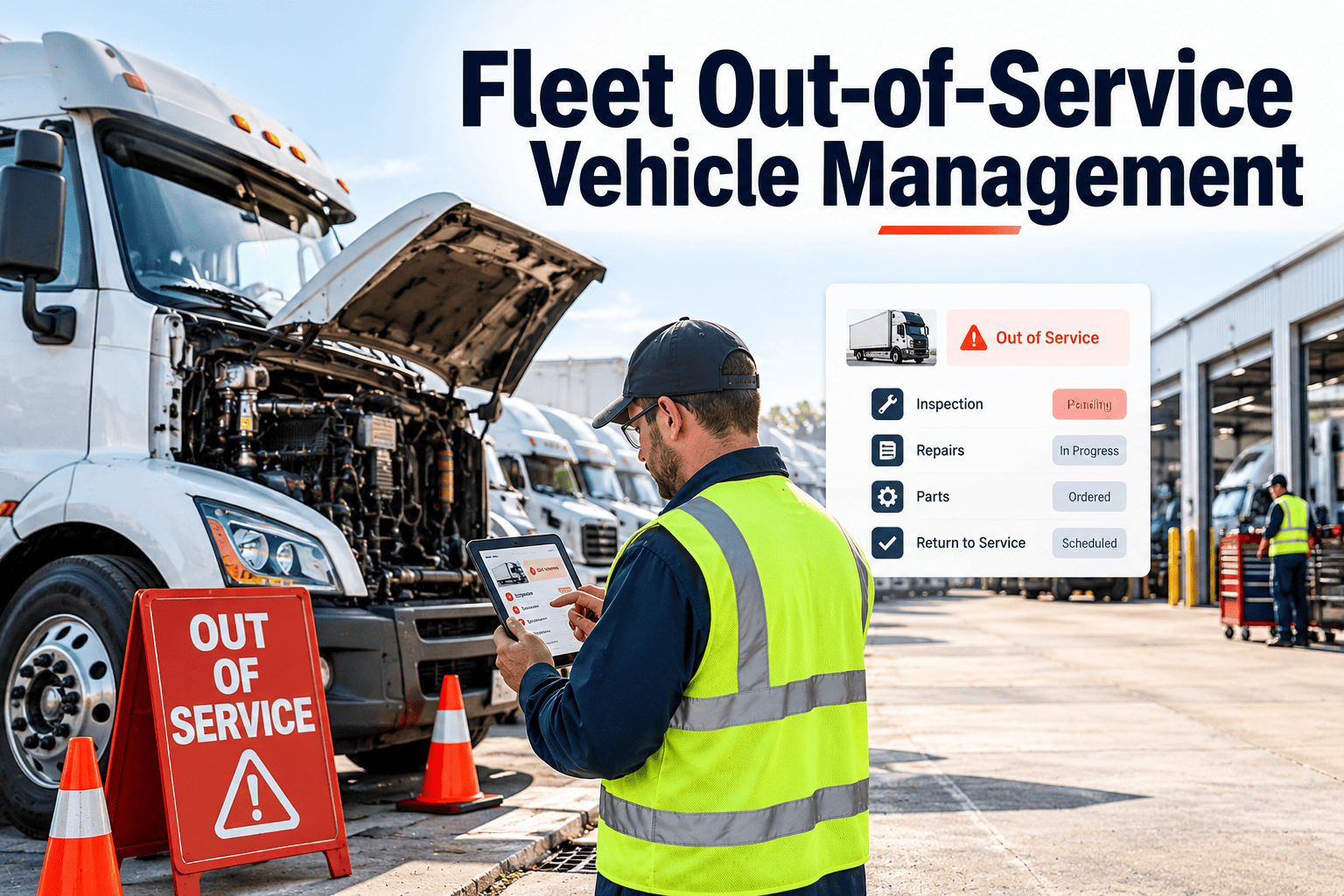
An out-of-service vehicle is a promise to the road that a defective unit will not move until it is fixed and verified. Keeping that promise takes more than a tag on a mirror. Someone has to know the vehicle is down, own the repair, control the key, release it with evidence, and learn why it happened. Fleets that handle this as a tracked process, with every status change recorded in fleet maintenance software, shorten downtime and reduce the risk of a defective unit being dispatched by mistake.
Fleet Out-of-Service Vehicle Management
Three Different Meanings of Out of Service
The phrase is used loosely, and that causes confusion in reports and meetings. Separate the meanings so each one has its own rules and its own measure.
| Type | Who Triggers It | Typical Cause | What Must Happen Before Release |
|---|---|---|---|
| Roadside enforcement order | An inspector during a roadside inspection | A defect that meets the out-of-service criteria in force, such as a serious brake or tire condition | Repair, documented correction, and any certification the regulator requires |
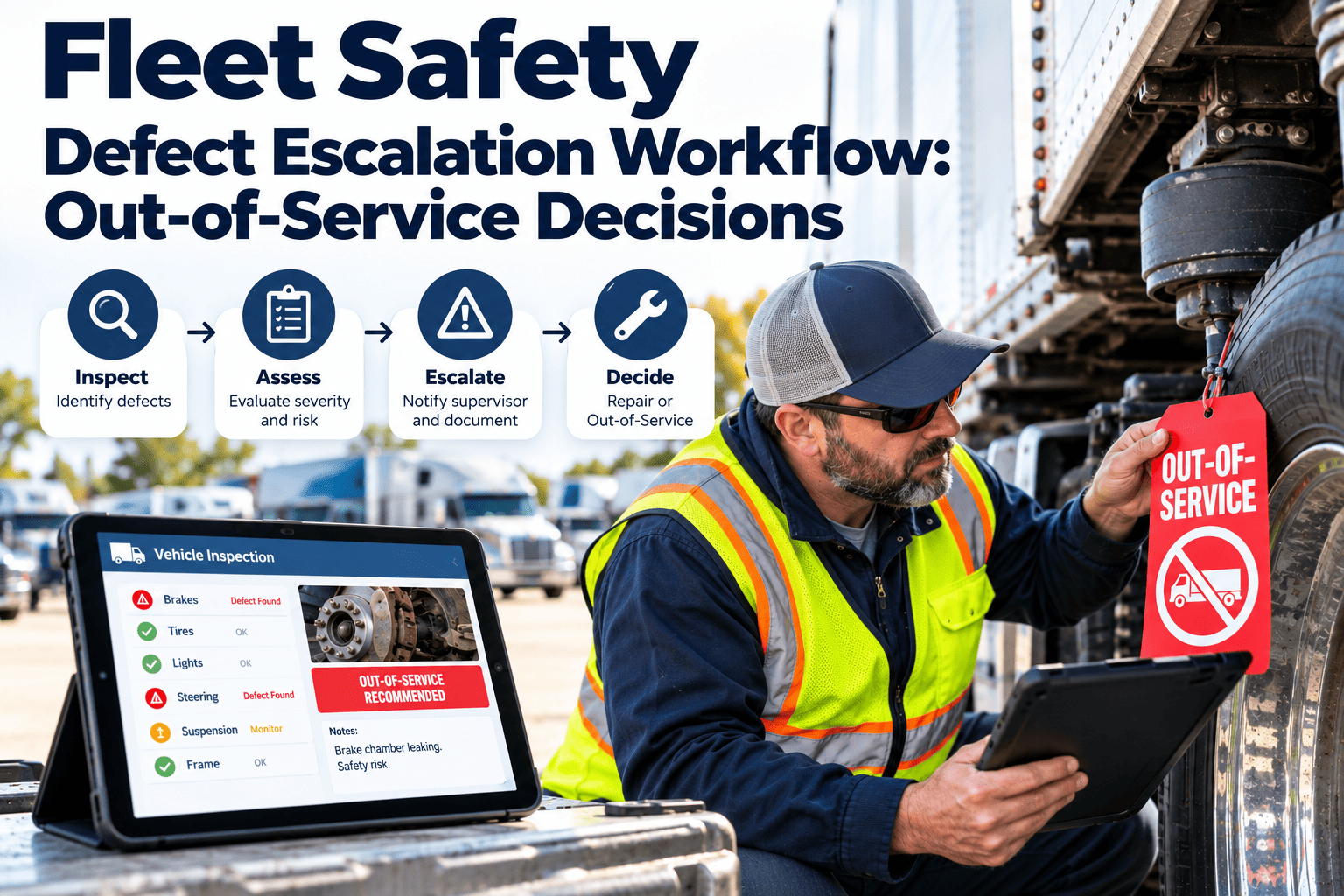
| Internal safety tag-out | A driver, technician, or supervisor | A safety defect found during inspection or operation | Repair, independent verification, and a recorded release |
| Unplanned downtime | A breakdown or failure | Mechanical, electrical, or body failure that stops operation | Diagnosis, repair, and a return-to-service check |
Count roadside orders separately, because they involve an outside authority and often feed into carrier safety records. Check the current rules that apply in your region, since criteria and certification requirements change.
How Out-of-Service Control Breaks Down
The Out-of-Service Lifecycle With Gates
Treat each stage as a gate. A vehicle moves forward only when the exit criteria are met and recorded, which prevents skipped steps and unclear ownership.
| Stage | Entry Trigger | Exit Criteria | Record Created |
|---|---|---|---|
| 1. Detect | Defect found by inspection, driver report, alert, or roadside check | Defect described with photo and location on the vehicle | Inspection finding |
| 2. Tag and lock | Defect meets the fleet's out-of-service rule | Physical tag placed, keys secured, dispatch status changed | Status change with user and time |
| 3. Diagnose | Unit reaches the shop or mobile service | Cause identified, repair scope and parts list agreed | Work order with diagnosis notes |
| 4. Plan | Scope approved | Parts available or ordered, technician and bay assigned | Parts request and schedule |
| 5. Repair | Parts and technician ready | Work completed to specification | Labor, parts, and completion notes |
| 6. Verify | Technician marks work complete | Independent check confirms the defect is corrected | Verifier name and result |
| 7. Release | Verification passed | Tag removed, status restored, dispatch informed | Release record with time |
| 8. Learn | Work order closed | Root cause coded and repeat risk assessed | Cause code and follow-up action |
A Status Model Everyone Can Read
Dispatch, maintenance, and safety teams should look at one status and reach the same conclusion. Define each status in writing and limit who can change it.
Make Every Status Change Visible and Recorded
Where the Downtime Actually Goes
The repair itself is often the shortest part. Splitting the total into segments shows where the delay really sits. The bar below is a layout of segments, not a statement about typical proportions, so measure your own.
Record a timestamp at every status change and the duration of each segment appears automatically. Fleets are often surprised to find that waiting for parts, approvals, or a second person adds up to more than the repair.
Handling a Roadside Out-of-Service Order
Requirements differ by country and region. In North America, fleets commonly work with the Commercial Vehicle Safety Alliance out-of-service criteria and the applicable federal and state or provincial rules, so confirm the current wording before setting your procedure.
Common Defect Areas and How to Catch Them Early
| System | Typical Findings | Where It Should Be Caught | Preventive Action |
|---|---|---|---|
| Brakes | Out-of-adjustment components, air leaks, worn friction material | Pre-trip check, PM brake inspection | Measured brake checks on PM and recorded readings |
| Tires and wheels | Low tread, cuts, bulges, loose or missing fasteners | Daily walkaround and tire pressure checks | Tread and pressure logs, wheel-end checks at service |
| Lighting and electrical | Inoperative lamps, damaged wiring or connectors | Pre-trip lamp check | Connector inspection and wiring repair at PM |
| Steering and suspension | Excess play, cracked or broken components | PM inspection with vehicle raised | Documented play and wear measurements |
| Coupling devices | Worn or damaged coupling and mounting hardware | Coupling check at each hook-up | Scheduled wear checks and torque verification |
| Frame and body | Cracks, corrosion, or loose structural parts | PM inspection and annual inspection | Photo records of findings and repair tracking |
Tag-Out Controls That Actually Stop Dispatch
Physical controls
- A numbered, visible tag on the vehicle
- Keys or fobs held by maintenance, not left in the cab
- A marked parking area for tagged units
- Tag removal only by an authorized releaser
- A log of tag numbers used and cleared
System controls
- Status visible to dispatch in real time
- Assignment blocked or flagged for tagged units
- Release requires a verifier different from the repairer
- Every status change carries a user and timestamp
- Alerts for units out of service beyond a set time
Long-Term Out-of-Service Units and Parts Robbing
Units that stay down for weeks create their own risks. They tie up space, attract cannibalization, and hide capital decisions that should be made openly.
Set an aging rule
- Review every unit out of service beyond a threshold you define
- Decide whether to repair, replace, or dispose
- Record the decision, the approver, and the date
- Escalate to finance when repair cost approaches the asset value
Control cannibalization
- Require a work order for every part removed from a down unit
- Record the donor and receiving unit
- Return or reorder the part and track it to completion
- Review robbing frequency as a signal of stock gaps
Return-to-Service Verification: What the Second Person Checks
Verification is the control that keeps a repaired vehicle from becoming a repeat event. It should be quick, written, and performed by someone who did not do the repair.
Confirm the repair
- The original defect is gone and the failed part is replaced or corrected
- Fasteners, torque values, and fluid levels match specification
- Related components around the repair were inspected
- A road or function test was done where it applies
- Photos of the finished repair are attached
Confirm the paperwork
- Labor, parts, and notes are recorded on the work order
- Any roadside report and certification are complete
- The verifier's name, result, and time are logged
- The tag is cleared and the status is restored
- Dispatch has been told the unit is available
Why Out-of-Service Events Are Rarely Isolated
When one unit is tagged for a defect, similar vehicles often share the same exposure. A single finding can point to a wider problem in parts, procedures, or inspection quality.
Keeping Dispatch and Operations Informed
Operations leaders do not need repair detail, but they do need dependable information. A good out-of-service process answers three questions for dispatch at any time.
KPIs for Out-of-Service Performance
| KPI | Definition | Why It Matters |
|---|---|---|
| Out-of-service rate | Units out of service divided by total active fleet | Shows the share of capacity unavailable right now |
| Mean time to return to service | Average time from tag to verified release | Tracks how quickly the process closes |
| Out-of-service ageing | Count of units beyond defined time bands | Highlights stalled units that need escalation |
| Parts-wait share | Time held for parts divided by total out-of-service time | Points to inventory and ordering gaps |
| Repeat out-of-service rate | Units returning for the same defect within a window | Reveals weak repair verification or root cause analysis |
| Roadside order rate | Roadside inspections resulting in an order divided by inspections | Shows how many defects are found by enforcement and not by you |
How Oxmaint Supports Out-of-Service Management
The process depends on records that update as the work happens. Oxmaint maintenance management software supports it in these ways.
| Process Need | Oxmaint Capability |
|---|---|
| Detect and record defects | Mobile inspections with checklists, photos, and automatic work order creation |
| Track repair ownership | Work orders with assignments, priorities, due dates, and status history |
| Control parts and robbing | Inventory tracking with parts consumption recorded against work orders |
| Keep compliance records | Inspection results, repair records, and attachments stored per asset for audits |
| Find repeat problems | Asset history that shows recurring defects on the same vehicle |
| Measure performance | Dashboards and reports on downtime, backlog, and work order ageing |
Mistakes That Keep Vehicles Down Longer
- Relying on a paper tag with no matching status in the system.
- Letting the repairing technician release the unit alone.
- Recording only the repair duration and ignoring waiting time.
- Treating roadside orders as isolated events with no root cause review.
- Allowing parts to be removed without a work order.
- Leaving long-term down units without a repair, replace, or dispose decision.