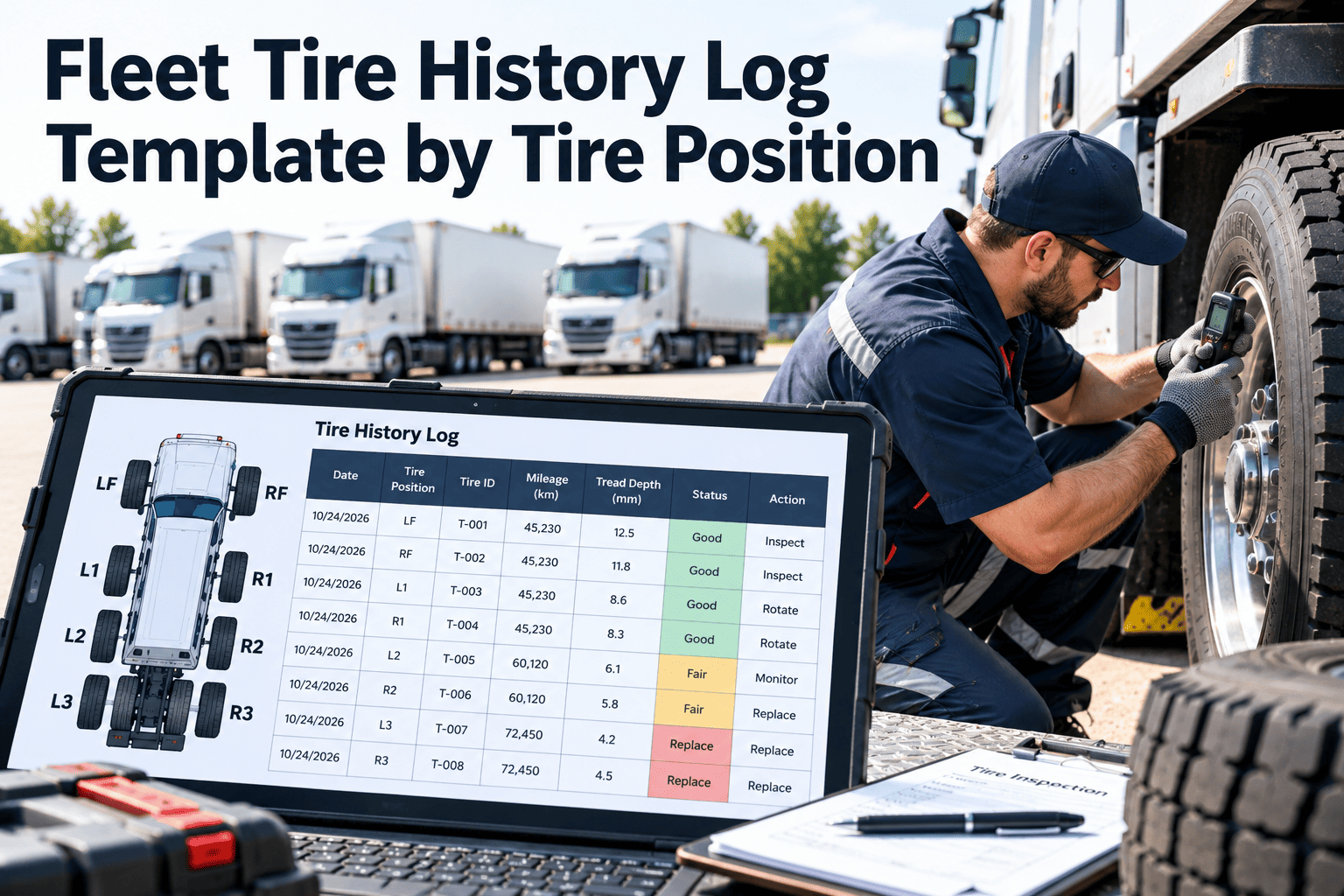
A tire that is logged by vehicle only tells you that something happened somewhere on the truck. A tire logged by position tells you where, when, and under which conditions, which is what you need to find alignment drift, pressure loss, and mismatched duals. This page gives you a position coding scheme, a log template you can copy, and checklists for fitting, inspecting, rotating, and removing tires. It also shows how Oxmaint fleet maintenance software can hold the same record digitally, so the history follows each tire and each wheel position.
Fleet Tire History Log Template by Tire Position
Give every wheel position a code, every tire a record, and every event a date. The log below works on paper or in a maintenance system.
Why log tires by position
Wear and failure depend on where a tire sits. Steer, drive, and trailer positions carry different loads and fail in different ways.
- Steer tires show alignment and suspension problems first and carry the highest safety stakes.
- Inner duals run hotter and are harder to inspect, so pressure loss often goes unseen there.
- Trailer tires are easy to overlook, even though they can account for many roadside tire findings.
- Repeated damage on one position points to a vehicle or route cause, not a bad tire.
- A rotation record shows whether a tire has moved from steer to drive to trailer.
Step 1: Adopt one position code
Any consistent scheme works. What matters is that every depot, technician, and report uses the same one.
| Code part | Meaning | Example |
|---|---|---|
| Prefix | Unit type: blank for the tractor or truck, T for trailer | T2LO is trailer, axle 2, left, outer |
| Axle number | Counted from the front of the unit | 1 is the steer axle |
| Side | L for left, R for right, looking forward | 2R is right side of axle 2 |
| Dual position | O for outer, I for inner | 3LI is axle 3, left, inner |
| Spare | SP with a number | SP1 |
- Print the code chart and keep it in the shop and in each vehicle's inspection checklist.
- Always state the viewing direction, so left and right are never confused.
Step 2: The master record for each tire
Create one record when a tire enters service. It stays with the tire as it moves between positions and vehicles.
Keep every tire record in one system
Store positions, readings, and events against each vehicle, and let scheduled inspections prompt the next entry.
Step 3: The position log template
Copy this layout to a spreadsheet or print it. Add one row per position per inspection or event. The rows shown are examples only.
| Date | Vehicle | Position | Tire ID | Odometer | Cold pressure | Tread outer / center / inner | Condition | Action | Tech |
|---|---|---|---|---|---|---|---|---|---|
| Example | Unit 118 | 1L | Tire A | Reading | Reading | Reading x3 | Even wear | None | Initials |
| Example | Unit 118 | 2LO | Tire B | Reading | Reading | Reading x3 | Shoulder wear | Alignment request | Initials |
| Example | Unit 118 | 2LI | Tire C | Reading | Reading | Reading x3 | Low pressure | Inflate and leak check | Initials |
Event codes to use in the Action column
- FIT for a new, used, or retread tire fitted to a position.
- ROT for rotation, with the old and new position recorded.
- REP for a repair, with the type and location of the damage.
- REM for removal, with a removal reason and final tread depth.
Checklist: fitting a tire
Complete these at every mount so the record starts clean.
- Confirm tire size, load range, and type suit the position and axle.
- Match the tire with the other tire in a dual pair by size and tread depth.
- Check the casing and valve for damage before mounting.
- Record tire ID, manufacture date, and starting tread depth.
- Inflate to the target cold pressure and record it.
- Torque wheel fasteners to specification and plan a re-check after a short distance.
- Enter the position code and odometer in the log.
- Sign and date the entry.
Checklist: every inspection visit
Split the work between the quick walkaround and the full measured check.
Walkaround (each trip or day)
- Look at every position for low, bulging, or damaged tires.
- Check valve caps and look for air leaks or fluid on wheels.
- Check wheel fasteners for loose or missing items.
- Report any pull, vibration, or noise.
Measured check (at PM)
- Cold pressure at every position, including inner duals and spares.
- Tread depth in a major groove, at several points across the tread.
- Wear pattern noted and compared with the last entry.
- Sidewall, bead, and casing condition.
- Dual match check by diameter and pressure.
- Brake and wheel-end condition where wear suggests a link.
Regulatory reference
- In the United States, 49 CFR 393.75 sets minimum tread depths of 4/32 inch for steer tires and 2/32 inch for other positions on commercial vehicles.
- Confirm the current rules for your country, vehicle class, and operation, and set your own replacement points ahead of the legal minimum.
Checklist: rotating and moving tires
Moves between positions change a tire's duty. Record each one so the history stays correct.
- Record the old positionWrite the code and the last readings before removal
- Check suitabilityConfirm the tire type and tread suit the new position
- Re-match dualsPair by diameter and tread depth, not by habit
- Set pressureUse the target for the new position and load
- Log the moveAdd the new code, odometer, date, and initials
Checklist: removing a tire
The removal entry is the most valuable line in the log. It explains why the tire ended its time on that position.
Reading the log: patterns by position
Once entries build up, the history points to causes. Use the patterns below as prompts, then confirm with an inspection.
| Pattern in the log | What it suggests | Follow-up |
|---|---|---|
| Same steer position wears faster than its twin | Alignment or suspension fault on that side | Alignment check and component inspection |
| Inner dual always lower in pressure | Hard to reach, or a valve or wheel leak | Leak test and valve extension check |
| Repeated damage on one position | Route hazard or a wheel-end problem | Review route and inspect the position |
| One dual tire worn faster than its pair | Mismatch or pressure difference | Re-match and correct pressure |
| Trailer tires removed early across many trailers | Weak trailer inspection routine | Add trailer positions to the inspection plan |
| Missing entries for several weeks | Inspection compliance gap | Review PM schedule and responsibility |
Paper log versus digital tire record
Paper works for a few vehicles. Digital records scale better when positions, duals, and trailers multiply.
Paper or spreadsheet
- Easy to start with no setup
- Entries can be late, illegible, or missing
- Hard to see trends across many vehicles
- No automatic prompt when a check is due
Maintenance system record
- Readings captured at the vehicle on a phone
- History follows the tire and the position
- Checks scheduled by date, mileage, or hours
- Reports show wear, cost, and repeat issues
KPIs to pull from the log
A well-kept log supports a small set of useful measures.
How Oxmaint holds the tire history
Oxmaint is maintenance management software. It stores tire records and inspections against vehicles, and it does not replace your tire supplier's technical guidance or regulatory requirements.
Tire history log FAQs
Why keep tire records by position and not just by vehicle?
Wear and damage depend on the position. A position record links problems to alignment, load, or route causes.
What should be on every tire log entry?
Date, vehicle, position, tire ID, odometer, cold pressure, tread depth, condition, action, and the technician's initials.
How often should tires be measured?
Set the interval from your duty cycle, tire supplier guidance, and local rules. Many fleets measure at every PM and watch tires near their limits more often.
Can I move this template into software later?
Yes, the same fields map to digital inspections and asset records. Book a demo to see how positions are set up.
Where should a fleet start?
Start with a position code chart and one measured check at each PM. Create an Oxmaint account to build the record.
Turn the template into a working tire history
Give your drivers, technicians, and managers one record for every position. See how Oxmaint keeps each tire's history complete.



