The average FMCG maintenance team processes 1,200-2,800 work orders per month — and 34% of them are created, assigned, and closed with incomplete data that makes the work order useless for future analysis. Missing failure codes, absent root cause documentation, no labour hours recorded, and no parts consumption tracking mean that every reactive failure is treated as a first-time event — even when the same motor has failed the same way four times in 18 months. Plants running digital work order systems with enforced data fields report 41% reduction in repeat failures, 28% improvement in technician wrench time, and 67% faster mean time to repair. The work order is not paperwork — it is the single data record that drives every maintenance decision from PM frequency to CapEx replacement. Upgrade your work order process — book a demo to see how OxMaint enforces complete work order data, or start a free trial and create your first digital work order today.
FMCG Work Order Management: Best Practices for Food Plant Maintenance
Digitise maintenance workflows, enforce complete data capture, improve technician efficiency by 28%, and ensure every work order contributes to food safety compliance documentation.
What Makes FMCG Work Orders Different
Work order management in food and beverage manufacturing faces requirements that general industrial maintenance does not — every work order is potentially a food safety document. A maintenance intervention on a filling line during a production run must be documented with sufficient detail to satisfy an FSSC 22000 auditor asking whether the repair introduced any contamination risk, whether the equipment was re-sanitised before production resumed, and whether the technician followed GMP protocols during the repair. This is not optional documentation — it is regulatory survival. See how OxMaint handles food-safe work orders — start a free trial and book a demo to walk through compliance workflows.
The Work Order Lifecycle in FMCG
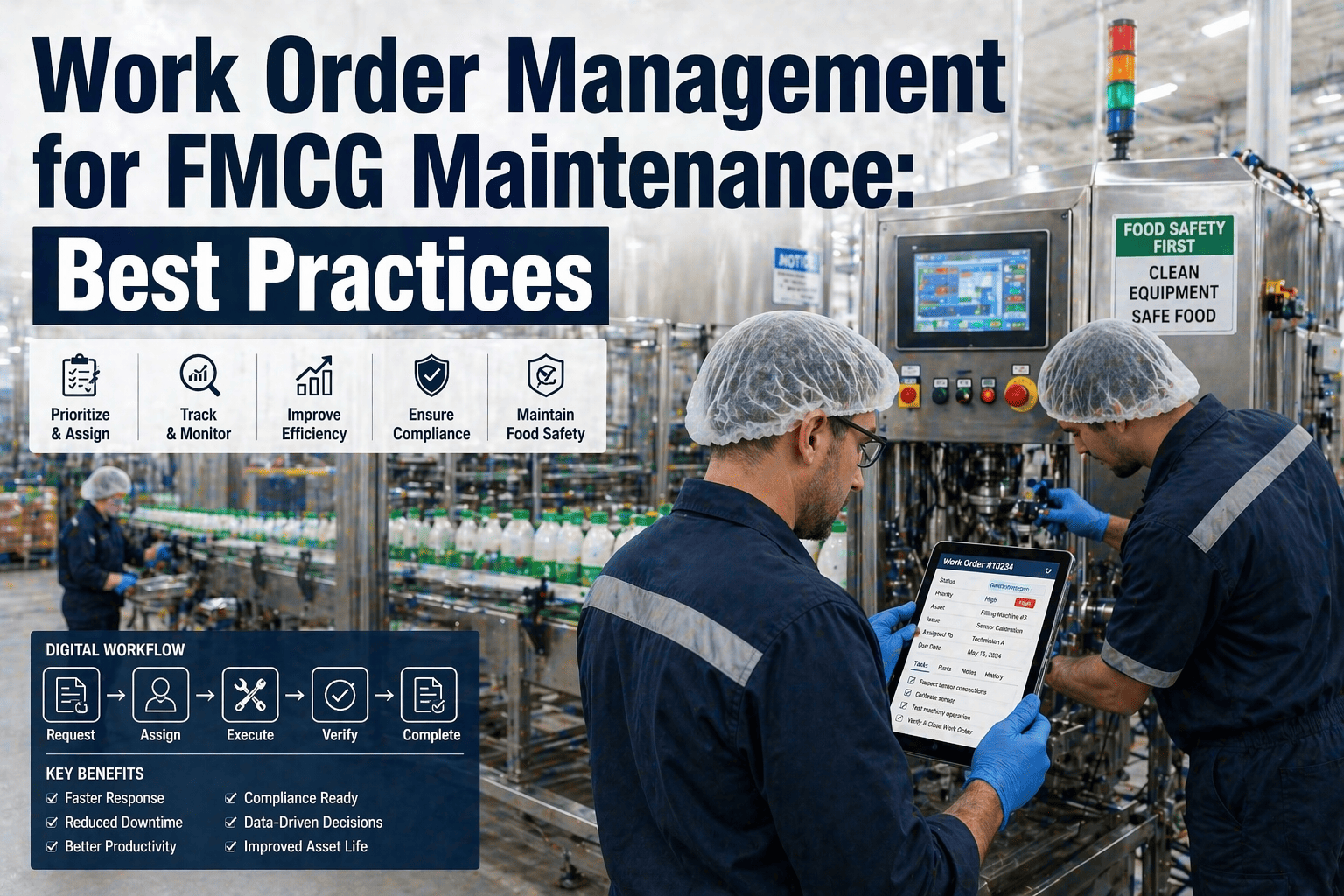
A well-managed work order flows through six stages — each with specific data requirements that OxMaint enforces to ensure every record is complete and audit-ready.
34% of Your Work Orders Are Closed With Missing Data. That Ends Today.
OxMaint enforces mandatory failure codes, root cause documentation, parts consumption, and GMP compliance fields on every work order — ensuring 100% data completeness without slowing technicians down.
Paper vs. Digital Work Order Performance
Work Order Management ROI
Frequently Asked Questions
How does OxMaint enforce complete work order data without slowing technicians down?
OxMaint uses smart mandatory fields with pre-populated dropdown selections — technicians tap failure codes and root cause categories from validated lists rather than typing free-text descriptions. Photo documentation is captured via the mobile camera with one tap. Parts consumed are selected from the pre-loaded parts list for that asset. Labour time auto-captures from work order start-to-close timestamps. The result is 100% data completeness with less effort than writing on a paper form — average work order completion time is 3-4 minutes on mobile versus 8-12 minutes on paper. Start a free trial to see how fast mobile work order completion works.
Does OxMaint support GMP-compliant work orders for food manufacturing?
Yes. OxMaint work order templates for food manufacturing include GMP compliance steps as mandatory checklist items — PPE verification, tool sanitation confirmation, lubricant food-grade certification, post-repair equipment sanitisation, and production handback sign-off. Each step requires digital acknowledgment before the work order can advance to the next stage. This creates the GMP documentation trail that FSSC 22000, BRC, and SQF auditors require without adding paperwork — the compliance documentation is built into the workflow. Book a demo to see GMP work order templates.
Can OxMaint automatically create work orders from SCADA or sensor alerts?
OxMaint integrates with SCADA systems and IoT sensors via OPC-UA, MQTT, and REST API. When a sensor reading exceeds a configured threshold — motor vibration above 4.5 mm/s, bearing temperature above 85 degrees C — the system automatically creates a work order with the asset identified, alarm details attached, priority assigned, and the appropriate technician notified via mobile push. No operator intervention required. The SCADA alarm becomes a dispatched maintenance job in under 30 seconds. Start a free trial to configure automated work order triggers.
How does work order data feed PM schedule optimisation?
Every completed work order contributes failure data to OxMaint's analytics engine. When a specific asset type shows repeat failures at intervals shorter than the PM cycle, the system recommends increasing PM frequency. When assets consistently show no findings during PM, the system suggests extending the interval. Over 6-12 months of work order data accumulation, the PM schedule evolves from fixed calendar-based intervals to evidence-driven frequencies that match actual equipment behaviour — reducing unnecessary PM effort by 15-20% while catching more failures. Book a demo to see data-driven PM optimisation.
Every Work Order Is Either Building Your Maintenance Intelligence or Wasting Your Technician's Time. OxMaint Makes Every One Count.
Digital work orders with enforced data capture, mobile technician dispatch, GMP compliance integration, failure pattern analysis, and PM schedule optimisation — one platform replacing clipboards, spreadsheets, and guesswork.