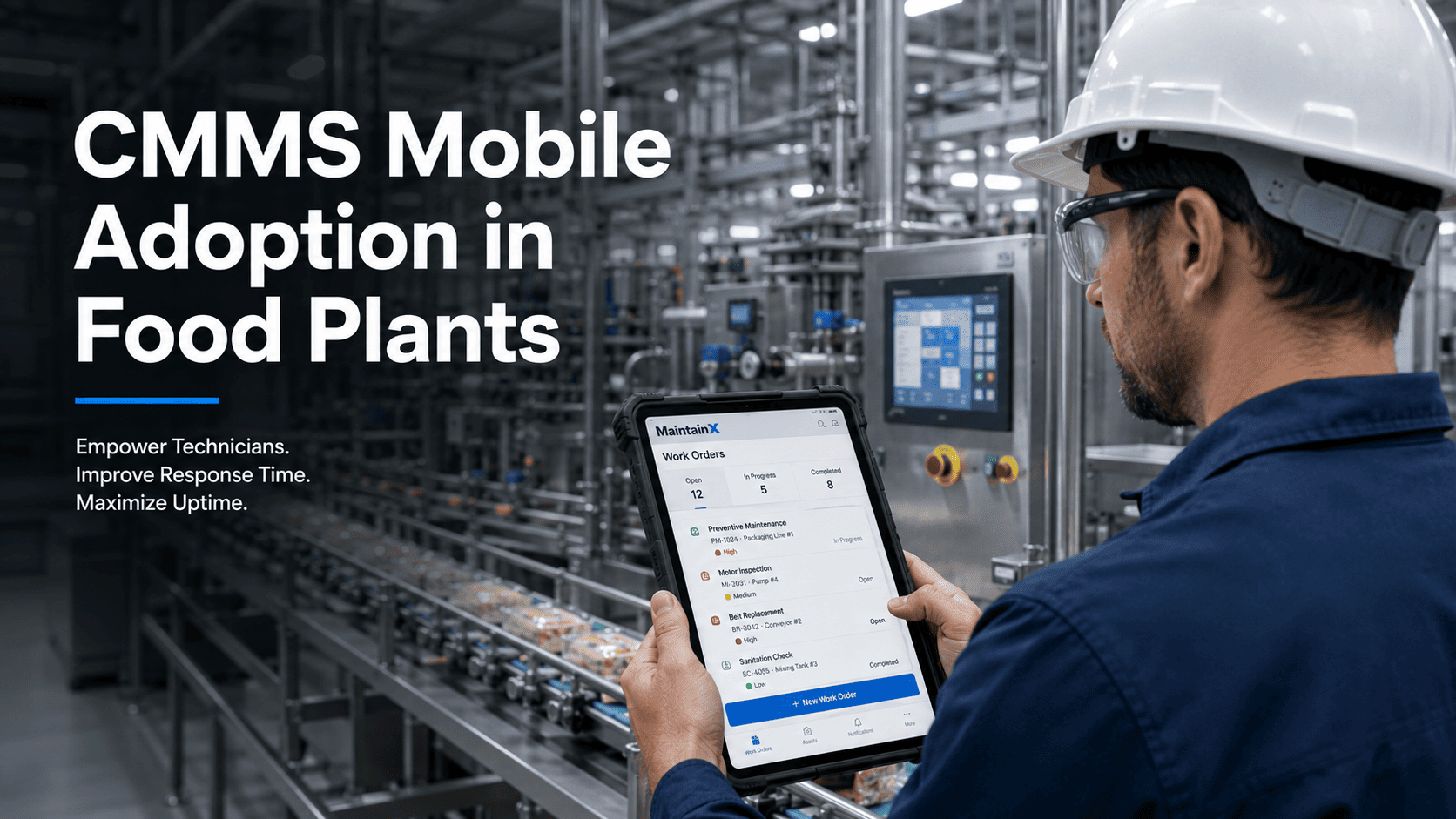
The maintenance technician standing in front of a filling line at 2am has one problem: the machine is down, and the information he needs — repair history, parts location, torque specs, escalation contact — is on a desktop computer in the maintenance office 300 metres away. This gap between the point of work and the system of record is the single biggest driver of extended MTTR in food manufacturing. Mobile-first maintenance closes this gap by putting the full CMMS — work orders, asset history, parts inventory, inspection checklists — on the device the technician already carries. The result is faster repair, better data quality, and adoption rates that paper-based systems never achieve. OxMaint is built mobile-first, meaning the phone and tablet experience is not a stripped-down companion app — it is the primary interface for technicians and operators on the plant floor.
Blog · Food Manufacturing · Mobile CMMS
Food Plant Mobile-First Maintenance: Why Tablets and Phones Drive Adoption
Washdown-rated devices, offline mode, photo capture, and the CMMS adoption KPIs that show why mobile is not a nice-to-have for food plants — it is the only approach that works at scale.
3×
Higher CMMS adoption rate on mobile vs desktop-only systems
42%
Faster work order completion with mobile asset access
68%
Of food plant maintenance tasks done away from a fixed workstation
IP65+
Minimum device rating for washdown zones in food processing areas
See how much repair time you are losing to technicians walking back to a desktop for information they should have on their device.
✔ Full CMMS on mobile — no desktop required
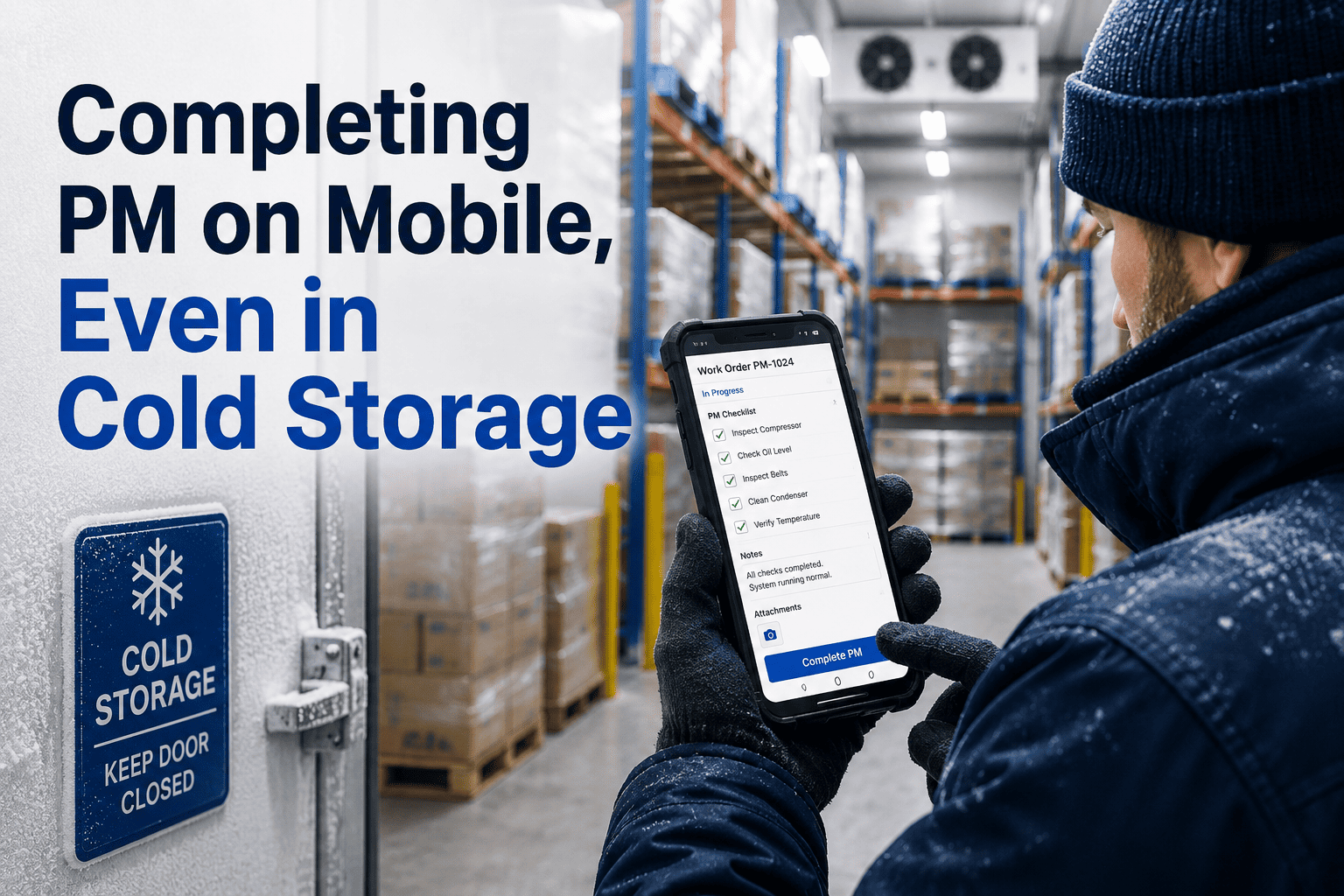
✔ Offline mode for freezer and cold store areas
✔ Photo capture and signature on work orders
Why Mobile Is Not Optional for Food Plant Maintenance
Food processing facilities are not office environments. Technicians move between wet processing areas, dry storage, cold stores, packaging halls, and utilities rooms — often across buildings separated by hundreds of metres. Each area has different environmental requirements: washdown zones require sealed devices rated IP65 or higher; cold stores require devices that function at -20C; noisy environments require interfaces designed for gloved hands and large touch targets.
Desktop CMMS systems assume that maintenance work begins and ends at a computer terminal. Food plant reality is the opposite: 68% of maintenance tasks happen away from any fixed workstation. When the system is only accessible at a desk, technicians make decisions without data, document work after the fact (inaccurately), and skip low-priority inspection records entirely. CMMS adoption collapses — not because people do not want to use the system, but because the system is not where the work happens. Teams that experience this first-hand start a free trial with OxMaint to see what mobile-first CMMS adoption actually looks like, or book a demo to walk through the mobile workflow on your own asset structure.
Key Concepts in Food Plant Mobile Maintenance
01
Washdown-Rated Device Selection
IP65 minimum for light washdown; IP67/IP68 for high-pressure wet areas. Polycarbonate housing, sealed ports, antimicrobial screens for food contact zones.
02
Offline Mode Operation
Cold stores and some processing areas have no reliable WiFi. Offline mode allows technicians to complete work orders, capture photos, and record readings — syncing when connectivity returns.
03
QR and Barcode Asset Scanning
Each asset carries a QR code linked to its CMMS record. Technicians scan to instantly open the asset's work order history, PM schedule, parts list, and repair manual — without searching.
04
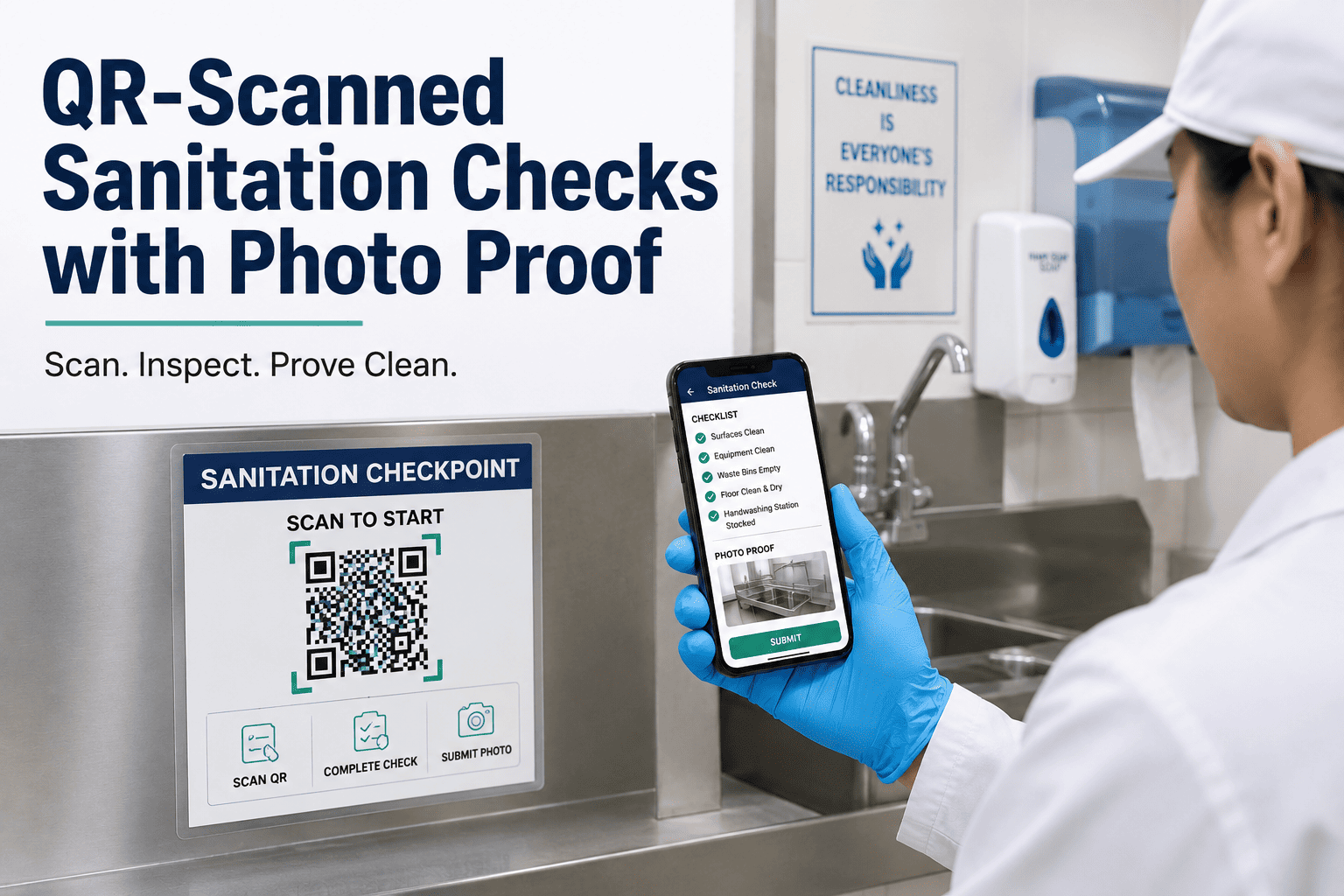
Photo Capture on Work Orders
Before/after photos attached directly to the work order. Documents equipment condition, justifies repair decisions, and provides evidence for food safety audits — all timestamped and geo-tagged.
05
Mobile Operator AM Checklists
CILT and inspection checklists delivered to operators on their phone — completion is time-stamped, supervisor-visible in real time, and linked to the asset record for audit purposes.
06
CMMS Adoption KPIs
Adoption is measured by work order completion rate, inspection completion rate, and time-between-task-creation and completion — not by licence activation. Mobile platforms show 3× higher adoption on these metrics.
68% of food plant maintenance work happens away from a desk. Is your CMMS where your technicians actually are?
Why Most Desktop CMMS Implementations Fail on the Plant Floor
⚠
Technicians Work Without Data
When the CMMS is desktop-only, technicians fix equipment from memory. Historical failure modes, torque specs, and repair sequences stay in the system — unused. Repair quality and safety suffer.
⚠
Documentation Done Hours Later
Work completed at 3am is documented the following morning — from memory, inaccurately. Failure descriptions are vague, repair times are wrong, and the data feeding your reliability KPIs is unreliable.
⚠
Inspection Checklists Not Completed
When completing an inspection requires walking to an office, logging in, and navigating to a form, operators skip it. Especially on night shifts. Paper alternatives create unverifiable compliance records.
⚠
No Evidence for Food Safety Audits
Auditors require proof that maintenance was performed as documented. Without time-stamped, photo-supported work orders completed at the asset location, your records are legally and commercially vulnerable.
These are not edge cases — they are the predictable outcome of deploying maintenance software that was not designed for how food plant technicians actually work. The fix is a mobile-first CMMS, and the fastest way to see the difference is to start a free trial with OxMaint or book a demo to see the mobile workflow live.
How OxMaint Delivers Mobile-First Maintenance for Food Plants
Full CMMS on Phone and Tablet
Work orders, asset history, PM schedules, parts inventory, inspection checklists — all fully functional on mobile. Not a companion app. The primary interface for plant floor users.
Offline Mode with Auto-Sync
Technicians in cold stores, freezer rooms, and WiFi-dead zones complete work orders offline. Data syncs automatically when the device reconnects — no manual upload required.
QR Code Asset Access in One Scan
Scan the QR label on any asset to instantly open its full CMMS record: work history, parts, PM schedule, and repair procedures. Zero navigation required on the plant floor.
Photo and Video Evidence Capture
Before/after photos and video attached to every work order at point of completion. Time-stamped, asset-linked, GMP-compliant. Audit evidence that takes 10 seconds to create.
Operator AM and CILT on Mobile
Daily operator inspection checklists pushed to operator phones. Completion is real-time visible to supervisors. Findings escalate to maintenance work orders with one tap.
CMMS Adoption Analytics
Track which teams are completing work orders on time, which inspection routes are being skipped, and where adoption gaps exist — so you can coach rather than mandate.
Desktop-Only CMMS vs. Mobile-First CMMS — The Adoption Reality
| Factor |
Desktop-Only CMMS |
OxMaint Mobile-First |
| Work order completion rate |
42–58% (data from Aberdeen, 2023) |
85–95% — completed at point of work |
| Documentation accuracy |
Low — entered hours after event from memory |
High — entered during or immediately after work |
| Inspection completion in cold stores |
Near zero — no connectivity, no access |
Full offline mode — syncs on return |
| Technician time walking to system |
15–30 min per shift average |
Zero — system is in their pocket |
| Photo evidence per work order |
Rarely — requires separate camera and upload |
Standard — captured at asset in 10 seconds |
| Food safety audit readiness |
Manual assembly — takes days |
One-click export — always ready |
Mobile CMMS Adoption Impact — The Numbers
3×
Higher adoption rate
Mobile-first CMMS vs. desktop-only — measured by active work order completion and inspection completion
42%
Faster MTTR
When technicians have asset history, parts location, and repair procedures on their device at the equipment
90%+
Work order completion rate
OxMaint food plant customers within 60 days of mobile rollout — vs industry average of 55% for desktop CMMS
30 days
To full mobile adoption
Average time from first login to full team adoption in food plant CMMS rollouts on OxMaint mobile
Operations teams managing 10,000+ assets have discovered that mobile is not a feature — it is the difference between a CMMS that gets used and one that does not — start a free trial and have your first mobile work order completed today, or book a demo to see the plant floor experience live.
Limited onboarding slots this quarter. See measurable adoption results in 30 days. No hardware changes required to start.
Frequently Asked Questions
Which tablet or phone is best for food plant washdown zones
For light wet areas and general food processing environments, IP65-rated Android tablets (such as Samsung Galaxy Tab Active series) or iOS devices in OtterBox Defender cases provide a practical balance of durability and cost. For high-pressure washdown areas or direct hose-down environments, purpose-built ruggedised devices rated IP67/IP68 from manufacturers such as Panasonic Toughbook, Zebra, or Honeywell are the appropriate choice. Key selection criteria for food plants are: antimicrobial screen coating (prevents cross-contamination); drop resistance (IK06 or higher for impact); and battery life sufficient for a full shift without charging. OxMaint runs on all Android and iOS devices, so device selection is driven by your environment, not your software.
Start a free trial on your existing devices to test before investing in specialised hardware.
How does offline mode work for CMMS in cold stores and freezer rooms
OxMaint's offline mode pre-loads assigned work orders, inspection checklists, asset records, and parts lists to the device before the technician enters a connectivity-dead zone. While offline, the technician can view all pre-loaded data, complete work orders, capture photos, and record readings — everything is stored locally on the device. When the device reconnects to WiFi or cellular, all completed work syncs automatically to the OxMaint cloud. No manual upload is required and no data is lost. This is specifically important in food plants where cold storage maintenance is both frequent and critical, and where failing to document work properly creates food safety audit risk.
How do you measure CMMS adoption in a food plant maintenance team
Real adoption is measured by behaviour, not by logins. The three primary adoption KPIs are: work order completion rate (percentage of work orders closed by the assigned technician vs. baclogged or closed by a supervisor as incomplete); inspection completion rate (percentage of scheduled inspections completed on time with all required fields filled); and documentation latency (average time between task completion and work order closure — a measure of whether documentation is happening at the asset or retrospectively at a desk). OxMaint's adoption analytics dashboard tracks all three in real time, allowing maintenance managers to identify which technicians or shifts are under-adopting and intervene early.
Book a demo to see the adoption dashboard.
How quickly can a food plant team roll out OxMaint mobile CMMS
Most food plants complete a working OxMaint mobile rollout — with assets loaded, first PM schedules active, and technicians completing work orders on their devices — within 5–10 days. The process starts with importing your asset list (spreadsheet upload or manual entry), assigning PM schedules to critical assets, and inviting technicians to the mobile app. No server installation, no IT project, and no training programme longer than a two-hour shift briefing. OxMaint is designed for plant floor users, not IT professionals — the interface is simple enough that technicians self-onboard from the app within 20 minutes.
Start a free trial and have your first assets loaded today.
Your CMMS Is Useless if It Is Not Where Your Technicians Are
Mobile-First Maintenance: The Only CMMS Approach That Drives Real Adoption in Food Plants
OxMaint is built for the plant floor — full CMMS on mobile, offline mode for cold stores, QR asset scanning, photo evidence on work orders, and operator AM checklists that actually get completed. The result is 3× higher adoption, 42% faster MTTR, and food safety audit records that are always ready.
✔ Full CMMS on mobile — phone and tablet
✔ Offline mode for cold stores and WiFi-dead zones
✔ GMP-compliant photo evidence on every WO
No heavy implementation · Live in days, not months · Works on existing devices