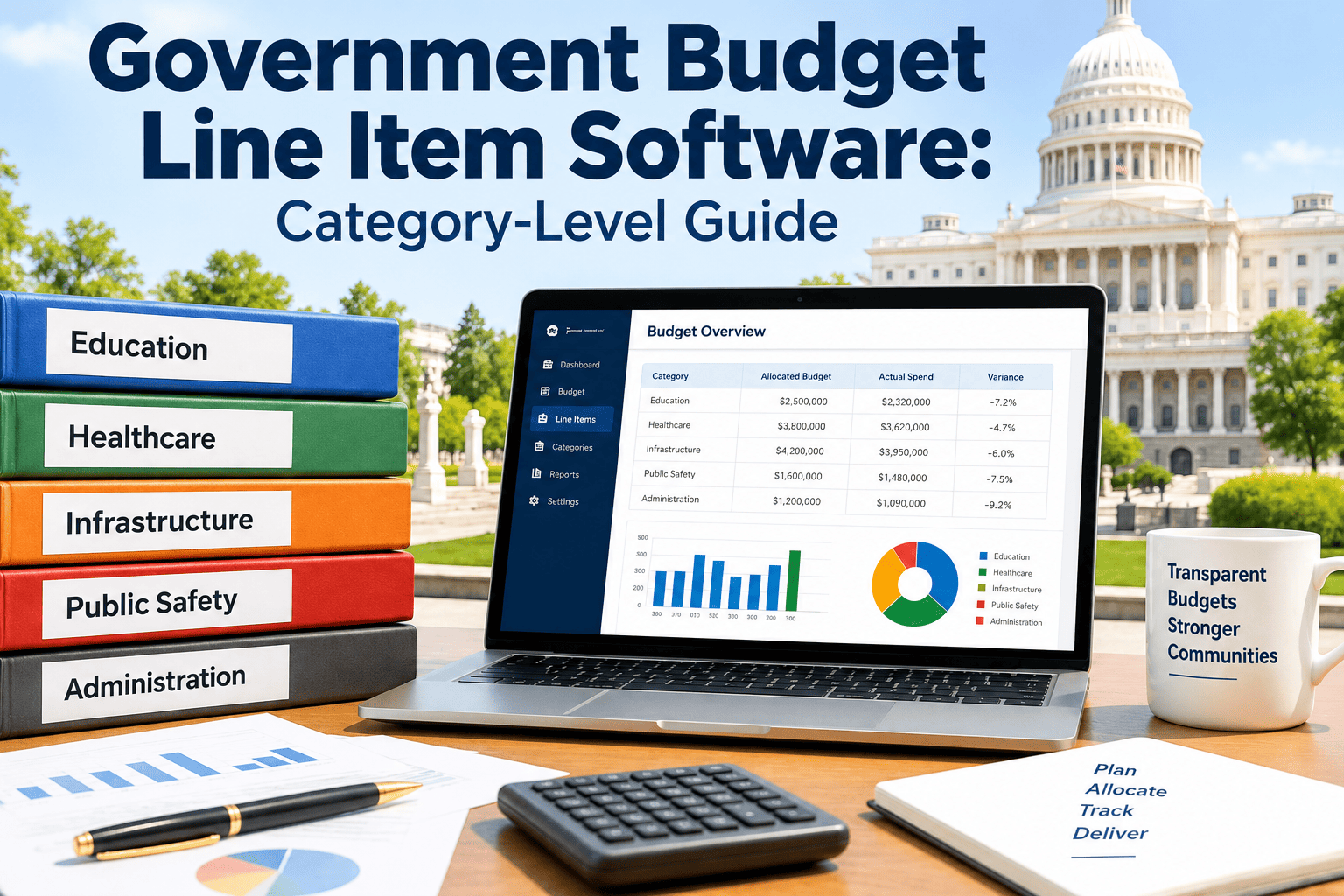
Every public works director eventually faces the same question from a budget officer or city council member: where exactly did this year's maintenance money go? A spreadsheet can show that $340,000 was spent on facility upkeep, but it rarely shows how much came from labor, parts, contracted services, or utility overruns tied to a single line item like 501-320 Building Repairs. Auditors, grant administrators, and finance directors need that category-level breakdown, not a lump sum, and most agencies still rebuild it by hand every budget cycle from timesheets, invoices, and purchase orders scattered across departments. Government budget line item software closes that gap by tagging every work order, purchase, and labor hour to the exact object code, fund, and department it belongs to the moment the work happens. Agencies switching away from manual reconciliation can start a free trial and see their own line items rebuilt automatically from real work order data.
Public Sector Finance · Line-Item Budgeting
Government Budget Line Item Software: A Category-Level Guide for Public Agencies
Budget line items are how legislatures, city councils, and grant agencies actually read your spending — not by department total, but by object code: personal services, contractual services, supplies, and utilities. Most CMMS platforms stop at "total maintenance cost." Oxmaint tags every dollar to the line item it belongs to, so your finance team stops reconstructing reports by hand.
72%
of public agencies still reconcile maintenance costs to budget line items manually each quarter
4
core object-code categories every line-item report must break out: labor, parts, contracts, utilities
30+
hours per budget cycle typically spent rebuilding line-item detail from spreadsheets and invoices
Foundations
What Actually Counts as a "Budget Line Item" in Public Works
A budget line item is not the same thing as a department budget. A city council doesn't just approve "$2.1 million for Public Works" — it approves object-code detail underneath that number: salaries and wages, contractual services, materials and supplies, utilities, and capital outlay, each tied to a fund and often a specific grant. This structure exists because of GASB reporting standards and state uniform chart-of-accounts requirements, which expect governments to show not just how much was spent, but what type of resource was consumed and which fund paid for it.
The problem is that maintenance work doesn't naturally happen in object-code shape. A single work order to fix a lift station might include four hours of in-house labor (personal services), a replacement pump ordered from a vendor (supplies), an electrician called in for the wiring (contractual services), and the electricity the pump station draws while running (utilities). Reporting that one work order correctly against four different line items, by hand, is exactly the kind of task that turns a two-day budget close into a two-week one.
| Object-Code Category |
What It Captures |
Typical Line-Item Label |
Common Reporting Trigger |
| Personal Services |
In-house labor hours, overtime, benefits allocated to maintenance work |
101-xxx Salaries and Wages |
Payroll allocation, union labor audits |
| Contractual Services |
Outside vendors, specialty contractors, service agreements |
320-xxx Contract Services |
Procurement audits, vendor spend caps |
| Supplies and Parts |
Replacement parts, consumables, inventory drawn for repairs |
410-xxx Repair Materials |
Inventory reconciliation, grant expense proof |
| Utilities |
Electricity, water, gas tied to a specific facility or asset |
430-xxx Utilities |
Enterprise fund reporting, rate studies |
Category Breakdown
The Four Line-Item Categories Every Maintenance Report Has to Prove
Finance directors don't ask "how much did maintenance cost this quarter." They ask "how much of it was labor, how much was parts, how much went to contractors, and how much was utilities" — because that's how the line items are appropriated and audited. A category-level CMMS report needs to answer all four, for every asset, every fund, and every grant, without a spreadsheet in between.
Category 01
Labour Line Items
Every technician clocks time against a specific work order and asset. Oxmaint rolls those hours up by pay rate, overtime rule, and department, then maps them to the correct personal services object code automatically — no separate payroll spreadsheet required.
Reported to: 101-xxx Salaries and Wages
Category 02
Parts and Materials Line Items
Parts pulled from inventory or purchased for a repair are tagged to the asset, work order, and fund at the point of issue. When a grant only covers materials, not labor, this separation is what makes the difference between an approved reimbursement and a rejected one.
Reported to: 410-xxx Repair Materials
Category 03
Contract and Vendor Line Items
Outside contractor invoices are linked directly to the work order that generated them, with the vendor, PO number, and contract terms attached. Finance can pull every dollar paid to a single contractor across every department without chasing paper invoices.
Reported to: 320-xxx Contract Services
Category 04
Utility Line Items
Utility costs tied to a specific pump station, lift station, or facility are recorded against that asset, not lumped into a citywide utilities account. This is what lets enterprise funds like water and wastewater prove their rates are covering their true operating cost.
Reported to: 430-xxx Utilities
Old Way vs. New Way
Spreadsheet Reconciliation vs. Automatic Line-Item Reporting
Most agencies aren't lacking data — they have work orders, timesheets, and invoices somewhere. What they lack is a system that ties all three to the object code a finance director actually reports against. Here is what changes when line-item tagging happens at the point of work, not at budget close.
| Task |
Spreadsheet / Legacy Process |
Oxmaint Line-Item Tracking |
| Tagging a work order to an object code |
Manually assigned weeks later during budget close |
Assigned automatically when the work order is created |
| Splitting one repair across labor, parts, and contract cost |
Requires pulling three separate systems and matching manually |
Split automatically as each cost is logged against the work order |
| Proving grant-funded spend to auditors |
Reconstructed from timesheets and paper invoices |
Filtered report generated in minutes, tied to fund and grant code |
| Reporting to city council or board |
Summary totals only, with limited category detail |
Full object-code breakdown by department, asset, or fund |
| Time to close a budget cycle |
Days to weeks of manual reconciliation |
Same-day export once work orders are current |
See Your Own Line Items
Stop Rebuilding Budget Reports by Hand Every Quarter
Oxmaint tags labor, parts, contract, and utility costs to the object code they belong to the moment a work order is created — so your line-item report is ready before the budget officer asks for it, not two weeks after.
By Agency Type
How Line-Item Tracking Looks Different Depending on Your Agency
A five-person public works crew and a multi-fund county government both need line-item detail, but the reporting burden and the stakes look different at each scale. These scenarios show where the reporting pressure tends to show up first.
Small towns often run maintenance out of one general fund with a handful of line items: salaries, supplies, contract services, and utilities. The challenge isn't complexity — it's that the person doing maintenance is often the same person expected to report costs to the town's part-time finance clerk. Automatic line-item tagging removes that second job entirely.
Typical result: budget-close time drops from days to hours with one shared system instead of separate logs.
Counties typically run several departments against a shared chart of accounts, each with its own line items but a single finance office reviewing all of them. Department heads need to see their own costs; the county administrator needs a consolidated, line-item-accurate view across every department without waiting on each one to submit numbers separately.
Typical result: consolidated line-item reporting across departments without merging spreadsheets manually.
School districts report against state-mandated object codes under GASB-aligned chart-of-accounts rules, and maintenance costs often need to be split across school sites and functions. A facilities work order that touches HVAC, electrical, and custodial supplies needs to land in the right function and object code for every site, not just the district total.
Typical result: state chart-of-accounts compliance without a separate manual allocation step per site.
Water and wastewater utilities are usually enterprise funds, meaning rates are supposed to cover the actual cost of running the system — including maintenance. Regulators and rate consultants need line-item proof of labor, parts, and utility cost per plant or lift station, not a department-wide estimate, to justify the next rate study.
Typical result: defensible, asset-level cost data ready for the next cost-of-service study.
State agencies managing federally funded infrastructure projects need to prove that every dollar claimed against a grant matches an eligible line item — labor at the approved rate, materials within scope, no ineligible contract costs mixed in. A single miscoded line item can trigger a finding during a federal audit.
Typical result: grant-eligible costs isolated automatically, reducing audit findings and repayment risk.
How It Works
From Work Order to Line-Item Report, Step by Step
Step 1
Work Order Is Created and Tagged
A technician or dispatcher opens a work order against a specific asset, fund, and department. The object-code mapping is set once, at setup, so every future work order for that asset inherits the correct line item automatically.
Step 2
Labor, Parts, and Contract Costs Are Logged
As the work happens, technician hours, parts drawn from inventory, and contractor invoices are logged directly against the work order — each one carrying its own object-code category without a second data entry step.
Step 3
Costs Roll Up by Category Automatically
Every closed work order rolls its costs into the correct personal services, contractual services, supplies, or utilities line, split proportionally if a single repair touched more than one category.
Step 4
Reports Filter by Fund, Grant, or Department
Finance staff filter the same underlying data by fund, grant code, department, or asset class to produce whatever report a council meeting, grant audit, or state filing requires — without re-entering anything.
Step 5
Data Syncs to the Financial System
Line-item totals sync to the agency's ERP or financial system with the correct fund and object codes attached, so the budget office isn't re-keying numbers from a separate maintenance report.
What Changes
What Agencies Report After Moving to Line-Item Tracking
4x
Faster Budget Close
Line-item totals are ready as soon as work orders are current, instead of being rebuilt manually at quarter-end.
100%
Object-Code Coverage
Every work order cost lands in a labor, parts, contract, or utility category — nothing sits in an "uncategorized" bucket.
Fewer
Audit Findings
Grant-funded costs are isolated automatically, reducing the miscoded-expense findings that trigger repayment risk.
One
Source of Truth
Department heads, finance staff, and auditors pull the same underlying data instead of reconciling separate logs.
Testimonial
What Finance and Public Works Leaders Say
Every budget season used to mean two weeks of pulling timesheets, vendor invoices, and inventory logs into one spreadsheet just to show the council what we'd actually spent by line item. Now that same report is a filter, not a project. Our finance director gets labor, parts, contract, and utility detail for every fund without asking us for anything extra.
Public Works Director, County Government (Southeast US)
Common Questions
Government Budget Line Item Software — Frequently Asked Questions
Does line-item software replace our finance system, or work alongside it?+
It works alongside it. Oxmaint tags costs to the correct object code at the work order level, then syncs totals to your existing financial system through
a configured integration rather than replacing your general ledger.
Can one work order be split across more than one budget line item?+
Yes. A single repair often includes labor, parts, and a contractor invoice, and each cost type is logged and reported against its own object code automatically, without a manual allocation step.
How does this help with grant compliance and federal audits?+
Every cost logged against a grant-funded asset carries the fund and grant code from the start, so reports can isolate exactly what was spent, when, and under which grant, ready for an auditor without reconstruction.
Do we need to redefine our chart of accounts to use this?+
No. Oxmaint maps to your existing object codes, fund structure, and department hierarchy during setup, so your current chart of accounts stays exactly as your finance office already uses it.
How long does it take to get line-item reporting running?+
Most single-fund agencies are reporting accurate line-item data within a few weeks of setup. Multi-department or multi-fund agencies typically need longer for full integration —
book a demo to scope your timeline.
Line-Item Reporting, Built In
Your Next Budget Cycle Shouldn't Start With a Two-Week Spreadsheet Project
Oxmaint tags labor, parts, contract, and utility costs to the exact budget line item they belong to — automatically, from the first work order. See what your own agency's line-item report looks like before your next council meeting or grant audit.