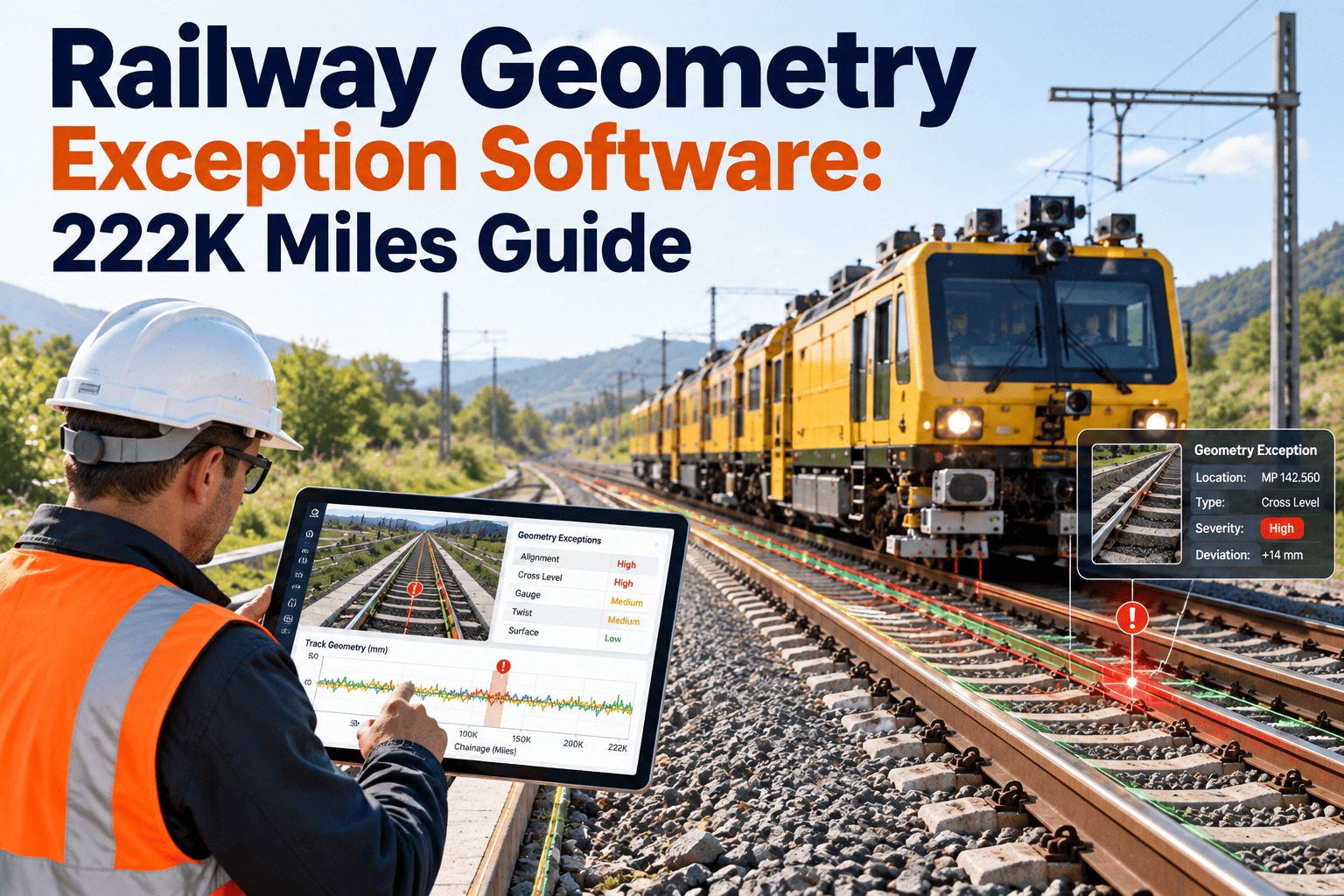
Track geometry inspection produces exceptions faster than most maintenance teams can sort them. Each one marks a spot where measured track departs from the limits that apply to its class, and each needs a decision: verify, repair, restrict speed or monitor. When exception reports arrive as spreadsheets or PDFs, ownership blurs and repeat locations slip through. Turning every exception into a tracked work item inside a rail maintenance management system keeps those decisions visible until the track is back within limits.
Railway Geometry Exception Software for Network-Scale Inspection Data
Triage, assign and close geometry exceptions from automated inspection runs, so repairs, speed restrictions and compliance records stay connected across thousands of track miles.
The Scale Behind the Problem
What these numbers show
The Federal Railroad Administration runs the Automated Track Inspection Program, known as ATIP, using geometry vehicles that survey track across the national network. Totals vary from year to year with the routes chosen, so treat them as scale, not as a trend.
What a Geometry Exception Actually Is
- An exception means measured track did not meet the standard for normal operation on that class of track.
- Common geometry parameters include gage, alignment, surface or profile, crosslevel, twist or warp, and curve elevation.
- Limits depend on track class and operating speed, so the same deviation may be acceptable on one segment and not on another.
- The FRA Track Safety Standards in 49 CFR Part 213 set the minimum requirements, and railroads often maintain tighter internal limits.
- An exception is a prompt for action, not a finished repair order. Someone still has to verify the location and decide what to do.
Where Exception Handling Breaks Down
| Breakdown | What happens | Operational effect |
|---|---|---|
| Report arrives as a file | Exceptions are copied into local trackers by each territory | Duplicate effort and inconsistent status |
| Location mismatch | Milepost from the survey does not match field reference points | Crews spend time finding the defect |
| No urgency ranking | All exceptions queue equally | Severe items wait behind minor ones |
| Repair not linked | Tamping or surfacing work is logged without the exception ID | Cannot prove the exception was addressed |
| Repeat locations ignored | Same spot flagged on successive runs | Root causes such as drainage or subgrade go untreated |
Give Every Exception an Owner and a Due Date
Import inspection results, rank them by urgency and dispatch crews from one shared queue.
A Triage Flow for Large Exception Volumes
Import and deduplicate
Load the run data, match exceptions to track segments and flag items already open from earlier surveys.
Verify in the field
Assign inspectors to confirm the condition, record measurements and photos, and note whether the defect is still present.
Classify by severity
Rank by deviation magnitude, track class, traffic type and proximity to switches, bridges or crossings.
Act and protect
Issue a work order for repair, apply a temporary speed restriction where rules require it, or schedule monitoring.
Close and learn
Record the repair, remeasure when possible, lift restrictions and flag locations that keep returning.
Severity Grid for Prioritizing Work
| Condition | Lower traffic exposure | Higher traffic exposure |
|---|---|---|
| Deviation near the limit | Schedule in the next planned maintenance window | Inspect promptly and schedule repair ahead of routine work |
| Deviation beyond the limit | Repair or restrict speed per the applicable rule | Immediate response, with restriction while repair is arranged |
| Repeat exception at the same location | Add a root cause review to the work order | Prioritize cause correction, not only surface correction |
| Exception near a switch, bridge or crossing | Review special track work conditions | Escalate to the responsible supervisor the same day |
Before and After: Report-Driven Versus Work-Order-Driven
Report-driven
- Exceptions managed in territory spreadsheets
- Status requested by phone or email
- Repairs recorded separately from defects
- Repeat locations found by memory
Work-order-driven
- One queue by subdivision, track and milepost
- Live status from open to closed
- Repair history linked to each exception
- Repeat locations flagged automatically
Connecting Exceptions to Maintenance Resources
- Link each exception to the track asset segment so history accumulates where it belongs.
- Assign tamping, surfacing, gauging or tie replacement work with the right crew and equipment.
- Track materials such as ties, ballast and fasteners through inventory against the work order.
- Use mobile forms so inspectors capture measurements, photos and location in the field.
- Record equipment hours so heavy maintenance units are scheduled where they are needed most.
Seeing the pattern behind the defects
Clusters of exceptions often point to drainage, fouled ballast or weak subgrade. Seeing those clusters on a map or report helps planners fund the cause, not just the symptom.
Who Needs This Workflow
Compliance Records That Matter
- Inspection dates, inspector names and findings for each track segment.
- Defect remedial actions taken and the time between discovery and action.
- Speed restriction issue and removal times, with who authorized each.
- Repair evidence such as post-repair measurements or follow-up inspection results.
- Training and qualification records for the people performing inspections.
Geometry Program Metrics
Railway Geometry Exception FAQs
What does ATIP stand for?
Does every exception require a repair?
Can we import inspection data in bulk?
How are repeat locations found?
Is this useful for small railroads?
Keep Track Within Limits Across Every Mile
Give inspectors, planners and crews a single exception workflow with records you can trust.