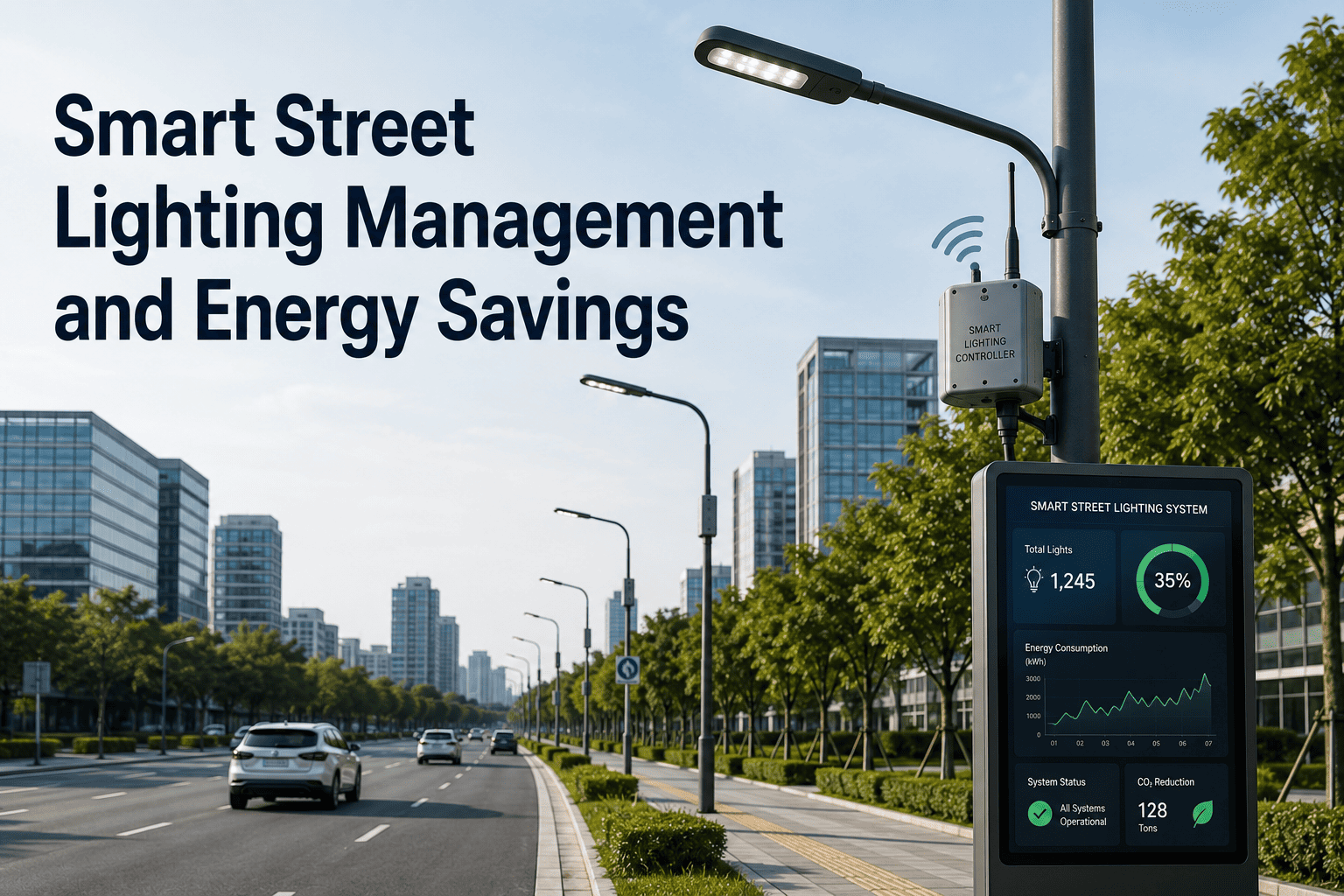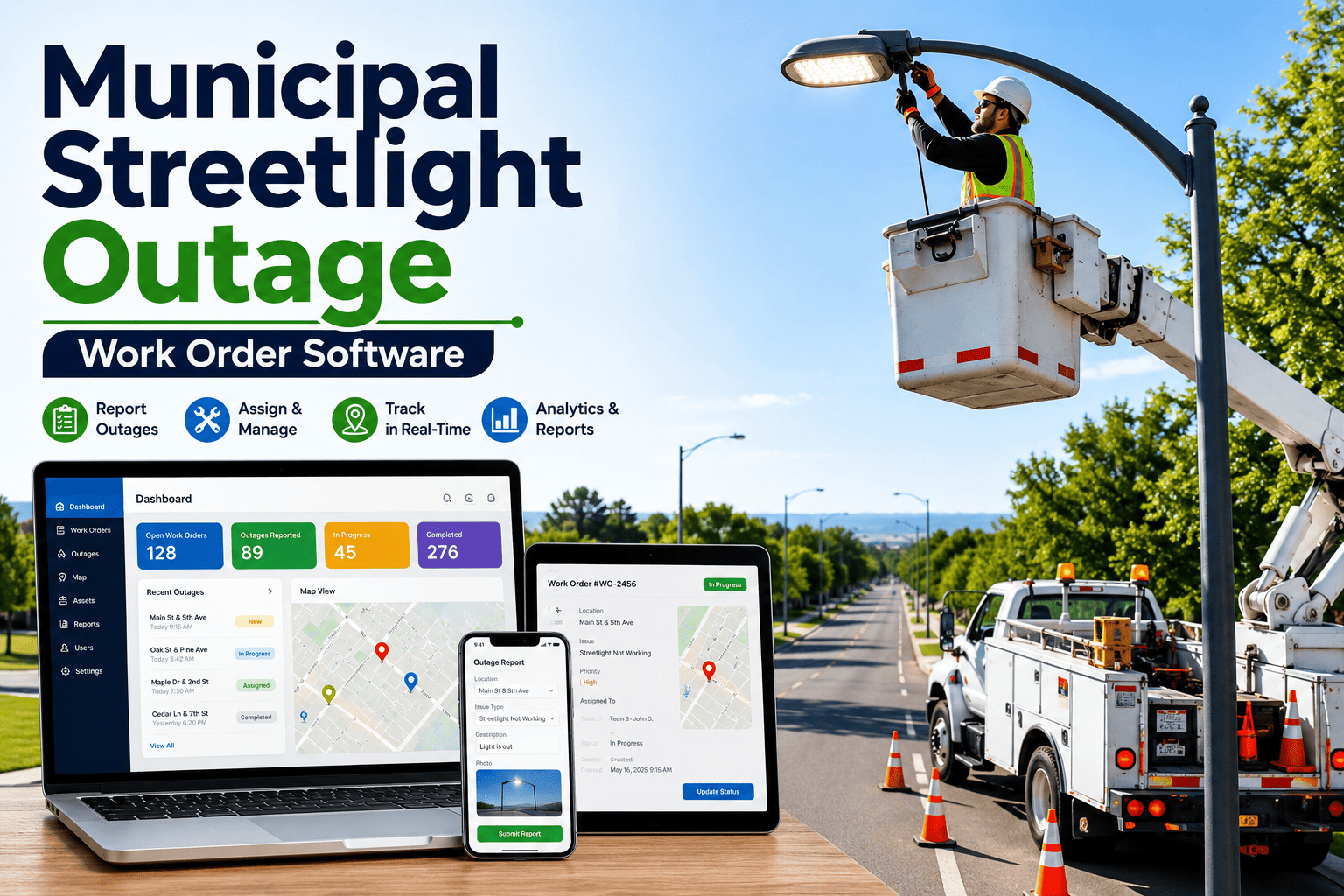
Street light faults rarely announce themselves. A lamp goes dark, a driver starts cycling, or an entire feeder drops out, and the first report often arrives from a resident days later. Smart nodes on PLC, LoRa, and NB-IoT networks changed that by streaming fault data from every pole. But an alarm only matters when it becomes a repaired luminaire. This guide explains how to turn node alarms into trusted work orders, and how Oxmaint maintenance software closes the loop between your lighting management system and the crew.
Municipal lighting · Smart node IoT · Fault-to-repair workflow
Street Light Fault Detection Software: A Smart Node IoT Guide for Municipal Maintenance
Bring PLC, LoRa, and NB-IoT node alarms into one maintenance workflow, so a flagged fault becomes a dispatched, documented, and verified repair instead of another line in an alarm list.
1
Smart node
Reports lamp, driver, and power status
2
Network
PLC, LoRa, or NB-IoT backhaul
3
Lighting CMS
Raises and stores raw alarms
4
Maintenance platform
Validates, groups, creates work orders
5
Crew
Mobile dispatch, repair, and parts use
6
Verification
Node confirms the light is back on
Why a Fault Alarm Is Not the Same as a Fixed Light
A central management system is built to control lights: dimming schedules, switching, and energy metering. A maintenance system is built to fix them: who goes, with which part, and what happened the last time. Cities that treat these as one tool usually end up with an alarm list that grows faster than crews can read it.
What the lighting CMS knows
- Which node stopped reporting or reported a fault code
- Current draw, voltage, and burn hours at the pole
- Dimming profile and switching schedule
- Network signal quality and last contact time
What the CMMS adds
- Repair history, warranty status, and installed luminaire model
- Crew availability, skills, and truck stock
- Priority rules tied to road class and risk
- Proof of repair for audits, claims, and council reporting
Without that second column, every alarm looks equally urgent, and technicians drive to poles with no idea whether the cause is a lamp, a driver, a photocell, or a cabinet.
Fault Signatures a Smart Node Can Surface
Nodes do not diagnose, they report symptoms. The value comes from mapping each symptom to a likely cause and a standard response, so dispatchers stop guessing.
| Fault signature | Likely causes | What the node reports | Maintenance response |
|---|---|---|---|
| Lamp out at night | Failed LED module, driver failure, loose connection | Low or zero current while commanded on | Corrective work order with luminaire swap kit |
| Day burning | Photocell failure, stuck relay, control override | Current draw during daylight hours | Inspect control and relay, confirm schedule settings |
| Cycling on and off | Overheating driver, failing lamp, unstable supply | Repeated on and off events within short windows | Replace driver, check thermal conditions and supply |
| Dim or reduced output | Driver degradation, wrong dimming profile | Power below expected for the dimming level | Verify profile first, then schedule driver test |
| Voltage or power quality alarm | Utility supply issue, neutral fault, surge damage | Out-of-range voltage or abnormal power factor | Escalate to electrical crew and utility contact |
| Multiple nodes offline together | Feeder or cabinet outage, gateway or network loss | Group loss of communication on one circuit | Single parent work order for the circuit |
| Single node offline, light on | Node radio fault, antenna damage, coverage gap | Lost communication only | Low-priority node inspection, no emergency dispatch |
PLC, LoRa, and NB-IoT: How the Network Shapes Fault Data
The communication layer decides how fast alarms arrive, how much detail they carry, and what it costs to keep every pole connected. Vendors such as Telensa, Itron (which absorbed Silver Spring Networks), and ROAM each package their own radios and management software, and most expose alarms through APIs, webhooks, or exports a maintenance platform can ingest.
Power line communication
- Signals travel over the existing lighting circuit
- No separate radio network to build at the pole
- Performance depends on line noise and circuit condition
- A feeder fault can also cut communication, which looks like a mass outage
LoRa and LoRaWAN
- Low-power, long-range radio on unlicensed spectrum
- Requires gateways that the city owns or leases
- Small payloads suit alarms and periodic readings
- Coverage planning matters in dense or hilly areas
NB-IoT cellular
- Runs on carrier networks, no city-owned gateways
- Recurring connectivity fee per node
- Strong indoor and underground reach in covered areas
- Depends on carrier coverage and long-term service plans
Whichever network you run, the maintenance question is identical: can an alarm be trusted enough to dispatch a crew? That depends on the validation rules described next, not on the radio.
From Node Alarm to Closed Work Order
A reliable pipeline has six stages. Skipping any one of them is how cities end up with duplicate tickets, wasted truck rolls, or faults that quietly age.
01
Ingest the event
Receive alarms from each management system through an API or scheduled feed, tagged with node ID, fault code, and timestamp. Keep the raw event so you can audit it later.
02
Validate before acting
Hold the alarm through a short confirmation window. A fault that clears itself within minutes is a log entry, not a work order.
03
Match the node to the asset
Link the node ID to the pole, luminaire, circuit, and cabinet records. If that mapping is wrong, every later step is wrong.
04
Group and deduplicate
Roll alarms from one circuit into a single parent job, and suppress new tickets when an open work order already exists for the same pole.
05
Prioritize and dispatch
Apply rules based on road class, crossings, schools, and known hazards. Send the work order to the mobile app of the crew with the right skills and stock.
06
Verify and close
After repair, check the node's next readings. A closed ticket with a clean power signature is stronger evidence than a technician note alone.
Turn Your Node Alarms Into Work Orders Your Crews Trust
See how Oxmaint links asset records, mobile work orders, and inspection history to your street light inventory, so every alarm has context before a truck rolls.
Filtering False Alarms Before They Reach a Crew
Alarm fatigue is the quiet failure of smart lighting programs. When dispatchers learn that a third of alerts are noise, they stop trusting any of them. Build these filters into the workflow from the start.
Rule
Require a fault to persist across more than one switching cycle before creating a work order, except for safety-critical locations.
Rule
Treat a communication loss on a single node differently from a confirmed lamp fault. The light may be working fine.
Rule
Suppress alarms during scheduled utility outages, planned shutdowns, and known construction zones.
Rule
Escalate repeat faults on the same pole after a recent repair, because they point to a root cause rather than a lamp.
Rule
Flag nodes that report unusual readings, such as current above rated load, as an electrical safety concern.
A Priority Matrix for Street Light Faults
Not every dark pole carries the same risk. Combine the extent of the outage with the sensitivity of the location, and let the matrix set the response target.
Location sensitivity / Outage extent
Single light
Several lights
Whole circuit
Crossing, school, or hazard zone
High: same-day response
Critical: immediate dispatch
Critical: immediate dispatch
Arterial or collector road
Medium: next scheduled route
High: same-day response
Critical: immediate dispatch
Residential street
Low: batch with route
Medium: next scheduled route
High: same-day response
Asset Data Your Fault Workflow Depends On
Fault detection is only as good as the asset register behind it. Before connecting any node feed, confirm that each of these fields exists and is accurate.
- Unique pole or luminaire ID matched to the node serial number
- GPS location verified in the field, not copied from old drawings
- Luminaire make, model, wattage, and installation date
- Driver type and warranty expiry
- Circuit and cabinet assignment for fault grouping
- Pole ownership, since some poles belong to the utility
- Road classification and any critical location tags
- Last inspection date and open defects
Warranty data deserves special attention. When a driver fails early, a complete record of install date, burn hours, and fault history supports a manufacturer claim that would otherwise be rejected.
KPIs That Show Whether Detection Is Working
Detection-to-dispatch time
Elapsed time from a validated alarm to a crew receiving the job. This exposes workflow delay, not device performance.
Fault-to-repair time
Time from first alarm to a verified repair, segmented by priority tier.
First-time fix rate
Share of work orders closed without a return visit. Low values usually mean poor diagnosis or missing parts.
Repeat fault rate
Poles with the same fault returning after repair, a direct signal of root cause problems.
Node communication health
Percentage of nodes reporting normally. A falling number means you are going blind.
Resident-reported faults
Complaints about outages you had not already detected. This is the cleanest test of detection coverage.
Before and After: Alarm Lists vs. Managed Fault Workflow
Before
- Dispatcher scans alarm screens between other tasks
- Duplicate tickets for one failed circuit
- Crews arrive without luminaire or driver details
- Repairs recorded on paper or not at all
- Warranty claims lack supporting history
After
- Validated alarms create prioritized work orders automatically
- One parent job per circuit, linked to each affected pole
- Mobile work orders carry asset history and parts needed
- Node readings confirm the repair before closure
- Full fault and repair history ready for claims and reports
A Practical Rollout Path for Municipal Programs
Phase 1
Clean the register
Reconcile poles, luminaires, circuits, and node IDs. Fix the mapping before automating anything.
Phase 2
Connect one network
Pilot on a single district or vendor feed. Tune validation windows and priority rules with real alarms.
Phase 3
Equip the crews
Move technicians to mobile work orders with checklists, photos, and parts capture.
Phase 4
Scale and optimize
Add remaining networks, build dashboards, and shift from reactive repair toward planned replacement.
Cities often run more than one lighting network after years of phased purchases. A maintenance platform that sits above all of them gives you one work order process even when the hardware differs. You can book a demo to see how multi-vendor feeds map into a single queue.
Beyond Reactive Repair: Using Fault Data for Planning
Once fault history accumulates, it becomes a planning tool. Patterns by luminaire model, installation batch, or circuit show where failures cluster. That supports preventive inspections of cabinets, targeted driver replacement, and evidence-based capital requests.
- Compare failure rates across luminaire models before the next procurement
- Schedule cabinet and wiring inspections on circuits with repeat power quality alarms
- Stage spare stock where a district shows recurring failures
- Report outage duration and response performance to council with traceable records
Condition-based workflows work best when the data is honest. Resist the temptation to auto-close tickets on a missing alarm alone, and keep a technician confirmation step for safety-related faults.
Street Light Fault Detection FAQs
Does fault detection software replace my lighting management system?
No. The lighting CMS controls and monitors lights, while the maintenance platform manages the repair work that follows. They work best together through an alarm feed.
Which network is best for fault reporting?
It depends on your terrain, budget, and existing hardware. PLC, LoRa, and NB-IoT can all deliver usable alarms, and the maintenance workflow stays the same.
Can one platform handle nodes from several vendors?
Yes, if each system exposes alarms through an API or export. You can schedule a demo to review your specific setup.
How do I stop duplicate work orders for one outage?
Group alarms by circuit and suppress new tickets when an open job exists for the same pole. A parent work order covers the affected lights.
How can I start without a large IT project?
Begin with your asset register and one pilot district. You can start with Oxmaint and add network feeds later.
Make Every Smart Node Alarm End in a Verified Repair
Give your dispatchers fewer false alarms, your crews better information, and your council clearer reporting. Start organizing street light repairs in one place today.