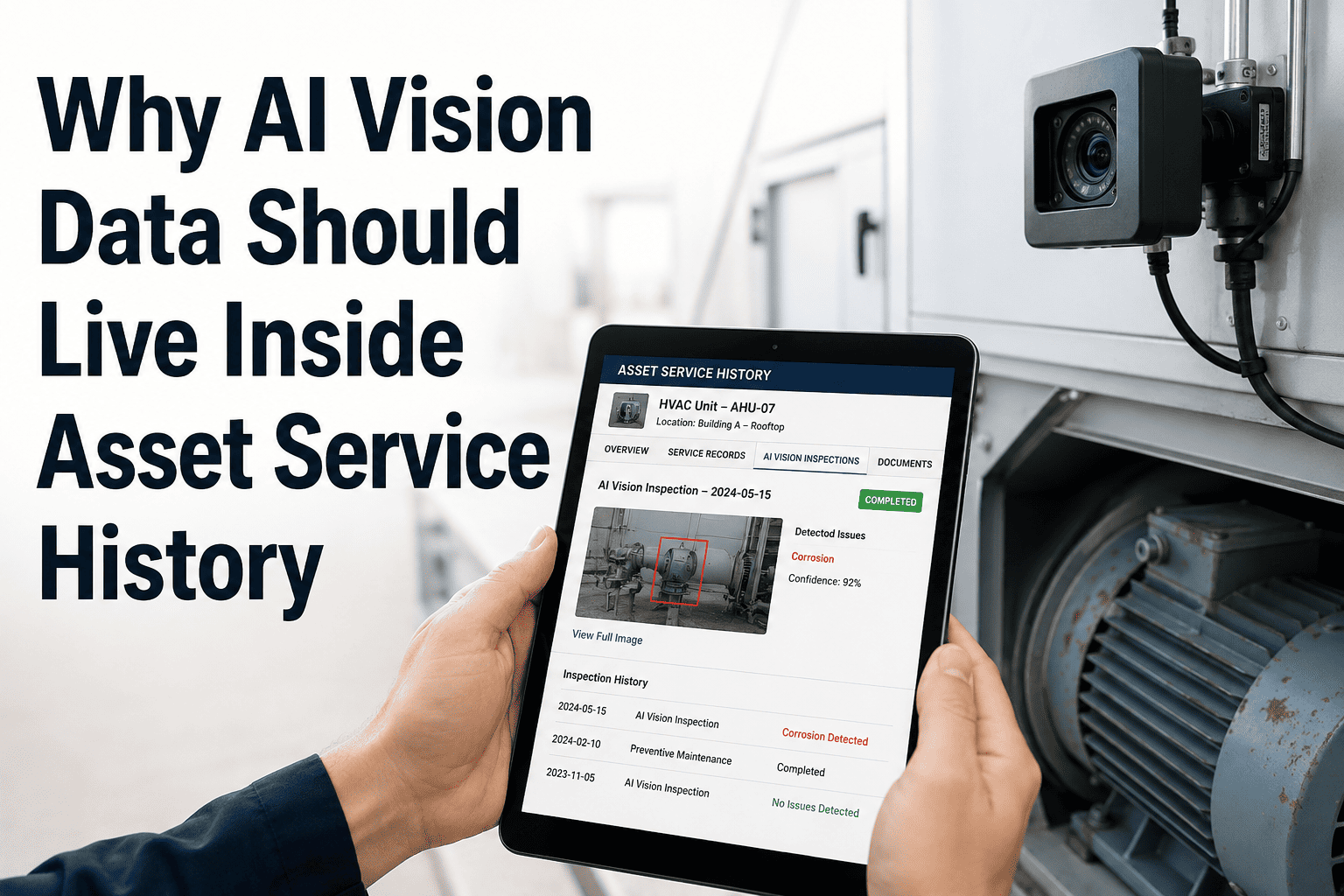
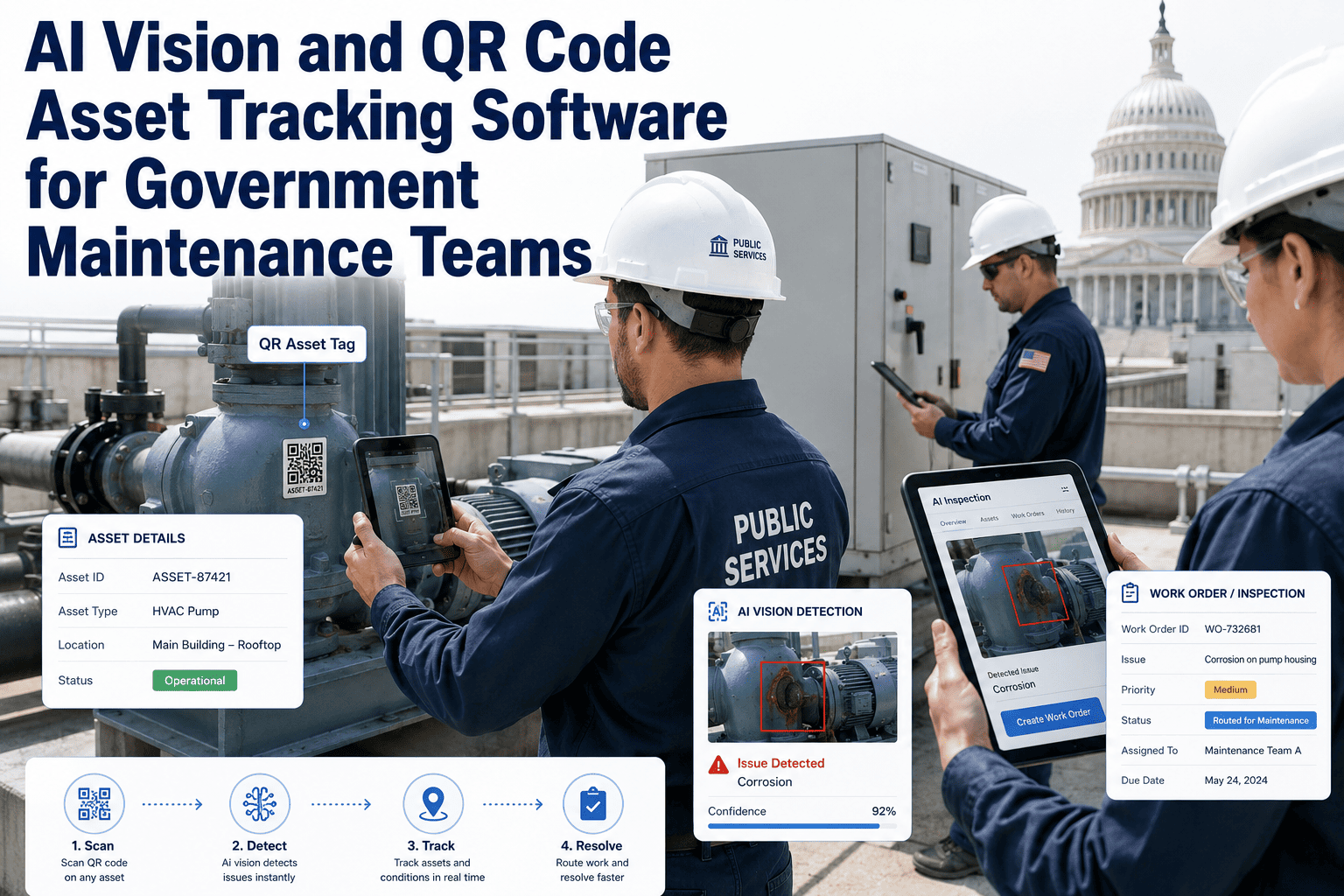
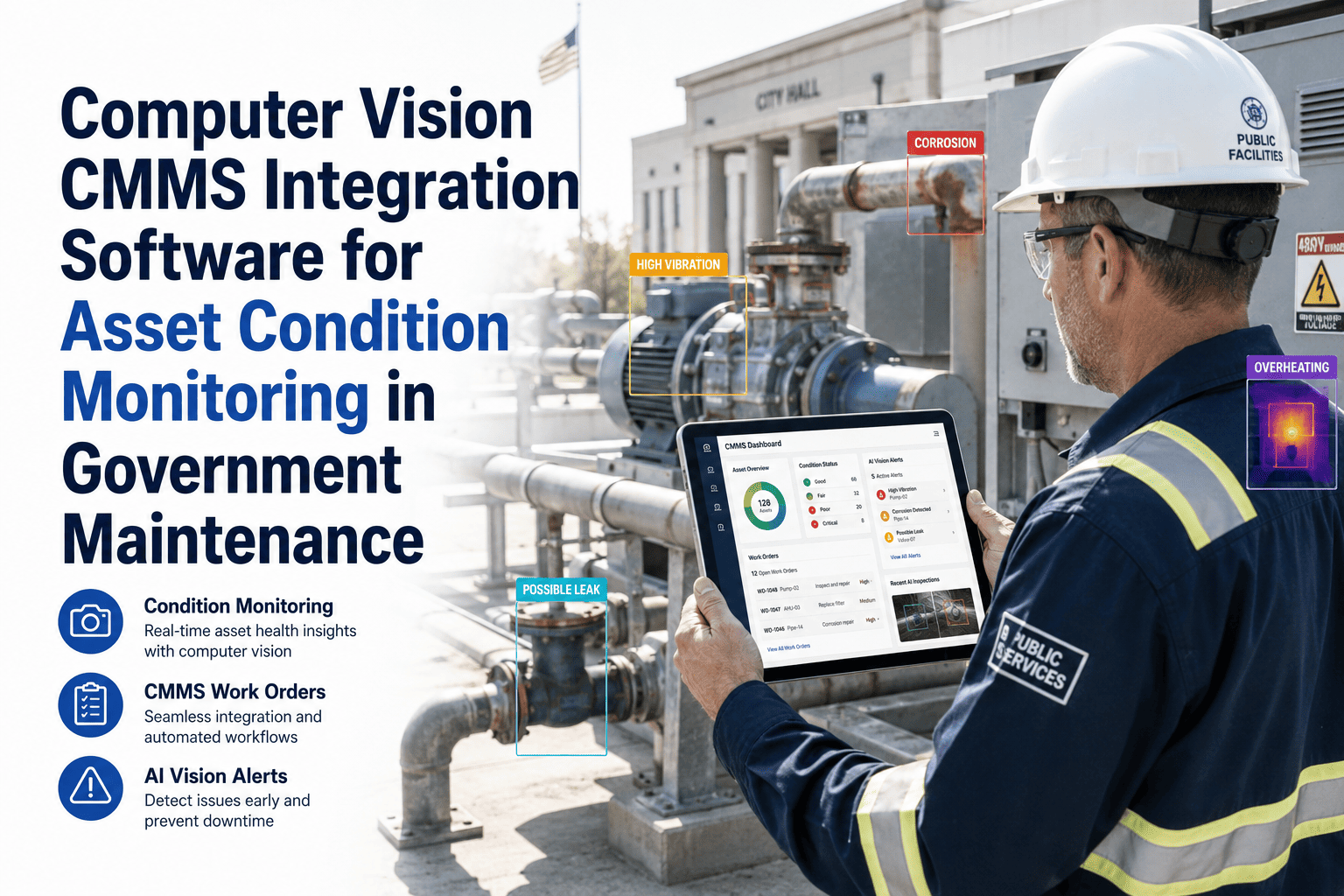
Every AI vision camera deployment generates a continuous stream of visual data — frames, alerts, detection events, and condition records. Most of that data is stored in the camera vendor's platform, reviewed when something goes wrong, and forgotten when the incident is resolved. That is the wrong architecture. Visual fault data has compounding value when it lives inside the asset service history in your CMMS — where it can be compared against previous inspections, used to detect recurring fault patterns, and referenced by technicians who arrive at an asset months later without knowing what the camera saw last winter. Book a demo with OxMaint to see how AI vision records are stored inside asset histories in a live government maintenance environment, or start your free trial and connect your first camera feed to your asset records today.
Asset Service History · AI Vision Data · Government CMMS
AI Vision Data Belongs in Your Asset Service History — Not in a Camera Vendor's Dashboard
When visual fault records live separately from asset maintenance history, you cannot see patterns, prove compliance, or help the technician who arrives six months after the last camera alert. Move the data where it creates value.
01
Pattern Recognition Across Time
A bearing that generates a thermal alert every 8 months is telling you something your PM schedule does not know yet. When camera alerts live in asset history, you can see the interval between recurring faults — and adjust your PM cycle accordingly.
02
Technician Context at Dispatch
When a technician is dispatched to a pump that camera flagged last Tuesday, they need to see what the camera saw — not start from scratch. Camera images stored in asset history appear on every related work order without manual attachment.
03
Compliance and Audit Documentation
Government maintenance teams face regular audits. Visual evidence stored in asset service history — timestamped, linked to the asset record, and traceable to the specific camera that captured it — satisfies inspection documentation requirements that paper logs cannot.
04
Capital Replacement Justification
When an asset has generated 14 camera alerts in 24 months, all showing progressive surface deterioration, that visual history is your most compelling capital budget argument. Finance committees trust photographic evidence of deterioration more than maintenance team estimates.
Data Architecture Comparison
Camera Vendor Silo vs CMMS-Integrated Asset History
| Capability |
Camera Vendor Silo |
CMMS-Integrated Asset History |
| Historical fault image access |
Available only in camera platform — separate login, separate search |
Available inside asset record alongside PM history, work orders, and parts data |
| Technician access at job site |
Requires access to camera platform — often not available on field device |
Camera images appear on the work order in the CMMS mobile app automatically |
| Recurring fault pattern detection |
Manual — someone must review camera logs and compare dates manually |
CMMS tracks alert frequency per asset and flags recurring patterns automatically |
| Audit documentation completeness |
Incomplete — camera records and maintenance records require separate compilation |
Complete — camera images, work orders, and parts records all linked under one asset ID |
| Capital planning support |
Limited — visual data not connected to cost or maintenance frequency data |
Full — visual fault history alongside total maintenance cost per asset over any period |
| System longevity after camera upgrade |
Historical data often lost when camera vendor platform changes |
Asset history persists regardless of camera hardware or vendor changes |
Data Structure
What AI Vision Data Should Look Like Inside an Asset Service History Record
Camera Alert History
14 Mar 2025
Thermal anomaly — bearing housing
Priority 1 WO generated — bearing replaced — closed 14 Mar 2025
08 Nov 2024
Fluid accumulation — pump base
Priority 1 WO generated — seal replaced — closed 09 Nov 2024
22 Jun 2024
Thermal anomaly — bearing housing
Priority 2 WO generated — bearing lubrication — closed 24 Jun 2024
Pattern detected: Bearing thermal faults recurring every 6–8 months. PM interval adjustment recommended: bearing inspection every 5 months.
OxMaint · Asset History + AI Vision Integration
Put Your Camera Data Where It Can Do Real Work — Inside Your Asset Records
OxMaint stores every camera alert, detection image, and visual condition record directly inside the asset service history — linked to work orders, PM records, and parts history. Government maintenance teams get the full picture of every asset's condition, in one place, for every inspection and audit.
Expert Review
Asset Management Leaders on Keeping Visual Data in the Right Place
We had three years of camera alert data sitting in the vendor's platform that nobody was using. When we moved that data into our CMMS asset records, we discovered that two of our highest-maintenance pumps had been showing bearing thermal alerts on a predictable 7-month cycle. We adjusted the PM interval, and both pumps went 18 months without a bearing failure. The data was always there. We just had not put it where it could be seen alongside everything else.
Asset Manager, Regional Water Utility · 21 years in public infrastructure maintenance
Our external auditors now accept camera images stored in OxMaint as primary inspection evidence. We used to compile separate camera logs and maintenance records for every audit — a process that took three days per site. Now the auditor logs into a single asset record and sees everything: the camera image that triggered the work order, the repair actions, the technician's post-repair photos, and the parts replaced. One record. Three days compressed to three hours.
Director of Public Works, Municipal Authority · 15 years in government compliance and maintenance
Frequently Asked Questions
AI Vision Data and Asset Service History — Key Questions
How do camera images from different vendors get stored into the same CMMS asset record?
OxMaint receives camera alert payloads via API or webhook regardless of camera vendor. When an alert arrives, OxMaint stores the alert metadata — timestamp, fault type, asset ID — and any attached image file directly in the asset record. The camera vendor's platform and the CMMS asset history are linked at the asset ID level, so images route to the correct asset record automatically regardless of which camera system captured them. Teams with cameras from multiple vendors see all visual history in one place without consolidation steps.
Book a demo to see multi-vendor alert handling in OxMaint.
How long should AI vision images be retained in asset service history?
Retention policy depends on asset class and regulatory requirements. For government assets subject to periodic inspection — bridges, water infrastructure, electrical systems — a minimum of 5–7 years is standard practice, matching the typical inspection cycle and audit lookback period. For assets where progressive deterioration is a capital planning input, longer retention allows comparison of condition images across multiple budget cycles. OxMaint stores images with the asset record and applies configurable retention policies per asset class rather than a single global setting.
Configure retention policies in your OxMaint trial.
Can camera alert history in the CMMS replace formal inspection reports for regulatory purposes?
In most government maintenance regulatory contexts, camera alert history stored in a CMMS provides strong supporting evidence but does not replace a formal inspection report signed by a qualified inspector. However, the camera history dramatically reduces the time required to compile a formal inspection report, because all visual evidence, work order responses, and repair documentation are already assembled in the asset record. Many government compliance teams use OxMaint asset records as the source document from which formal inspection reports are generated, reducing report preparation time by 60–70%. Check your specific regulatory framework to confirm documentation requirements.
OxMaint · AI Vision + Asset History for Government Teams
Your Camera Data Is More Valuable Inside Your CMMS Than in a Separate Dashboard
OxMaint stores every AI vision alert, image, and detection record inside your asset service history — making visual data available to technicians, managers, auditors, and capital planners without switching platforms. Government maintenance teams use OxMaint to build the asset intelligence that camera vendors cannot provide alone.