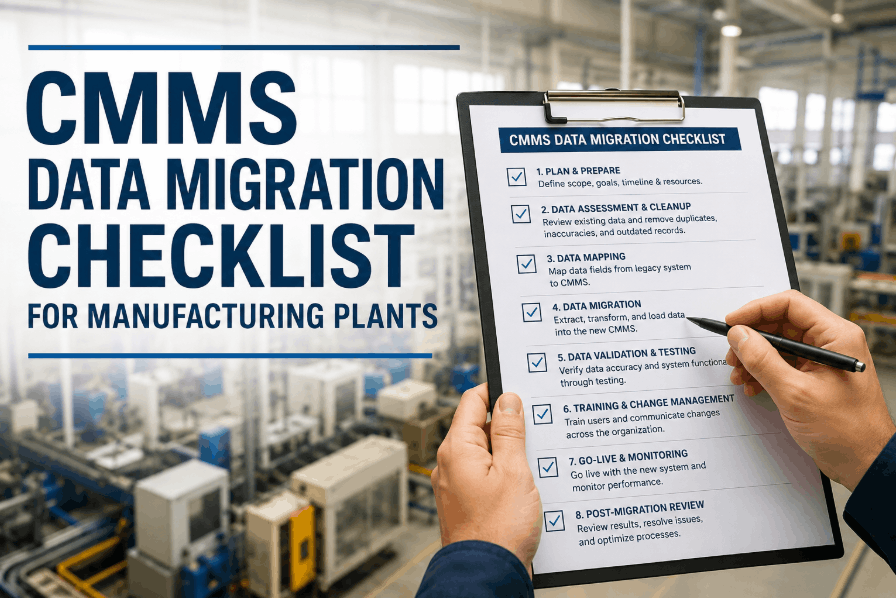
Manufacturing plants that switch from spreadsheets and paper work orders to a structured CMMS cut unplanned downtime by up to 32% within the first 90 days — but only if the rollout is done right. Industry data shows 60 to 80 percent of CMMS projects stall or underperform, not because the software fails, but because the implementation approach does. This guide gives maintenance managers and plant engineers the exact step-by-step process to deploy OxMaint successfully in a manufacturing environment — from baseline audit and asset setup through data migration, technician training, and the KPI review that locks in long-term ROI. If your facility is serious about reducing reactive maintenance and building a reliable PM programme, book a free implementation strategy call to get a rollout plan built around your plant's specific situation.
Step-by-Step Guide
Manufacturing CMMS
90-Day Rollout
CMMS Implementation Guide for Manufacturing Plants
A practical, phase-by-phase playbook covering every decision, configuration, and change management move needed to go from day one to full adoption — and measurable results.
32%
Avg. reduction in unplanned downtime at 90 days
60–80%
CMMS rollouts that underperform due to poor process
Week 1
First live work orders with OxMaint's rapid onboarding
90 Days
Full PM programme running with measurable KPI results
Why Most Rollouts Fail
The Real Reasons CMMS Implementations Stall in Manufacturing
Before the step-by-step process, understand the failure patterns that repeat across hundreds of manufacturing CMMS projects. Each one is preventable — if you know what to watch for.
78%
Cited poor data quality as the primary obstacle during migration
65%
Had no executive sponsor or visible leadership support for the project
58%
Relied on one generic training session for all user roles
47%
Still used spreadsheets alongside the CMMS three months after launch
The Implementation Roadmap
6 Phases of a Successful Manufacturing CMMS Rollout
Each phase has a clear entry point, a defined output, and a hard deadline. Skip a phase and the next one collapses. Follow the sequence and you will have a fully adopted, measurable CMMS within 90 days.
Foundation Audit & Goal Setting
The fastest way to kill a CMMS rollout is to start configuring the platform before answering three questions: What are we trying to fix? How will we measure progress? Who owns each part of this rollout? Spend the first week documenting your current maintenance workflows, benchmarking your baseline KPIs, and defining 2–3 measurable goals tied directly to plant outcomes.
Document
Current work order flow — how requests arrive, how jobs are assigned, how completion is tracked
Top 5 pain points: unplanned downtime, work order backlog, parts shortages, compliance gaps, or poor visibility
Existing asset data sources — spreadsheets, paper binders, previous CMMS exports
Benchmark
Mean Time to Repair (MTTR) on critical assets
Ratio of planned vs. unplanned work orders (last 3 months)
PM compliance rate — percentage of scheduled PMs completed on time
Phase Output
Signed-off implementation brief with baseline KPIs, measurable goals, executive sponsor named, and go-live date committed
Asset Data Preparation & Import
Data quality determines the entire value of your CMMS. Garbage in, garbage out — every failed implementation has this pattern at its core. The objective is not to enter every asset perfectly before go-live. It is to enter the right assets accurately. Use the 80/20 rule: identify the top 20% of assets by criticality and get those in first. The remaining 80% are added progressively over 90 days.
1
Collect all existing asset data from spreadsheets, paper registers, and OEM documentation
2
Standardise naming conventions — remove duplicates, correct errors, fill critical gaps
3
Map to OxMaint's asset hierarchy: Site — Area — Zone — Asset — Sub-component
4
Bulk import critical assets via OxMaint's template — minimum fields: name, category, location, criticality
Phase Output
Critical asset registry live in OxMaint — QR labels printed and applied to physical equipment
System Configuration & Go-Live
Configure OxMaint to mirror how your maintenance operation actually works — not how you wish it worked. Set up work order workflows, priority tiers, SLA targets, and escalation rules. Then go live. The go-live date is not a soft suggestion. It is the date paper work orders and radio dispatch are retired for the priority zone. Keeping paper as a fallback is the single most reliable way to ensure adoption stalls at 30%.
Work Order Workflows
Configure request-to-close flow: who raises, who approves, who assigns, who closes. Match your current sign-off structure exactly.
Priority & SLA Targets
Set response and resolution SLAs by priority tier. P1 safety or production-stop: 2 hrs. P2 degraded operation: 8 hrs. P3 low-impact: 24 hrs.
Escalation Rules
Configure automatic alerts to supervisors when work orders breach SLA thresholds. Non-adoption becomes immediately visible — no manual chasing required.
User Roles & Access
Assign roles: technician, supervisor, planner, storeroom, read-only. Each role sees only what it needs — reduces training time and user errors significantly.
Phase Output
First live work orders created, dispatched, and closed in OxMaint — paper and radio retired for priority zone
Technician Onboarding & Training
Role-based training is the only training that drives adoption. Technicians need work order management and mobile functionality. Supervisors need scheduling and dashboard visibility. Planners need PM configuration and reporting. One generic session for all groups is the training approach that produces 58% failed implementations. OxMaint mobile onboarding takes 20–30 minutes per technician — done on their own device, on their own shift.
Technician
Install OxMaint, scan QR code, accept work order, complete checklist, attach photo, close. First two live jobs done with a peer watching — not classroom training on a demo environment.
20–30 min onboarding
Supervisor
Live dashboard walkthrough: open work order queue, technician activity, SLA compliance rate, overdue jobs. Escalation alert configuration. Weekly KPI report review.
45–60 min onboarding
Planner / Manager
PM template creation, schedule activation, bulk work order assignment, asset history review, spare parts association. Monthly performance review cycle setup.
60–90 min onboarding
Phase Output
Full team operating on OxMaint mobile — supervisor dashboard live — adoption rate tracked daily
PM Programme Activation & Data Migration
With reactive work orders flowing through OxMaint, activate preventive maintenance for the critical asset zone. Configure PM templates — checklist items, frequency, skill required, estimated duration, and parts typically used — then let OxMaint auto-generate PMs on schedule. In parallel, expand the asset registry to the full equipment inventory and import historical maintenance data where it exists. Historical data seeds the AI pattern detection that drives long-term PM interval optimisation.
| Data Source |
What to Migrate |
Priority |
OxMaint Method |
| Excel / Spreadsheets |
Asset list, maintenance history, parts inventory |
High — Week 1 |
Bulk import template |
| Paper Work Orders |
Recent fault history on critical assets (12 months) |
High — Week 2 |
Manual entry or photographed upload |
| Previous CMMS |
Full asset history, PM records, part associations |
Medium — Week 4 |
CSV export + bulk import |
| OEM Documentation |
PM intervals, torque specs, lubricant types |
Medium — Week 6 |
PDF attachment to asset record |
| Remaining Assets |
Non-critical equipment not in priority zone |
Lower — Week 8–12 |
Bulk import in batches |
Phase Output
Full asset registry live — complete PM schedule running — historical data seeding AI analytics
KPI Review, Optimisation & Continuous Improvement
At 90 days, measure the three KPIs you benchmarked in Phase 1. The gap between your baseline and current numbers is your CMMS ROI story. Review OxMaint's AI pattern detection flags — which assets have recurring faults that warrant a PM interval adjustment or root-cause investigation? Establish a monthly maintenance performance review cycle. The implementation ends here. The improvement programme begins.
PM Compliance Rate
Target: 85%+ at 30 days
Percentage of scheduled PM work orders completed on time. OxMaint auto-generates this in the dashboard — no manual tracking required.
MTTR on Critical Assets
Target: 20–30% reduction vs baseline
Mean Time to Repair. OxMaint calculates this from work order open and close timestamps — compare directly to your Phase 1 baseline.
Unplanned Work Order Ratio
Target: Below 40% of total work orders
The share of reactive vs. planned work. As your PM programme matures, this ratio should shift progressively in favour of planned work.
Phase Output
Measured improvement vs baseline — self-sustaining improvement cycle — full CMMS value delivered
Ready to Start Your CMMS Rollout?
OxMaint is free to start — no implementation fee, no IT resource, no server infrastructure. First live work orders in 3–5 business days. Full PM programme at 30 days.
Adoption Strategy
The Three Conditions That Drive 90%+ Technician Adoption
Adoption is the single most studied failure point in CMMS implementation research. The teams that achieve 80–90% adoption at 30 days consistently meet all three conditions below. Teams that meet only one or two stall at 30–40%.
01
The System Must Be Faster Than the Alternative
If a technician can radio in a job faster than opening the app, they will radio it in. OxMaint is designed around under-3-taps to accept a job, QR scan to pull up asset history, and photo attachment in one step. Mobile-first execution removes the friction that kills adoption in desktop-first CMMS products.
02
The Alternative Must Be Formally Retired
The most important adoption action is the hardest: on go-live day, paper work orders and radio dispatch stop for the priority zone. Not de-emphasised — stopped. Management must actively discourage the paper fallback, not tolerate it. When paper remains available, 47% of teams are still using it alongside the CMMS at the three-month mark.
03
Non-Adoption Must Be Visible to Supervisors
OxMaint's completion rate dashboard shows every technician's daily work order acceptance and closure rate in real time. When supervisors can see exactly who is and is not using the system — without manual chasing — adoption issues surface and get resolved within days, not weeks.
Common Mistakes
6 Configuration Mistakes That Slow Down Manufacturing CMMS Rollouts
These are the configuration and process decisions that appear harmless at the time but consistently generate the most support tickets, re-training requests, and rollback attempts in manufacturing CMMS projects.
1
Trying to enter 100% of assets before go-live
The pre-launch data burden exhausts the team before the first work order ships. Enter the critical 20% and go live. Add the rest while the system generates value.
2
Building PM schedules before reactive work is running
Technicians who have never used the system for a reactive job will not adopt it for PM work. Get reactive work orders flowing first. PMs follow naturally once the mobile workflow is familiar.
3
Configuring too many custom fields at setup
Every custom field is a data entry step that slows technicians down. Start with the minimum viable fields — asset name, location, priority, and description. Add fields only when a reporting gap makes them genuinely necessary.
4
Training all roles in a single session
A planner configuring PM templates has nothing in common with a technician closing a work order on the floor. Mixed-role training produces confusion and nobody learns the part that matters to them.
5
No executive sponsor named before launch
65% of failed implementations had no visible leadership support. When a project champion moves on or deprioritises the rollout, adoption collapses within weeks. Name an exec sponsor before day one — and keep them engaged in the monthly KPI review.
6
Setting a soft go-live date instead of a hard one
A soft go-live date with paper as a backup is not a go-live — it is a pilot that never ends. Set a hard date, communicate it organisation-wide, and treat it as the date the old process ends. That boundary is what converts a pilot into an operational system.
Frequently Asked Questions
CMMS Implementation: Questions Manufacturing Teams Ask Most
How long does CMMS implementation take in a manufacturing plant?
Timeline depends on facility size, data readiness, and the number of assets in scope. With OxMaint, most plants have first live work orders within 3–5 business days of account creation. A full implementation — covering critical asset setup, PM schedule activation, full asset expansion, and historical data migration — completes within 90 days for most manufacturing teams.
Start your account today and your implementation timeline begins immediately, with no IT resource or server infrastructure required.
What data do I need before starting a CMMS implementation?
The minimum data required to go live is a list of your critical assets with names, categories, and locations — even a hand-written list works as a starting point. You do not need complete specifications, OEM documentation, or sub-component hierarchies before going live. Historical maintenance data from previous systems improves AI analytics but is not required for day-one operation.
Book a data readiness call to walk through your specific situation and get a migration plan built for your facility.
How do you get technicians to actually use a new CMMS?
Three conditions drive adoption: the system must be faster than paper, the paper alternative must be formally retired on go-live day, and non-adoption must be visible to supervisors in real time. OxMaint is designed mobile-first — under three taps to accept a job — and the completion rate dashboard shows every technician's daily activity without manual tracking. When all three conditions are met,
OxMaint customers consistently reach 80–90% adoption at 30 days.
What KPIs should I track to measure CMMS implementation success?
Three KPIs are sufficient to measure CMMS impact in a manufacturing environment: PM compliance rate (target 85%+ at 30 days), Mean Time to Repair on critical assets (target 20–30% reduction vs baseline at 90 days), and the ratio of planned to unplanned work orders (target below 40% unplanned at 90 days). OxMaint calculates all three automatically from work order data — benchmark your current state before go-live and the improvement is immediately measurable.
Book a demo to see the KPI dashboard in action.
Can CMMS implementation be done without a dedicated IT team?
Yes. OxMaint is cloud-native and requires no server setup, no software installation, and no database management from your IT team. Account creation, site configuration, user setup, and asset import are all completed by the maintenance manager — no IT dependency at any stage. For facilities with genuine air-gap or data sovereignty requirements that do need IT involvement,
our enterprise team can guide the deployment architecture and minimise the IT footprint required.
Start Your CMMS Implementation Today — First Work Orders This Week
OxMaint is free to start. No implementation consultant. No server. No IT dependency. Join manufacturing teams already running live PM programmes and measurable KPI results within their first 90 days.