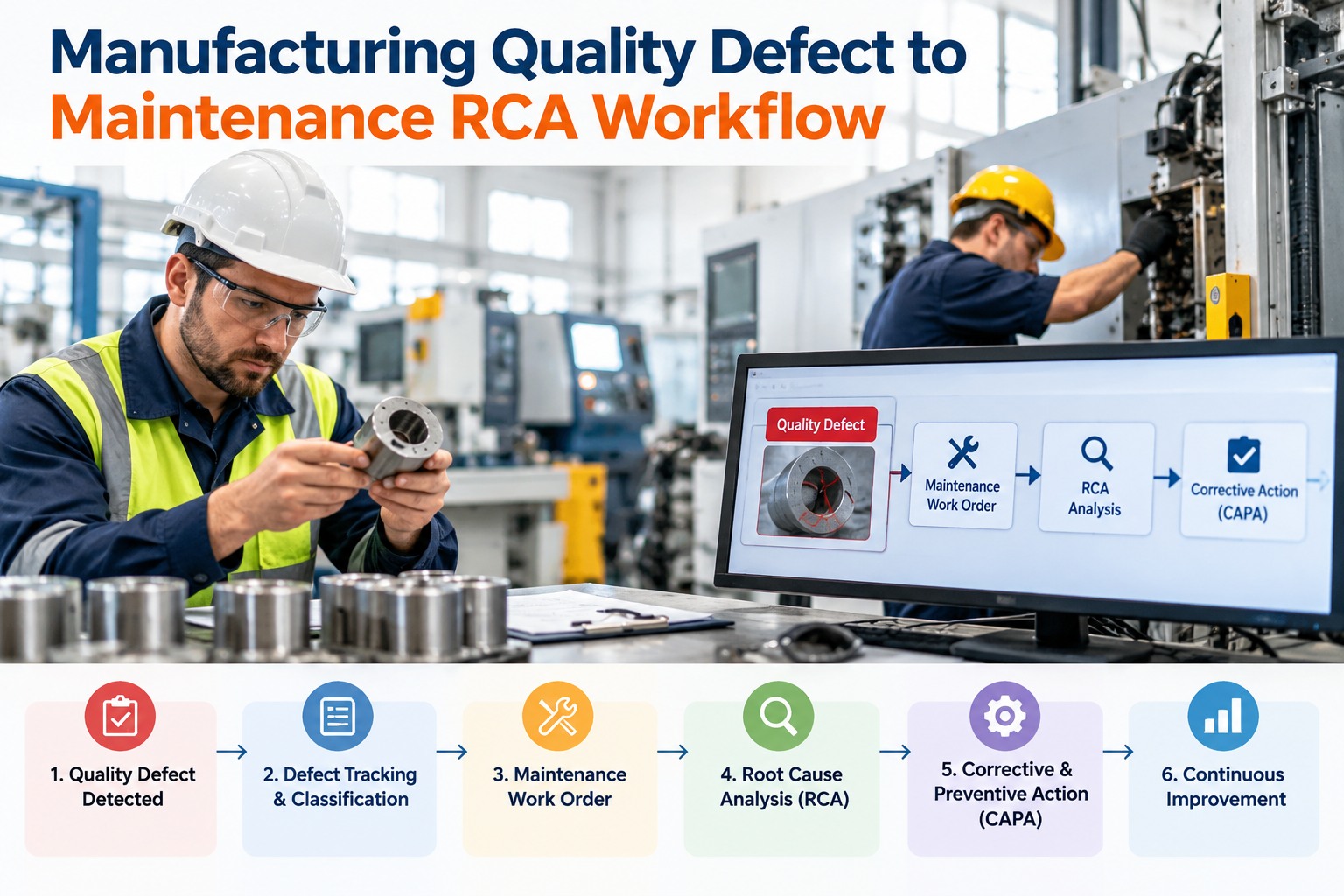
A quality check flags a worn guide rail. A line inspection catches a guard working loose. A QC audit logs a drifting torque reading. Every one is a problem found — and in too many plants, found is where it stops: the defect gets a note, the note gets filed, and the corrective work either happens late or not at all. An inspection that doesn't close a loop is just paperwork. OXMAINT AI is the AI-powered maintenance management software that carries a failed inspection all the way around — defect to priority to technician to corrective work order to verified close.
Manufacturing · Inspection to Work Order · Defect to Verified Close · Automated · 2026
Inspection to Work Order Automation for Manufacturing
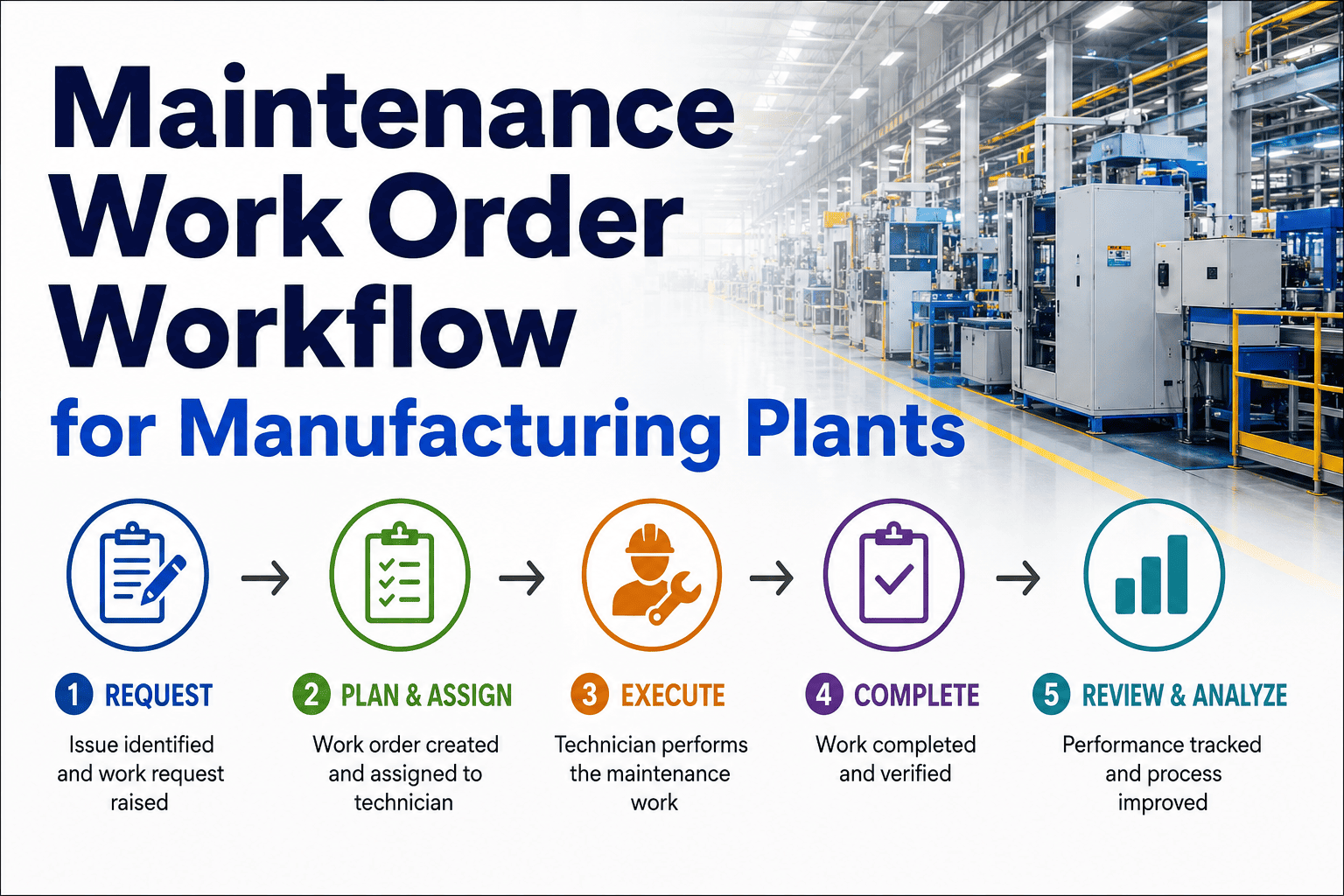
A found defect only matters if it's fixed and confirmed fixed. The OXMAINT AI maintenance management software turns a failed inspection into a prioritized corrective work order, routes it to the right technician, and holds it open until the repair is verified — closing the loop, not just opening a ticket.
1Inspect
2Report defect
3Prioritize
4Assign
5Corrective WO
6Verify & close
Closed
loop
6 stages
from a failed inspection to a verified close — one connected lifecycle
0 hand-offs
lost — the defect becomes the work order, nobody re-keys it
Verified
a corrective job stays open until the fix is confirmed, not just marked done
Full trail
inspection, defect, work order and verification tied as one record
The Open Loop That Costs You
The failure isn't finding defects — plants are good at that. It's what happens after: a finding that stalls between the inspection and the fix, or a fix nobody confirmed. These are the breaks in the loop; book a demo to close them in OXMAINT AI.
Found, then filed
A defect logged on a form that nobody turns into a job — the record exists, the repair never happens.
No priority
A critical defect and a cosmetic one sit in the same pile, so the urgent fix waits behind work that could.
Nobody owns it
A defect with no assigned technician is everyone's job and no one's — it drifts until something forces it.
Closed, not confirmed
A work order marked done with no check that the defect is actually gone — so it reopens on the next audit.
The Lifecycle, Stage by Stage
Automation here isn't one jump from inspection to work order — it's six stages that each carry the finding forward without losing it. The OXMAINT AI maintenance management software runs all six; start free and run a defect through the lifecycle in OXMAINT AI.
01
Inspect
An operator or QC inspector works a digital checklist on a device — process checks, line inspections, quality audits — entering readings and photos.
02
Report the defect
A failed check becomes a defect record carrying the asset, the reading against its limit, a photo and what was found — not a line on a sheet.
03
Prioritize
The defect is scored by severity and impact on the line, so a safety or quality risk outranks a cosmetic finding from the start.
04
Assign the technician
The corrective job routes to the right trade and the right shift automatically, so it has an owner the moment it exists.
05
Corrective work order
A work order opens with the defect, the evidence and a due date attached — the technician starts fixing, not re-diagnosing.
06
Verify & close
The repair is checked against the original defect and only then closed — the loop ends in confirmed, not just "marked done".
Opening a Ticket Isn't Closing a Loop.
Plenty of systems can raise a work order from an inspection. Far fewer hold it open until someone confirms the defect is actually gone. The OXMAINT AI maintenance management software runs the full lifecycle — defect to priority to technician to corrective work order to verified close.
What a Defect Report Has to Carry
A corrective work order is only as good as the defect behind it. "Line 3 issue" sends a tech to re-diagnose; a full defect report starts the fix on arrival. These are the fields that travel with it; book a demo to see a complete defect report in OXMAINT AI.
ASSET & LOCATION
The exact machine, line and position — so there's no hunting for which unit the defect means.
WHAT FAILED
The check that failed and the reading against its limit — evidence, not a vague description.
PHOTO
The image the inspector captured, so the technician sees the defect before walking out to it.
SEVERITY
A rank from the finding, so priority is set from the first second and the urgent ones surface.
CORRECTIVE ACTION
The recommended fix carried from the checklist — the defect arrives with its own next step.
DUE DATE
A deadline set from severity, so the corrective job has a clock the moment it's raised.
Priority Decides What Gets Fixed First
When several defects land at once, severity has to settle the order — not whoever shouted. Scored from the finding, it drives both the queue and the due date; start free and set your triage rules in OXMAINT AI.
CRITICAL
Safety or a quality escape at risk — a corrective work order raised and assigned at once, with the tightest due date.
MAJOR
A defect that will stop the line or scrap product if left — short clock, surfaced ahead of routine work.
MINOR
A developing issue inside a window — scheduled into planned work rather than left to grow into a stop.
COSMETIC
No line or quality impact — logged and batched, so it's handled without crowding out the urgent.
Verification: the Stage Most Systems Skip
The difference between a ticketing tool and a closed loop is this last stage. A corrective job isn't done when the wrench is down — it's done when the defect is confirmed gone against the finding that raised it. The OXMAINT AI maintenance management software won't close it before then; book a demo to see the verification step in OXMAINT AI.
A
Re-check against the defect
The repair is checked back against the original reading or finding — the same measure that failed has to pass.
→
B
Evidence on close
A photo or reading is captured on close-out, so the proof the defect is gone lives on the record.
→
C
Closed or reopened
Passes verification and it closes; fails and it reopens — so a defect never gets quietly signed off unfixed.
How OXMAINT AI Runs It
Six stages, one connected record — that's what makes the loop close instead of leak. Here's what the OXMAINT AI maintenance management software brings to the inspection-to-work-order lifecycle; start free and build your inspections in OXMAINT AI.
Digital inspections
QC audits, line checks and process rounds on a device, with limits per checkpoint so a failure flags itself.
Defect reporting
A failed check becomes a defect carrying asset, reading, photo, severity and recommended action — fully formed.
Priority & triage
Severity scored from the finding sets the queue and the due date, so the critical defect leads, not the loudest.
Technician assignment
The corrective job routes to the right trade and shift the moment it's raised, so it always has an owner.
Corrective work orders
A ranked work order opens with the defect, evidence and due date attached — no re-keying, no lost context.
Verification & records
A job closes only when the fix is confirmed, with inspection, defect, work order and proof tied as one trail.
“
Our QC team was finding plenty — the problem was everything after the finding. Defects lived on forms, half became jobs, and nobody checked the fix actually held, so the same faults came back at the next audit. Running the whole loop in one place, with the job held open until verification passed, is what stopped the repeats. Reopened defects are the number that fell the most for us.
Quality & Maintenance Manager · Industrial Components Manufacturer
Frequently Asked Questions
What is inspection-to-work-order automation?
It's carrying a failed inspection automatically through its whole lifecycle — defect report, priority, technician assignment, corrective work order and verified close — instead of a finding that has to be noticed and re-entered by hand.
Start free and close the loop.
How is this different from just raising a work order?
Raising a ticket is one step; closing a loop is six. The difference is priority, ownership and — above all — verification: the corrective job stays open until the defect is confirmed gone, so it doesn't reopen at the next audit.
What does the verification stage actually do?
It re-checks the repair against the original defect — the same reading or finding that failed has to pass — and captures proof on close-out. Pass and it closes; fail and it reopens, so nothing is signed off unfixed.
Book a demo to see it.
Does every failed inspection become a corrective work order?
Only the ones that fail a checkpoint. In-spec results are logged for the record and the trend; a corrective work order is raised when a reading is out of limit or a check fails — so the team gets real defects, not noise.
Will it fit our existing QC and maintenance process?
Yes — you digitise the inspections you already run, and the automation adds the defect-to-verified-close lifecycle on top. You keep what your inspectors check; you gain the hand-off and the proof the loop closed.
Close Every Loop, Not Just Open a Ticket.
Run the full lifecycle with the OXMAINT AI maintenance management software — digital inspections that report their own defects, priority and technician set automatically, a corrective work order with the evidence attached, and a verified close that keeps the job open until the defect is confirmed gone. No finding filed and forgotten again.