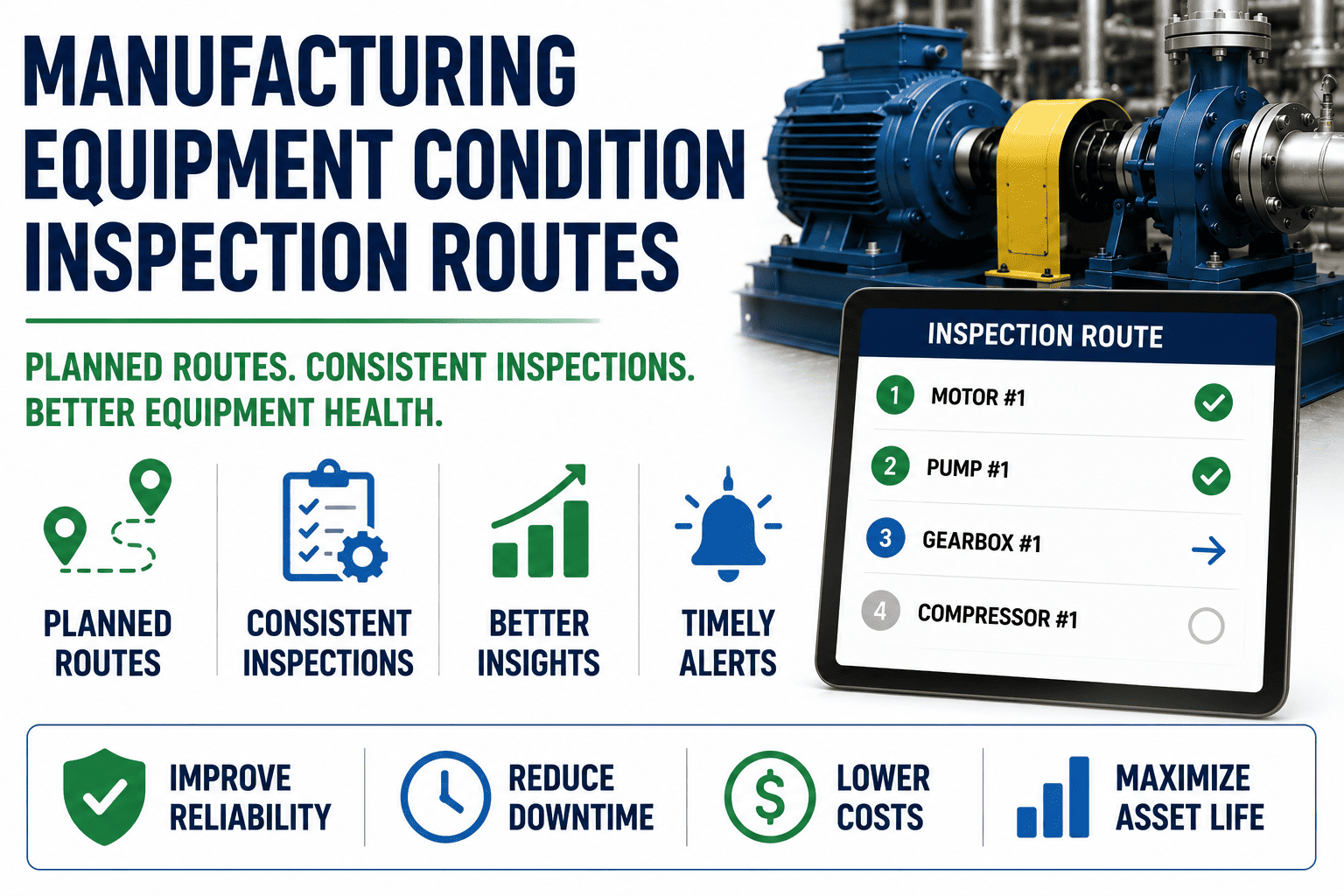
Condition inspection routes remain the single highest-return predictive maintenance activity any manufacturing plant can run — a disciplined operator walkdown routinely catches bearing noise, oil leaks, and thermal anomalies weeks before SCADA alarms or vibration transducers trigger. Done right, a 30-minute route across 40–60 assets costs almost nothing in tooling yet prevents the $15K–$80K unplanned downtime events that erode OEE and inflate maintenance backlog. The lever is not the walking — it is the route design, the abnormality coding, and the digital CMMS workflow that converts each finding into a tracked work order within minutes. This guide breaks down how to build, digitize, and optimize equipment condition inspection routes inside a CMMS so the data actually becomes scheduled work. Start Free Trial to put the workflow live this week.
Can one operator walkdown replace a month of instrumentation?
Yes — when the route is engineered. A structured condition inspection route across 40+ assets catches 60–70% of emerging failures before sensors do, at a fraction of the cost of continuous monitoring.
The economics of operator-led condition inspection
A vibration sensor on a single critical pump can cost $4K–$12K installed, plus a recurring analytics subscription. A trained operator running a coded route across 40 assets costs roughly $18–$25 per walkdown in labor — and catches the failures instrumentation misses: oil drips, unusual heat near seals, missing guards, abnormal smells, and the early acoustic signatures of bearing distress.
A 180-asset food packaging plant spending $42K/yr on unplanned bearing failures deployed two daily inspection routes (morning + shift handover) covering 92 assets. Over 90 days, operators logged 134 abnormalities — 38 became scheduled work orders, 9 became weekend jobs, and catastrophic downtime events dropped from 4 per quarter to 1. Payback: under 11 weeks. The only investment was a CMMS mobile license and a one-day route-design workshop.
Four pillars of a high-yield inspection route
Every route that consistently produces work orders shares the same architecture: the right assets, the right inspection tasks, mobile CMMS delivery, and a closed-loop escalation path. Skip one pillar and the route quietly degrades into a clipboard form nobody reads.
Asset selection & criticality
Rank assets by criticality score (production impact × failure frequency × spare lead time). The first routes should cover the top 20% of assets — typically 30–60 machines — where 80% of downtime risk lives. Avoid the temptation to inspect everything; fat routes produce fatigue, skipped tasks, and noise.
Inspection task library
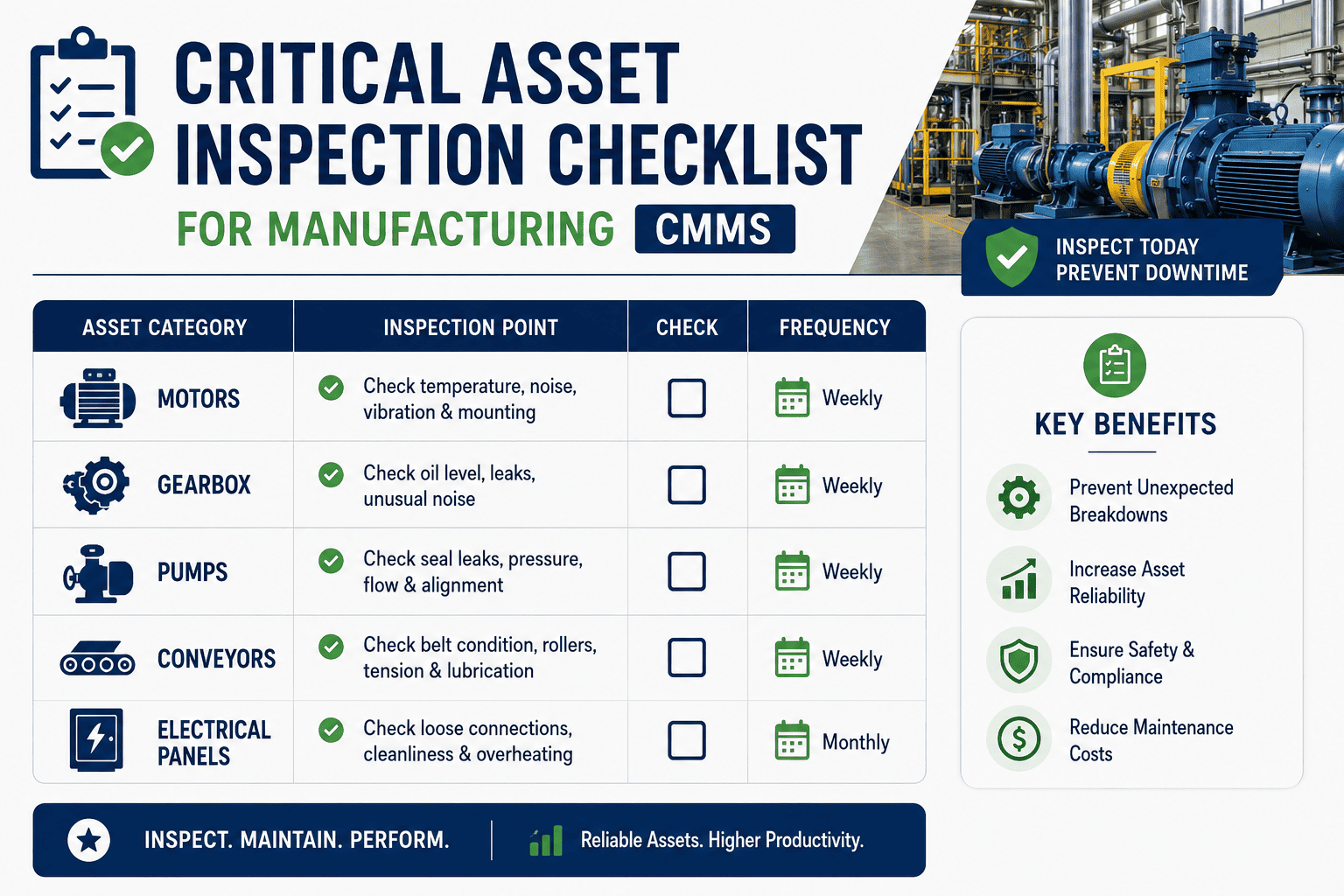
Each asset gets 4–8 coded tasks: visual (leak, level, guard), sensory (sound, temperature, vibration feel), metered (pressure, flow, amps), and safety (e-stops, lockout tags). Tasks must have measurable or binary pass criteria — not "check motor" but "motor frame temp < 70°C, no oil seepage at seals."
Mobile CMMS delivery
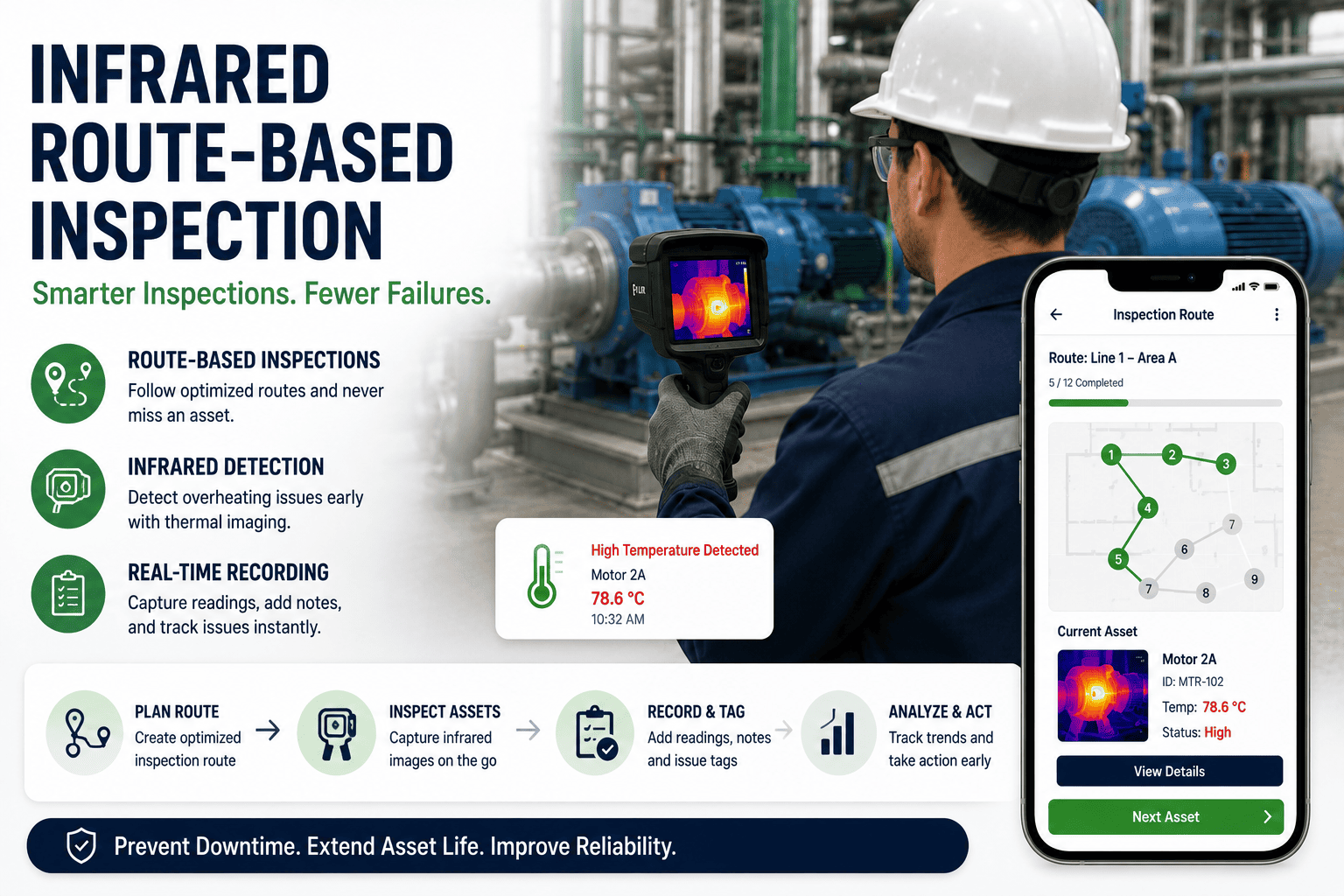
Routes live on a phone or tablet. The CMMS pushes the ordered asset list, geo-sorted to minimize walking. Each asset card shows last reading, trend arrow, and the abnormality code set. The operator taps pass, taps a code, or types a number — under 15 seconds per asset. No paper, no transcription.
Findings → work orders
A coded abnormality triggers the CMMS rules engine: low-severity findings become planned backlog; medium becomes a scheduled work order for the next maintenance window; critical escalates immediately with SMS/push to the maintenance lead. The loop closes when the work order is completed and the asset returns to green on the next route.
What to inspect — and how to code it
A common failure mode is vague tasks. "Check pump" produces no actionable data. Below is a coded task library mapped to the four inspection modalities, with the abnormality codes that turn a finding into a typed, routed work order.
Visual inspection
- Oil level in sight glass — V-LEAK
- Guard integrity & bolt torque — V-GRD
- Belt tension & alignment — V-BLT
- Cable condition at termination — V-CBL
- Foundation grout & anchor bolts — V-FND
Sensory inspection
- Bearing sound (stethoscope) — S-NDG
- Frame temp by touch (5s rule) — S-HOT
- Vibration feel at housing — S-VIB
- Unusual odor (electrical, oil) — S-ODR
- Smoke or sparking — S-SMK
Metered inspection
- Discharge pressure (psi/bar) — M-PRS
- Motor amperage vs FLA — M-AMP
- Bearing temp (IR gun, °C) — M-TEM
- Flow rate vs baseline — M-FLW
- Oil pressure & delta-P filter — M-OIL
Safety & compliance
- E-stop function test — F-EST
- LOTO tags present & legible — F-LOTO
- PSV/relief valve seal intact — F-PSV
- Fire extinguisher gauge green — F-FIRE
- Area housekeeping & egress — F-HSE
Abnormality codes — the bridge from finding to work order
The abnormality code is the most under-engineered element of route inspection. A well-designed code set has 3 severity tiers, maps directly to CMMS priority, and triggers automatic work-order creation. Below: the code-to-action mapping that closes the loop without a supervisor manually triaging every clipboard sheet.
| Severity | Code prefix | Example trigger | CMMS action | Target response |
|---|---|---|---|---|
| Low | V-, S-, M-, F- | Cosmetic leak, minor guard wear, filter delta-P trending up | Auto-create planned backlog WO, priority 4 | Scheduled in next maintenance window (≤14 days) |
| Medium | S-HOT, M-AMP, M-PRS | Frame temp 75–85°C, amps at 95% FLA, pressure 10% off baseline | Auto-create scheduled WO, priority 2, notify lead | Addressed within 72 hours or next shift |
| Critical | S-SMK, S-ODR, F-EST | Smoke, burning smell, e-stop failed test, major leak | Auto-escalate: SMS + push to maintenance lead & production supervisor | Immediate — operator holds asset, work order priority 1 |
| Repeat | Same code, 3rd occurrence | Same abnormality logged on same asset in 3 consecutive routes | Flag for RCFA, auto-convert to corrective WO with history attached | Engineering review within 7 days |
From paper to digital routes in 30 days
Plants that try to digitize all routes at once stall. The 30-day rollout below front-loads one pilot route, proves the loop closes, then scales. Each milestone has a concrete exit criterion — no moving to the next phase until the current one produces closed work orders.
Criticality & pilot scope
Score assets, pick one pilot route (20–30 assets, one shift). Train 3 operators on the CMMS mobile app. Exit: pilot route built in CMMS, offline mode tested.
Run pilot, tune codes
Run the pilot route daily for 5 days. Operators flag confusing tasks; maintenance lead reviews every abnormality. Exit: code set refined, ≥80% of findings convert to WOs cleanly.
Scale to 3–5 routes
Replicate the template across the next criticality tier. Add a second shift. Configure escalation rules in the CMMS. Exit: 80–120 assets under route, dashboard live.
KPI review & refine
Review: abnormalities per route, % converted to WOs, mean time to close, repeat-failure assets. Prune low-value tasks. Exit: documented monthly review cadence, route KPIs in plant scorecard.
Turn tomorrow's walkdown into today's work orders
Deploy coded inspection routes on mobile, auto-escalate findings, and watch unplanned downtime drop inside one quarter.
Condition inspection routes — the questions plants actually ask
How many assets should one inspection route cover?
A well-designed route covers 30–60 assets and completes in 25–40 minutes. Beyond 60 assets, operator attention drops and task-skipping begins. If you have 180 critical assets, run three routes — not one mega-route. Split by physical zone (pump alley, packaging line, utilities) so walking time stays under 30% of route duration. You can Book a Demo and we will map your first three routes live.
What abnormality codes should we start with?
Begin with 12–16 codes across four prefixes (V- visual, S- sensory, M- metered, F- functional/safety). Each code maps to one severity tier and one CMMS priority. Resist the urge to create 50 codes — operators will not remember them and will default to "other." Refine the set after two weeks of real route data, then add asset-specific codes only where repeat patterns justify them.
Do inspection routes replace vibration analysis and oil sampling?
No — they complement them. Routes catch the failures that instrumentation is blind to: leaks, guard damage, housekeeping, and the early sensory cues a trained operator notices. Vibration analysis and oil labs confirm and quantify what the route flags. Plants running both see 25–40% fewer unplanned events than plants running either alone, because the routes feed the predictive program with context.
How do we stop operators from pencil-whipping the route?
Pencil-whipping happens when tasks are vague, routes are too long, and there is no feedback loop. Fix all three: code every task with measurable criteria, cap routes at 60 assets, and — critically — close the loop by showing operators which of their findings became work orders. When an operator sees their V-LEAK finding became a $0 weekend seal replacement that prevented a $40K failure, the clipboard habit dies in a week. Start a Start Free Trial to see the closed-loop dashboard your operators will actually use.
What does a CMMS need to support route-based inspection?
Four capabilities are non-negotiable: (1) mobile offline-first route delivery with ordered asset lists, (2) a coded abnormality entry that takes under 15 seconds per asset, (3) a rules engine that auto-creates work orders from codes by severity, and (4) a trend dashboard showing repeat findings, route completion rate, and time-to-close. If your CMMS cannot do all four, the route data dies in a spreadsheet and the program quietly fails within six months.
Build your first inspection route this week
Mobile routes, coded abnormalities, auto work orders, and a dashboard your operators will actually open. Free 14-day trial · No credit card.
Free 14-day trial · No credit card