MQTT protocol has become the de facto messaging standard for manufacturing maintenance IIoT deployments because it is lightweight, bandwidth-efficient, and firewall-friendly — making it ideal for connecting thousands of sensors, PLCs, and assets to a CMMS. For maintenance and reliability teams, MQTT IIoT manufacturing means real-time visibility into equipment health without the overhead of proprietary SCADA connectors or fragile polling scripts. This guide covers MQTT broker architecture, topic design for plant assets, QoS levels, TLS security, and how to bridge MQTT streams into CMMS work order triggers. Ready to turn live sensor data into automated maintenance? Start Free Trial and connect your first MQTT broker in minutes.
Is your CMMS still blind to live equipment data?
Most plants run reactive maintenance because sensor data never reaches the work-order system. MQTT protocol closes that gap — publishing asset health in real time so your CMMS triggers preventive and predictive actions before failure hits.
How MQTT broker architecture works in a manufacturing plant
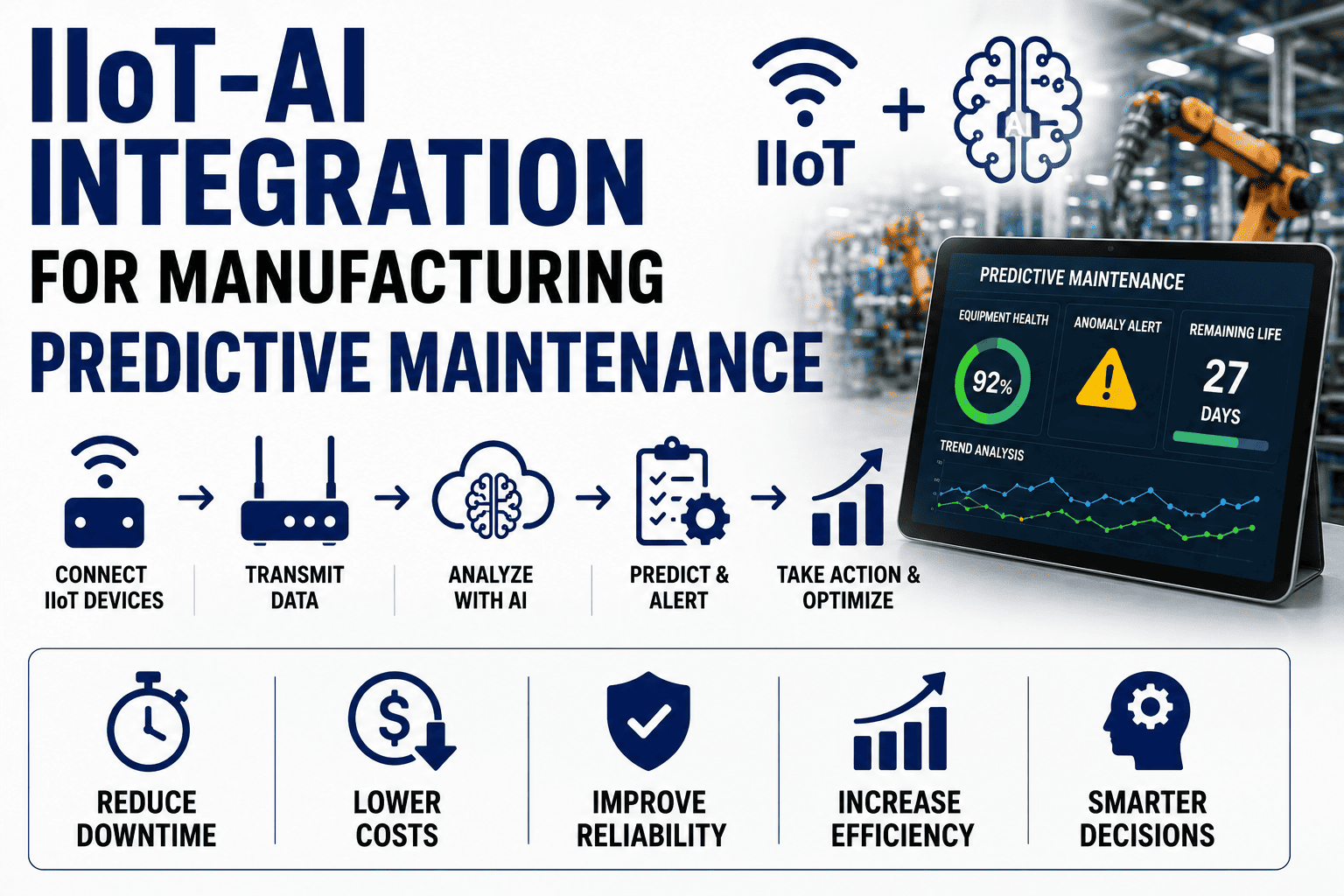
An MQTT manufacturing IoT stack is built on a publish-subscribe model: devices publish messages to a central broker, and subscribers — including your CMMS — receive only the topics they care about. No point-to-point wiring, no polling, no fragile IP hardcodes.
Edge devices publish
Vibration sensors, PLCs, and gateways publish telemetry — temperature, RPM, pressure, current draw — as small UTF-8 payloads (often under 2 KB) to the broker.
Broker routes by topic
The broker (Mosquitto, HiveMQ, EMQX, or a cloud bridge) authenticates publishers and subscribers, then routes each message to every subscriber of that topic hierarchy.
CMMS subscribes & acts
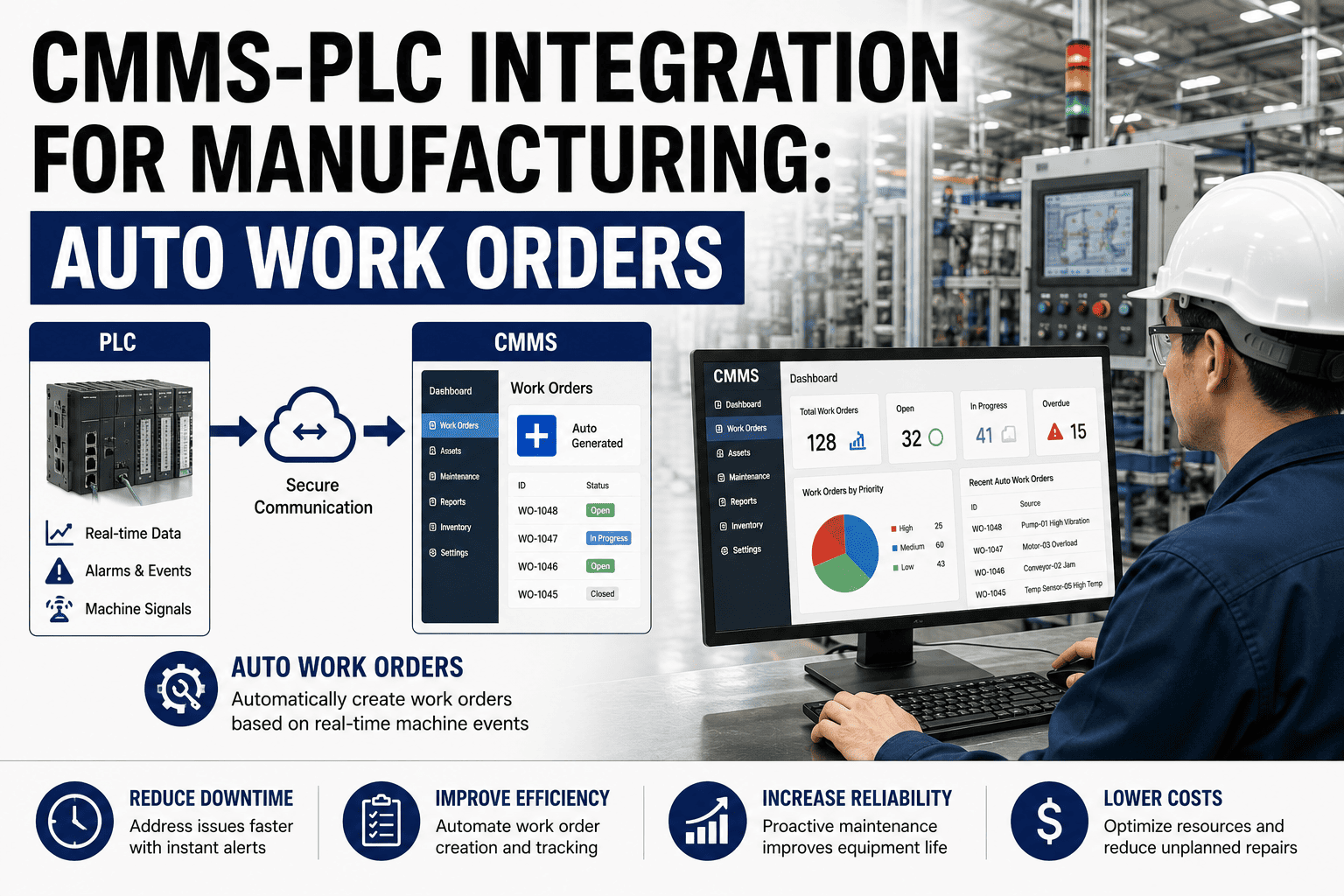
OxMaint subscribes to asset topics, evaluates thresholds and anomaly patterns, and auto-generates work orders when conditions breach predictive or preventive rules.
Technicians execute
Work orders land in the OxMaint mobile app with fault context, asset history, spare-parts availability, and priority — closing the loop from sensor to wrench.
MQTT topic structure for plant assets & equipment
A clean topic hierarchy is what makes MQTT plant maintenance scalable from 50 to 5,000 assets. Use a site/line/asset/metric pattern so your CMMS can subscribe with wildcards and auto-route messages to the right equipment record.
plant-A / line-3 / extruder-12 / vibration / rmsplant-A/line-3/+/vibration/#plant-A/+/+/alarm/+Best practice: Keep topic strings under 128 characters, avoid spaces and special characters, and never put volatile data (timestamps, raw values) in the topic itself — that belongs in the JSON payload. A well-structured topic lets OxMaint auto-map incoming MQTT streams to the correct asset record in your CMMS without manual configuration per sensor.
MQTT QoS levels explained for maintenance-critical data
Not every telemetry stream needs guaranteed delivery. Matching QoS to message criticality cuts broker load by 40–60% while ensuring safety-critical alarms never get lost — a balance that matters when you are scaling MQTT IIoT across hundreds of machines.
| QoS Level | Delivery Guarantee | Overhead | Best Use in Maintenance |
|---|---|---|---|
| QoS 0 — At most once | Fire and forget, no ACK | Lowest (1 packet) | Routine temperature/humidity sampling every 60 s |
| QoS 1 — At least once | Guaranteed, may duplicate | Medium (4 packets) | Vibration RMS trends, energy consumption logs |
| QoS 2 — Exactly once | Guaranteed, no duplicates | Highest (6+ packets) | Critical alarms, safety interlocks, work-order triggers |
Use QoS 0 for 90% of telemetry, QoS 1 for trend data feeding predictive models, and QoS 2 only for alarm and trip events that must generate exactly one CMMS work order.
Set the retained flag on last-known-state topics (e.g. asset/+/status) so OxMaint instantly knows each asset's current condition on reconnect — no missed updates during network blips.
Securing MQTT in manufacturing: TLS, certificates & access control
A 2024 ICS-CERT analysis found that 68% of OT breaches exploited unencrypted protocols. MQTT is firewall-friendly, but only TLS 1.3 with mutual X.509 certificate authentication makes it safe enough for plant-floor maintenance data flowing into your CMMS.
TLS 1.3 encryption
Encrypt every payload in transit. Disable plain-text port 1883 on the plant network; expose only port 8883 with TLS. Modern brokers negotiate TLS 1.3 in a single round-trip.
X.509 client certs
Each gateway or sensor gets a unique certificate. Revoking a compromised device takes seconds — no password sprawl, no shared credentials across the plant floor.
Topic ACLs
Broker-side access control lists restrict which clients can publish vs. subscribe. OxMaint's subscriber cert only needs read access — even a compromised CMMS key cannot inject false commands.
Audit & logging
Log every connection, subscription, and disconnect event. Forward broker logs to OxMaint's analytics for compliance traceability under ISO 55000 and IEC 62443.
See OxMaint turn your MQTT streams into work orders
Book a 30-minute demo and we'll show your team exactly how MQTT sensor data becomes automated, priority-ranked maintenance in OxMaint — no rip-and-replace required.
How OxMaint CMMS MQTT integration drives measurable ROI
A 180-asset plant spending $42K/yr on unplanned downtime can cut that figure by 30–50% by piping MQTT telemetry directly into OxMaint. Here is what that integration delivers — each capability maps to a concrete maintenance outcome.
Automated work-order triggers
OxMaint subscribes to your MQTT alarm topics and auto-generates work orders with fault context, asset history, and priority — no manual data entry, no missed alerts.
Predictive maintenance engine
Vibration, temperature, and current MQTT feeds train OxMaint's AI models to flag bearing degradation and motor anomalies days before failure — shifting you from reactive to predictive.
Real-time asset health dashboard
Every MQTT-publishing asset shows live status, last-known-good reading, and trend charts inside OxMaint's asset registry — giving reliability engineers a single pane of glass.
Spare-parts auto-reservation
When MQTT triggers a work order, OxMaint checks BOM and inventory, reserves required spares, and alerts the storeroom — so parts are staged before the technician arrives.
180-asset extrusion plant: MQTT + OxMaint in 6 weeks
A mid-size plastics manufacturer deployed MQTT-enabled vibration and temperature sensors on 60 critical motors and gearboxes, publishing to a HiveMQ broker on-premise. OxMaint subscribed to plant/line/+/vibration/# and plant/line/+/temperature/#, auto-generating QoS-2 work orders when RMS vibration exceeded ISO 10816 thresholds. Result: 14 predictive work orders fired in the first 90 days, catching 3 bearing failures that would have cost an estimated $18K each in unplanned downtime. Payback on sensor + integration cost: under 5 months.
MQTT CMMS integration: a 5-step implementation timeline
Most plants go from zero MQTT to live CMMS triggers in 4–8 weeks. Here is the phased timeline OxMaint recommends for manufacturing maintenance teams.
Inventory critical assets & sensors
Identify the 20% of assets causing 80% of downtime. Map existing sensors, PLCs, and gateways that can publish MQTT — or spec IIoT sensors for gaps.
Deploy broker & topic schema
Stand up an on-premise or cloud broker (Mosquitto, HiveMQ, EMQX). Define your topic hierarchy and configure TLS 1.3 with X.509 client certificates.
Connect OxMaint CMMS subscriber
Configure OxMaint to subscribe to asset topics using wildcards. Auto-map incoming streams to asset records and verify data flow on the live dashboard.
Define trigger rules & thresholds
Set preventive thresholds (ISO 10816 vibration, temperature limits) and enable OxMaint's predictive AI on trend data. Configure auto work-order templates per fault type.
Pilot, validate & scale
Run a 2-week pilot on one production line. Validate that MQTT-triggered work orders fire correctly and technicians close them efficiently. Roll out plant-wide.
MQTT manufacturing maintenance: frequently asked questions
What is MQTT and why is it used in manufacturing maintenance?
MQTT is a lightweight publish-subscribe messaging protocol designed for constrained devices and unreliable networks. In manufacturing maintenance, it lets sensors, PLCs, and gateways publish equipment telemetry to a broker, which a CMMS like OxMaint subscribes to — enabling real-time asset monitoring and automated work-order triggers without heavy polling or proprietary connectors.
How does MQTT integrate with a CMMS?
The CMMS acts as an MQTT subscriber, listening to asset topic hierarchies (e.g. plant/line/asset/metric). When a payload breaches a threshold or an alarm topic fires, the CMMS auto-generates a work order with fault context, asset history, and priority. OxMaint supports native MQTT subscriber configuration — see it live by booking a 30-min demo.
Which MQTT QoS level should I use for maintenance data?
Use QoS 0 for routine telemetry (temperature samples every 60 s), QoS 1 for trend data feeding predictive models (vibration RMS, energy logs), and QoS 2 for critical alarms and safety events that must generate exactly one CMMS work order with no duplicates. Most plants run 90% of traffic at QoS 0 to minimize broker load.
Is MQTT secure enough for plant-floor IIoT?
Yes — when configured with TLS 1.3 encryption, mutual X.509 client certificates, and broker-side topic ACLs. Disable plain-text port 1883, expose only port 8883, and issue unique certificates per device so compromised sensors can be revoked instantly. This meets IEC 62443 and ISO 55000 compliance requirements.
Can I use MQTT with my existing PLCs and sensors?
Most modern PLCs (Siemens S7-1500, Allen-Bradley CompactLogix) and IIoT gateways (Moxa, Teltonika, Opto22) support MQTT natively or via a lightweight edge client. For legacy equipment without MQTT support, an OPC-UA-to-MQTT gateway or a protocol converter bridges Modbus, Profinet, or serial data into MQTT topics that OxMaint can subscribe to.
Turn MQTT telemetry into maintenance action today
OxMaint connects to your MQTT broker in minutes and starts generating work orders from live asset data. See it on your equipment — book a 30-minute demo, or start a free trial now.
Free 14-day trial · No credit card