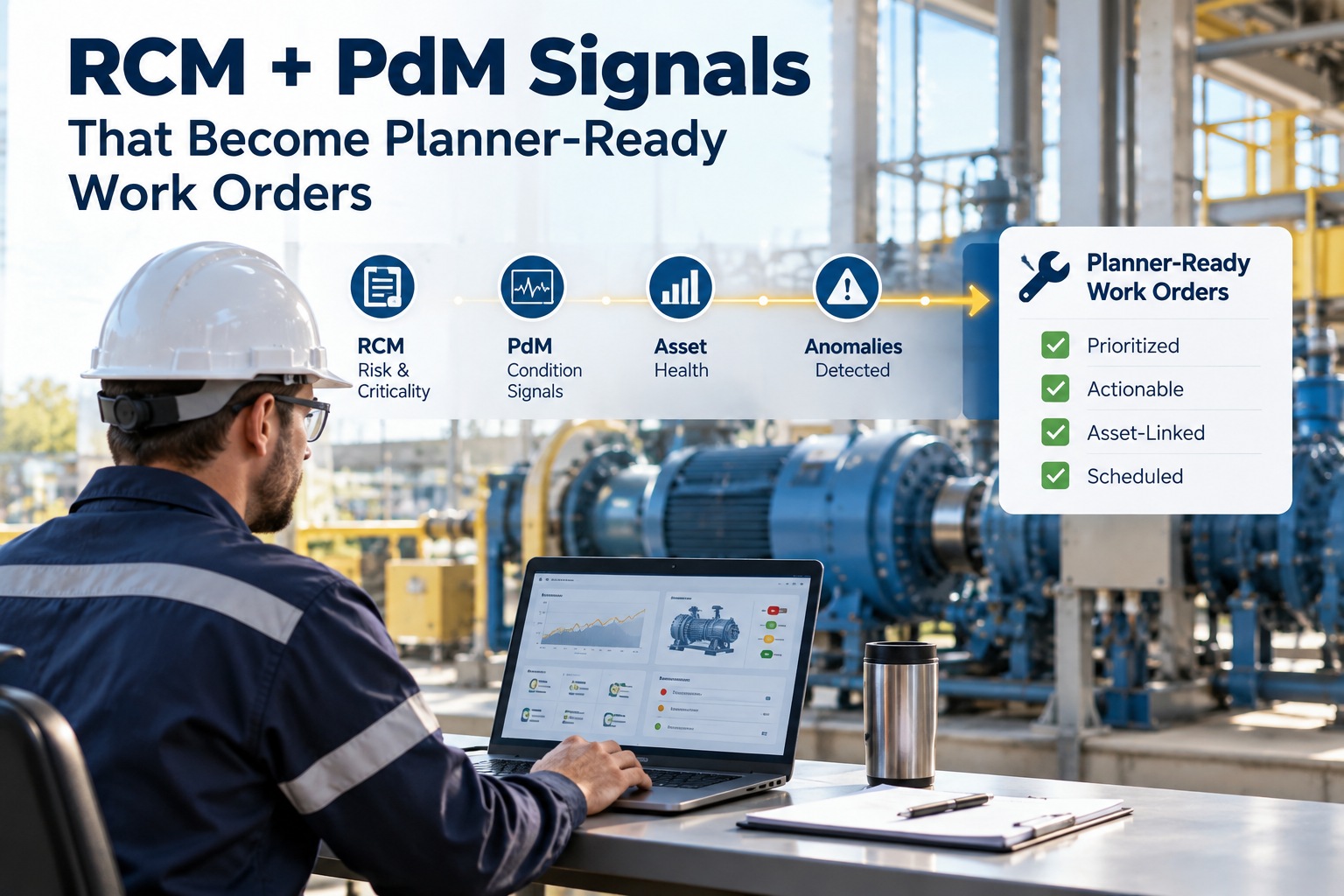
Planners lose 4–6 hours every week re-keying PdM alerts that never reach Maximo or SAP. That lost time is often the difference between catching a failure early and running emergency overtime. It's Monday morning: the planner opens Maximo to a week of scheduled work while PdM inboxes overflow with sensor alerts that lack the fields needed to become actionable work — so most signals stall in a triage queue and never get scheduled. This guide shows how Oxmaint AI overlays Maximo and SAP to turn RCM + PdM signals into planner-ready work orders with no re-keying, and how a 30-minute demo walks the whole loop live on your assets.
Reliability · RCM + PdM · Maximo & SAP Integration · 2026
RCM + PdM Signals That Become Planner-Ready Work Orders in Maximo and SAP — Without Re-Keying
Detect → Diagnose → Prioritize → Dispatch. Oxmaint AI overlays Maximo/SAP to turn signals into fully-populated, planner-ready work orders — no re-keying. Planner review + one-click push preserves your numbering, approvals and security.
4–6 hrs
planner time lost per week to re-keying
4-Step
Detect → Diagnose → Prioritize → Dispatch
Overlay
no EAM rip-and-replace, no master-data migration
Weeks
typical pilot delivers measurable value
Why RCM + PdM Signals Rarely Become Schedulable Work
PdM platforms, handheld inspections, and spreadsheets generate useful detection data — but not the planner metadata Maximo or SAP require. Without the right fields, EAMs will stall or reject WOs — and condition-based opportunities are lost. Sign up to start exploring Oxmaint AI.
Common Failure Modes
Why Signals Stall
✕ Re-keying overhead — planners recreate WOs manually, introducing delays and errors
✕ Alert fatigue — high volumes of low-context signals hide true failures
✕ Missing planner metadata — asset hierarchy, trade/skill, parts, estimated hours, outage windows absent from most alerts
✕ Functional failure ≠ action — RCM identifies failure modes and PdM detects evidence, but without translation into backlog-ready WOs, signals never get scheduled
✕ Inefficient scheduling — planners spend time filling forms instead of optimizing crews, batching, and outage coordination
Oxmaint AI Overlay
Signal → Planner-Ready WO
✓ Detect → Diagnose → Prioritize → Dispatch chain, planner-in-loop
✓ Unified asset timeline aligns PdM events, inspections, RCM failure modes & WOs
✓ Signal → Confidence scores with transparent reasoning
✓ Suggested WO drafts with planner fields pre-filled
✓ One-click push into Maximo or SAP — numbering, approvals & signatures preserved
Detect → Diagnose → Prioritize → Dispatch: The Planner-Ready Decision Chain
Planners already think in these four steps. Oxmaint AI operationalizes the same reasoning so Suggested WOs are planner-ready. Book a tailored 30-minute demo to walk the chain live.
Step 1
Detect
Ingest PdM alerts, inspection findings, and RCM definitions into an asset overlay. Oxmaint normalizes timestamps, sensor channels, and notes so events align on a single timeline — vibration, temperature, ultrasound, thermal, inspections.
Step 2
Diagnose
Map technical signals to RCM functional failures using signature matching and historical WOs. Oxmaint surfaces supporting evidence — past corrective actions, FMEA entries, and similar incidents — so reviewers see why the diagnosis was suggested.
Step 3
Prioritize
Compute Signal → Confidence: a transparent score blending signal strength, recurrence, asset criticality, production impact, and RCM severity. Oxmaint proposes priority and a planned start window — now, next routine, or next shutdown.
Step 4
Dispatch
Auto-populate a Suggested WO draft with all planner-required fields mapped to your Maximo/SAP configuration. Reliability engineers or planners review, refine, and with one click push the approved WO into Maximo or SAP.
What a Planner-Ready Work Order Actually Needs (Maximo/SAP)
A Suggested WO must be schedulable and approvable in your EAM. If these aren't filled, Maximo and SAP workflows break or require manual fixes. Sign up to start exploring Oxmaint AI.
01
Asset ID / full hierarchy path (site → unit → subsystem → asset)
02
Functional failure classification / failure mode (RCM tag)
03
Priority and planned start window tied to asset criticality and production constraints
04
Trade/skill codes and estimated craft hours
05
Parts list with part numbers and suggested quantities linked to inventory
06
Safety / permit flags (LOTO, confined space)
07
Estimated downtime and preferred outage windows
08
Required tools/equipment and vendor contacts if external support needed
09
Suggested labor plan and routing codes aligned with your ERP/EAM
10
Source evidence: PdM snapshots, timestamps, inspection notes, RCM rationale
Oxmaint AI Overlays — Does Not Replace — Your EAM.
Oxmaint AI reads RCM logic, PdM feeds, and your EAM configuration, then writes back only approved WOs via secure APIs. No master-data migration, no EAM rip-and-replace — your approval flows, numbering, and security remain intact.
Planner Workflow: From Alert to Scheduled Job (Motor A Example)
Here is the 4-step chain walked end-to-end on a single asset — a vibration alert on Motor A becomes a Suggested WO with parts, hours, safety flags and window, pushed into Maximo with attachments intact. No re-keying. Sign up to start exploring Oxmaint AI.
Suggested WO · Motor A · Draft · Oxmaint AI → Maximo
Detect
Vibration alert on Motor A + inspection note · timeline aligned with RCM "bearing wear"
Diagnose
Pattern matches past bearing failures · FMEA entry + WO from 6 months ago linked
Prioritize
Plan repair within two weeks · Confidence 82% (illustrative)
TRADE Mechanical
HOURS Craft hours = 8
PARTS Bearing kit PN-12345 × 1
DISPATCH Planner tweaks labor, one-click push into Maximo — attachments intact
How Oxmaint AI Overlays Maximo and SAP
Oxmaint AI overlays — does not replace — your EAM. It reads RCM logic, PdM feeds, and your EAM configuration, then writes back only approved WOs. Here are the key overlay elements. Book a demo to see the overlay on your Maximo or SAP configuration.
Unified Timeline
An asset-centric view aligns PdM signals, inspection events, RCM failure definitions, and historical WOs so cause and effect are visible.
Signal → Confidence Panel
Every alert shows a score and an explanation — which metrics drove the score (RMS trend, spikes, signature match) and what evidence is missing. Written for planners and reliability engineers.
Suggested WO Drafting
Drafts are EAM-aware and mapped to your master data: trade codes, routing, part numbers, safety flags, and downtime estimates. Attachments (PdM snapshots, inspection notes, RCM references) travel with the draft.
Planner-in-Loop Approval
Planners edit and approve drafts. Oxmaint pushes approved WOs into Maximo/SAP via secure APIs while preserving your workflows and numbering. No master-data migration, no EAM rip-and-replace.
Continuous Improvement
Executed WO outcomes (hours, parts, corrections) feed back into Oxmaint to refine Signal → Confidence and parts suggestions, reducing false positives over time.
Secure Overlay APIs
Connections use secure API authentication and encryption. Oxmaint respects your on-prem/cloud controls and limits access to granted scopes; deployments follow your compliance requirements.
What You Will See in a 30-Minute Demo
In 30 minutes we will walk the whole chain on a sample asset — timeline, Signal → Confidence, Suggested WO, and a live push into Maximo or SAP. Book a tailored 30-minute demo now.
Sample Asset Timeline
Connect a sample asset timeline and show how PdM events align with RCM failure modes.
Signal → Confidence Panel
Demonstrate the panel and explain how the score is derived and improved with feedback.
Suggested WO Draft
Walk through a Suggested WO draft populated with Maximo/SAP-specific fields and linked evidence.
Live Push (Demo)
Approve a WO and push it into Maximo or SAP to illustrate zero re-keying and preserved approval flows.
What You'll See After the Demo
You'll leave with a live view of an asset timeline, a PdM alert mapped to an RCM failure mode, the Signal → Confidence explanation, and a Suggested WO draft populated with Maximo/SAP planner fields — all pushed (demo) into your EAM without manual re-entry. You'll also get a pilot plan showing next steps and success checkpoints. Sign up to start exploring Oxmaint AI.
"
Converting RCM and PdM signals into planner-ready work orders in Maximo and SAP doesn't require ripping out your EAM. Oxmaint AI overlays your systems to detect signals, diagnose against RCM failure modes, prioritize with a transparent Signal → Confidence score, and dispatch Suggested WOs that planners can approve and push into your System of Record — no re-keying, no disruption.
Oxmaint AI Content Desk
Frequently Asked Questions
Will Oxmaint AI disrupt current Maximo/SAP workflows or require an overhaul?
No. Oxmaint is an overlay that reads your EAM config and writes approved WOs via secure APIs. Your approval flows, numbering, and security remain intact.
How does Oxmaint AI handle data privacy and security with sensitive asset information?
Connections use secure API authentication and encryption. Oxmaint respects your on-prem/cloud controls and limits access to granted scopes; deployments follow your compliance requirements.
Can Oxmaint AI adapt to custom work order fields and site-specific approval processes?
Yes. Oxmaint maps to your existing fields, business rules, trade codes, and part master. Suggested WO drafts reflect your site configurations.
What happens with ambiguous PdM signals that don't map to known failure modes?
Ambiguous signals are flagged for human review and not auto-created as high-risk WOs. Reliability engineers can validate and add new patterns when warranted.
How quickly can Oxmaint AI show value on real work order data?
Typical pilot overlays deliver measurable value in weeks. The demo will outline connection steps, sample timelines, and a validation plan.
Ready to See It on Your Assets?
Book a tailored 30-minute demo to walk through a live timeline, the Signal → Confidence reasoning, and a Suggested WO draft mapped to your Maximo or SAP configuration. Sign up to start exploring.