A technician walking into a steel plant bay to service a rolling mill drive motor used to start by finding the right logbook, deciphering handwritten entries from three shifts back, and calling the storeroom to check parts availability. That entire sequence now takes under 60 seconds with a QR code scan on a mobile CMMS. Steel plants running QR-based asset tracking report 2–3 hours of wrench time recovered per technician per day — time previously spent on paperwork, parts chasing, and verbal handoffs. Start a free trial on Oxmaint to see how QR asset tracking works with your existing equipment register, or book a demo and walk through a live steel plant asset scan in under 30 minutes.
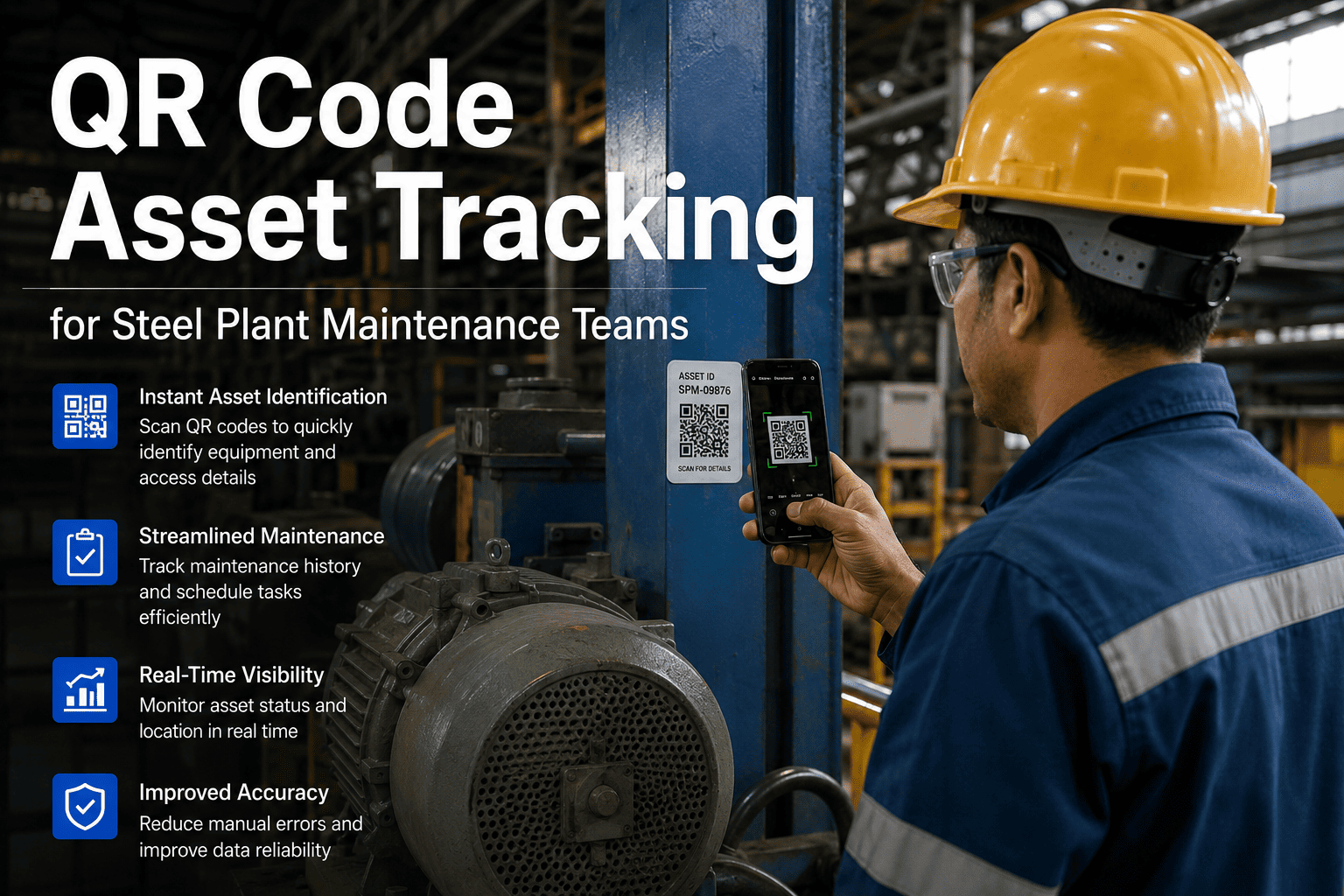
QR Code Asset Tracking for Steel Plant Maintenance Teams
How QR scanning replaces paperwork, speeds up inspections, and builds a complete digital maintenance trail for every asset on your plant floor — from blast furnace to conveyor belt.
The Problem QR Tracking Solves in Steel Plants
Steel plants have hundreds of assets spread across harsh, high-noise environments where paper records degrade, verbal handoffs fail, and technicians waste time on identification and history lookup before any repair begins.
In a rolling mill with 40+ similar motor units, technicians frequently service the wrong asset — logging work against the wrong record, breaking the maintenance history chain entirely. A QR scan makes misidentification structurally impossible.
Paper inspection forms get wet, torn, and lost in steel plant environments. Photos taken on personal phones never make it into maintenance records. QR-triggered mobile work orders capture photo evidence at point of service — attached to the asset record automatically.
Critical repair context — partially diagnosed faults, parts on order, SOP deviations — disappears at every shift change. Incoming crews restart from zero. QR scan shows every open work order, pending task, and recent maintenance event on that specific asset in real time.
Regulatory inspections require timestamped proof that scheduled maintenance was performed — not just that it was planned. Without digital completion records tied to the specific asset, documentation is assembled from memory and partial logs the week before an audit.
What Happens When a Technician Scans a QR Code on Oxmaint
The scan is not a lookup — it is the entry point to a complete maintenance workflow. Here is what the Oxmaint mobile app surfaces immediately after a scan on a steel plant asset.
Asset name, location, criticality rating, and equipment class — confirmed in one scan. No manual lookup, no radio call to the control room.
Every previous work order, repair, part replacement, and inspection is visible with timestamps and technician attribution — context the incoming technician needs before touching the equipment.
Any pending work orders against the asset — scheduled PM, corrective, or sensor-triggered — are displayed with SLA countdown timers so the technician knows urgency before beginning the task.
The relevant SOP, required tools, and parts checklist load automatically. Parts availability is pre-checked against inventory. No trip to the storeroom to discover a critical component is out of stock mid-repair.
The work order closes on mobile with mandatory photo capture, readings log, and digital sign-off. The compliance record generates instantly — no paperwork, no post-shift admin, no missing documentation.
Before vs After — QR Asset Tracking in a Steel Maintenance Team
| Maintenance Activity | Without QR Tracking | With Oxmaint QR Tracking |
|---|---|---|
| Asset identification on floor | 5–15 min (manual lookup or radio) | Under 5 seconds |
| Access to maintenance history | Return to office, find logbook | Instant on mobile at scan |
| Parts availability check | Call storeroom or walk in person | Auto-checked before dispatch |
| Inspection evidence capture | Paper form (often lost or damaged) | Photo + readings attached to asset |
| Shift handoff information | Verbal only — often incomplete | Full WO history on scan |
| Compliance record creation | Manual assembly — days per audit | Auto-generated on WO closure |
| Work order closure time | 30–60 min post-shift admin | Under 3 min on mobile at asset |
QR Tag Deployment — Which Assets to Tag First in a Steel Plant
Not all assets need QR tags on day one. Start where the ROI on faster identification and digital history capture is highest — then roll out progressively.
Frequently Asked Questions
Give Every Asset on Your Plant Floor a Digital Identity — in Under a Week
Oxmaint generates QR tags from your existing asset register, deploys mobile work orders to your technicians' phones, and builds the maintenance history that compliance audits and reliability programs require — all in one platform.