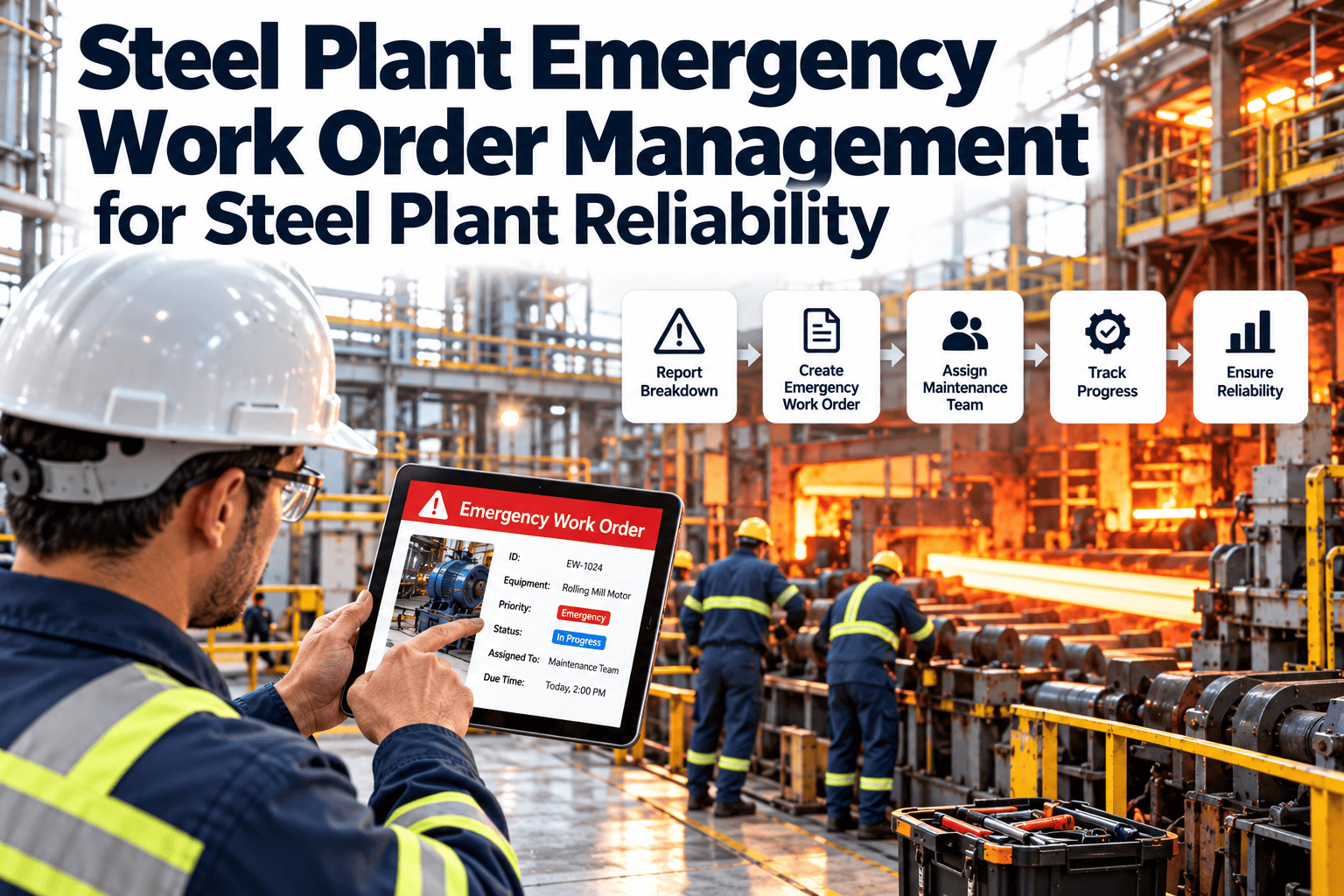
When a ladle crane hoist trips mid-pour or a caster drive stops without warning, the next few minutes decide how much production is lost. Emergency maintenance in a steel plant needs more than fast technicians. It needs clear priority rules, a known escalation path, safe permits, available parts and a record that explains the failure afterward. This guide covers how to control emergency repairs from the first call to the post-failure review, using Oxmaint maintenance management software to keep every step visible.
Steel Plant Emergency Work Order Management for Steel Plant Reliability
Replace radio calls and handwritten tickets with a controlled emergency workflow: defined priority rules, automatic escalation, safe permits, parts reservation and a failure record that prevents the repeat.
Why emergency repairs go wrong even with skilled people
Skill is rarely the issue. Emergency repairs fail on coordination: who knows, who decides, who has the permit, and who has the part. Each gap adds delay to a stopped line.
Informal reporting
Radio calls and verbal requests leave no timestamp, no owner and no priority.
Subjective priority
The loudest request wins, so genuine plant-critical failures compete with nuisance calls.
Missing parts
Technicians discover the spare is not in stores only after isolating the equipment.
Permit delays
Lockout, hot work or confined space approvals start late and hold up a ready crew.
Shift handover loss
Repairs crossing a shift change lose context and sometimes restart from scratch.
No learning loop
Once running again, the cause goes unrecorded and the failure returns months later.
Classify by consequence, not by who is asking
Priority should come from a short set of questions about safety, production, quality and environment. Rules remove debate during a crisis and make the response repeatable across shifts.
Emergency
Safety hazard, environmental release or stop of a plant-critical asset with no standby. Immediate response and automatic escalation.
Urgent
Production reduced or at risk within the shift, or a critical asset running on its standby. Same-shift response.
Priority
Degraded equipment with workaround and no immediate output loss. Schedule within the coming days.
Routine
No safety or production effect. Plan into the normal schedule and backlog.
Response targets are set by each plant. The labels above are a starting structure, not a standard.
Five questions that classify a failure in under a minute
| Question | If yes | Effect on priority |
|---|---|---|
| Is anyone at risk or is there a fire, release or structural concern? | Stop work, secure the area, call emergency response | Immediate P1 |
| Has a plant-critical asset stopped with no standby? | Alert operations and area maintenance manager | P1 |
| Will output or quality be affected within this shift? | Assign a crew and reserve parts | P2 |
| Is a standby unit carrying the load? | Repair before the standby also fails | P2 or P3 |
| Can the repair wait for the next planned window? | Create a standard work order with a due date | P3 or P4 |
- Ask the same questions for every request so the classification does not depend on the person on shift.
- Build criticality into the asset record, because a P1 on a spare pump differs from a P1 on a main drive.
- Allow reclassification with a reason, and log who changed the priority and why.
Make escalation automatic so nobody has to decide to call
If an emergency order sits unacknowledged or unresolved past its target, the next person in the chain should be notified without anyone asking.
Shift technician
Acknowledges the order, confirms the failure and starts diagnosis.
Area supervisor
Notified if no acknowledgement or if more crew or skills are needed.
Maintenance manager
Informed when the repair exceeds its target or needs outside support.
Plant operations lead
Receives status for production planning, customer commitments and contingency routing.
Prepare standard responses for the failures you already know
Most emergencies repeat. Writing a short playbook for each recurring failure shortens diagnosis and shows what to stage in advance.
| Recurring scenario | First actions | Stage in advance |
|---|---|---|
| Crane hoist or travel fault | Secure the load and area, check brake and drive status | Brake parts, contactors, drive spares, inspection checklist |
| Main drive or motor trip | Isolate, check insulation and protection records | Spare motor location, coupling parts, electrician availability |
| Hydraulic pressure loss | Locate leak, protect from fire risk, check accumulator state | Hoses, seals, fittings, clean oil supply |
| Cooling water failure | Confirm flow and pressure, check pumps and valves | Pump spares, strainers, standby line procedure |
| Conveyor or chute blockage | Isolate, clear safely, inspect belt and liners | Splice kit, liners, access equipment |
| Gearbox noise or overheating | Check oil level and condition, reduce load if possible | Oil, sampling kit, bearing set, lifting plan |
- Attach each playbook to the relevant asset class so it appears when the order is created.
- Update playbooks after every serious event, using the closure record rather than memory.
- Keep playbooks short enough to be read at the machine on a phone.
One live view for maintenance, operations and management
When everyone looks at the same open emergency list, status meetings shrink and decisions speed up.
What the live list should show
- Open emergency orders by area and priority
- Elapsed time against response targets
- Assigned technician and current status
- Waiting reasons such as parts or permits
What management should review
- Emergencies per area and per asset class
- Repeat failures and their causes
- Overtime and contractor spend from breakdowns
- Prevention tasks created after each event
Practice the process before you need it
A workflow that has never been tested will fail under pressure. Short drills expose missing contacts, outdated permits and stock errors cheaply.
- Run a drill for one critical asset each quarter and time each step from report to dispatch.
- Check that on-call lists, skills and phone numbers in the system are current.
- Confirm emergency parts physically exist where the system says they do.
- Train operators to create clear requests with asset, symptom and photo, so triage starts with good information.
- Review drill findings with operations and fix the gaps they reveal.
Give every emergency a clock, an owner and a record
Configure priority rules, escalation paths and emergency work order templates once, then use them on every shift and every site.
Speed never replaces safe isolation
Emergency work is when shortcuts are most tempting and most dangerous. Build permits into the order so they are prepared in parallel, not discovered at the last moment.
Prepare in parallel
- Identify energy sources and isolation points from the asset record
- Request lockout and tryout authorization at dispatch
- Check whether hot work, confined space or work at height applies
- Confirm gas, dust and heat exposure for the location
Record before restart
- Permit numbers attached to the work order
- Names of authorized persons and verifiers
- Isolation removal and area clearance sign-off
- Operations acceptance before returning to service
Always follow your site procedures and applicable regulations. The software records and routes approvals, it does not replace them.
Know what you have and who can do the job before the crew arrives
| Preparation item | What to check | Why it matters |
|---|---|---|
| Critical spares | Stock location and quantity of linked parts | Avoids isolating equipment that cannot be repaired |
| Emergency kits | Preassembled parts and tools for known failure modes | Cuts travel and search time |
| Skills and certifications | Technician qualifications and availability | Sends the right trade and avoids a second callout |
| Contractor contacts | Approved vendors and response commitments | Speeds up repairs beyond in-house capability |
| Drawings and procedures | Manuals, torque values, previous repair notes | Reduces diagnosis time and rework |
- Link spares and procedures to each critical asset so the work order opens with the right information.
- Show available stock inside the order, so the crew sees shortages before leaving the workshop.
- Track minimum stock for parts that drive repeated emergencies and review it monthly.
Keep operations informed without interrupting the crew
Production planners need a status they can trust. Frequent calls to the repair crew slow them down, so give everyone one shared view of the order.
- Require a short status update at defined intervals for P1 and P2 orders.
- Capture an estimated restart time and revise it when the situation changes.
- Record delays by reason, such as waiting for parts, permit, access or contractor.
Emergencies do not respect shift changes
Verbal handover
- Details forgotten or distorted
- Incoming crew re-diagnoses the fault
- Duplicate orders for the same failure
- No visible history of attempted fixes
Order-based handover
- Notes, photos and findings stay on the order
- Incoming crew continues from the last step
- One order per failure, visible to all shifts
- Complete history of actions and parts used
The repair is not finished until the cause is recorded
An emergency that ends with the machine running teaches nothing. A short, enforced closure routine turns each failure into data that reduces the next one.
Code the failure
Select problem, cause and remedy codes so failures can be counted later.
Record time and cost
Log labor, parts, contractor spend and production downtime.
Attach evidence
Add photos, readings and removed-part findings for later analysis.
Review serious events
Run a structured root cause review for P1 events and repeat failures.
Create prevention work
Convert findings into preventive tasks, design changes or spare stock.
Indicators that show whether emergencies are under control
| Indicator | How to calculate it | What to look for |
|---|---|---|
| Acknowledgement time | Report to technician acceptance | Gaps by shift, area or time of day |
| Time to repair | Acceptance to return to service | Causes of delay, such as parts or permits |
| Emergency share of work | Emergency hours as a percentage of all maintenance hours | Downward trend as prevention improves |
| Repeat failures | Emergencies on the same asset within a defined period | Assets needing redesign or better preventive tasks |
| Closure quality | Orders closed with codes, evidence and cause | Discipline of the learning loop |
| Schedule disruption | Planned jobs displaced by emergencies | Hidden cost of reactive work on the plan |
Handle emergencies without destroying the weekly schedule
Every emergency steals capacity from planned work. Decide in advance which jobs can slip and which cannot, so the schedule bends instead of breaking.
- Reserve a share of crew capacity for breakdowns, based on your own history rather than a fixed rule.
- Rank planned jobs by criticality and deadline flexibility so displaced work is chosen deliberately.
- Flag any job deferred more than once for supervisor review before it becomes a new risk.
- Review the previous week's emergencies at the planning meeting and add prevention tasks where patterns appear.
How the emergency process runs inside Oxmaint
Fast request entry
Create orders from a phone or terminal, with asset, location, photo and symptom.
Priority and escalation
Apply your rules and notify the next level when targets are missed.
Asset history
See previous failures, repairs and linked spares before starting work.
Inventory and procurement
Check stock, reserve parts and flag shortages early.
Reports and dashboards
Track response times, repeat failures and the emergency share of work.
Preventive maintenance
Turn failure findings into recurring inspections and tasks.
Mistakes that keep plants stuck in firefighting
- Labeling too many requests as urgent, which makes the label meaningless.
- Letting emergency orders close without a cause code or any evidence.
- Keeping critical spares information in a storekeeper's memory instead of the asset record.
- Treating the repair crew as the only owner of the failure, with no review by operations or engineering.
- Skipping prevention tasks after an emergency because the line is running again.
Emergency records that satisfy auditors and investigators
Serious incidents attract questions from safety teams, insurers, customers and sometimes regulators. A complete emergency order answers them without a search through emails and notebooks.
Evidence worth keeping
- Timeline from report to return to service
- Permits, isolations and sign-offs
- Photos of failed parts before disposal
- Parts, labor and contractor records
Questions it should answer
- Was the failure predictable from earlier findings?
- Were procedures and approvals followed?
- What did the stop cost in time and money?
- Which action stops it happening again?
Emergency work order questions
What makes a work order an emergency?
Safety or environmental risk, or the stop of a critical asset with no standby. Define it in written rules.
How do we reduce unnecessary emergency calls?
Use the triage questions, require asset and symptom details, and review misclassified requests weekly.
Can escalation run automatically?
Yes, based on priority and elapsed time. Book a demo to see how it is configured.
What should be recorded on closure?
Failure codes, labor, parts, downtime, photos and any follow-up prevention work.
How do we begin?
Start with your most critical area and its emergency rules. Create your account to build the workflow.
Be ready before the next unplanned stop arrives
Bring priority rules, escalation, permits, parts and failure records into one emergency workflow so every shift responds the same way and every repair leaves behind useful data.