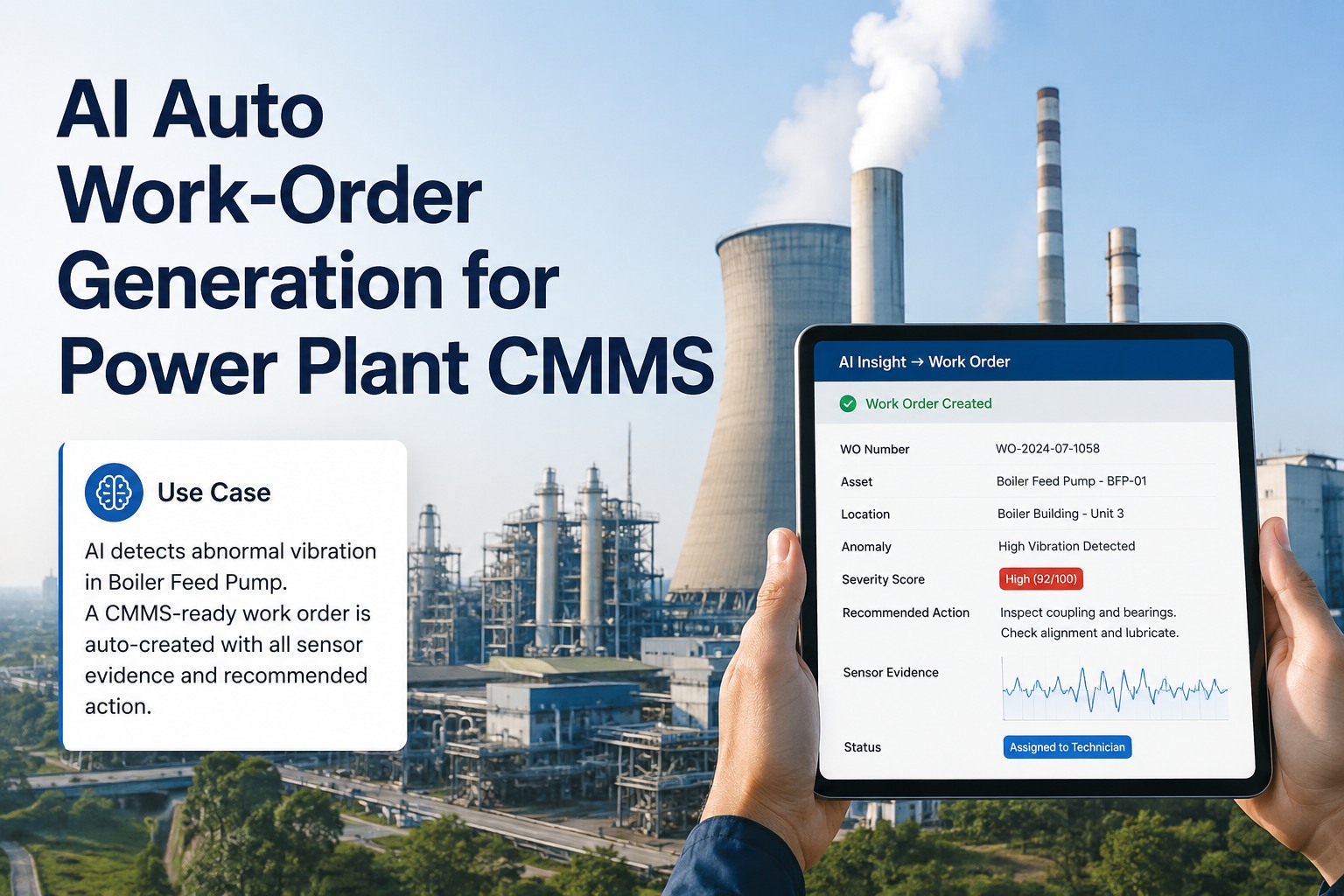
Induced Draft Fan AI Monitoring: Prevent ID Fan Trips
By Riley Quinn on May 8, 2026
Three big fans keep your power plant running. The Forced Draft fan pushes fresh air into the boiler. The Primary Air fan blows pulverized coal into the furnace. The Induced Draft fan pulls flue gas out the back. If any one of them trips, the whole unit goes offline within minutes — and you're staring at $200,000+ in lost generation before you even start the repair. The problem: most fan failures announce themselves weeks in advance through tiny changes nobody notices. A 14-amp jump on the ID fan motor that points to air heater leakage. A 0.2 mil rise in vibration that signals fly ash building on the blades. A bearing temperature creeping 3°C higher that means the lubricant is breaking down. The Fan Health Agent watches all three fans together, catches these early signs, and opens an inspection ticket two to four weeks before any of them trip. Register for the event to watch the agent flag a real fan fault on live plant data.
MAY 12, 2026 5:30 PM EST , Orlando
Upcoming OxMaint AI Live Webinar — Fan Health Agent Live Demo
Live session for maintenance engineers, plant operations heads, performance engineers, and reliability leads evaluating on-prem fan AI. The Fan Health Agent will be running on real plant data, watching all three fans — ID, FD, and PA — at the same time. Walk up, type any "what's wrong with my fan" question, and watch the system flag the fault, point to the cause, and recommend the fix. No slides. Hands-on time on the actual hardware. Walk out with a quote and an order date. Pilot to fully running in 6 to 12 weeks.
The On-Prem Server Stack — Built to Watch All Three Fans Together
Watching one fan is easy. Watching all three at the same time and knowing when they're talking to each other — that takes real horsepower. Three pieces of hardware sit inside your control room and never connect to the internet. Together they catch fan trouble weeks before it becomes a trip. Register for the event to see the full setup running live.
AT THE FAN HOUSE
NVIDIA Jetson AGX Orin The Listener
JobReads vibration, temperature, current from all 3 fans
SpeedListens 24/7, never blinks
WhereMounts at the fan house, near the existing sensors
FormSmall box, plugs into existing systems
What it does: Captures every wiggle and tremor from your fans. Sends a clean stream of data up to the brain — even when the network blinks.
25.6kHzVIBRATION SAMPLING
CONTROL ROOM · THE BRAIN
RTX PRO 6000 Blackwell The Brain
JobRuns the Fan Health Agent for ID, FD, and PA fans
SpeedSpots fan trouble in under a tenth of a second
WhereSits in your control room behind your firewall
FormTower computer, fits under a desk
What it does: Compares today's fan data against thousands of historical fan failures. When a pattern matches, opens a maintenance ticket with confidence score and recommended fix.
<100msFAULT DETECTION
ENTERPRISE · MULTI-PLANT FLEET
NVIDIA DGX Station GB300 Ultra · Fleet Brain
JobWatches fans across multiple plants, finds patterns
SpeedCross-plant insights in hours, not months
WhereSits at corporate HQ in a server rack
FormRack-mounted, 24/7 enterprise grade
What it does: Spots when the same fan failure starts appearing at multiple plants. Pushes fleet-wide alerts so all sites learn from one plant's experience.
25+PLANTS · ONE BRAIN
100%
Stays inside your building · never goes online
$0/mo
No subscription · buy once, own forever
Offline
Works fully air-gapped if your team requires it
Yours
Source code included · modify it freely
Meet the Three Fans — What Each One Does and How It Fails
Motor currentBearing vibrationBearing tempInlet vane positionDischarge pressure
COMMON FAILURES
Bearing wear from continuous duty
Coupling misalignment
Vane actuator drift
2-6 weeks early warning
Primary Air Fan (PA)
Carries pulverized coal into the furnace
WATCHED PARAMETERS
Motor currentBearing vibrationPA flowDischarge pressurePA-coal ratio
COMMON FAILURES
Coal dust buildup on blades
Erosion from coal particles
Imbalance from worn impeller
3-8 weeks early warning
Induced Draft Fan (ID)
Pulls hot flue gas out of the boiler
WATCHED PARAMETERS
Motor currentBearing vibrationBearing tempInlet vane positionFurnace pressure
COMMON FAILURES
Fly ash buildup on blades
Blade erosion from ash particles
Air heater leakage overload
2-4 weeks early warning
Three Real Fan Problems — How the Hardware Solves Each One
Three real fan failures from real plants — each one walked through in plain language. The hardware integration is the same every time: fan house listener → control room brain → maintenance ticket. The math is the same too: one save pays for the whole stack. Register for the event to see these scenarios replayed live.
CASE 01
"Why is the ID fan suddenly drawing 14 more amps than last month?"
THE PROBLEM
The ID fan is doing more work than it should. Motor current crept up 14 amps over 6 weeks at the same load. Same coal, same boiler, same operating conditions — but the fan is grunting harder. Most operators chalk it up to "ash buildup, we'll clean it next outage." But the real cause is the air heater is leaking — letting cold air sneak into the flue gas path, making the ID fan move way more gas than it should. Ignore it long enough and the ID fan trips, the unit comes offline, and you spend $300,000 fixing a problem that started small.
HOW THE HARDWARE SOLVES IT
The Listener (Jetson)
Captures ID fan current, vibration, vane position, and air heater temperatures every second. Sends a clean stream up to the brain.
The Brain (RTX)
Notices the +14A current jump matches a known pattern: rising current with stable vibration and a vane closing more than usual = air heater leakage, not blade fouling. Confidence: 91%.
Maintenance Ticket
Auto-creates: "Air heater seal leak — not ID fan blade fouling. Inspect APH seals during next planned outage. Skip unnecessary blade cleaning."
THE RESULT
APH seals replaced during scheduled outage. ID fan current dropped back to baseline. Heat rate improved by 0.8%. $300K trip avoided. $120K/year fuel savings on top.
CASE 02
"PA fan vibration is climbing. Is it dust on the blades or a bearing problem?"
THE PROBLEM
PA fan vibration has crept up 0.3 mils over 3 weeks. Two completely different problems can cause this: coal dust building up on the blades (annoying but cheap to fix), or a bearing wearing out (potentially catastrophic). Without knowing which one it is, your team either does an unnecessary blade cleaning or — worse — misses a bearing failure that causes a fan trip and a 4-day outage.
HOW THE HARDWARE SOLVES IT
The Listener (Jetson)
Captures fine-grained vibration data — not just amplitude but the frequency pattern. Different problems vibrate at different frequencies.
The Brain (RTX)
Reads the vibration "fingerprint." Says: bearing fault frequency is dominant, not 1× speed (which would mean blade buildup). Confidence: 88%. Predicted bearing failure window: 18-26 days.
Maintenance Ticket
Auto-creates: "PA fan #2 outboard bearing wear. Schedule replacement within 18 days. Order bearing now. Skip blade cleaning — not the issue."
THE RESULT
Bearing replaced during 8-hour scheduled stop. Fan back to normal vibration. $220K trip avoided. Team saved 2 days they would have wasted on the wrong fix.
CASE 03
"FD fan bearing temperature is creeping up. How long do we have?"
THE PROBLEM
FD fan bearing is running 3°C hotter than 6 months ago. Same load, same ambient. Could be the lubricant breaking down, could be cooling water issues, could be early bearing wear. Without knowing the cause, you either do an unnecessary lube change every month (wasteful and risky) or risk a sudden bearing seizure that takes the fan offline for 5 days.
HOW THE HARDWARE SOLVES IT
The Listener (Jetson)
Tracks bearing temperature, vibration, motor current, and ambient temperature. Builds a clear picture of what changed and what stayed the same.
The Brain (RTX)
Sees temperature rising while vibration stays flat — points to lubricant breakdown, not bearing wear. Confidence: 86%. Predicts seizure risk in 6-9 weeks if not addressed.
Maintenance Ticket
Auto-creates: "FD fan #1 bearing lube degradation. Send oil sample for analysis within 7 days. Plan oil change within 4 weeks. Bearing itself is healthy."
THE RESULT
Oil changed in a 2-hour scheduled stop. Bearing temperature back to baseline. Same bearing kept running for 18 more months. $85K trip avoided. Bearing life extended.
$600K+
Combined yearly savings across the three fan cases at a typical thermal plant — against a one-time hardware cost and zero monthly fees. The hardware pays for itself on the very first fan trip you avoid.
Why This Matters — One Avoided Fan Trip Pays for the Stack
Fan trips are not subtle events. When the ID fan goes down, the boiler shuts down within minutes — flue gas can't escape. When the FD or PA fan trips, combustion stalls. Either way, you're staring at hours of lost generation plus an emergency repair. The numbers below are conservative averages from real plant deployments.
$200K+
Average cost of a single ID/FD/PA fan trip — lost generation, emergency parts, overtime labor
2-8 wks
Typical early warning before a fan failure — long enough to plan a controlled fix
3-5×
Average fan trips per year at typical thermal plants — cut to zero with the agent watching
88%
Average confidence on fan fault calls — operators trust it, they act on it
6-12 wk
From hardware delivery to live agent watching all 3 fans on your unit
$0/mo
No subscription, ever. Buy the system once. Own it forever. Source code included.
May 12 · 5:30 PM EST · Orlando · Hands-On
Bring Your Fan Trip History. Watch the Agent Spot the Pattern.
Walk in with your last 3 fan trips. Watch the agent baseline against your historical data, surface the warning signs your team missed, and show you how the next one would have been caught weeks early. Walk out with a quote and an order date. Pilot to fully running in 6 to 12 weeks. You buy it once and own it forever.
What You Get — Everything In One Box, Yours Forever
A pre-configured server arrives at your control room. The Fan Health Agent is already loaded — trained on hundreds of historical ID/FD/PA fan failures from comparable thermal plants. Plug it in, point it at your existing systems, watch it baseline against your unit. No long consulting project.
Buy Once, Own Forever
No monthly fees. No per-fan charges. No annual price increases. Pay one price up front.
Your Data Stays Home
Everything stays inside your building. Nothing goes to anyone's cloud. IT teams approve fast.
Source Code Included
You can change it, add new fan types, or build your own checks. Not locked in to us forever.
Ready Out of the Box
Fan Health Agent for ID, FD, and PA fans — all three pre-loaded. No 6-month integration project.
Frequently Asked Questions
How fast can the Fan Health Agent be running on our plant?
From the day you sign the order to the day your team is using it daily is usually 14 to 22 weeks. The hardware arrives in 4 to 6 weeks already pre-set-up. Once it's on-site, our team connects it to your existing fan sensors and trains the agent on your historical fan data. Your team is getting tickets in 6 to 12 weeks. The agent ships pre-trained on hundreds of historical fan failures — only unit-specific tuning is needed.
Will it work with our existing fan sensors and DCS?
Yes — that's the standard setup. The agent reads from whatever you already have: motor current from the switchgear, vibration from existing accelerometers, bearing temperature from RTDs, vane position from the actuator feedback. Major DCS brands like Emerson, GE, ABB, Siemens, and Yokogawa are all supported. The agent does not write back to your control system — it just listens, finds patterns, and creates maintenance tickets.
Can it really tell the difference between blade fouling, bearing wear, and air heater leakage?
Yes — that's the whole point. Each problem has a unique fingerprint. Blade fouling shows up as rising vibration at one specific frequency. Bearing wear shows up at a completely different frequency. Air heater leakage shows up as rising motor current with stable vibration. The agent has been trained on hundreds of historical examples of each, so when it sees a pattern it knows exactly what's happening — and it tells you, with confidence score and recommended fix.
What if our plant has axial fans instead of centrifugal?
Both are supported. The agent has been trained on axial and centrifugal designs from major manufacturers. Failure fingerprints differ between the two — for example, axial fans are more prone to stall/surge events while centrifugal fans show classic imbalance patterns — and the agent recognizes the difference. During the deployment phase, the agent learns your specific fan design by training on your historical data.
What does "you own it" really mean? Are there hidden costs?
It means exactly what it sounds like. You pay one price up front for the hardware, software, and source code. There are no monthly fees. No per-user charges. No annual increases. The only optional future costs are entirely your choice: support contracts if you want our help, custom feature work if you want something specific built, or hardware refresh whenever you decide. You can run the system forever without paying us anything more.
May 12 · 5:30 PM EST · Hands-On Hardware
Lock Your Spot. Stop the Next Fan Trip Before It Happens.
Walk in. Bring your last fan trip. Watch the Fan Health Agent show you how it would have caught it 4 weeks early. Ask the engineers anything. Leave with a quote and an order date. Pilot to fully running in 6 to 12 weeks. Buy it once, own it forever — no monthly fees, ever.