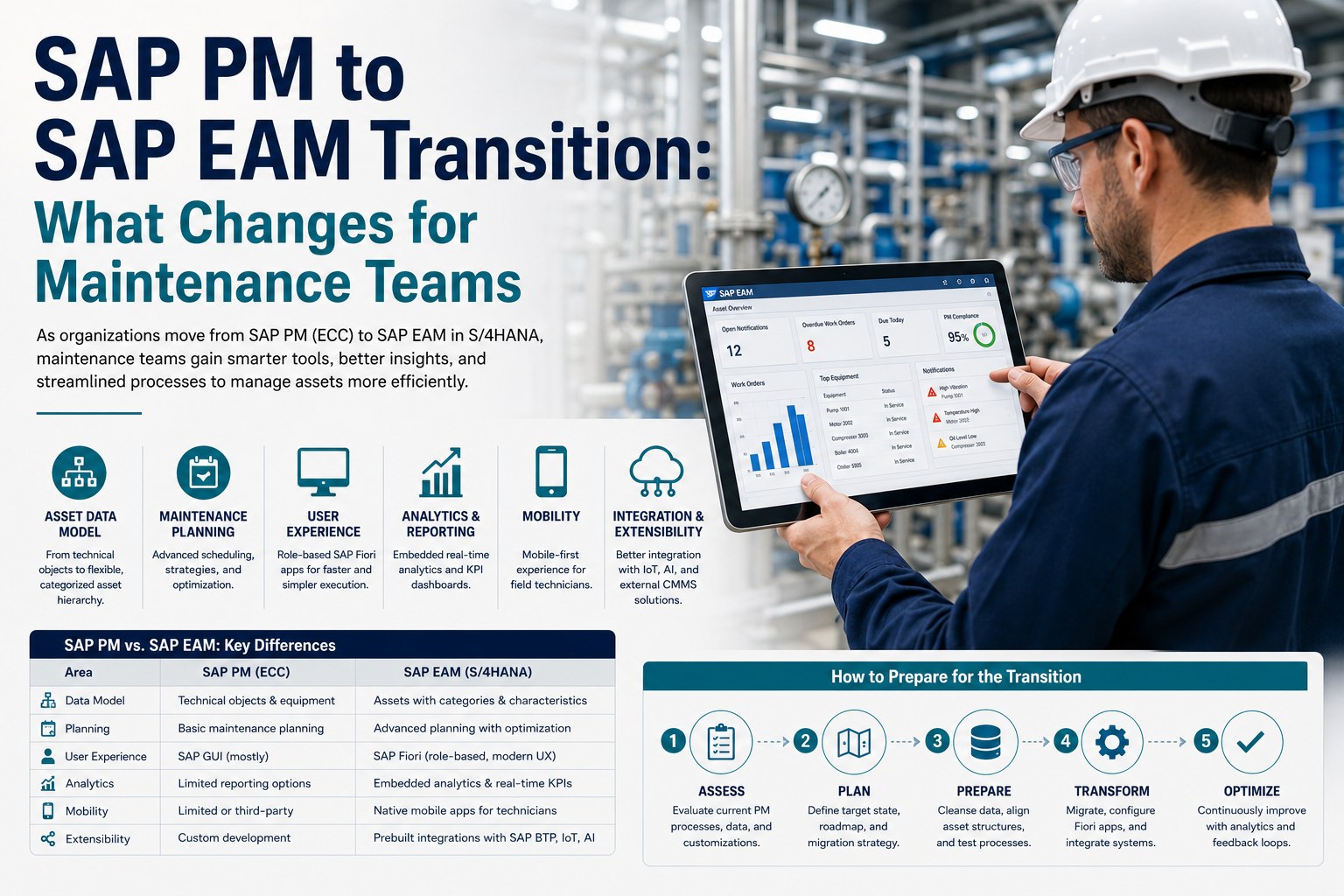
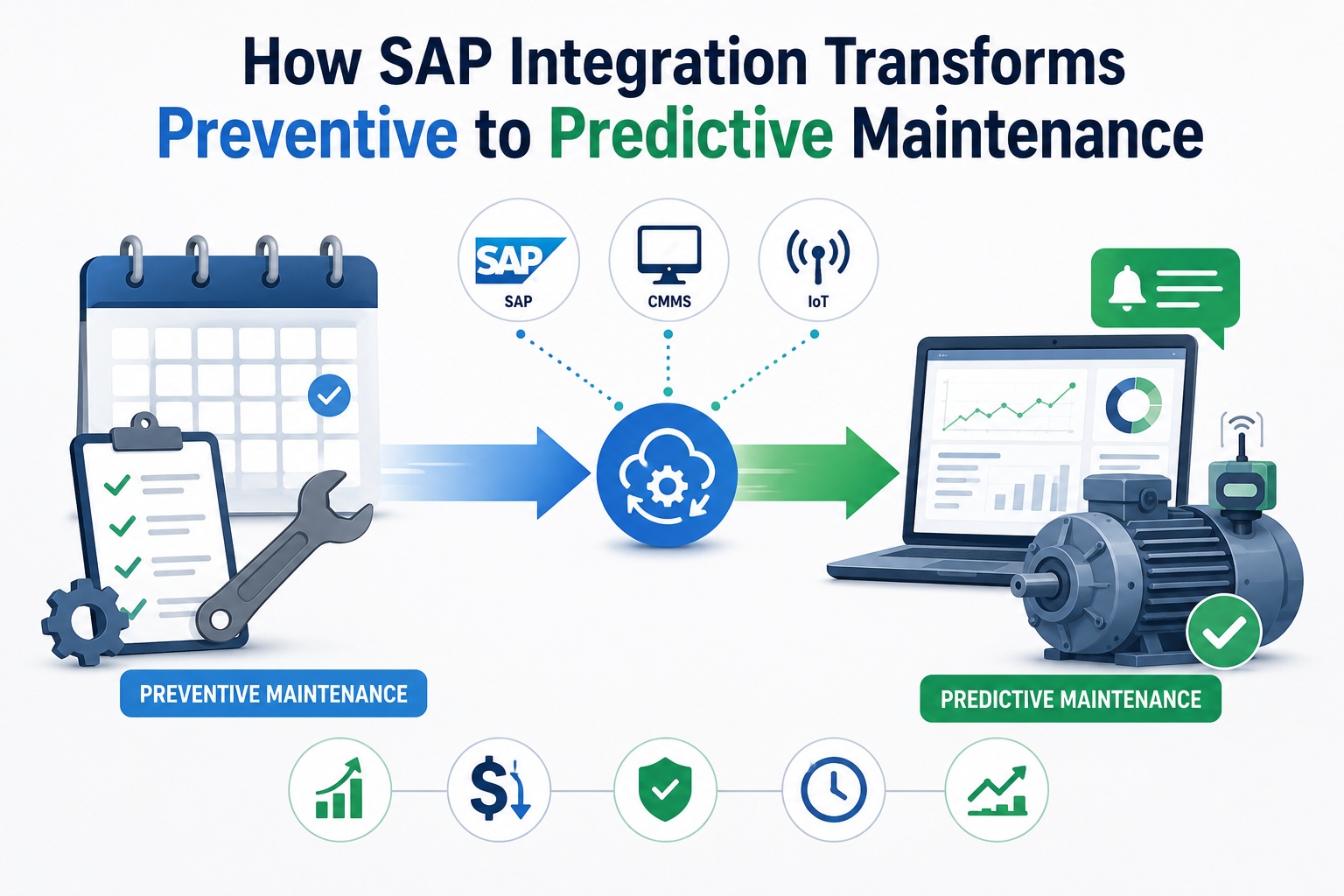
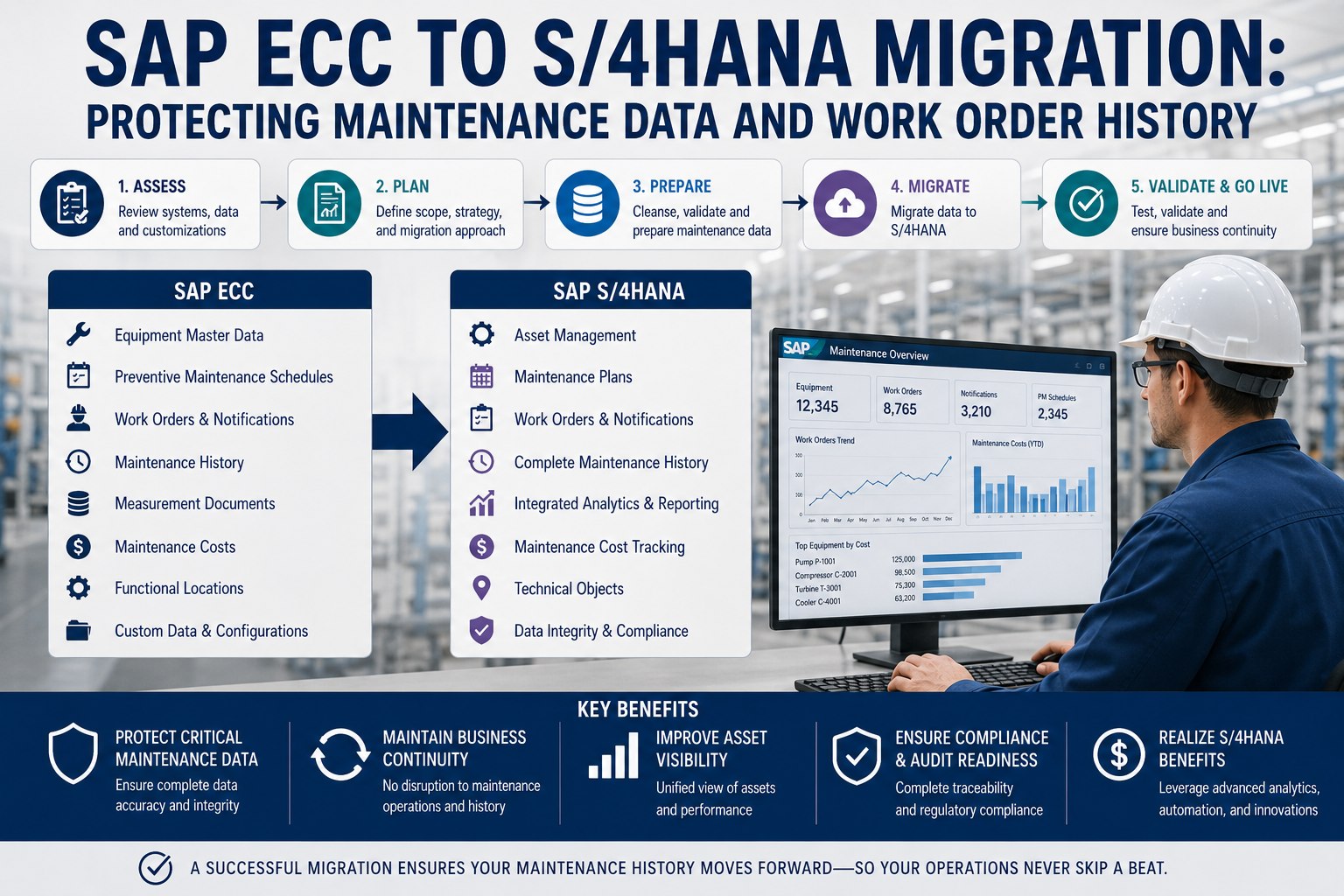
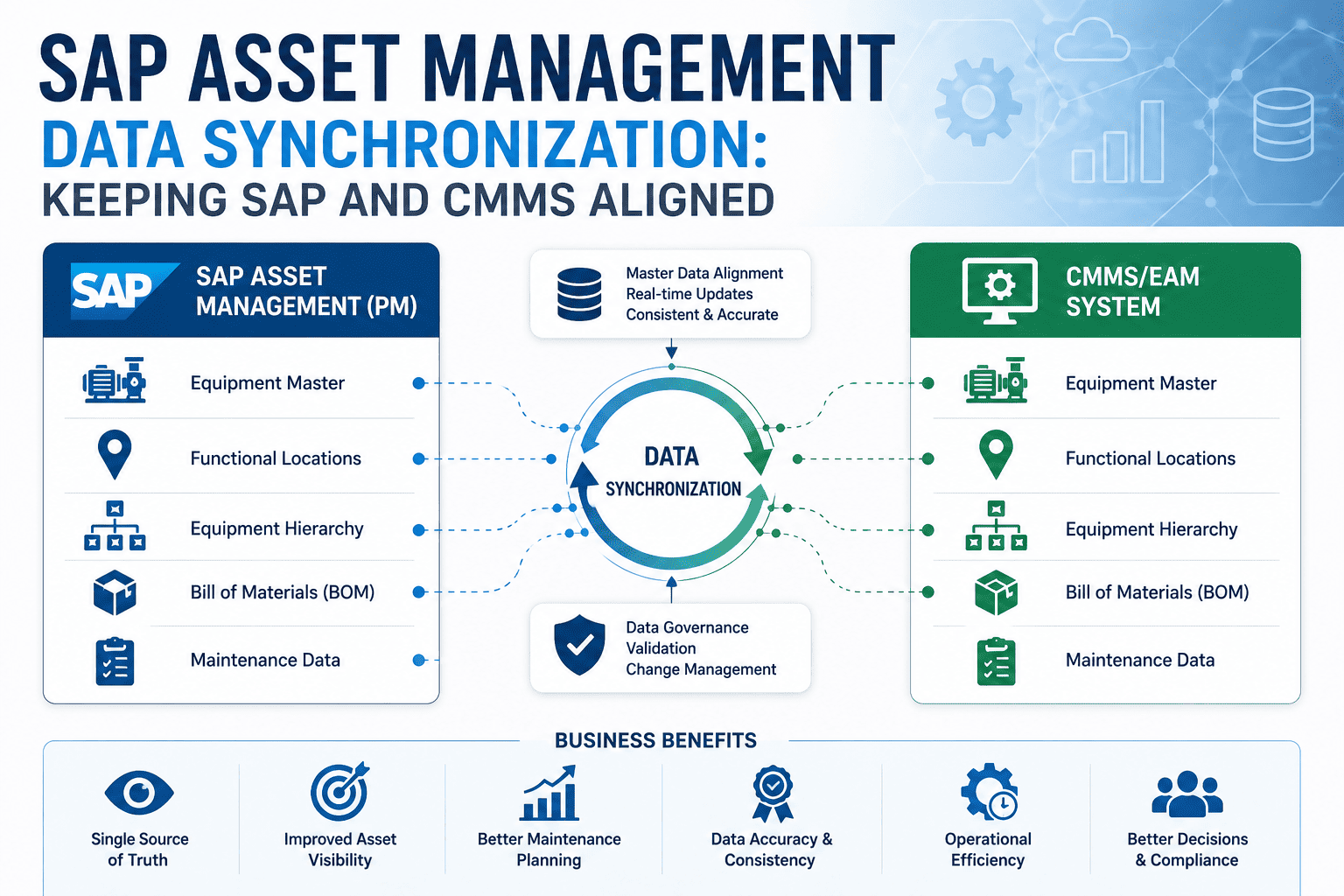
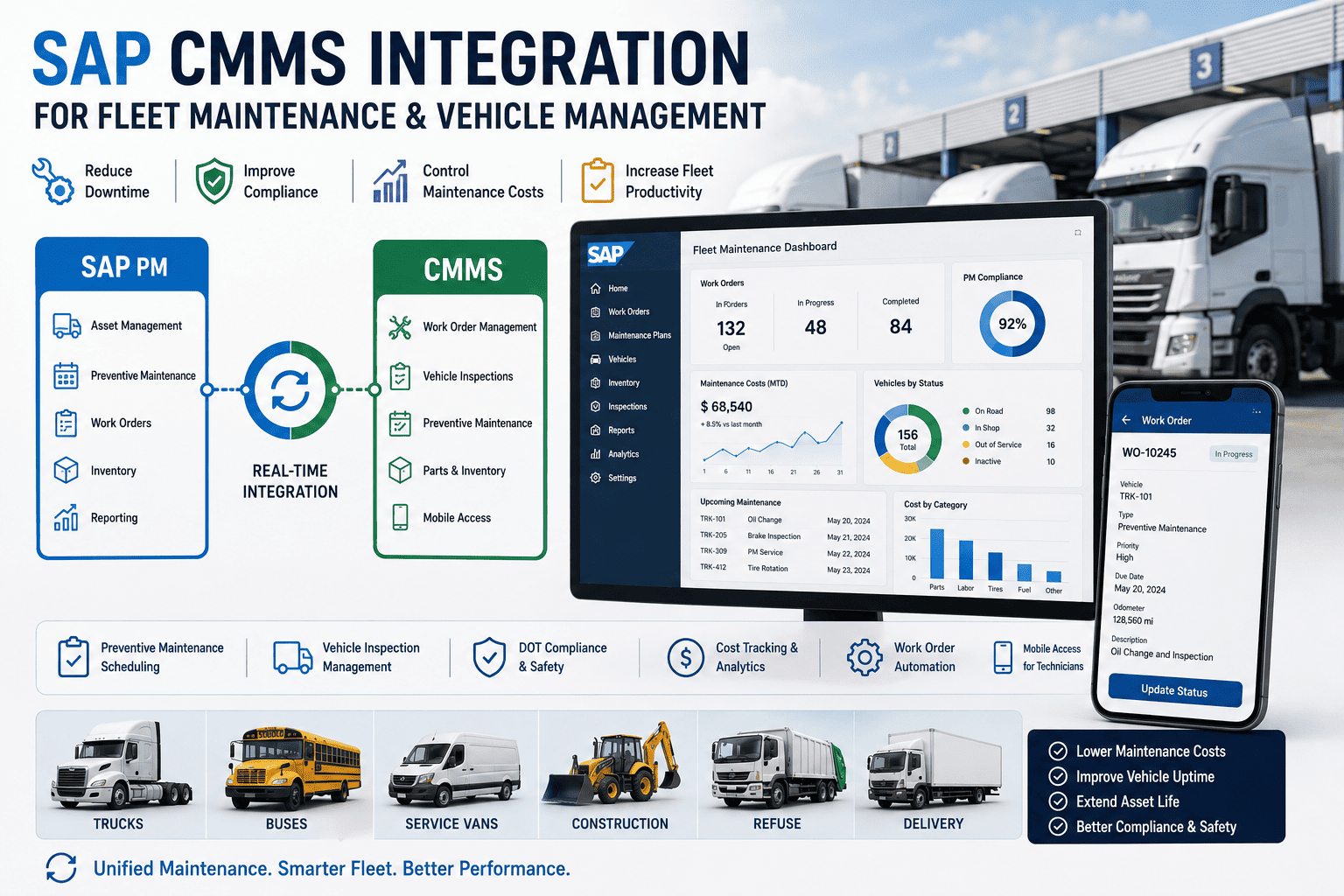
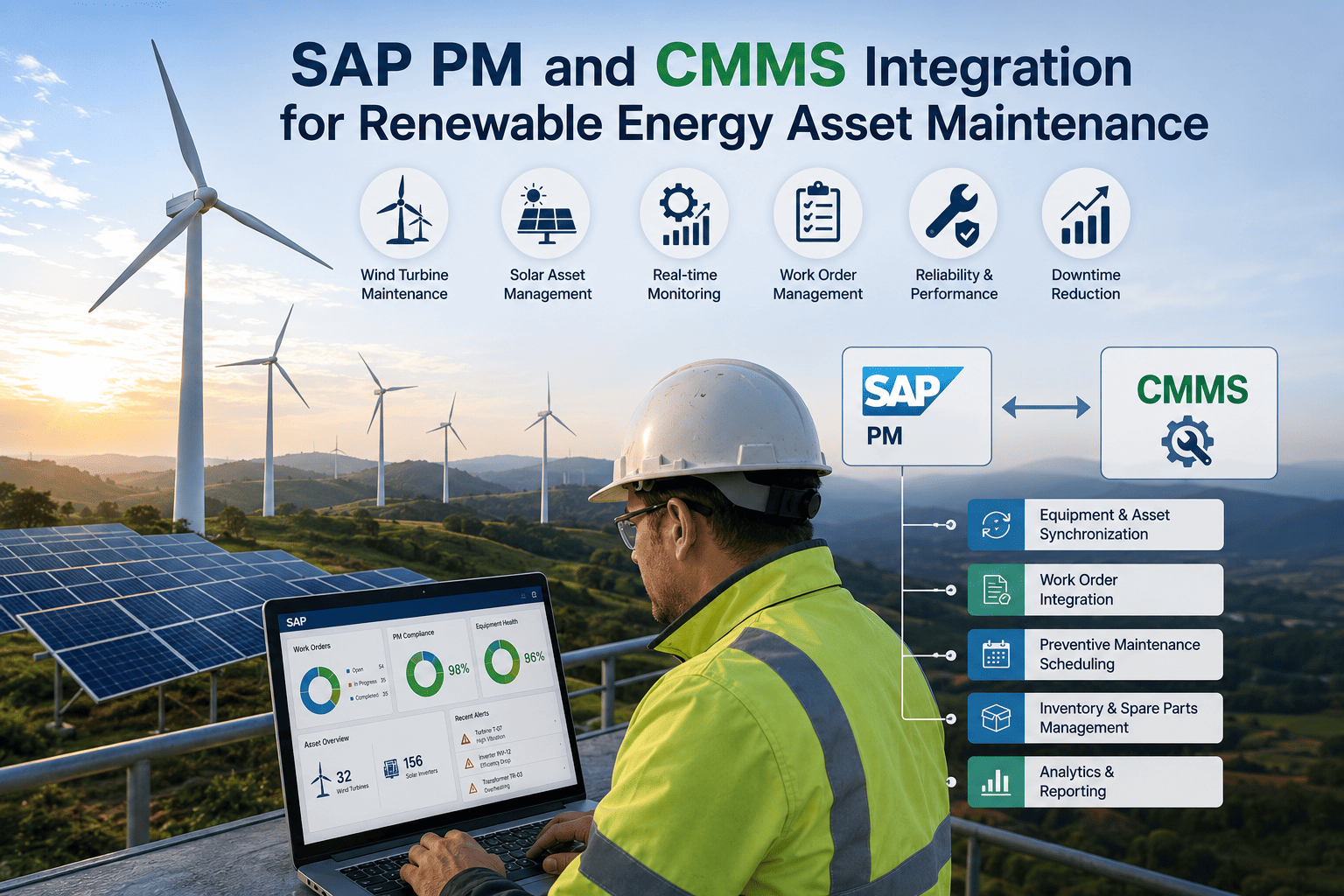
SAP PM has run enterprise maintenance for two decades, but the migration to S/4HANA is bringing SAP EAM as its modern successor. The two systems share architectural lineage but differ enough that maintenance teams treating this as a simple upgrade are setting themselves up for surprises. Some PM workflows lift-and-shift cleanly. Others get enhanced. A few are fundamentally transformed. New capabilities appear that didn't exist before. This article maps eight maintenance domains showing what changes, what stays, and how to prepare. Book a free demo to see EAM transition planning in practice.
PM → EAM TRANSITION REALITY
Eight Maintenance Domains, Four Categories of Change
Dec 2027
SAP ECC Support Deadline
8
Maintenance Domains Affected
4
Transformation Categories
12-18 mo
Typical Transition Timeline
Why the SAP PM → EAM Transition Matters for Maintenance Teams
The maintenance team is one of the most impacted user populations in an S/4HANA migration—and one of the most frequently underestimated. Planners, technicians, supervisors, and reliability engineers all spend significant daily time in SAP, and every aspect of that interaction changes. The GUI screens they know give way to Fiori tiles. The transaction codes muscle-memorized over years stop being the primary navigation. The reports they run weekly become embedded dashboards. None of these changes is inherently bad—but treating them as a routine system upgrade understates the change management work required.
The teams that navigate the transition well share a common pattern: they understand which changes are surface-level versus structural before the migration kicks off. Maintenance leaders ready to map their current state against the eight transition domains can Sign up free to begin SAP PM to EAM readiness assessment.
The Four Major Pressure Points in the SAP PM → EAM Move
Before mapping the eight domains in detail, it helps to understand where the largest pressures concentrate. The four areas below shape the change management investment your transition will require.
UI Paradigm
GUI → Fiori
role-based UX
From transaction codes to role-based Fiori launchpads with task-focused apps
Data Model
Simplified
S/4HANA tables
Streamlined data structures, fewer redundant tables, real-time aggregation
Analytics
Embedded
real-time KPIs
Native embedded analytics replace transaction-based reporting workflows
New Capabilities
AI / IoT
predictive native
Asset Performance Management, predictive analytics, native IoT integration
The 8-Domain SAP PM → EAM Transformation Map
The map below shows each maintenance domain, what it looks like in classic SAP PM, what it becomes in SAP EAM, and how to categorize the change. The categorization is what determines the change management effort required—lift-and-shift domains need minimal preparation while transformed domains need significant training and process redesign.
8 DOMAINS · 4 TRANSFORMATION CATEGORIES
SAP PM → EAM Transformation Map
PHASE A · Foundation
PHASE B · Process Evolution
PHASE C · Strategic Capabilities
User Interface & Experience TRANSFORMED · ANCHOR
Foundation
SAP PM (CURRENT)
SAP GUI with transaction codes (IW31, IP10, IH06) and complex menu trees
SAP EAM (S/4HANA)
Fiori launchpad with role-based tiles and task-focused apps for each user persona
Largest training and adoption impact. Every user interaction reshapes. Plan UX change management deliberately.
Asset Master Data Model
Foundation
ENHANCED
SAP PM (CURRENT)
Equipment, functional locations, BOMs, classification system
SAP EAM (S/4HANA)
Same object model with enhanced lifecycle tracking, classification, and digital twin support
Mostly preserved. Existing master data migrates cleanly. New attributes available for enhanced classification.
Work Order Processing
Process
ENHANCED
SAP PM (CURRENT)
Order types via IW31/IW32/IW33 transactions with GUI-based entry
SAP EAM (S/4HANA)
"Manage Maintenance Orders" Fiori app with the same underlying order logic and integrations
Same concepts, modern interface. Order types, status flow, settlement remain identical underneath.
Maintenance Planning
Process
ENHANCED
SAP PM (CURRENT)
PM plans via IP01/IP02, scheduling via IP10, task lists managed transactionally
SAP EAM (S/4HANA)
Modern planning with maintenance strategies, embedded scheduling, and visual capacity planning
Same fundamentals, better tooling. PM plan logic unchanged; scheduling workflow significantly improved.
Notifications & Damage Codes
Process
ENHANCED
SAP PM (CURRENT)
IW21/IW22/IW23 transactions with structured damage/cause coding
SAP EAM (S/4HANA)
Streamlined Fiori notification entry with mobile capture and embedded photo attachments
Familiar to existing users. Coding structure preserved; entry experience modernized for field capture.
Reporting & Analytics
Strategic
TRANSFORMED
SAP PM (CURRENT)
Transaction-based reports (IW39, IW69, MCI3, MCI7) run on demand
SAP EAM (S/4HANA)
Embedded analytics with real-time KPIs, Fiori dashboards, and SAP Analytics Cloud integration
Major paradigm shift from "run a report" to "open a dashboard." Reporting team workflows transform completely.
Mobile Maintenance
Strategic
TRANSFORMED
SAP PM (CURRENT)
SAP Mobile Asset Manager (legacy app) or third-party mobile integrations
SAP EAM (S/4HANA)
SAP Asset Manager — modern native mobile app with offline mode and Fiori-aligned UX
Different product, similar concept. Re-evaluate whether SAP Asset Manager fits versus third-party CMMS mobile.
AI & IoT Capabilities
Strategic
NEW IN EAM
SAP PM (CURRENT)
Not native — requires external systems, custom integrations, or third-party platforms
SAP EAM (S/4HANA)
Asset Performance Management, predictive analytics, and native IoT data integration
New capability — treat as opportunity rather than retrofit. Builds value beyond what classic PM ever offered.
The categorization above gives your change management plan the right shape: invest the most preparation in TRANSFORMED domains, validate continuity in ENHANCED domains, and treat NEW capabilities as opportunities rather than retrofits. Maintenance leaders ready to apply the map to their migration plan can Sign up free to map your migration against the framework.
SEE IT IN PRACTICE
Walk Through PM-to-EAM Transition Architecture Live
30-minute demo showing how a CMMS layer connects to both SAP PM and SAP EAM with the same architecture—giving your migration a stable mobile and field experience throughout.
How CMMS Integration De-Risks the EAM Transition
The teams that navigate the SAP PM → EAM transition smoothly share an architectural choice: they keep an integrated CMMS layer as the constant during the migration. The CMMS provides four risk-reducing benefits while SAP itself is being modernized underneath.
Mobile Experience Stays Stable
Technicians keep using the same CMMS mobile app while SAP transitions in the background. Field operations don't pause for migration.
Same Connector Pattern Works
CMMS connectors using standard BAPI, RFC, and OData interfaces work against both SAP PM and EAM without rebuilding.
Analytics Bridge Active
CMMS dashboards remain operational during the transition window when SAP analytics are being reconfigured.
Field Workflow Continuity
Technicians don't relearn the entire UI during migration. The CMMS interface they know provides workflow continuity.
The architectural insight: the more change happens in SAP simultaneously, the more value the CMMS layer provides as the stable execution surface. Operations leaders ready to architect a CMMS-stable transition can Sign up free to architect a CMMS-stable transition strategy.
ROI of a Well-Managed EAM Transition
The performance delta between disciplined and rushed EAM transitions shows up across every dimension that matters: timeline, budget, adoption, and the survival of existing customizations.
RUSHED TRANSITION vs DISCIPLINED MIGRATION
EAM Transition Performance Delta
Project Cost Overruns
−70%
User Adoption at Go-Live
+35 pts
Productivity Recovery Time
−75%
Custom Code Survival Rate
Survives
9-12 mo
Disciplined transition timeline for mid-size manufacturing operations
85%+
User adoption at go-live with CMMS-stable architecture
The largest contributor isn't any single metric—it's the compounding effect across all five. Faster timelines reduce cost overruns; higher adoption shortens productivity recovery; standard interfaces ensure customizations survive. Operations leaders ready to benchmark their transition plan can Book a free demo to benchmark your transition approach.
Expert Perspective on PM-to-EAM Transition Success
"
The maintenance organizations I've watched navigate PM-to-EAM transitions successfully share an unusual property: they think of the transition as a four-year journey rather than a one-time project. Year one is preparation and pilot. Year two is the actual migration cutover. Year three is stabilization and adoption deepening. Year four is when the new capabilities—predictive maintenance, native IoT, embedded analytics—actually get exploited. Organizations that compress this into eighteen months hit go-live, declare victory, and never realize the strategic capabilities that justified the migration in the first place. The patient ones build the foundation for capabilities they can't even fully use yet.
01
Think Four Years, Not Eighteen Months
The migration is the start of the journey, not the destination. Plan for capability adoption that extends years beyond the cutover.
02
Stable Layer Beats Rushed Replacement
Keep something constant during migration—CMMS mobile, field workflow, analytics layer. Change everything at once and adoption collapses.
03
Exploit New Capabilities Deliberately
AI, IoT, and predictive analytics in EAM don't activate themselves. Build adoption plans for new capabilities the same way you do for new processes.
90-Day Transition Readiness Roadmap
The 90-day readiness sequence below produces the assessment, architecture, and pilot foundation that make the full transition predictable. It runs before the migration itself begins.
90-DAY READINESS ROADMAP
From Current State Assessment to Pilot-Ready
DAYS 1–25
01
Current State Assessment
Inventory PM customizations. Document custom ABAP, queries, reports. Identify users by persona. Map current transactions to EAM equivalents.
DAYS 26–50
02
Target State Architecture
Design Fiori role-based launchpads. Plan data model adjustments. Architect CMMS-stable layer. Define integration touchpoints.
DAYS 51–75
03
Pilot Migration Plan
Select one functional area for pilot. Define cutover sequence. Plan parallel-run validation. Build training materials per persona.
DAYS 76–90
04
Go-Live Readiness
Conduct user training. Run parallel test cycle. Validate CMMS layer continuity. Prepare cutover playbook with rollback procedures.
By day 90, the assessment is complete, the architecture is approved, the pilot plan is built, and go-live readiness is established. The actual migration runs against this foundation rather than discovering issues mid-cutover.
PREPARE THE TRANSITION
Navigate PM-to-EAM With a Stable CMMS Layer Underneath
Eight maintenance domains mapped. Four transformation categories planned. CMMS layer providing field continuity throughout. The architecture that turns risky migrations into predictable ones.
Frequently Asked Questions
What's the actual deadline for moving from SAP PM to SAP EAM?
SAP has extended mainstream maintenance for SAP ECC 6.0 (which includes SAP PM) until December 31, 2027, with extended maintenance available until 2030 at additional cost. Most organizations target completion well before December 2027 to avoid the extended maintenance premium and to capture S/4HANA benefits earlier. New SAP implementations have been S/4HANA-only since 2025, so SAP PM is effectively legacy regardless of the formal support timeline. Organizations still on PM should be in active migration planning rather than evaluating whether to migrate.
Will my custom ABAP code from SAP PM work in SAP EAM?
It depends on what the custom code does. Code that uses standard SAP PM BAPIs, function modules, and table interfaces typically migrates with minimal changes. Code that directly accesses tables that were simplified or eliminated in S/4HANA requires rework. Code that extends GUI screens has no equivalent in Fiori and needs to be rebuilt as Fiori extensions. The pattern that survives best: customizations built on standard interfaces and APIs rather than direct table access or GUI extensions. SAP's custom code analyzer tools provide an inventory of what migrates cleanly versus what needs attention.
Can we keep using familiar SAP PM transaction codes in EAM?
Yes—classic transaction codes (IW31, IW39, IH06, IP10, MCI3, etc.) remain functional in SAP EAM as the underlying transactions still exist. Users with strong muscle memory can continue using them while gradually adopting Fiori apps. However, classic transactions don't get the enhancements that Fiori apps receive, so power users who stick exclusively with transactions miss the productivity gains EAM offers. The pragmatic approach: keep transaction codes available as fallback while training users on Fiori as the primary interface.
How long does a full PM-to-EAM migration take for a typical manufacturing operation?
A disciplined transition for a mid-size manufacturing operation typically runs 9-12 months from kickoff to stable production go-live. Single-plant operations can complete in 6-9 months. Multi-plant manufacturers using wave-based rollouts run 12-18 months across the full network. The variability comes from custom code volume, integration complexity, and change management readiness. Organizations attempting compression below 6 months for single-plant or 9 months for multi-plant consistently encounter post-cutover stabilization issues that erode the time saved.
Should we wait for our SAP partner to drive the entire transition?
SAP system integrators are valuable for the technical migration work but typically focus on technical cutover rather than change management or capability adoption. Organizations that delegate the entire transition to their SI partner often hit go-live with the technical work complete but their maintenance organization unprepared. The pattern that works: SI partner drives technical migration; internal maintenance leadership owns user readiness, process design, and capability adoption planning. The CMMS layer often plays a complementary role—providing field execution continuity that lets the SI partner focus on the SAP work without simultaneously stabilizing field workflows.