A high-priority work order drops for a pressure-vessel repair, and your CMMS assigns the nearest available technician—whose pressure-systems certification lapsed two months ago. Nobody caught it, because the certification lives in SAP SuccessFactors and the work order lives in maintenance, and the two never talk. Now you have a compliance exposure, a safety risk, and a job to reassign. This is the workforce blind spot in most maintenance operations: you schedule assets brilliantly but assign people half-blind. Connecting SuccessFactors to your CMMS closes it. Book a free demo to see qualified dispatch.
The Workforce Blind Spot in Maintenance
What breaks when people data and work orders stay separate
Skills
Jobs assigned without checking the technician is actually qualified
Certs
Lapsed certifications create compliance and safety exposure
Labor
Hours logged in maintenance but never reconciled to HR time and pay
Cost
Labor cost allocated by guesswork instead of real, role-based rates
Why Asset Scheduling Isn't Enough
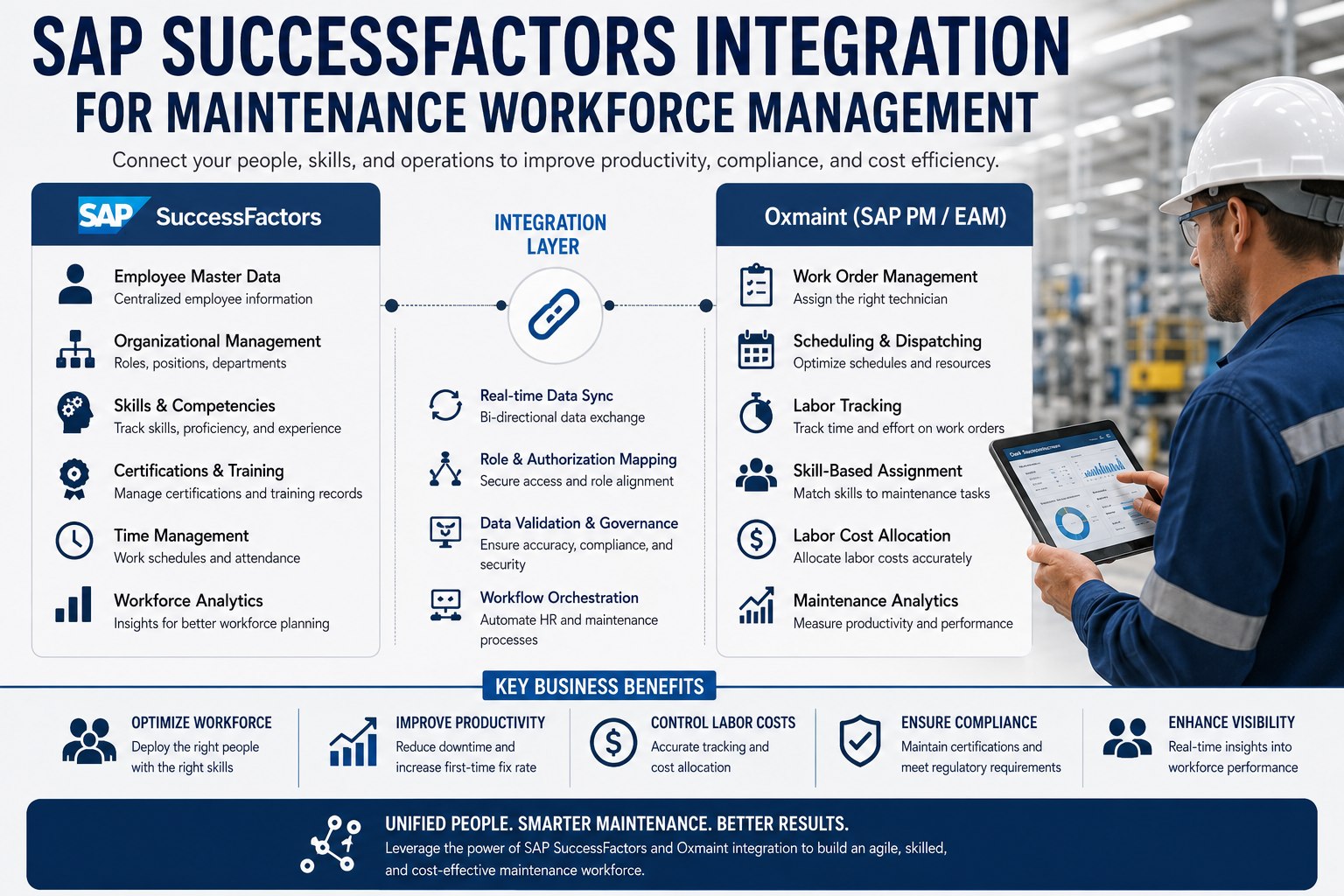
Most maintenance teams have invested heavily in scheduling the work—PM plans, priorities, parts staging—but treat the people doing it as interchangeable. They aren't. A technician carries specific skills, current certifications, availability, a shift pattern, and a labor rate, and all of that lives in SAP SuccessFactors as the HR system of record. When the CMMS can't see it, you get qualified-but-unavailable assignments, certification gaps that surface during audits, and labor costs that never reconcile cleanly to finance. Integrating the two means every work order is matched not just to the right asset and parts, but to the right person—qualified, certified, available, and costed correctly.
The SuccessFactors Modules That Feed Maintenance
SuccessFactors isn't one thing—it's a suite, and a few specific modules carry exactly the data maintenance scheduling needs. Knowing which module owns which signal is what makes the integration precise: the CMMS pulls qualifications, availability, and rates from their authoritative source rather than maintaining a stale copy.
What Each Module Brings to the Work Order
Employee Central
The HR system of record—who works here, their role, org structure, and base employment data.
Learning Management
Skills, training records, and certifications—what each technician is qualified and current to perform.
Time Tracking
Punch clocks, shift patterns, and time sheets—real hours that reconcile to maintenance labor.
Workforce Scheduling
Demand-driven, skills-based shift planning—matching staffing to operational need in real time.
From Work Order to the Right Technician
The heart of the integration is qualified dispatch—a flow that turns "who's free?" into "who's free, qualified, certified, and cost-appropriate?" When a work order needs assigning, the CMMS checks the candidate's skills and certification status against the job's requirements, confirms availability against their shift, and assigns with the correct labor rate attached. The technician completes the job, logs time, and those hours flow back to both HR and finance. Here's the full path.
The Qualified-Dispatch Loop
From open work order to reconciled labor cost
CMMS
Work Order Raised
A job is created with its required skills, certifications, and priority defined.
SF → CMMS
Qualify & Match
Skills and current certifications are checked, availability confirmed against the shift.
In CMMS
Assign & Execute
The qualified technician is dispatched on mobile and completes the job, logging time.
CMMS → HR/FI
Reconcile Labor
Logged hours flow to time tracking and post as labor cost at the correct role-based rate.
That qualification check at the point of dispatch is the safeguard most CMMS setups lack. Teams ready to map it against their own certification requirements can sign up free to model qualified dispatch before scoping a project.
Certification-Gated Dispatch: The Compliance Safeguard
The highest-value piece of this integration is certification gating—the rule that a technician simply cannot be assigned work they aren't currently certified to perform. SuccessFactors Learning Management holds the live certification status; the CMMS enforces it at assignment. A lapsed welding cert, an expired confined-space qualification, an out-of-date electrical license: each one blocks the assignment and flags the gap before the job is dispatched, not after an auditor finds it. For regulated and safety-critical work, this turns certification from a paperwork exercise into an active control.
How Certification Gating Protects You
Current cert
Technician is qualified and in-date—assignment proceeds normally
Expiring soon
System flags the upcoming lapse so recertification is scheduled before it bites
Lapsed cert
Assignment is blocked and rerouted to a qualified technician automatically
Audit ready
Every assignment carries proof the technician was certified at the time of work
See Certification-Gated Dispatch Live
Watch work orders match to qualified, certified, available technicians—with lapsed certifications blocking assignment automatically and labor posting back at the right rate—mapped to your SuccessFactors setup in 30 minutes.
The Labor-Cost Payoff for Finance
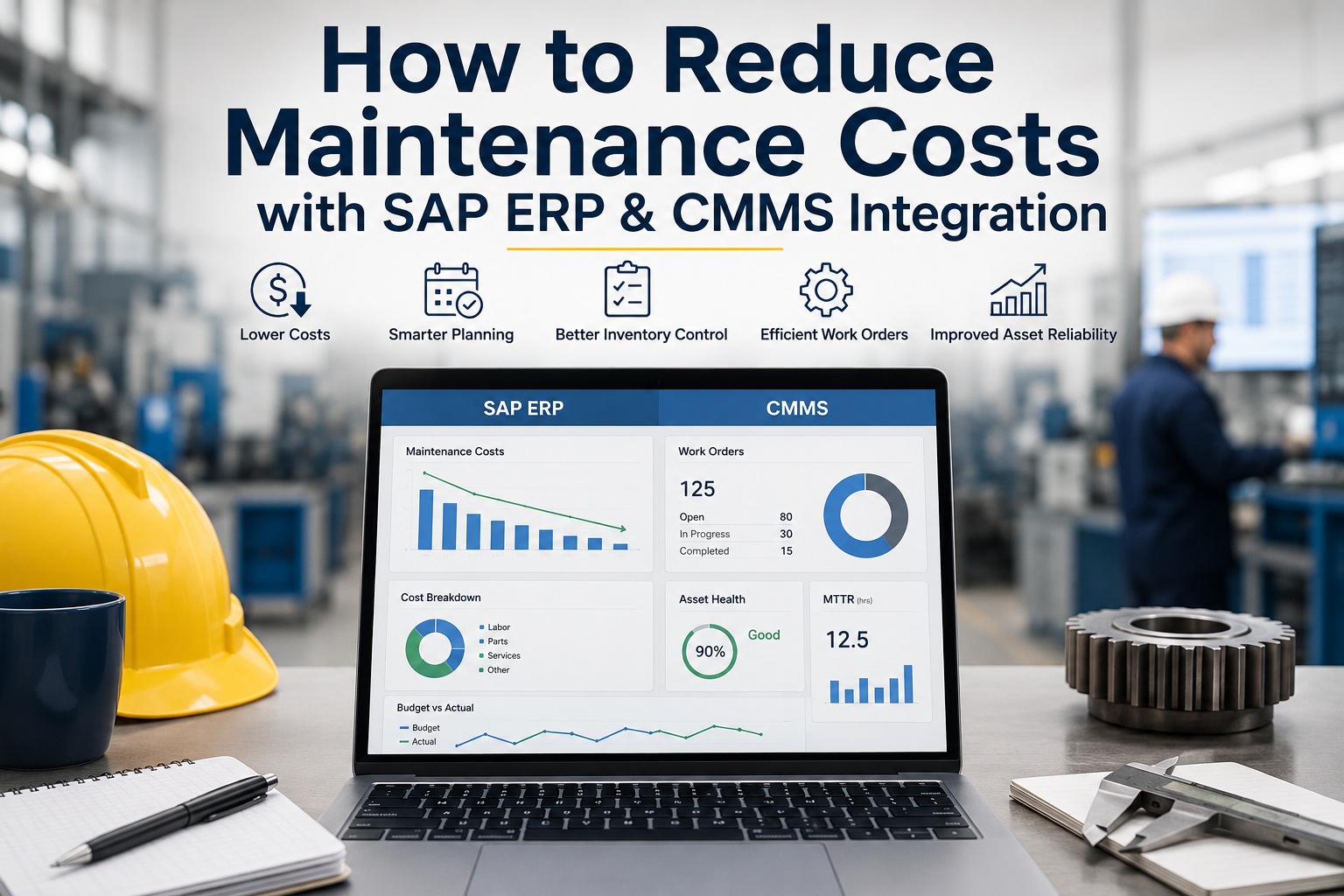
Beyond compliance, the integration finally makes maintenance labor cost accurate. Today, many plants estimate labor on work orders or reconcile it manually at month-end. With SuccessFactors connected, every logged hour carries the technician's real role-based rate and flows to both the time-tracking system and the work order's cost. Finance sees true labor cost per job, per asset, and per cost center—and the schedule-to-time-to-pay loop closes without manual re-entry. That accuracy sharpens everything downstream, from maintenance budgeting to the build-versus-contract decision on specialized work.
Accurate labor cost is the quiet dividend most teams don't expect. Teams ready to surface it can sign up free to see labor cost by asset from their own workforce data.
Expert Perspective: You Schedule Assets—Schedule People Too
Every maintenance leader obsesses over asset availability and parts, and almost nobody applies the same rigor to the workforce. But the most expensive line on a maintenance budget is usually labor, and the biggest compliance risk is usually a certification nobody tracked. When we connected our HR system to the CMMS, the first thing that changed wasn't cost—it was that we stopped sending people to jobs they weren't certified for. The cost accuracy came next, almost for free, because every hour finally carried a real rate. Scheduling assets without scheduling qualified people is half a maintenance program.
Right Person, Not Just Right Part
Matching qualified, certified technicians to jobs is as critical as staging the correct spare.
Certs Are a Live Control
Gating assignments on current certification turns compliance from paperwork into prevention.
Real Rates, Real Costs
Labor posted at true role-based rates makes maintenance budgeting finally trustworthy.
Getting Started Without an HR Overhaul
The integration is additive—SuccessFactors stays your HR system of record while the CMMS pulls qualifications, availability, and rates at the point of dispatch. Begin by mapping the certifications and skills your safety-critical work requires, connect those to the work-order assignment logic, and turn on gating for the jobs where it matters most. Pilot on one crew or one regulated work type, validate that lapsed certs block correctly and labor reconciles to time tracking, then expand. Teams can sign up free to pilot gating on one crew before rolling it out. Each step adds a layer of compliance protection and cost accuracy without touching how HR runs.
Maintenance has always been about the right action on the right asset at the right time—but it's equally about the right person. Connecting SAP SuccessFactors to your CMMS closes the workforce blind spot: qualified, certified technicians matched to every job, lapsed certifications blocked before dispatch, and labor cost that reconciles automatically to finance. It's the people half of maintenance, finally as well-managed as the asset half. Teams ready to see qualified dispatch on their own workforce data can book a free demo to review their integration strategy.
Match the Right Technician to Every Job
Connect SAP SuccessFactors to your CMMS for skills-based, certification-gated dispatch and accurate labor cost. Stop assigning uncertified techs and start costing labor for real. See it on your setup.
Frequently Asked Questions
How does SAP SuccessFactors integrate with maintenance software?
SuccessFactors stays the HR system of record while the CMMS pulls the workforce data it needs at the point of dispatch. Employee Central provides who works there and their roles, Learning Management supplies skills and certification status, Time Tracking holds shift patterns and hours, and Workforce Scheduling adds demand-driven, skills-based shift planning. When a work order needs assigning, the CMMS checks a candidate's qualifications and availability against the job's requirements, assigns with the correct labor rate, and posts logged hours back to time tracking and finance—closing the schedule-to-time-to-pay loop without manual re-entry.
What is certification-gated dispatch?
It's a control that prevents a technician from being assigned work they aren't currently certified to perform. SuccessFactors Learning Management holds live certification status, and the CMMS enforces it at assignment: a current certification lets the job proceed, an upcoming expiry is flagged so recertification can be scheduled, and a lapsed certification blocks the assignment and reroutes to a qualified technician automatically. For regulated and safety-critical work—welding, confined-space, electrical—this turns certification from a paperwork exercise checked after the fact into an active safeguard applied before dispatch, and every assignment carries proof the technician was certified at the time of work.
How does the integration improve labor cost accuracy?
Many plants today estimate labor on work orders or reconcile it manually at month-end, which produces approximate costs. With SuccessFactors connected, every logged hour carries the technician's real role-based rate and flows to both the time-tracking system and the work order's cost. Finance gains true labor cost per job, per asset, and per cost center, and the schedule-to-time-to-pay loop closes automatically. That accuracy improves maintenance budgeting and sharpens decisions like whether to build internal capability or contract out specialized work, because the comparison is finally based on real numbers rather than estimates.
What is SuccessFactors Workforce Scheduling and how does it help maintenance?
SuccessFactors Workforce Scheduling is a newer SAP solution, generally available in the second half of 2026, designed to help manufacturing and production industries optimize shift planning with demand-driven, skills-based, and compliant scheduling. It assigns shifts based on skills, certifications, and availability, and provides real-time visibility to adapt to absences and demand spikes. For maintenance, this means staffing can be matched to anticipated maintenance demand with the right qualifications in place, and it integrates with Time Tracking and Employee Central Payroll to connect scheduling, time, and pay in one flow.
Do we have to change how HR works to integrate it?
No. The integration is additive—SuccessFactors remains your HR system of record and continues to run exactly as it does, while the CMMS pulls qualifications, availability, and rates at the point of dispatch. You start by mapping the certifications and skills your safety-critical work requires, connect those to work-order assignment logic, and enable gating where it matters most. Piloting on one crew or one regulated work type lets you validate that lapsed certifications block correctly and labor reconciles to time tracking before expanding. HR processes stay untouched; the CMMS simply consumes the authoritative people data it was previously missing.