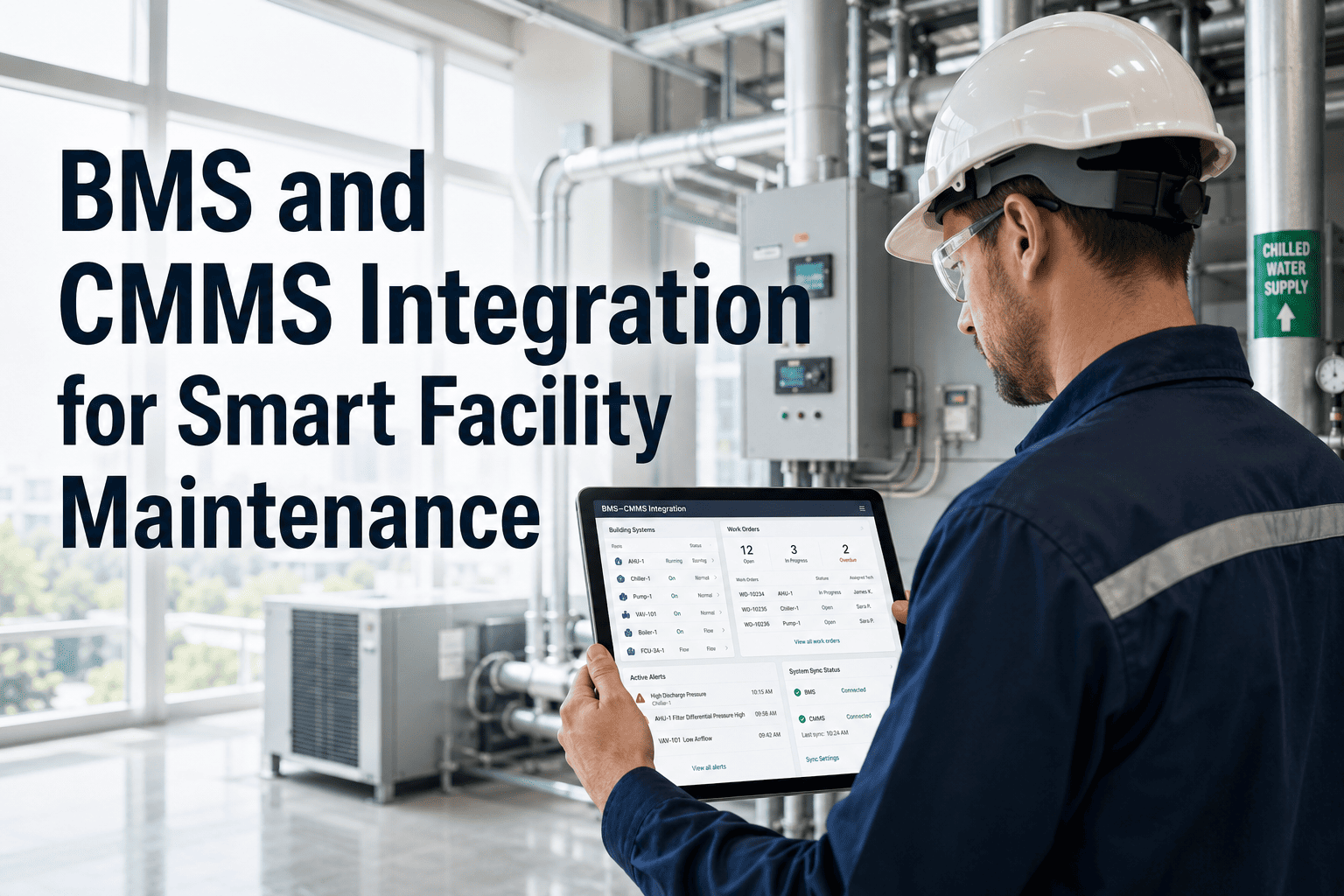
Building management systems monitor HVAC, lighting, access control, fire suppression, and energy meters across every zone of a facility. They generate thousands of alarms, alerts, and status changes every day. But BMS platforms were designed to control building systems — not to manage the technician workflows that respond when those systems malfunction. When a BMS alarm fires and no one converts it into an assigned work order tracked to resolution, the alarm either gets ignored or triggers an ad-hoc response with no documentation. OxMaint's BMS integration bridges the gap between building alarms and maintenance execution — automatically converting BMS fault events into prioritized work orders assigned to the correct technician. Facility managers stop watching alarm screens and start seeing resolved tickets. This page covers exactly how BMS-to-CMMS integration works, which building systems it covers, and how smart facilities use it to cut response times and maintain a complete audit trail of every building fault.
BMS · CMMS · SMART FACILITY MAINTENANCE
Your BMS fires 400 alarms a day. How many become resolved work orders?
OxMaint connects building alarms to technician workflows — automatically converting BMS fault events into tracked, assigned, and closed work orders.
BUILDING SYSTEMS COVERED
BMS subsystems OxMaint receives alarm data from
HVAC Systems
AHU faults, chiller alarms, VAV failures, duct pressure deviations — each maps to a priority work order in OxMaint
Lighting Controls
Circuit failures, occupancy sensor faults, emergency lighting failures — converted to zone-specific repair tickets
Fire and Life Safety
Sprinkler valve status, smoke detector supervision failures, fire panel faults — critical priority auto-assignment
Access Control
Door reader failures, locking mechanism faults, camera offline alerts — security-flagged work orders with priority escalation
Energy Metering
Consumption spikes, meter communication loss, power factor deviations — energy management work orders with baseline comparison
Elevators and Escalators
BMS-monitored lift faults trigger immediate work orders with statutory compliance documentation requirements attached
RESPONSE COMPARISON
BMS alarm response: unintegrated vs OxMaint-connected
Without Integration
BMS alarm fires — visible on control screen only
↓
Supervisor sees alarm — radios technician by phone
↓
Technician responds — no documented priority or SLA
↓
Resolution noted verbally — no work order, no audit trail
Average response: 4 to 8 hours. Zero documentation.
With OxMaint Integration
BMS alarm fires — webhook sent to OxMaint immediately
↓
Work order created automatically — correct asset, priority, SLA
↓
Technician notified on mobile — accepts and responds on record
↓
Resolution logged with time, action taken, parts used — full audit trail
Average response: under 25 minutes. Full documentation.
IMPACT METRICS
Smart facility results after BMS-OxMaint integration
73%
Faster BMS fault response time when alarms convert automatically to work orders
100%
Audit trail coverage — every BMS alarm becomes a documented, closed work order
40%
Fewer repeat BMS alarms after root cause capture is built into every work order
Expert Review
Meera Krishnan — Facilities Director, Multi-Site Commercial Real Estate
The volume of BMS alarms in a modern commercial building is too high for any team to manually triage and dispatch. Without integration, you create two failure modes: critical alarms that get ignored because the queue is overwhelming, and documentation gaps that create liability exposure during compliance audits. OxMaint's BMS connection removes both problems by making the dispatch automatic and the documentation automatic at the same time.
SEE IT LIVE
Bring your BMS platform — we will show the exact integration path
Whether you run Siemens Desigo CC, Johnson Controls Metasys, Honeywell EBI, or Schneider EcoStruxure — our team will show exactly how OxMaint connects to your BMS and what the alarm-to-work-order workflow looks like for your building systems.
FAQS
What facility teams ask about BMS-CMMS integration
Which BMS platforms does OxMaint connect to natively?
OxMaint integrates with major BMS platforms including Siemens Desigo CC, Johnson Controls Metasys, Honeywell EBI, Schneider EcoStruxure, and Trane Tracer. Integration is via BACnet IP, REST API, or webhook depending on the BMS platform version.
Book a demo to confirm the integration path for your specific BMS and facility configuration.
Can we filter which BMS alarms create work orders and which are suppressed?
Yes. OxMaint's BMS integration layer includes configurable alarm filtering rules. You define which alarm categories, severity levels, or asset types should trigger work order creation — and which routine status messages should be logged without creating tickets. Alarm suppression windows can also be set for scheduled maintenance periods to avoid false work order creation during planned shutdowns.
Start a free trial to configure your alarm filter rules.
How does OxMaint handle BMS alarms for the same asset firing in rapid succession?
OxMaint applies configurable de-duplication logic per asset and alarm type. A configurable cooldown window prevents the same fault from generating multiple work orders within a defined period. Additional alarms during the cooldown update the open work order with new readings rather than creating duplicate tickets. This is particularly important for HVAC systems that may oscillate around an alarm threshold during recovery.
Can BMS integration support multi-building facility portfolios?
Yes. OxMaint's multi-site architecture maps each BMS instance to the corresponding OxMaint site. Alarms from Building A generate work orders assigned to Building A technicians, while Building B faults go to Building B team — automatically routed by site code. Facility portfolio managers see a consolidated view across all sites in the OxMaint dashboard.
Ask about multi-site configuration in your demo.
GET STARTED
Stop watching BMS alarms go unresolved. Connect to OxMaint.
OxMaint turns every BMS fault event into a tracked, assigned, and documented work order — automatically. Your facility team responds faster, your audit trails are complete, and your building systems get the maintenance attention they signal they need.




.png)