No-access delays are one of the most frustrating and financially wasteful problems in facility maintenance — and they are far more common than most organizations realize. Industry data from IFMA indicates that 23% of all scheduled maintenance visits across commercial, residential, and institutional facilities result in a no-access event, meaning the technician arrives at the location, cannot gain entry, and leaves without completing the work. Each no-access event costs an average of $185 in wasted labor, travel, and rescheduling overhead — and for a 50-building portfolio running 200 scheduled visits per month, that translates to over $100,000 annually in pure waste before accounting for the deferred maintenance risk that accumulates every time a PM task is pushed to the next available window. The root causes are almost always the same: incomplete request details, poor coordination with occupants, no pre-visit confirmation process, and no real-time status visibility for technicians en route. These are not complex problems to solve — they are process gaps that a properly configured CMMS eliminates systematically. Oxmaint gives facility teams automated scheduling with occupant notifications, pre-visit confirmation workflows, real-time technician status updates, and digital access notes attached directly to work orders — reducing no-access rates by up to 74% within the first 90 days of deployment. If your team is losing hours every week to locked doors and uncoordinated visits, experience the solution firsthand with a free trial or schedule a quick demo to see the full access management workflow.
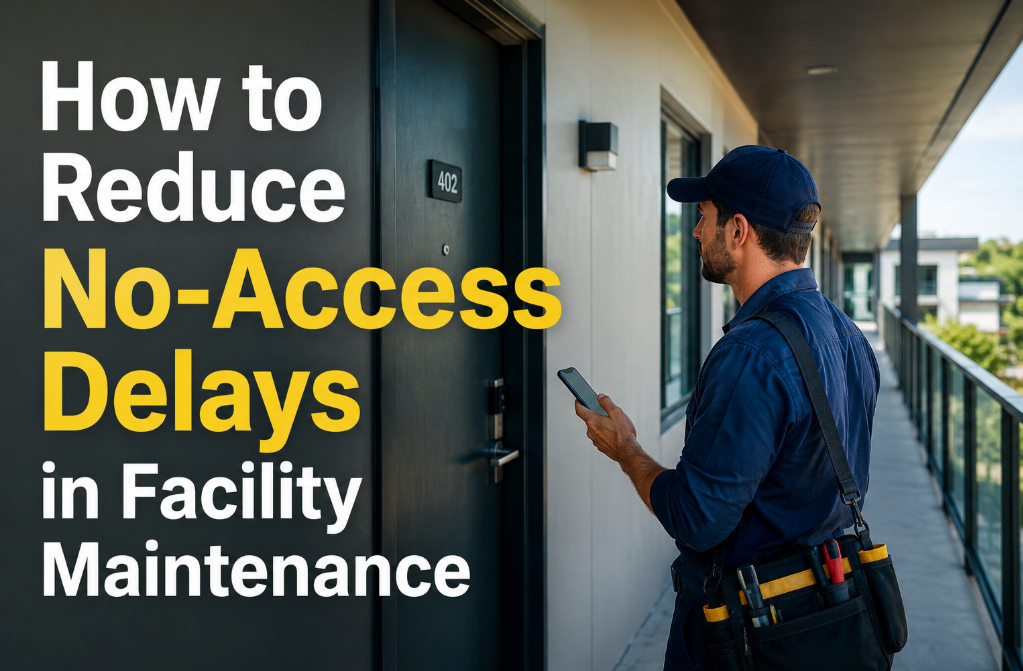
How to Reduce No-Access Delays in Facility Maintenance
Locked doors, absent tenants, missing keys, and uncoordinated schedules waste technician hours, defer critical maintenance, and inflate operating costs across every portfolio. Here is the systematic approach to eliminating them.
The 6 Root Causes of No-Access Delays in Facility Maintenance
No-access is not a single problem — it is a category of failures, each with a different root cause and a different solution. Treating them all as "the tenant was not home" misses the systemic issues that drive repeat occurrences across every property in a portfolio.
52% of no-access events occur because the occupant had no advance knowledge that a technician was coming. Scheduled PMs, filter replacements, and inspections are dispatched to technicians without any parallel communication to the person who controls the door. The technician arrives, knocks, and leaves — then the cycle repeats.
The work order says "Unit 4B" but does not mention that the building entrance requires a key fob, the service elevator needs a code, or the unit has a secondary lock that the master key does not open. Technicians discover these access barriers on-site and lose 15–30 minutes resolving them — or abandon the visit entirely.
Maintenance visits scheduled during standard business hours conflict with occupied residential units, active classrooms, or production-floor restricted zones. Without occupant availability data in the scheduling engine, conflicts are discovered at the door — not during planning.
Key boxes are not updated when locks change. Access cards are not issued to contracted maintenance personnel. Digital access codes expire without notification. 18% of no-access events trace back to a physical credential issue that could have been identified before the technician left the shop.
Even when occupants are notified in advance, circumstances change — meetings move, travel plans shift, emergencies arise. Without a confirmation step 24 hours before the visit, the original notification becomes unreliable. A simple automated confirmation message eliminates 30–40% of no-access events with zero additional labor.
Technicians driving a route of 6–8 scheduled visits have no way to know that the occupant at stop 4 just called to cancel. Without real-time work order status updates pushed to the technician's device, they complete the full route sequence — including stops that are already known to be no-access — wasting fuel, time, and morale.
What No-Access Really Costs Beyond the Wasted Visit
The $185-per-event direct cost is only the visible portion. The downstream consequences of repeated no-access delays compound across the portfolio in ways that rarely appear on a single cost report but dramatically impact total maintenance spend and asset condition.
Every no-access PM event pushes that task to the next available window — which may be 30–90 days later depending on scheduling capacity. Assets operating beyond their PM interval are 3.2x more likely to experience an unplanned failure, converting a $120 planned visit into a $580 emergency repair.
A technician with an 8-stop PM route who encounters 2 no-access events has effectively reduced their productivity by 25% for the day. At an average loaded labor rate of $65/hour, two 30-minute wasted stops cost $65 in direct labor — plus the opportunity cost of 2 PM tasks that now require rescheduling and a second truck roll.
Tenants who receive multiple visit attempts — especially in residential and campus settings — report 40% lower satisfaction scores with facility management. The perception is incompetence: "They keep coming when I am not here" — when the actual problem is a process gap that the tenant cannot see and the maintenance team has not addressed.
Fire safety inspections, HVAC filter changes, elevator maintenance, and statutory equipment checks that are deferred due to no-access events create documented compliance gaps. If a deferred inspection precedes an incident, the no-access record becomes evidence that the required maintenance was not completed on schedule.
No-Access Is Not an Occupant Problem — It Is a Process Problem
When your team treats no-access as something tenants cause and technicians endure, the rate never improves. When your CMMS treats it as a preventable process failure with automated notifications, confirmation workflows, access notes, and real-time routing updates, the rate drops by 74% without adding any staff. Oxmaint builds all of this into every scheduled work order automatically. See the full no-access prevention workflow by starting a free trial or scheduling a demo with your portfolio data.
6 Ways Oxmaint Eliminates No-Access Delays Across Your Portfolio
Each capability addresses a specific root cause identified above. Together, they create a closed-loop access coordination system that works automatically for every scheduled visit, every PM route, and every reactive work order that requires occupant presence. Teams managing multi-site portfolios can see the full system in action — start a free trial or book a demo today.
When a PM or service visit is scheduled, Oxmaint automatically sends an email or SMS notification to the registered occupant with the date, time window, scope of work, and any preparation instructions. No manual email drafting, no reliance on property managers to forward calendars. The notification is generated by the work order itself.
24 hours before the scheduled visit, Oxmaint sends a confirmation request. The occupant confirms, requests a reschedule, or provides alternate access instructions — all through a single-click link. Unconfirmed visits are flagged for the technician and supervisor before the route begins, allowing proactive rescheduling rather than reactive discovery at the door.
Key box codes, gate access procedures, elevator codes, secondary lock instructions, and security contact numbers are stored as access notes on the location record and automatically attached to every work order dispatched to that location. Technicians see access details before leaving the shop — not after arriving at a locked door.
Configure preferred access windows per location — residential units available Tuesday and Thursday mornings, classroom buildings accessible only during school breaks, production areas available only during planned downtime. Oxmaint's scheduler respects these windows automatically, preventing conflicts at the planning stage rather than the execution stage.
When an occupant cancels or a status change occurs, the technician's work order list updates in real time on their mobile device. No wasted stops, no driving to a location that was already marked as no-access 20 minutes ago. Route optimization recalculates automatically to maximize the remaining productive stops.
Every no-access event is logged with the reason code, location, date, and technician notes. Oxmaint identifies repeat no-access locations and surfaces them on the portfolio dashboard — enabling targeted interventions for the 15–20% of locations that generate 80% of no-access events. Data replaces guesswork in the escalation conversation.
Uncoordinated Visits vs. CMMS-Managed Access Coordination
What Portfolio Teams Measure After Deploying Access Coordination
Automated notifications, confirmation workflows, and pre-visit access notes eliminate the majority of preventable no-access visits within the first quarter
Recovered labor, eliminated second truck rolls, and reduced emergency repairs from deferred PMs — measured directly from work order data
When technicians can access every scheduled location on the first attempt, PM backlog clears and completion rates reach targets that paper coordination never achieves
Coordinated visits with advance notice and confirmation options transform the occupant perception of maintenance from intrusive to professional and respectful
Frequently Asked Questions
Can occupant notifications be customized by property type?+
How does Oxmaint handle locations where the occupant never responds to confirmation requests?+
Does the access coordination workflow work for contracted maintenance vendors?+
Can Oxmaint integrate with smart lock or access control systems?+
Every Locked Door Is a Preventable Waste Event
No-access delays are not inevitable — they are process failures hiding in plain sight. Automated notifications, pre-visit confirmations, digital access notes, and real-time route updates turn a 23% no-access rate into under 6% without adding staff, without adding technology complexity, and without asking occupants to do anything more than click a confirmation link. First automated notifications go out in week one. No implementation project. No heavy onboarding.