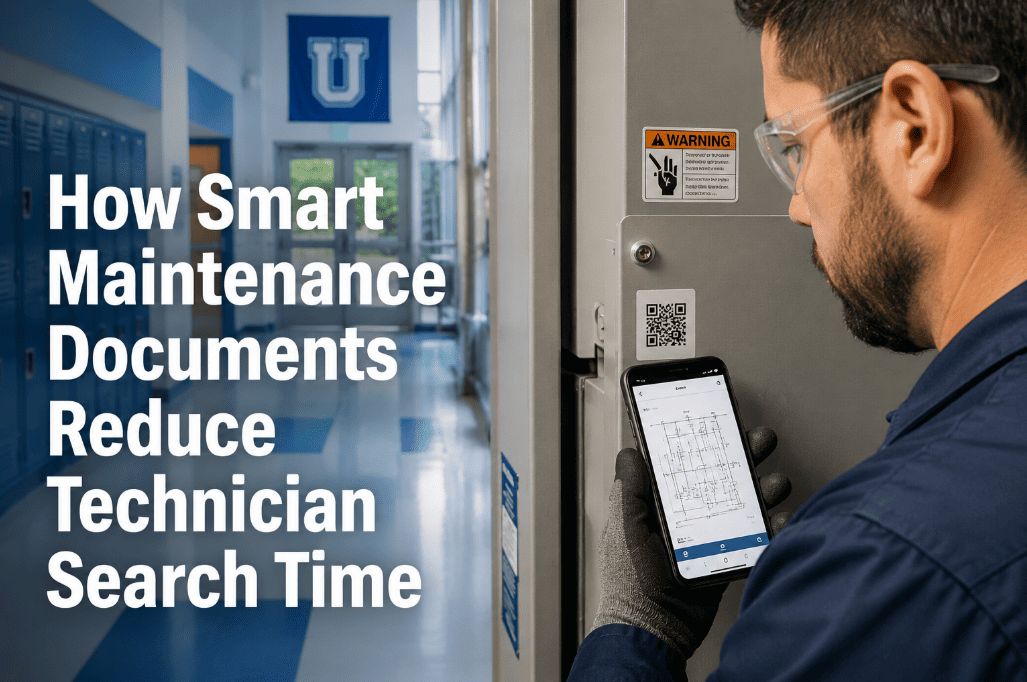
smart-maintenance-documents-technician-search-time

How Smart Maintenance Documents Reduce Technician Search Time


A maintenance technician standing in front of a failed compressor, with a work order open on their phone, spending 22 minutes searching for the correct torque specification in a PDF manual buried somewhere in a shared drive — is not a training problem or a motivation problem. It is a documentation architecture problem. Every minute a technician spends searching for the right document, the right procedure version, the right schematic, or the right parts reference is a minute not spent fixing the equipment. Across a team of 12 technicians averaging 3 document searches per shift at 8 minutes each, that is over 480 minutes of productive maintenance time lost daily to information retrieval. Smart maintenance documents — digital manuals, structured SOPs, photo-linked procedures, AI-searchable asset files, and contextual document delivery at the point of work — eliminate this overhead entirely. The information the technician needs appears in the work order before they arrive at the equipment. Oxmaint's smart document management connects every asset to its complete documentation set and delivers the right document at the right step of every work order. Teams ready to eliminate technician search time from their maintenance operations can start a free trial or book a demo to see smart document management configured for their asset library.

SMART MAINTENANCE DOCUMENTS · DIGITAL MANUALS · SOP MANAGEMENT · AI SEARCH · ASSET FILES

How Smart Maintenance Documents Reduce Technician Search Time

Digital manuals, structured SOPs, photo procedures, and AI-powered search — connected to every work order and every asset record. The right document at the right step, without a single search.

22 min
Avg. time technicians spend searching for correct documentation per repair event
Aberdeen Group study — manufacturing maintenance time-use analysis
35%
Of maintenance errors trace to wrong procedure version or incorrect specification
Incorrect torque, wrong fluid specification, outdated wiring diagram
480+
Minutes lost daily to document search across a 12-person maintenance team
3 searches × 8 min × 12 technicians — eliminable with smart document delivery
60%
Faster technician onboarding with structured digital SOPs vs verbal knowledge transfer
Documented procedures reduce competency time for new maintenance staff

Document Search Time Is Not a Minor Inconvenience — It Is a Compounding Productivity Loss

When the right document is not immediately available at the point of work, technicians either spend time searching (productivity loss), proceed without the document (quality risk), or call a more experienced colleague (interrupting another technician's productive work). Each of these outcomes has a measurable cost. Multiply it by the number of repair events per day across your team and the annual cost of poor document architecture becomes significant — often exceeding the cost of the smart document management system that eliminates it. Oxmaint links every manual, SOP, schematic, parts list, and photo procedure directly to the asset record and surfaces the relevant document automatically in the work order at the step where it is needed. Start a free trial or book a demo to see how smart document delivery works in a live work order workflow.

Document Types

The Eight Document Types Every Asset-Linked Library Should Contain

Each document type serves a different technician need at a different stage of the maintenance workflow. A complete asset document library covers all eight — not just the OEM manual that came with the equipment at installation 12 years ago.

OEM
OEM Equipment Manuals
Used at: Diagnosis, repair, parts identification
Original manufacturer documentation covering installation, operation, maintenance procedures, troubleshooting guides, exploded parts diagrams, and specifications. Often multi-hundred-page PDFs that require AI search to make usable in a field context — a technician cannot scroll 340 pages to find the bearing preload spec.
Risk if missing: Technicians use wrong specifications — most common cause of post-repair callbacks.
SOP
Standard Operating Procedures
Used at: PM execution, compliance documentation
Internal, site-specific step-by-step procedures for standard maintenance tasks — oil change procedure, filter replacement sequence, calibration routine, safety isolation sequence. SOPs capture institutional knowledge in a format that survives staff turnover and enables consistent execution across all technicians regardless of experience level.
Risk if missing: Procedure quality varies by technician experience — inconsistent PM outcomes and compliance gaps.
SCH
Electrical and P&ID Schematics
Used at: Electrical diagnosis, control system troubleshooting
Wiring diagrams, control panel layouts, P&ID (piping and instrumentation diagrams), and pneumatic circuit drawings. Critical for electrical and instrumentation fault diagnosis — a technician chasing a control fault without the correct wiring diagram wastes 30–90 minutes on systematic checks that the diagram would resolve in under 5 minutes.
Risk if missing: Electrical diagnosis time 5–10x longer — and incorrect isolation creates safety exposure.
PHO
Photo Procedures and Visual Guides
Used at: Equipment access, component identification, before/after verification
Annotated photographs showing correct component locations, access panel positions, torque sequence numbering, correct vs incorrect assembly states, and visual inspection acceptance criteria. Particularly valuable for infrequent maintenance tasks (annual procedures performed by technicians who may not have done them before) and for training new staff on site-specific equipment configurations.
Risk if missing: Assembly errors on infrequent tasks — particularly damaging when mistakes are not visible until next failure.
PRT
Parts Lists and BOM References
Used at: Parts ordering, stock checking, substitution verification
Bill of materials with OEM part numbers, approved substitution equivalents, minimum stock levels, and preferred vendor references. A technician who needs to order a bearing without the BOM reference spends 20–40 minutes on phone calls and part number lookups that a linked parts list resolves in 30 seconds at the work order.
Risk if missing: Wrong parts ordered, extended repair downtime while waiting for correct parts to arrive.
SAF
Safety Datasheets and LOTO Procedures
Used at: Work order initiation, energy isolation, chemical handling
OSHA-required lockout/tagout procedures specific to each equipment item, SDS sheets for chemicals used in maintenance procedures, and permit-to-work documentation. Must be current version — outdated LOTO procedures for equipment that has been modified since the procedure was written are a compliance and safety liability.
Risk if missing: OSHA citation exposure, incident liability, and safety events that outdated LOTO procedures do not prevent.
HIS
Repair History and Known Issue Notes
Used at: Recurring fault diagnosis, investigation
Accumulated repair notes, known chronic fault descriptions, and technician observations from previous work orders — the institutional knowledge layer that standard manuals do not contain. "This motor bearing typically lasts 14 months because of the misaligned coupling — check coupling before replacing bearing" is worth more than the OEM bearing replacement section in a diagnostic context.
Risk if missing: Experienced technicians cannot transfer knowledge — same diagnosis mistakes repeated after staff changes.
CAL
Calibration Records and Certificates
Used at: Regulatory compliance, instrument verification
Calibration certificates for measuring equipment used in maintenance, instrument calibration records for process equipment, and test equipment certification dates. Required for GMP, ISO, and regulated industry compliance — an instrument used to verify a safety-critical setting must have a traceable, current calibration record accessible at the point of use.
Risk if missing: Compliance audit failures, regulatory citations, and invalidated measurements in GMP environments.
Search Architecture

Why Traditional Document Management Fails Maintenance Teams

Most organizations have all eight document types somewhere. The problem is the architecture — and the specific ways it fails maintenance technicians under the time pressure of an active repair.

01
Documents Stored in General IT Systems, Not Asset-Linked
SharePoint folders organized by equipment category, model, or vendor name require technicians to know the folder structure to find documents. On a mobile device in a noisy plant environment, navigating to the correct folder while holding a work order is operationally impractical. Documents must be linked directly to the asset record — not stored in a general repository that requires browsing.
02
OEM Manuals Not Searchable Within the Maintenance Context
A 400-page OEM manual uploaded as a single PDF is not searchable in the way a technician needs. "What is the bearing preload for shaft position 3?" requires either full-text search of the PDF or prior knowledge of which chapter contains bearing specifications. AI-assisted search that understands maintenance terminology and returns the specific page section — not just the document — is the operational standard that generic document storage cannot meet.
03
No Version Control — Wrong Procedure Version Used in Field
Equipment gets modified, upgraded, or reconfigured after initial installation. SOPs and LOTO procedures created for the original configuration must be updated — and the old version must be archived, not left accessible. Without version control, technicians cannot be certain the procedure they are using reflects the current equipment configuration. The most dangerous maintenance errors happen when technicians follow a correct procedure for an equipment state that no longer exists.
04
Documents Not Surfaced at the Point of Work
Even perfectly organized documents require technicians to actively retrieve them — opening a separate system, searching for the asset, and finding the relevant document — while already engaged in diagnosing or repairing equipment. Smart document delivery inverts this: the correct documents appear in the work order before the technician arrives, at the specific steps where they are relevant, without any retrieval action required.
05
Institutional Knowledge Lost When Technicians Leave
Known issue notes, site-specific modifications, workarounds for chronic faults, and equipment-specific tips exist in experienced technicians' memories — not in any documented system. When these technicians leave, the knowledge leaves with them. New technicians spend months relearning through failures what could be captured in structured knowledge notes attached to the asset record.
06
Mobile Access Not Designed for Field Conditions
Document systems designed for desktop access perform poorly on mobile devices in field conditions — small tap targets, slow load times for large PDFs, no offline access in areas with poor connectivity. Technicians who cannot access documents reliably from their phone in the field default to calling the office or proceeding without documentation. Mobile-first document delivery is not optional — it is the foundation of effective field document management.
AI Search Capability

How AI Search Changes the Technician Documentation Experience

Without AI Search
Technician needs torque specification for cylinder head bolts on a 2018 Caterpillar C15 engine during a field service call.
Open SharePoint → navigate to Equipment → Engines → Caterpillar → C15 → 2018 → Maintenance folder
Find the correct manual among 8 PDFs in the folder (which one has torque specs?)
Open a 380-page PDF on mobile — slow load time on cellular connection
Search "cylinder head torque" — returns 12 matches across the document
Identify which match is the correct procedure for this engine configuration
Elapsed time: 18–25 minutes
With Oxmaint AI Search
Same technician, same equipment, same need.
Open work order in Oxmaint — asset record pre-linked to C15 documentation library
Type "cylinder head bolt torque" in the asset document search field
AI returns the specific section: "Step 4 — Torque to 95 ft-lb + 90° turn in sequence" with page reference
Specification confirmed, documented in work order checklist, technician continues repair


Elapsed time: Under 90 seconds
Oxmaint Solution

How Oxmaint's Smart Document Management Works

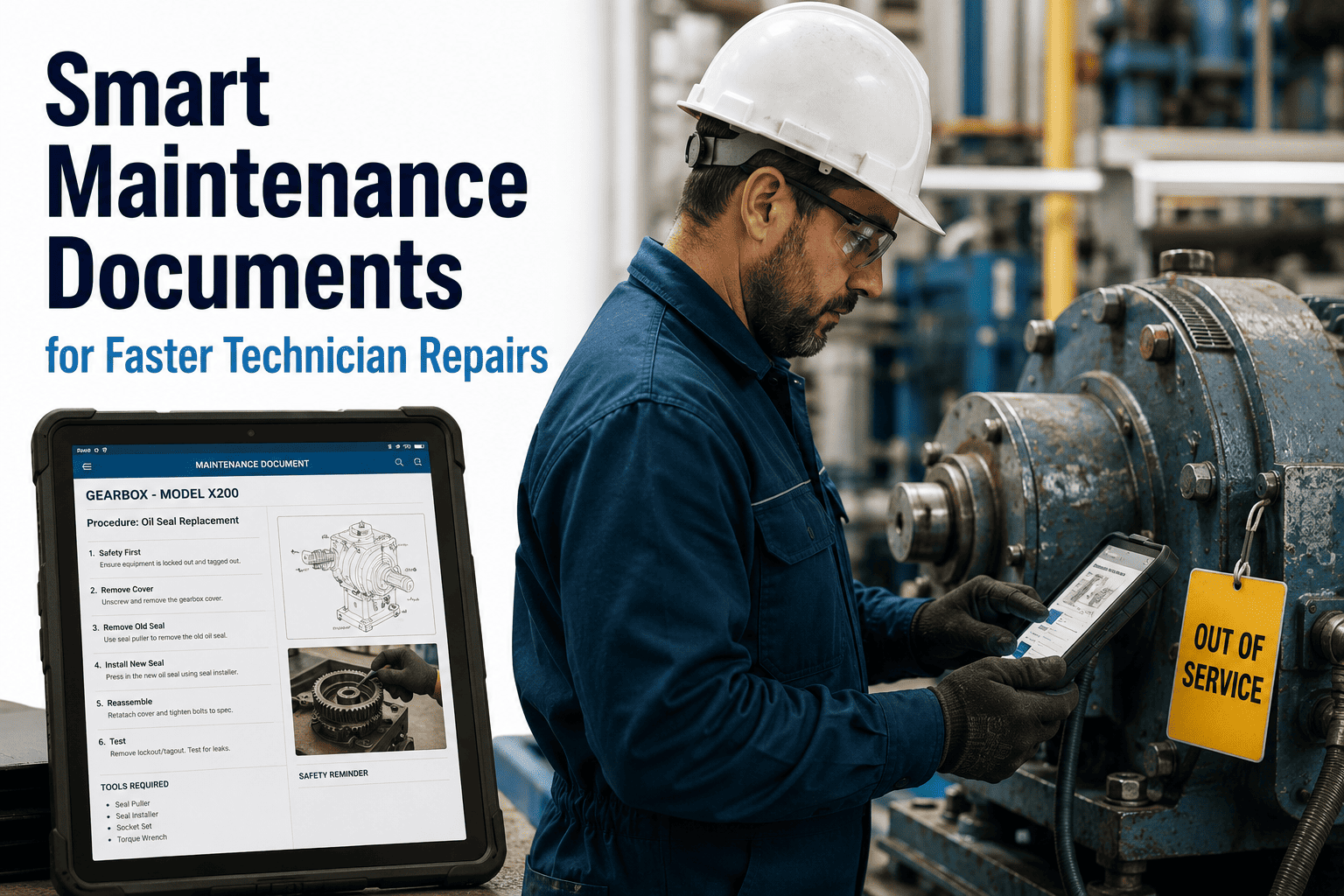
Oxmaint's document management connects every file — manual, SOP, schematic, photo, parts list, safety sheet — directly to the asset record and surfaces the right document at the right step of every work order. AI search extracts answers from within documents rather than returning documents for technicians to search manually. Teams ready to eliminate document search time from their maintenance operations can start a free trial or book a demo to see the document delivery workflow configured for their asset library.

Asset-Linked Library
Every Document Attached to the Asset, Not a Folder
Upload OEM manuals, SOPs, schematics, photo procedures, and safety sheets directly to the asset record in Oxmaint. Documents are categorized by type and appear automatically in every work order for that asset — no folder navigation, no separate system login, no search required.
AI Search
Ask a Question, Get the Specific Answer — Not the Document
Oxmaint's AI document search scans the full text of all documents linked to an asset and returns the specific section, page, or procedure step that answers the technician's question — in natural language. "What oil does this pump take?" returns the specification, not a link to the 280-page manual that contains it.
Version Control
Current Version Active, Previous Versions Archived — Never Mixed
When an SOP or LOTO procedure is updated, Oxmaint archives the previous version with a timestamp and makes the new version the active document. Technicians always see the current version in their work order — without any action required. Previous versions are accessible for audit and investigation purposes but cannot be accidentally used in active work orders.
Contextual Delivery
Documents Appear at the Right Work Order Step
When building a PM checklist or repair procedure in Oxmaint, specific documents can be attached to specific steps — the LOTO procedure appears at the isolation step, the torque specification appears at the fastening step, the post-repair verification photo appears at the sign-off step. The technician sees the right document when they need it, not as a general attachment to review before starting.
Mobile-First
Offline Access for Areas Without Connectivity
Oxmaint's mobile app pre-fetches documents for work orders assigned to a technician — making them accessible even in areas with no cellular connectivity (inside equipment enclosures, underground, in shielded rooms). Document access does not depend on an active network connection at the point of use.
Knowledge Capture
Technician Notes Become Permanent Asset Knowledge
When technicians add notes to completed work orders — "bearing replacement required shim adjustment, see photo" — Oxmaint surfaces these notes in future work orders for the same asset. Institutional knowledge accumulated in work order history becomes searchable asset documentation, not institutional memory that leaves when the technician does.
Before vs After

Traditional Document Management vs Oxmaint Smart Documents

Traditional Document Program
Documents in SharePoint folders — technicians browse to find them
OEM manuals as large PDFs — scrolled manually to find specifications
Multiple document versions accessible — wrong version risk on every task
Documents not linked to work orders — retrieval is an extra step
No offline access — documents unavailable in low-connectivity areas
Technician knowledge in personal memory — lost on departure
Oxmaint Smart Documents
Documents linked to asset record — appear automatically in work orders
AI search returns specific answer from within document — under 90 seconds
Version control active — only current version accessible in field work orders
Documents delivered at relevant work order step — no separate retrieval
Pre-fetched offline access — available without connectivity at point of work
Work order notes become searchable asset knowledge — permanently retained

Smart Document Management Outcomes

22 min
Eliminated Per Repair Event
Average document search time per repair event eliminated through asset-linked document delivery and AI search — recovered as productive wrench time per technician per shift
35%
Reduction in Procedure-Related Errors
Correct procedure version at every work order step eliminates the specification errors and wrong-version-used incidents that generate callbacks and rework
60%
Faster New Technician Competency
Structured digital SOPs with photo procedures enable new technicians to perform standard tasks independently 60% faster than verbal knowledge transfer from experienced staff
100%
Institutional Knowledge Retention
Technician notes captured in work order records become permanently searchable asset knowledge — no institutional memory leaves when staff changes occur
Questions

Frequently Asked Questions

How does Oxmaint's AI search work on OEM manuals that are large, multi-section PDFs?+
Oxmaint's AI document search processes uploaded PDFs through a text extraction and indexing pipeline that makes the full content of every page searchable in natural language. When a technician asks a question in the document search field — "what is the maximum operating pressure for this valve?" — the AI matches the query against the indexed content of all documents linked to that asset and returns the specific section, page number, and extracted text that answers the question. For scanned PDFs without embedded text, Oxmaint applies OCR processing before indexing. The search understands maintenance terminology — "torque spec," "fluid specification," "bearing clearance" — and returns contextually relevant results rather than simple keyword matches. Large manuals are not presented as a result to open and search; the answer is extracted and presented directly in the work order context.
How does version control work in Oxmaint when an SOP is updated after equipment modification?+
When a new version of an SOP or LOTO procedure is uploaded in Oxmaint, the previous version is automatically archived with a timestamp marking it as superseded. The new version becomes the active document and appears in all work orders for that asset going forward. Technicians in the field see only the current active version — they cannot accidentally open a superseded procedure from a work order. The archived versions remain accessible to supervisors and quality managers for audit purposes: if an incident investigation requires reviewing which procedure version was active on a specific date, the version history is accessible with exact activation and archival timestamps. For regulated environments requiring document control with approval workflows, Oxmaint supports a review-and-approve step before a new version becomes active in field work orders.
How should maintenance teams migrate their existing document library into Oxmaint's asset-linked system?+
The recommended migration approach is asset-priority rather than document-priority — meaning documents are linked to assets as the assets are configured in Oxmaint, rather than attempting to migrate all documents before the system goes live. Start with the highest-criticality assets (equipment whose failure causes the most downtime or safety exposure) and attach the most operationally critical documents first: LOTO procedures, PM SOPs, and OEM specification sheets. This approach gets the highest-value documents into the system for active assets immediately, while the remaining document library is migrated systematically over the following weeks. Oxmaint supports bulk document upload with asset tagging, allowing teams with large existing document libraries to migrate efficiently without adding documents one at a time.
How does Oxmaint handle documents that apply to multiple similar assets — like the same SOP used across 40 identical pumps?+
Oxmaint supports document inheritance through asset templates and equipment type groupings. An SOP or OEM manual linked to an equipment type template is automatically available on all assets of that type — without manually attaching the same document to each of the 40 individual pump asset records. When the SOP is updated, the update propagates to all assets of that type simultaneously. Asset-specific overrides are supported — if one of the 40 pumps has been modified and requires a different procedure, a specific version can be attached to that individual asset record that supersedes the template document for that pump only. This combination of template inheritance and individual override covers the full range of standardized equipment with site-specific variations that is typical in most industrial and facilities maintenance environments.

Every Technician Should Have the Right Document Before They Touch the Equipment

Document search time, wrong version errors, and knowledge lost when experienced staff leave are all symptoms of the same problem: documents stored in systems that were not designed for maintenance operations. Oxmaint connects every document to the asset, delivers it at the right work order step, makes OEM manuals AI-searchable in seconds, and captures technician knowledge as permanent searchable asset records. No implementation project — first documents linked to assets in the same session you configure your trial.
Share This Story, Choose Your Platform!