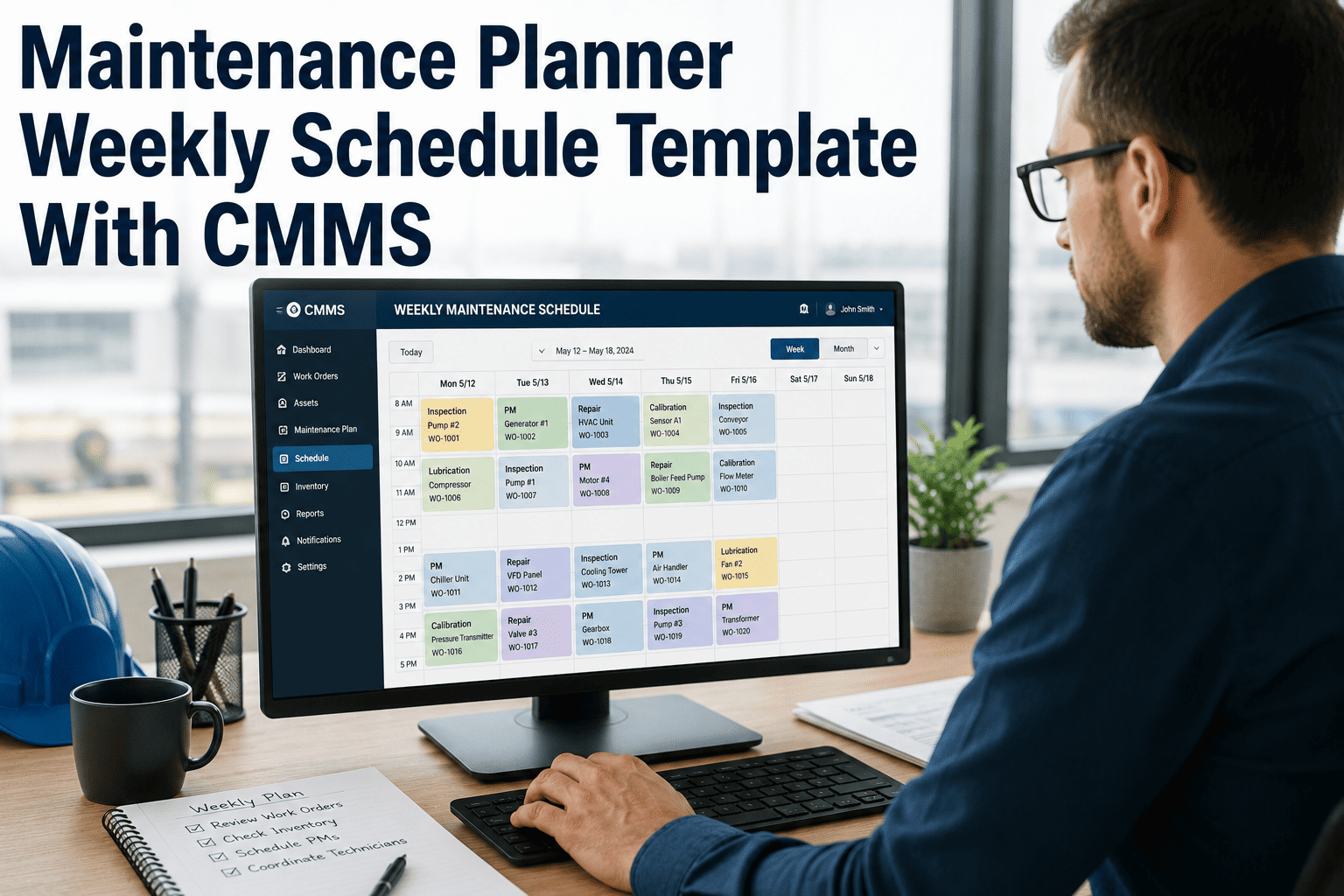
Most maintenance teams start Monday with a list of open work orders, reactive jobs already piling up, and a plan that falls apart by Wednesday. If your technicians are constantly pulled off scheduled work to fight fires — the problem isn't effort, it's structure. This guide shows you how to build a weekly maintenance plan that holds together under real plant conditions, keeps your team focused, and turns scattered work into trackable progress. See how OxMaint makes weekly planning automatic.
Maintenance Planning · CMMS · Technician Productivity
How to Build a Weekly Maintenance Plan That Technicians Actually Follow
Stop losing Wednesdays to Monday's poor planning. A structured weekly maintenance plan built inside a CMMS reduces reactive fire-fighting by up to 40% — and gives every technician clarity on what matters most before the shift starts.
40%
Fewer reactive jobs in planned teams
3×
More PM completion rate with CMMS scheduling
68%
Of unplanned downtime is preventable with proper weekly planning
The Root Problem
Why Most Weekly Plans Collapse Before Thursday
Four patterns kill nearly every maintenance plan before the week ends. Identifying which ones hit your team is the first step to fixing them permanently.
01
No Priority Logic
All work looks equal until something breaks. Without a clear PM-first, safety-first priority rule, urgent reactive jobs crowd out everything else.
02
Over-Scheduled Capacity
Planners load 10 hours of work into an 8-hour day. One delay cascades. Technicians skip steps. Quality drops. Backlog grows anyway.
03
No Real-Time Visibility
Supervisors don't know what's done until the next day's briefing. By then, three more things have gone wrong. Paper plans can't adapt in real time.
04
Technicians Own Nothing
When work is assigned top-down with no input, technicians follow orders minimally. Ownership and accountability come from involvement in the plan itself.
The Framework
The 5-Step Weekly Maintenance Planning Framework
This process is used by high-performing maintenance teams in manufacturing, utilities, and facilities management. It takes under 90 minutes on Friday afternoon to complete — and saves 10+ hours of chaos the following week.
Step 1
Review Open Backlog & Carry-Forward Work
Pull all incomplete work orders from last week. Classify each as: complete, deferred by choice, or overdue. Overdue work gets priority slots in next week's plan — not the bottom of the list.
CMMS Tip: Use OxMaint's backlog filter to sort by due date and asset criticality in one click.
Step 2
Lock in Scheduled PM Work First
Preventive maintenance owns the first 60% of your technicians' available hours. Schedule it before any reactive or project work. PM completion rates are the single most predictive metric for plant reliability.
CMMS Tip: OxMaint auto-generates PM work orders by asset schedule so nothing is missed or double-booked.
Step 3
Capacity-Check Every Technician by Skill
Match work to skill level. Don't assign a Level 1 technician to a task that needs Level 3 qualification. Load each person to 80% capacity — the 20% buffer absorbs walk-up reactive work without blowing the plan.
CMMS Tip: OxMaint's technician workload view shows live hours assigned vs. available per person for the week.
Step 4
Assign Parts, Permits & Documentation Before the Job Starts
Most delays happen not because technicians are slow — but because the parts weren't pulled, the permit wasn't approved, or the procedure wasn't attached. Pre-staging work materials is what separates a plan from a wish list.
CMMS Tip: OxMaint work orders include parts lists, permit flags, and attached SOPs — all reviewed before assignment.
Step 5
Set Daily Check-Ins — Not Weekly Reviews
A 10-minute daily stand-up using live CMMS data replaces the Friday blame session. Supervisors see completion rates in real time, re-route capacity before delays compound, and close the week with measurable outcomes.
CMMS Tip: OxMaint's mobile dashboard gives supervisors live work order status without calling a single technician.
Planning Reference
Weekly Maintenance Plan: Time Allocation Guide
| Work Type |
Recommended % of Capacity |
Priority Rule |
If Exceeded |
| Preventive Maintenance (PM) |
55 – 65% |
Always scheduled first |
Request temporary labour before deferring PM |
| Planned Corrective Work |
15 – 20% |
Scheduled from prior week's backlog |
Defer lowest-criticality assets only |
| Reactive / Emergency Buffer |
15 – 20% |
Reserved — do not pre-fill |
If consistently over, review PM compliance |
| Project / Improvement Work |
5 – 10% |
Lowest priority, fill remaining capacity |
Reschedule to next week without guilt |
CMMS-Powered Weekly Planning
Build Your Weekly Maintenance Plan in OxMaint — In Under 30 Minutes
OxMaint auto-generates PM work orders, shows technician capacity at a glance, and tracks completion in real time. Your planners spend less time building the plan and more time improving it.
Checklist
Friday Planning Checklist — Before You Leave for the Weekend
All overdue work orders reviewed and re-prioritised for next week
PM schedule for next 7 days confirmed — no gaps, no double-booking
Every technician loaded to 80% capacity or under
Parts pulled or reserved for jobs starting Monday and Tuesday
Safety permits pre-requested for any confined space or LOTO work
Emergency buffer (15–20%) kept clear — not pre-filled with project work
Daily stand-up scheduled for Mon–Fri with CMMS dashboard access
Expert Review
What Maintenance Leaders Say About Weekly Planning
★★★★★
"The single biggest shift in our reliability metrics came when we stopped treating weekly planning as an admin task and started treating it as a strategic meeting. Scheduling PM first — before any reactive allocation — reduced our emergency call-outs by 35% in 90 days."
RM
R. Mehta
Plant Maintenance Manager, FMCG Manufacturing
★★★★★
"We used to lose about 6 hours every Monday just figuring out what was done last week. Since moving weekly planning into a CMMS, the Friday handover takes 20 minutes and Monday starts clean. That alone justified the software cost."
SJ
S. Johnson
Facilities Director, Commercial Real Estate Portfolio
Common Questions
Weekly Maintenance Planning — Frequently Asked
How far in advance should a weekly maintenance plan be built?
Best practice is to complete the following week's plan by end-of-day Friday. This gives the team a full weekend for parts procurement and permit preparation. For large plants with complex permit workflows, some planners build two weeks ahead for scheduled shutdowns and inspections, using a CMMS like
OxMaint to keep recurring PM auto-populated beyond the manual planning window. Looking further than two weeks for dynamic maintenance environments introduces too much uncertainty and the plan becomes unreliable.
What is the right ratio of planned vs reactive maintenance work in a weekly schedule?
World-class maintenance organisations target 85–90% planned work and 10–15% reactive. Most plants operating without structured CMMS planning run the opposite — 60–70% reactive, leaving almost no time for proactive PM. Reaching the 85% planned benchmark typically takes 6–12 months of disciplined weekly planning cycles. Start by protecting PM slots from being bumped by reactive work, and the ratio shifts naturally over time.
Book a demo to see how OxMaint tracks your planned-vs-reactive ratio weekly.
How should emergency or reactive work be handled when it breaks the weekly plan?
Reserve 15–20% of total technician hours as an unscheduled buffer specifically for reactive and emergency work. When a genuine emergency arrives, that buffer absorbs it without destroying the PM schedule. If your reactive work consistently exceeds 20% of capacity, this signals a systemic reliability problem — not a scheduling problem — and root cause analysis on your top failure assets should take priority. A CMMS with real-time work order tracking helps distinguish true emergencies from poor planning in your historical data.
Can a CMMS replace the weekly planning meeting entirely?
A CMMS automates the mechanical parts of planning — generating PM work orders, showing available technician hours, flagging overdue tasks — but it does not replace the human judgment required in a planning meeting. The goal is to reduce the planning meeting from 90 minutes of spreadsheet review to 20 minutes of decision-making on the exceptions the CMMS flagged.
OxMaint handles the data gathering; your planner handles the trade-off decisions. Together, they produce a plan that actually holds through the week.
Start Planning Smarter
Your Next Weekly Plan Should Take 30 Minutes — Not 3 Hours.
OxMaint gives maintenance planners automated PM scheduling, live technician capacity views, and real-time work order tracking — everything needed to build a weekly plan that technicians actually follow, on any device, in any plant environment.