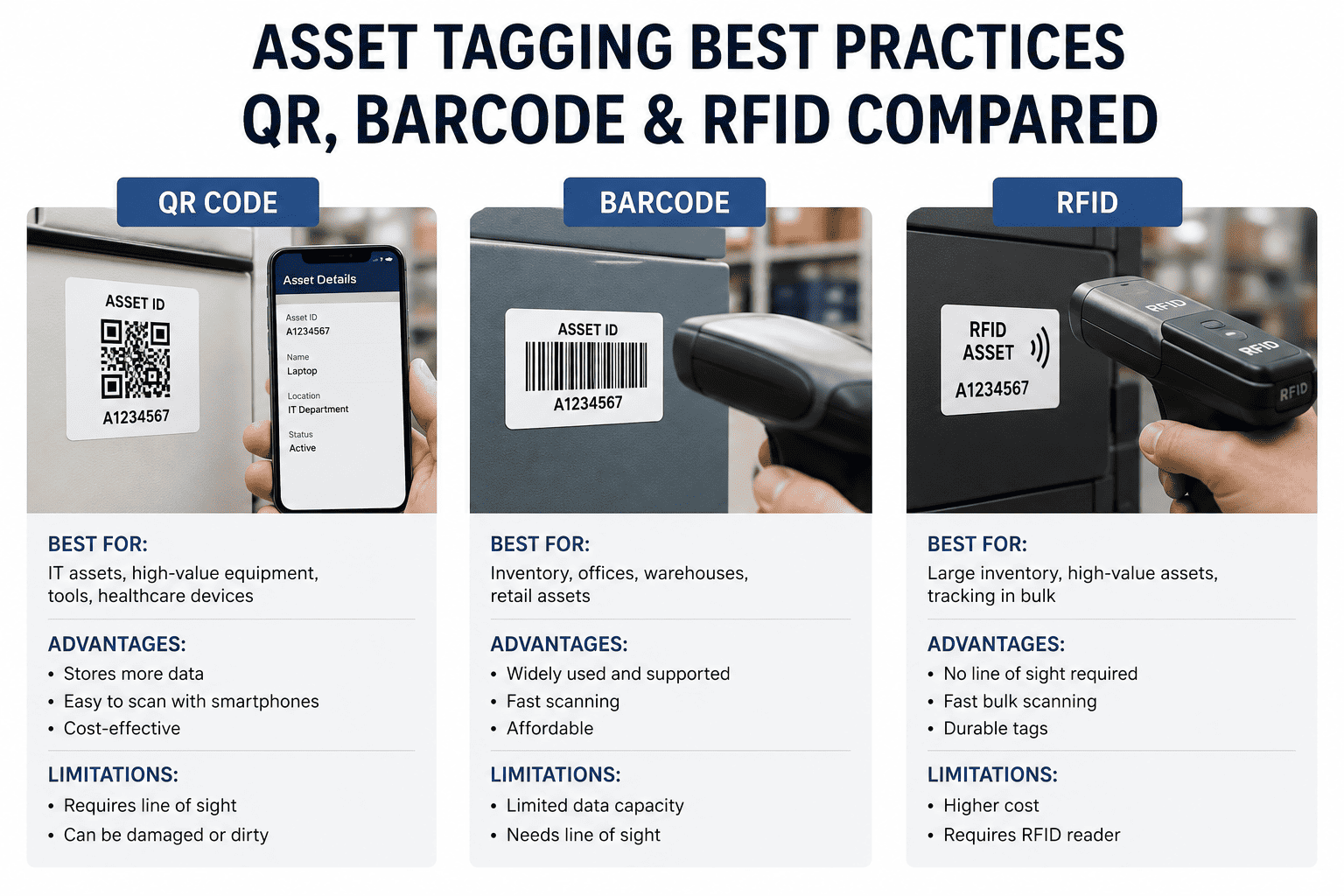
Asset tagging is the physical link between equipment and your CMMS — without it, work orders get raised against the wrong assets, maintenance history becomes unreliable, and technicians waste 20-30 minutes per shift tracking down asset information they need before they can start work. Research from the Aberdeen Group shows that best-in-class maintenance organizations are 2.4x more likely to use automated asset identification methods (QR, barcode, or RFID) than industry-average teams. The right tagging method depends on your environment, asset density, and workflow — and choosing wrong costs more in retagging and rework than the initial tag selection would have. Oxmaint asset management supports QR scan, barcode, and RFID integration natively — start a free trial to see QR-to-work-order in action on your assets.
Choose the Right Method · Deploy at Scale · Integrate with CMMS
See how much reactive maintenance cost you can eliminate with proper asset tagging and AI-driven PM scheduling.
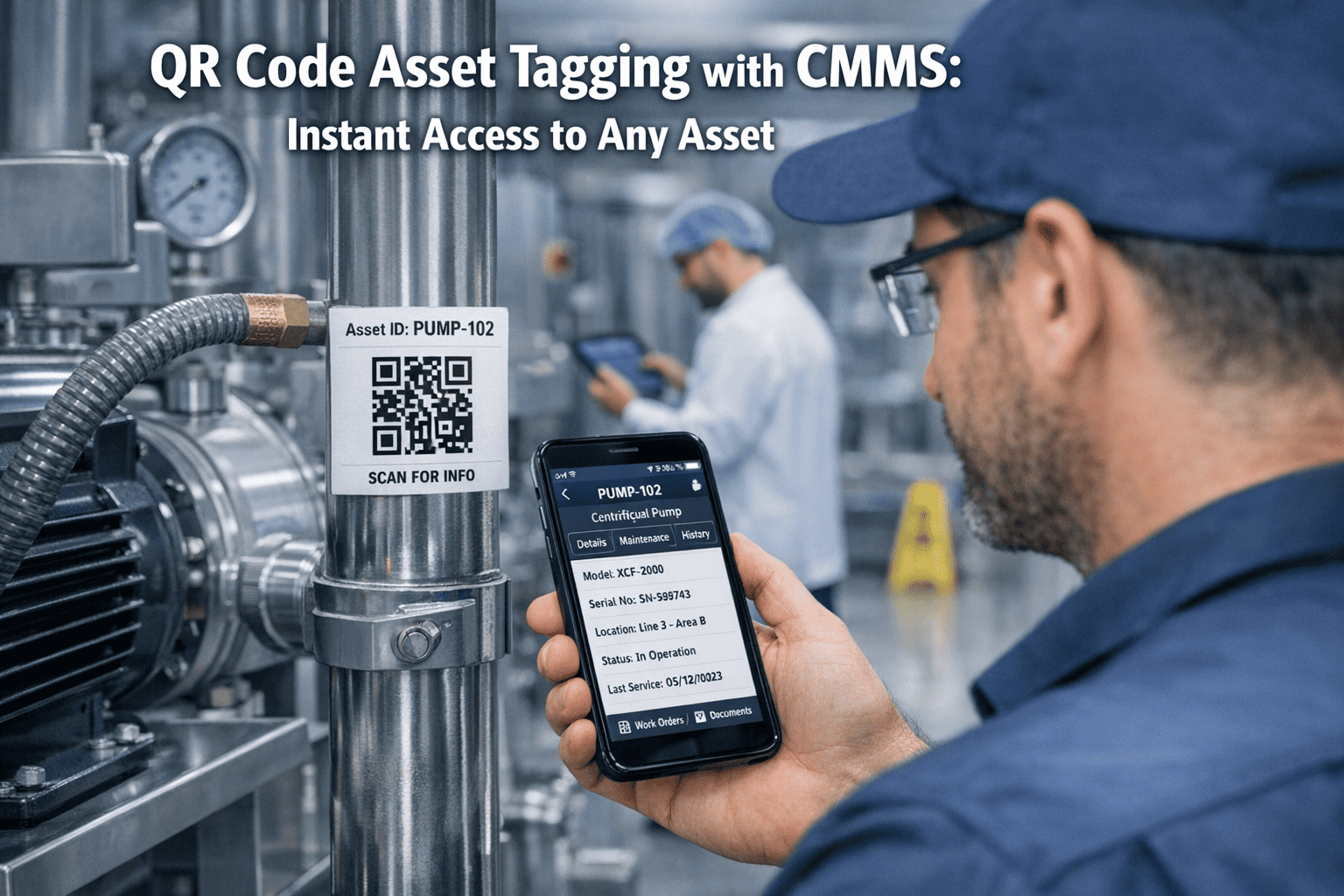
Asset tagging is the process of attaching a unique physical identifier to each piece of equipment so it can be instantly linked to its digital CMMS record. A tag — whether a printed QR code, laser-etched barcode, or embedded RFID chip — eliminates the gap between the physical world and your maintenance data. Scan it, and you have the asset's full history, open work orders, PM schedule, and specifications without searching, typing, or guessing.
Without physical tags, asset identification relies on technician memory and printed lists. Both fail in high-turnover environments, multi-shift operations, and facilities with hundreds of similar assets in close proximity. A technician who raises a work order against the wrong pump creates a maintenance history record that corrupts reliability metrics, misaligns spare parts consumption, and may delay the actual failure intervention because the right asset was never flagged. Proper tagging is not an administrative exercise — it is a data quality problem with direct impact on downtime and cost.
Oxmaint's asset management platform generates print-ready QR tags directly from asset records, links every scan to the correct equipment profile, and creates work orders from mobile scans in under 30 seconds — turning tagging from a setup task into a daily workflow tool. Book a demo to see it mapped to your facility layout.
Each physical asset gets exactly one tag. Multiple tags on one asset create duplicate scan paths; shared tags on grouped assets destroy individual history. Define "asset" at the replaceable-unit level: a pump is an asset; its impeller is a component. Tag the pump, track the impeller as a part in the work order.
Place tags where the technician naturally stands when performing maintenance — not where it is easiest to apply during installation. A tag hidden behind a panel cover or on the top of a ceiling-mounted unit will not get scanned. Eye-level, facing the work approach direction, on a clean flat surface.
Standard paper/polyester QR labels fail in 6-12 months in high-heat, high-humidity, or chemical-exposure environments. Use aluminum-backed labels for outdoor assets, ceramic or metal tags for high-temperature zones, and UV-resistant overlaminates for outdoor UV exposure. Retagging at scale is expensive — invest in durable materials upfront.
Every tag must display the Asset ID in plain text in addition to the scannable code. When a scanner fails, a device is unavailable, or the tag is partially damaged, the technician needs to manually look up the asset. The human-readable ID makes fallback lookup instant. Format: [SITE]-[SYSTEM]-[TYPE]-[SEQ] on every tag.
Create the CMMS asset record first, then print and apply the tag with the generated ID. Never apply a tag and create the record later — orphaned tags that reference unregistered assets corrupt your register within weeks. The Oxmaint workflow generates and prints tags from within the asset record creation flow to enforce this sequence.
Define what happens when a tag is damaged, missing, or illegible. The standard protocol: technician reports missing tag via CMMS, spare tags are stocked in the maintenance store, replacement is completed within 24 hours of identification, and the CMMS asset record is verified for accuracy at time of replacement. No asset should be untagged for more than one shift.
When assets are untagged or tags are damaged, technicians identify equipment by memory or proximity — and get it wrong. A work order logged against Pump P-102 when P-101 failed creates a maintenance history record that shows P-102 failing more than it actually does, and P-101 appearing more reliable than it is. Downstream reliability metrics, PM schedules, and replacement decisions all degrade.
Equipment relocated without updating the CMMS location field creates a tag that scans to the correct asset profile but shows the wrong location. Technicians dispatched to the old location waste time; parts ordered for the wrong area get delivered to the wrong storeroom. Asset moves must trigger a mandatory location update in the CMMS — with no exceptions.
Assets removed from service without retiring the CMMS record — and without removing the tag — leave an active record pointing to equipment that no longer exists. PM work orders continue generating for ghost assets. Technicians waste time confirming the equipment is gone before closing work orders as "asset not found." The tag removal must be part of the decommission checklist.
Standard adhesive QR labels applied to assets in food production wash-down zones, outdoor environments, or high-heat areas fail within 60-90 days. Faded, peeling, or delaminated tags cannot be scanned — forcing technicians to either guess the asset ID or skip the scan entirely. Tag material selection must account for the worst conditions the asset will experience, not average conditions.
Dealing with any of these issues? Start a free trial to see how Oxmaint's mobile-first asset management makes tag-to-work-order workflows reliable — or book a demo for a facility-specific walkthrough.
Create an asset record in Oxmaint, print the QR tag from the app, and apply it — all within one workflow. The tag encodes the asset URL directly, so any smartphone scan opens the complete asset profile without needing to be logged into a specific system. Tags print to standard label printers at any size.
Technician scans the asset QR tag with any smartphone, selects work order type (corrective, PM, inspection), adds a description and photos, and submits — in under 30 seconds. The work order is automatically linked to the correct asset, location, and maintenance history with no manual field entry required.
For facilities with existing barcode infrastructure, Oxmaint reads standard 1D and 2D barcodes through the mobile app camera. For RFID deployments, Oxmaint integrates via API with RFID middleware platforms. Either method populates the same asset record and work order workflow — no separate system required.
Technicians can report a missing or damaged tag directly from the mobile app, creating a tagging work order that routes to the maintenance store for replacement. Tag replacement compliance is tracked — you can see what percentage of your asset base is tagged and operational at any point, and which assets have open tag replacement orders.
Configure inspection checklists that launch automatically when an asset QR is scanned. The technician scans the pump, the lubrication inspection checklist opens, and completed inspection data feeds directly into the inspection management module with full audit trail. Compliance documentation happens at the point of work, not after.
For assets in fixed camera zones, Oxmaint's AI Vision Camera (NVIDIA-powered, 99.2% detection accuracy) monitors for cracks, corrosion, leaks, and thermal anomalies 24/7 — and auto-creates work orders against the tagged asset when anomalies are detected. Tags enable the bridge between AI detection and accurate asset attribution.
| Aspect | Reactive / Ad Hoc Tagging | Systematic Tagging with Oxmaint |
|---|---|---|
| Tag coverage | 40-70% of assets tagged; new equipment often missed | 100% target; new assets tagged before first PM is scheduled |
| Work order accuracy | 15-25% wrong-asset work orders; history unreliable | Scan-linked work orders eliminate wrong-asset entry; history accurate |
| Tag replacement | Noticed at inspection; replacement may take weeks | Reported via app; replacement work order created same day |
| Location accuracy | Not updated on asset moves; stale by 6-12 months | Move triggers mandatory CMMS update; QR scan confirms location |
| Decommission process | Tag remains; ghost asset PMs continue generating | Tag removal on decommission checklist; CMMS record retired same day |
| Inspection workflow | Paper checklist; data entry after the walk | QR scan launches checklist; data saved at point of inspection |
When QR scan replaces manual asset ID entry on mobile work order creation
Reduction in asset search, lookup, and manual entry time per technician per shift
Oxmaint predictive maintenance accuracy when sensor data is correctly attributed via asset tags
Time to tag and activate 200-300 assets in Oxmaint for a medium-sized facility team
Use the Oxmaint ROI Calculator to estimate the productivity and downtime reduction value of a systematic tagging program for your facility size and asset count.
What is the best asset tagging method for a manufacturing facility with harsh conditions?
Can we use QR codes on metal equipment surfaces?
Should we use QR codes or RFID for a fleet maintenance program?
How do we handle asset tagging when equipment is moved between sites?
Oxmaint generates QR tags, connects scans to complete asset histories, and creates work orders in under 30 seconds — all from any smartphone. 1,000+ maintenance teams across manufacturing, facility, fleet, and healthcare use Oxmaint as the single source of truth for asset tagging and maintenance workflows.