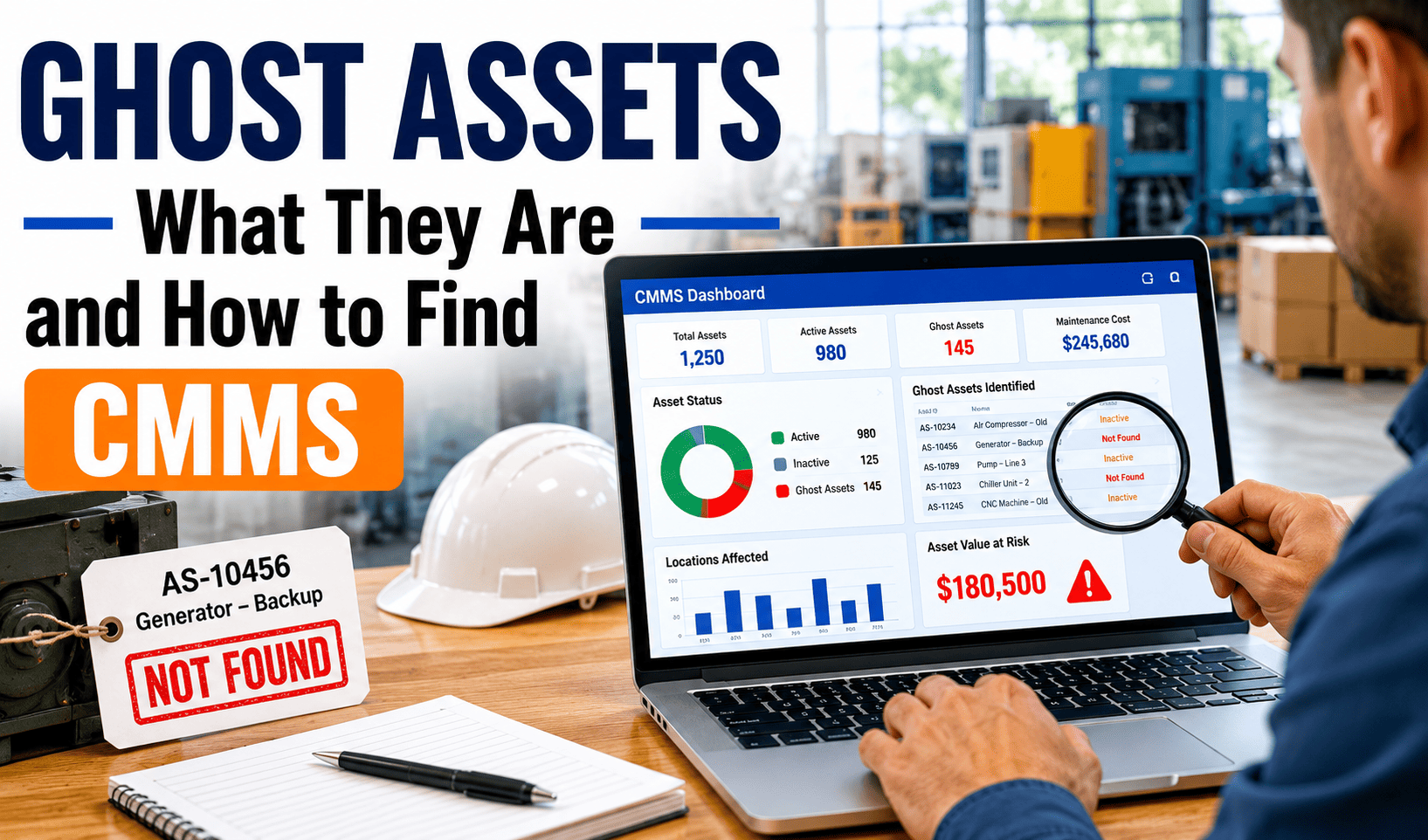
Ghost assets are equipment records that exist in your CMMS or asset register but no longer exist — or never existed — on the plant floor. They inflate your reported asset base, generate phantom PM work orders, consume maintenance budget, and distort every KPI your team reports to leadership. Industry estimates suggest that 5–30% of asset records in a typical CMMS are ghost assets, and in facilities that have never conducted a formal asset audit, the figure can reach 40%. That's not a data hygiene problem — that's a budget and compliance risk sitting in plain sight.
See how many ghost assets are costing your team real budget — map your asset register against physical reality in 30 minutes.
- AI-powered asset verification tied to physical QR scan confirmation
- Automated detection of assets with zero work orders in 12+ months
- Clean, auditable asset register your compliance team can defend
Trusted by 1,000+ maintenance teams across 9+ industries · Live in days, not months
Ghost assets in a CMMS: the 40-word definition that wins featured snippets
Ghost assets are equipment or asset records that exist in your CMMS database but do not correspond to any physical asset on-site — either because the asset was disposed, relocated, written off, or was never properly added. They create phantom maintenance obligations, inflate your asset base, and compromise budget, compliance, and insurance accuracy.
There are four distinct types of ghost assets your maintenance database is likely harboring right now. The first and most common: assets that were physically removed, sold, or scrapped but never retired in the CMMS. The second: assets that were transferred to another site or facility but remain in the original location's register. The third: duplicate records — the same physical asset entered twice under different asset IDs, often during a CMMS migration or facility acquisition. The fourth: assets that were planned for installation but never delivered, yet were pre-loaded into the system as part of a capital project setup.
Each type creates different problems. Scrapped assets generate PM work orders that techs mark complete without doing the work — corrupting your PM compliance rate. Duplicate records double-count your asset base and split maintenance history, making failure analysis unreliable. Pre-loaded assets that were never installed carry insurance coverage that inflates premiums without covering any real risk. Use Oxmaint's asset management to run a systematic ghost asset audit across your full register.
8 types and causes of ghost assets in maintenance systems
Equipment removed from service and physically disposed of, but the CMMS record was never retired. The asset continues generating PM work orders indefinitely. Most common in facilities without a formal disposal workflow.
Asset physically moved to another site or department but retained in the original location's register. Now counts toward two locations' asset bases simultaneously. Common after reorganizations or acquisitions.
Same physical asset entered twice under different IDs — often during CMMS migrations, system upgrades, or when different teams independently added the same equipment. Splits work order history and doubles reported asset count.
Assets pre-loaded into the CMMS as part of a capital project that was delayed, cancelled, or partially delivered. The record exists with full PM schedules attached to equipment that never arrived on-site.
Assets reported as active in the CMMS but fully written off on the financial register years ago. Creates a disconnect between what finance believes the facility operates and what maintenance is actually servicing.
Leased equipment returned to the lessor at the end of contract but never removed from the asset register. Continues to carry insurance coverage and PM obligations for equipment the facility no longer owns or uses.
Asset renamed or renumbered during a system migration, but the old record wasn't retired. Now two records exist — one with all the historical work orders, one being actively maintained. Failure analysis becomes impossible.
Ghost records created during bulk data imports from spreadsheets or legacy systems where formatting errors, blank rows, or test entries made it through the import without validation. Found most often in recently migrated CMMS databases.
6 ways ghost assets damage your maintenance operation
Every ghost asset with an active PM schedule consumes real technician time and parts budget. At an average of $800 per ghost asset per year in wasted PM overhead, a facility with 100 ghost assets is burning $80,000 annually on equipment that doesn't exist. See how verified PM scheduling eliminates this waste.
Techs close ghost asset work orders without performing any work — because the asset isn't there. This inflates your reported PM compliance rate above the real-world figure, masking genuine gaps in maintenance coverage. Leadership is making decisions on data that is structurally wrong.
Insurance premiums are calculated on declared asset values. Ghost assets that remain in the asset register inflate the insured value, generating premiums for equipment that was disposed of years ago. One insurance audit on a ghost-heavy register can expose significant premium recovery — but only if the register is cleaned first.
MTBF, MTTR, failure rate, and cost-per-asset calculations are all diluted by ghost asset records with zero real maintenance activity. Your worst-performing real assets get masked behind the averages. Reliable analytics require a clean asset register as the foundation — not ghost assets padding the denominator.
OSHA and ISO audits require proof that inspection and maintenance records correspond to real physical assets. When auditors request documentation for an asset that was scrapped three years ago — and find active inspection records for it — the credibility of your entire compliance program is in question. Safety and compliance integrity starts with a verified asset register.
Budget forecasts for asset replacement depend on accurate asset age and count data. Ghost assets distort both numbers — showing more assets and older average ages than actually exist. CapEx requests based on ghost-inflated registers ask for money to replace equipment that was already removed, eroding finance team trust in maintenance data. Book a demo to see how verified asset data transforms budget accuracy, or start a free trial today.
6 Oxmaint capabilities that eliminate ghost assets — and prevent new ones
Every asset in Oxmaint carries a unique QR code. Physical verification scans confirm the asset exists at the recorded location. Assets that fail verification over a configurable window surface automatically for review — no manual cross-referencing. Asset management module.
NVIDIA-powered cameras at 99.2% detection accuracy identify physical asset presence, condition, and ID confirmation during routine inspections — flagging assets not visually confirmed in expected locations. AI Vision Camera details.
Oxmaint's analytics engine automatically flags any asset with zero confirmed work orders, zero inspections, or zero scans in a configurable period — surfacing likely ghost candidates for review without a manual audit. Analytics and reporting.
When an asset is removed from service, Oxmaint's retirement workflow captures disposal method, date, authorization, and final condition — then archives the record with full history intact and removes it from active PM schedules. No record lost, no ghost created. Work order management integration.
Oxmaint's bulk import validates asset records against existing database entries — flagging duplicates by serial number, location, and asset name before they enter the register. Data migrations don't create ghost asset problems when the import layer enforces uniqueness rules.
Generate a complete asset register report with last-verified date, verification method, active/inactive status, and maintenance history per asset — in under 60 seconds. Insurance, compliance, and finance audits get defensible documentation, not a spreadsheet. Inspection management.
How to find ghost assets in your CMMS: a 5-step audit framework
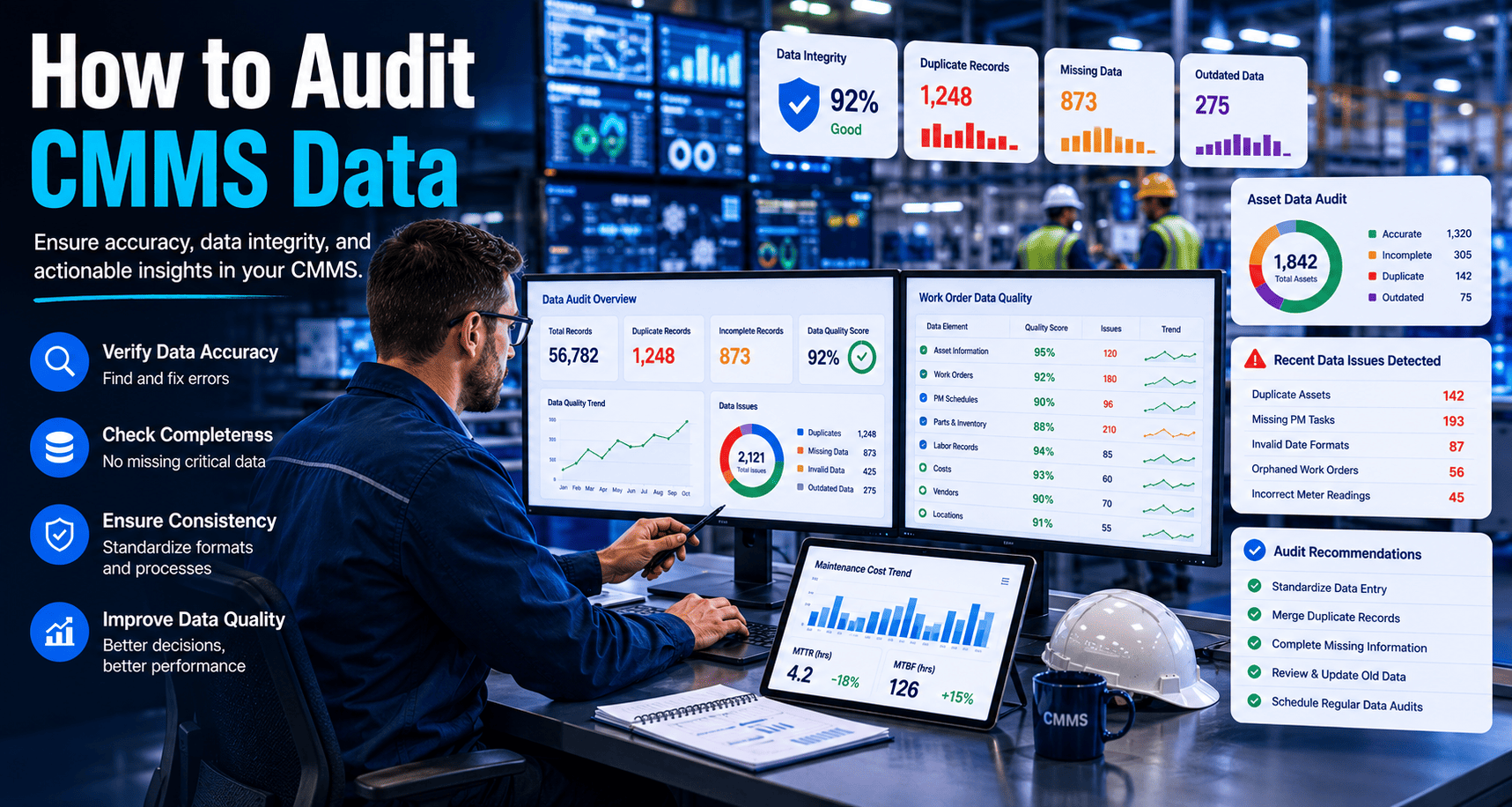
Pull every active asset record from your CMMS — including asset ID, location, last work order date, last inspection date, and PM schedule status. Sort by "last activity" date. Assets with no recorded activity in the past 12–24 months are your primary suspects. In most facilities, this list is longer than expected.
Compare your CMMS asset list against the fixed asset register from finance. Assets that appear in the CMMS but not in the financial register — or that appear as fully disposed in the financial register — are high-probability ghosts. This cross-reference typically surfaces 40–60% of ghost assets without setting foot on the floor.
Walk every location in the suspect list with a mobile device running your CMMS. Scan the QR code or barcode on each physical asset. Assets that scan but don't match the register reveal transfer and rename ghosts. Locations where you can't find the asset confirm scraped or removed ghosts. Document the verification status against each record in real time.
For each confirmed ghost: scrapped assets get retired with disposal date and method recorded; transferred assets get location updated; duplicate records get merged with full history consolidated; planned-never-installed assets get flagged as pending with PM schedules suspended. Each classification requires a different action — bulk-deleting without classification destroys historical data you may need for warranty or insurance purposes.
Ghost assets return without structural controls. Implement a mandatory retirement workflow in your CMMS — no asset removal from a facility proceeds without a CMMS retirement entry. Add quarterly zero-activity reports to your maintenance management calendar. Require QR scan confirmation for all new assets before PM schedules activate. These three controls eliminate ghost asset accumulation at the source. Use Oxmaint's AI and automation to run these checks continuously rather than quarterly.
Ghost-heavy register vs clean, verified CMMS asset database
| Dimension | Ghost-Contaminated Register | Verified Oxmaint Register |
|---|---|---|
| PM compliance rate | Artificially inflated — ghost WOs closed without work | Accurate — every closed WO reflects real performed work |
| Maintenance cost per asset | Diluted by phantom asset denominator | True cost per active asset — defensible to finance |
| Insurance premiums | Over-insured — phantom assets inflate declared value | Correctly scoped — premiums match real asset base |
| MTBF / reliability data | Distorted by zero-activity ghost records | Clean signal — failure trends visible and actionable |
| Compliance audit readiness | Risk: active records for disposed assets exposed | Audit-ready: every record matches a verified physical asset |
| CapEx forecast accuracy | Overstates asset count and replacement requirements | Based on real asset ages and verified condition data |
| Tech trust in the system | Low — frequent WOs for nonexistent equipment erodes confidence | High — techs trust the system matches the floor |
| New ghost asset rate | Accumulates continuously without controls | Near zero — retirement workflow and QR verification prevent recurrence |
What ghost asset elimination actually recovers
A facility with 300 assets and a 15% ghost rate is managing 45 phantom records. At $800 per ghost per year, that's $36,000 in recoverable annual budget — before counting insurance premium savings or compliance risk mitigation. Run the ROI calculator for your asset base, or book a demo to see ghost asset detection in action on a live register.
Common questions about ghost assets and CMMS data quality
What are ghost assets and why do they appear in a CMMS?
How do ghost assets affect maintenance costs and compliance?
How do you identify ghost assets in your CMMS?
How do you prevent ghost assets from accumulating after an audit?
Stop Paying to Maintain Equipment That Isn't There
Oxmaint combines QR-scan physical verification, AI vision confirmation, and zero-activity detection to find ghost assets in your register — then gives you the structured retirement workflow to eliminate them and keep them gone. Clean data. Accurate compliance. Budget that goes toward real equipment.
- Automated detection of zero-activity assets — ghost candidates surfaced without manual audit
- QR + AI vision physical verification for every asset at every location
- Structured retirement workflow that prevents new ghosts at the source
Trusted by 1,000+ maintenance teams managing 10,000+ assets · Live in days, not months