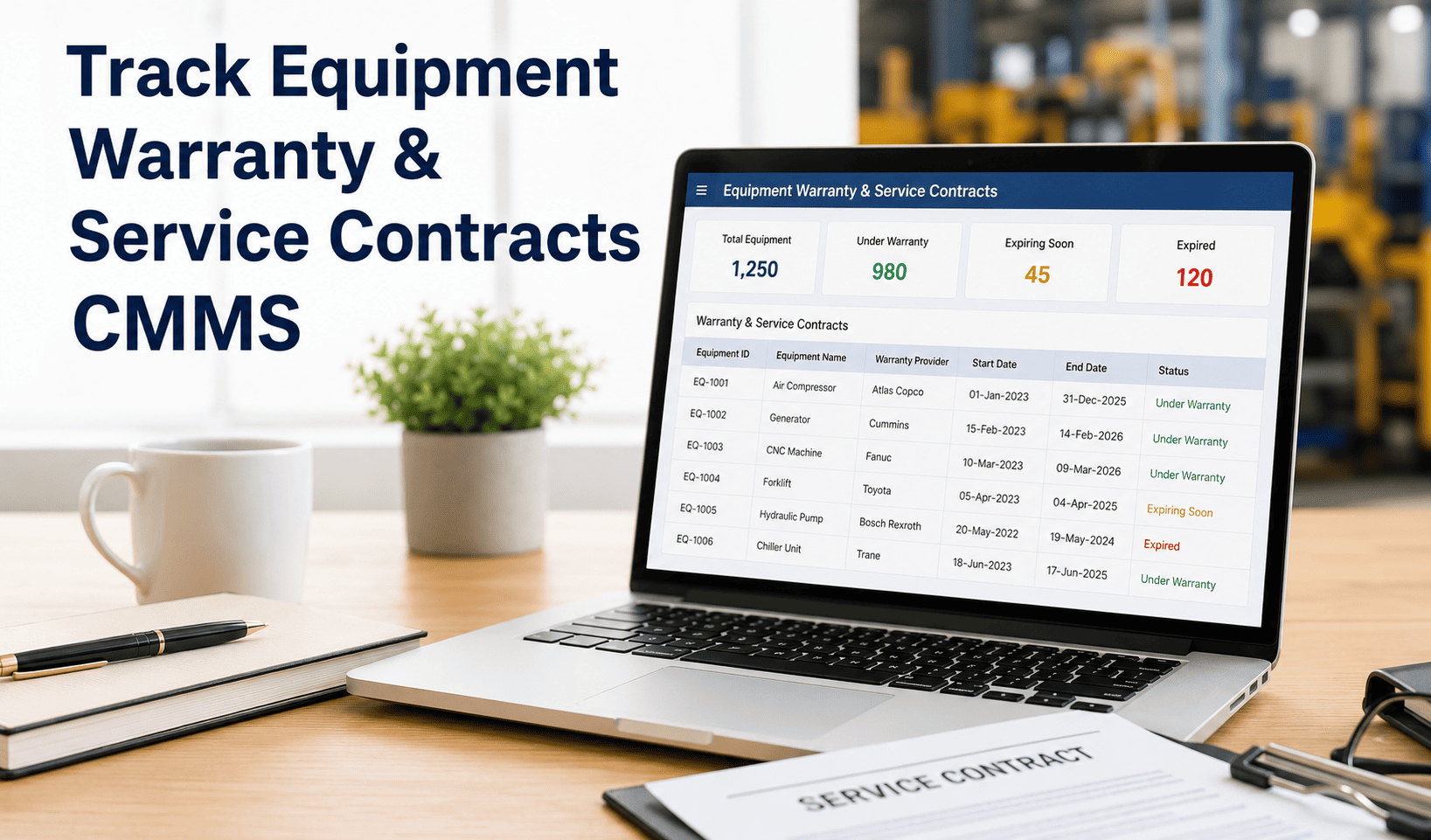
Equipment warranty tracking in a CMMS is the practice of storing, monitoring, and automating alerts around manufacturer warranties and third-party service contracts — so maintenance teams never miss a claim, never pay for covered repairs, and never let a contract silently lapse. Studies show that up to 35% of warranty-eligible repairs are paid out-of-pocket simply because teams lack a system to track coverage. That money is recoverable — but only if your asset management platform connects contracts to real maintenance activity.
See how much warranty value your team is leaving on the table — review your assets in a 30-minute live session.
- Automated warranty expiry alerts tied to real asset timelines
- Contract documents linked directly to work orders and asset records
- Audit-ready service history for every warranty claim
Trusted by 1,000+ maintenance teams across 9 industries · Live in days, not months
What Is Equipment Warranty Tracking in a CMMS?
Equipment warranty tracking in a CMMS means attaching every warranty document, contract term, expiry date, and covered-component list directly to the digital asset record — then automating alerts before coverage ends and generating service history reports the moment a claim is needed. It replaces spreadsheets, filing cabinets, and institutional memory with a structured system that enforces action.
A service contract CMMS extends this to third-party agreements: SLAs with vendors, annual maintenance contracts, calibration service agreements, and OEM support plans. Every scheduled maintenance visit, response time obligation, and renewal trigger is tracked against the actual asset, not a standalone document. When a work order is created for a covered asset, the CMMS flags the coverage — so techs know whether to proceed internally or escalate to the vendor before spending a dollar.
Together, warranty and contract tracking transforms a passive administrative function into a live financial control system for your maintenance operation. Teams using Oxmaint's asset management recover significant claim value annually simply by having the data connected to the workflow.
Six Core Components of Warranty and Contract Management in a CMMS
Each asset carries its own warranty start/end dates, covered parts, claim procedures, and vendor contacts — stored inside the asset profile, not in a shared drive folder that nobody can find during a breakdown.
PDFs of warranty certificates, service agreements, and OEM manuals attach directly to the asset record. Techs access them on mobile at the asset. No more hunting for paperwork during an emergency claim.
Automated notifications fire at 90, 60, and 30 days before any warranty or contract expires. Procurement gets the alert. Maintenance gets the alert. Nobody discovers coverage lapsed after submitting a claim.
When a work order is opened on a covered asset, the CMMS automatically surfaces the active warranty or contract — flagging whether the repair should be vendor-escalated or can proceed internally without voiding coverage.
Every PM, inspection, and repair is timestamped and logged against the asset. This creates the documentation trail needed to support warranty claims — and proves maintenance was performed per OEM specs to avoid voiding coverage.
Service contract SLAs — response times, visit frequencies, coverage windows — are tracked against actual vendor performance. If a vendor misses a contractual obligation, the system surfaces it before it becomes a dispute.
A single view of every active contract, upcoming renewal, expired coverage, and open claim — across all sites and asset classes. No gaps, no surprises, no missed renewal windows that leave assets unprotected.
For facilities managing assets across multiple locations, contract terms, coverage dates, and vendor relationships consolidate into one platform. Corporate procurement gets visibility; site teams get real-time coverage status on every asset.
Four Pain Points That Kill Warranty Value
Most maintenance teams discover that a warranty lapsed after they've already paid for the repair. Without automated expiry alerts tied to procurement workflows, renewals fall through the cracks during busy operational periods. Once coverage is gone, the cost is unrecoverable.
OEM warranties require proof of OEM-compliant maintenance. If your CMMS doesn't log who performed each PM, what parts were used, and when — you have no documentation to support a claim. Repairs done by uncertified techs using non-OEM parts silently void coverage.
Without CMMS-level coverage flagging, technicians initiate and complete repairs on assets that are fully under active warranty or service contract. The vendor could have handled it at zero cost. This happens daily in facilities that manage contracts in email threads and spreadsheets.
Service contracts carry vendor response time obligations. Without system-level SLA tracking, vendors miss scheduled visits or breach response windows without consequence. Penalties and credits in the contract go unclaimed because nobody tracked the breach. This is direct financial leakage — start a free trial to close it, or book a demo to see SLA monitoring in action.
How Oxmaint Solves Warranty and Contract Tracking
Every asset in Oxmaint carries dedicated warranty and contract fields: coverage start/end, vendor, contract type, SLA terms, covered components, and claim contact. Documents upload directly to the record. Techs access everything on mobile via QR scan at the asset — no back-office trip required. Explore asset management features.
Oxmaint fires configurable alerts at 90, 60, and 30 days before any warranty or contract expiry — routed to maintenance managers, procurement, and site leads simultaneously. Renewal decisions get made proactively, not discovered during a breakdown when coverage has already lapsed. See how preventive maintenance scheduling integrates with contract timelines.
When a tech opens a work order on any asset with active warranty or contract coverage, Oxmaint surfaces a coverage alert instantly — displaying the vendor, contract type, expiry date, and recommended escalation path. No internal repair budget is spent on a covered asset without a deliberate override. Integrated with smart work order management.
Every PM, inspection, and repair is logged with technician ID, timestamp, parts used, and procedure followed — creating an unbroken, auditable maintenance record. When a warranty claim is submitted, Oxmaint exports a formatted service history report that meets OEM documentation requirements. Supported by inspection management and analytics and reporting.
Reactive Contract Management vs. CMMS-Integrated Tracking
| Capability | Spreadsheet / Manual | Oxmaint CMMS |
|---|---|---|
| Warranty visibility | Static spreadsheet, checked manually | Live dashboard, per-asset, always current |
| Expiry alerts | Calendar reminder (if remembered) | Automated 90/60/30-day multi-recipient alerts |
| Work order coverage check | Tech manually checks — often skipped | Auto-flagged at work order creation |
| Document access | Shared drive folder (if filed correctly) | Mobile-accessible, attached to asset profile |
| Claim documentation | Manual assembly from multiple sources | One-click audit-ready service history export |
| SLA monitoring | No tracking — violations go undetected | Automated SLA breach detection and alerts |
| Multi-site consolidation | Separate files per site, no central view | Unified dashboard across all locations |
| Voided coverage risk | High — no OEM-spec compliance tracking | Low — certified tech, correct parts, logged always |
ROI from CMMS Warranty and Contract Tracking
Teams using Oxmaint's ROI calculator routinely identify $15,000–$50,000 in annual recoverable warranty and contract value — across facilities with 200+ tracked assets. Start a free trial to see what your portfolio is leaving unclaimed, or book a demo and we'll map the contract tracking workflow to your specific asset inventory.
Frequently Asked Questions
How does a CMMS track equipment warranty expiry dates automatically?
Can a CMMS prevent technicians from unknowingly voiding warranty coverage?
What is the difference between a warranty and a service contract in CMMS tracking?
How do I build a warranty claim using maintenance records from my CMMS?
Stop Paying for Repairs Your Contracts Already Cover
Oxmaint connects every warranty, service contract, and SLA directly to your asset records and work order workflow — so covered repairs get flagged before money is spent, expiry dates trigger alerts before coverage lapses, and every claim is backed by an auditable maintenance history.
- Automated warranty expiry alerts at 90, 60, and 30 days
- Coverage flagging on every work order for covered assets
- One-click audit-ready claim documentation from live maintenance records
Trusted by 1,000+ teams managing 10,000+ assets · Live in days, not months