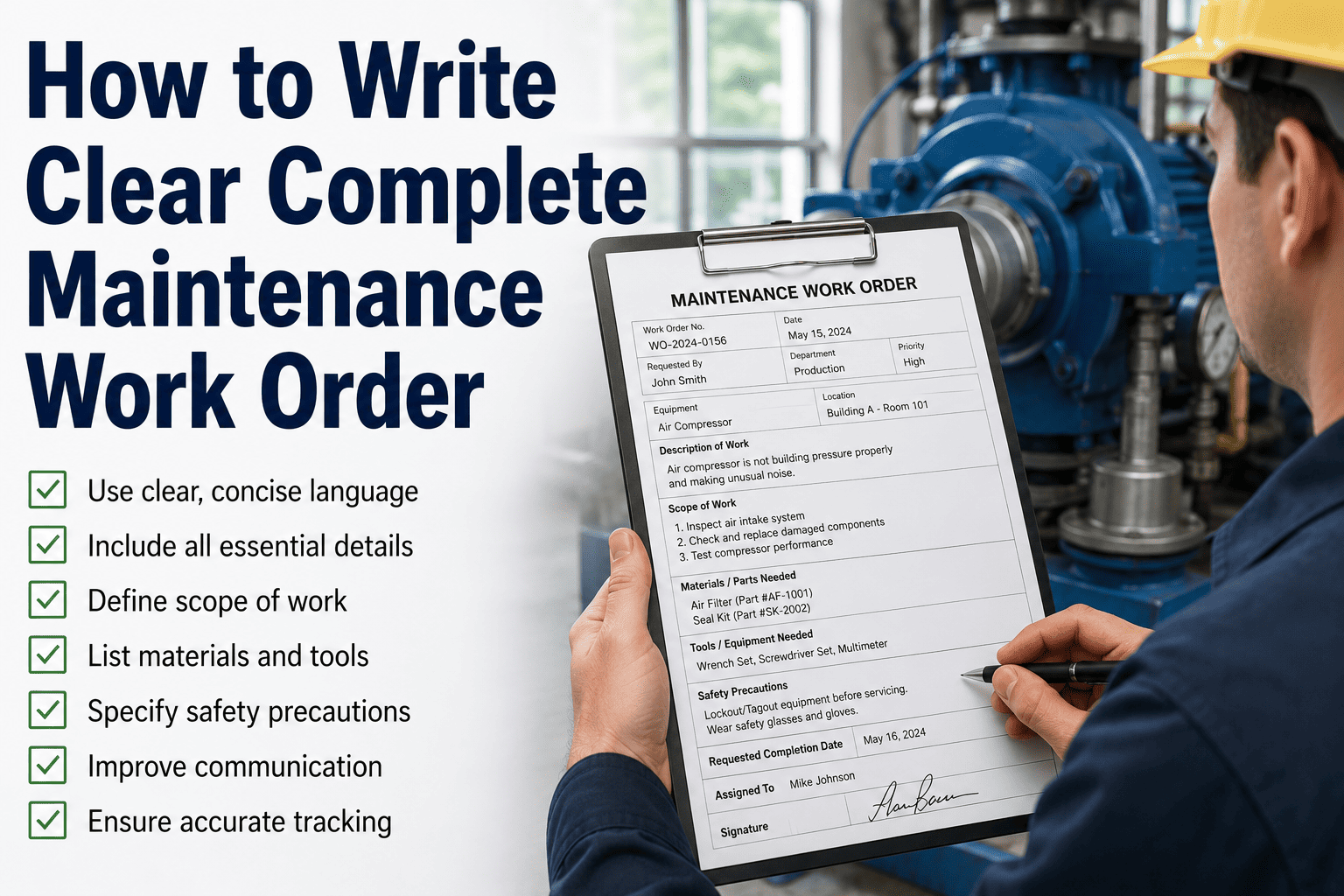
A maintenance work order is only as good as the information inside it — and most organizations lose 20–30% of technician wrench time to incomplete work orders that require rework, callbacks, or a trip back to the storeroom for a part that should have been listed on the first pass. Learning how to write a clear and complete maintenance work order is the single highest-leverage documentation practice a maintenance team can implement.
See how AI-assisted work order creation eliminates missing fields, routes the right tech, and closes out faster — in 30 minutes.
- Smart work order templates — every required field, auto-prompted
- QR-scan asset lookup — spec, history, and parts list in seconds
- AI priority routing — right tech, right time, zero manual dispatch
Trusted by 1,000+ teams who replaced paper work packs and spreadsheet queues · Live in days, not months
How to write a maintenance work order that technicians can actually use
A maintenance work order is a formal document — digital or paper — that authorizes and directs a specific maintenance task on a specific asset. A complete maintenance work order contains everything a technician needs to execute the job from start to finish without stopping to ask questions: the asset, the task, the scope, the required parts and tools, the safety requirements, and the completion criteria. That last point is the one most organizations get wrong.
The difference between a good work order and a bad one is not length — it is precision. A 10-word work order that says "replace belt on conveyor B-07, belt part #CV-4412, torque spec 28 Nm, return worn belt for analysis" is more useful than a 200-word description that still fails to specify the part number. Every field in a work order should answer a question the technician would otherwise have to stop and ask. See how Oxmaint's smart work order system enforces completeness at the point of creation, not after the technician is already on-site.
In modern CMMS platforms, work orders are also the primary data record that feeds reliability analysis, PM compliance measurement, and cost tracking. A work order that's closed without labor hours, parts consumed, and failure code is a work order that contributes nothing to your maintenance intelligence — and the cost of that missing data compounds over every future failure.
The 8 required fields in every complete maintenance work order
Asset ID, asset name, location (building, floor, zone), and QR tag reference if applicable. Should link directly to the asset's maintenance history, spec sheet, and parts list in the CMMS. Never accept "the big pump near dock 3" as an asset reference.
Type: preventive, corrective, predictive, emergency, or inspection. Priority: emergency (respond immediately), urgent (within 4 hours), high (within 24 hours), normal (scheduled). Priority must be set at creation — not defaulted to "normal" on every work order.
Plain-language description of the exact task, not the symptom. "Bearing replacement — motor M-214, drive end, replace with FAG 6310-2RSR" is a task description. "Motor making noise" is a symptom report. These are not the same field. Include measurable success criteria where relevant.
Part numbers, quantities, and storeroom bin location for every consumable or replacement part. If a part needs to be ordered, note lead time and whether the work order should be held until parts arrive or split into a diagnostic first pass. This field eliminates mid-job storeroom trips.
Skill set required: electrical, mechanical, HVAC, instrumentation, confined space, etc. Assigned tech name and certifications relevant to the task. A work order assigned to a mechanical tech for an electrical panel fault is a safety issue, not just an efficiency issue.
LOTO (lockout-tagout) procedure reference, permit-to-work number if required, PPE specification, and any confined space or hot work requirements. This field is non-negotiable for any electrical, pressurized, or mechanical isolation task. Pre-populate from the asset's safety profile wherever possible.
Estimated labor hours (not just start date), target completion date, and any production windows or shutdowns required. This field feeds schedule optimization and allows supervisors to flag resource conflicts before the job starts rather than during it.
Actual labor hours, actual parts consumed, failure code (for corrective WOs), root cause if identified, any follow-up work orders required, and technician sign-off. Close-out fields are what transform a work order from a task record into a maintenance intelligence asset. If they're left blank, the data dies with the job.
4 ways poor work orders quietly destroy maintenance performance
Without skills-matching in the assignment field, work orders get dispatched to whoever is available rather than whoever is qualified. A mechanical tech responding to a PLC fault either can't complete the job or creates a new fault. The correct assignment costs nothing to specify at creation — an incorrect one costs the full job duration twice. Smart WO routing eliminates this.
Industry data shows that 35–40% of maintenance delays are caused by parts that weren't confirmed in stock before the technician arrived. When the parts list is missing from the work order, no one checks. The technician opens the panel, finds the failed component, and then spends 45 minutes locating the replacement. Oxmaint's parts integration checks stock at work order creation.
When technicians close work orders without failure codes, labor actuals, or parts consumed, the data is permanently lost. Over 24 months, the cumulative loss means you can't calculate MTBF, can't identify repeat failure patterns, can't make a data-backed case for asset replacement, and can't measure maintenance cost per asset. Oxmaint analytics require complete close-out data.
A work order that doesn't reference the LOTO procedure or required permits for a confined space task is not just incomplete — it is a recordable incident waiting to happen. In OSHA audits, a pattern of work orders with blank safety fields demonstrates systematic non-compliance even when individual incidents haven't occurred. Safety and compliance module.
6 Oxmaint capabilities that make every work order complete by default
Configure which fields are required before a work order can be submitted. Asset ID, priority, parts list, and safety reference can all be enforced — no more incomplete WOs reaching the shop floor. Work order management.
Scan the QR tag on any asset to auto-populate the asset ID, location, maintenance history, last PM date, and parts profile directly into the work order. No typing, no lookup errors, no missing asset data.
AI scores incoming work orders by criticality, asset risk level, and labor availability — and routes to the nearest certified tech automatically. High-priority jobs aren't delayed because the right technician wasn't in the right queue.
When a technician adds a part to a work order, Oxmaint checks stock levels in real time and flags shortages before the WO is dispatched. Parts can be reserved or a purchase request triggered directly from the work order screen. Parts and inventory details.
Assets with LOTO, permit-to-work, or confined space requirements have their safety procedures auto-attached to every new work order. Technicians see the safety steps before they see the task steps. OSHA compliance is built into the workflow, not bolted on afterward. Safety and compliance module.
Technicians are prompted through a structured close-out flow — actual hours, parts used, failure code selection, and follow-up WO creation. Incomplete close-outs are flagged before the WO can be marked complete. Every closed job builds your maintenance analytics database. See analytics reporting.
What a work order system upgrade actually changes
| Work order element | Paper / Spreadsheet | Oxmaint CMMS |
|---|---|---|
| Work order creation | Manual entry, missing fields not flagged | QR-scan asset, mandatory fields enforced |
| Parts check | Manual storeroom trip after job starts | Real-time stock check at WO creation |
| Technician assignment | Whoever's available, no skill matching | AI routes to nearest certified tech |
| Safety requirements | Separate manual lookup, often skipped | Auto-attached from asset safety profile |
| Close-out data | Optional, usually incomplete or missing | Guided prompts, required before close |
| PM compliance tracking | Manual count, typically monthly and stale | Live dashboard, drillable by asset or site |
| Audit trail | Paper archives, manual assembly for audits | Full digital trail, exportable in 60 seconds |
What teams see when work orders are done right
These results come from teams that moved from paper work packs to Oxmaint's structured digital work orders — start a free trial to see the same flow on your assets, or calculate your ROI before the next budget cycle.
Common questions about writing better maintenance work orders
What is the most important field in a maintenance work order?
How do you write a work order description that a technician can follow without asking questions?
What failure codes should be used in work order close-out?
How many work orders should one technician be able to complete per day?
Every Work Order Complete. Every Technician Ready. Every Job Closed Right.
Oxmaint's smart work order system enforces complete fields at creation, checks parts stock before dispatch, routes to the right tech automatically, and guides technicians through a structured close-out that builds your maintenance intelligence with every completed job.
- QR-scan asset → work order created with full history and parts list in 30 seconds
- Mandatory fields — no incomplete WOs reach the shop floor
- Guided close-out — failure codes, actuals, and follow-up WOs captured every time
Trusted by 1,000+ maintenance teams who eliminated paper work packs and got to 88% PM compliance · Live in days