Building an equipment asset register from scratch is the single most impactful foundation work a maintenance team can do — yet most facilities still manage asset data in disconnected spreadsheets, paper tags, and tribal knowledge held by long-tenured technicians. Without a structured equipment asset register, CMMS data quality deteriorates, PM scheduling becomes guesswork, and asset lifecycle decisions get made on instinct rather than evidence. Research from Plant Engineering shows that facilities with structured asset registers reduce unplanned downtime by up to 30% in the first year of implementation. Learn how Oxmaint asset management centralizes every asset record, maintenance history, and lifecycle data point in one searchable database — or start a free trial to build your register today.
How to Build an Equipment Asset Register from Scratch
Asset Hierarchy · Equipment Tagging · CMMS-Ready Structure · Lifecycle Data
See how Oxmaint centralizes every asset record, tag, PM schedule, and maintenance history in one searchable CMMS — live in days, not months. Start a free trial or book a demo and we'll map it to your facility.
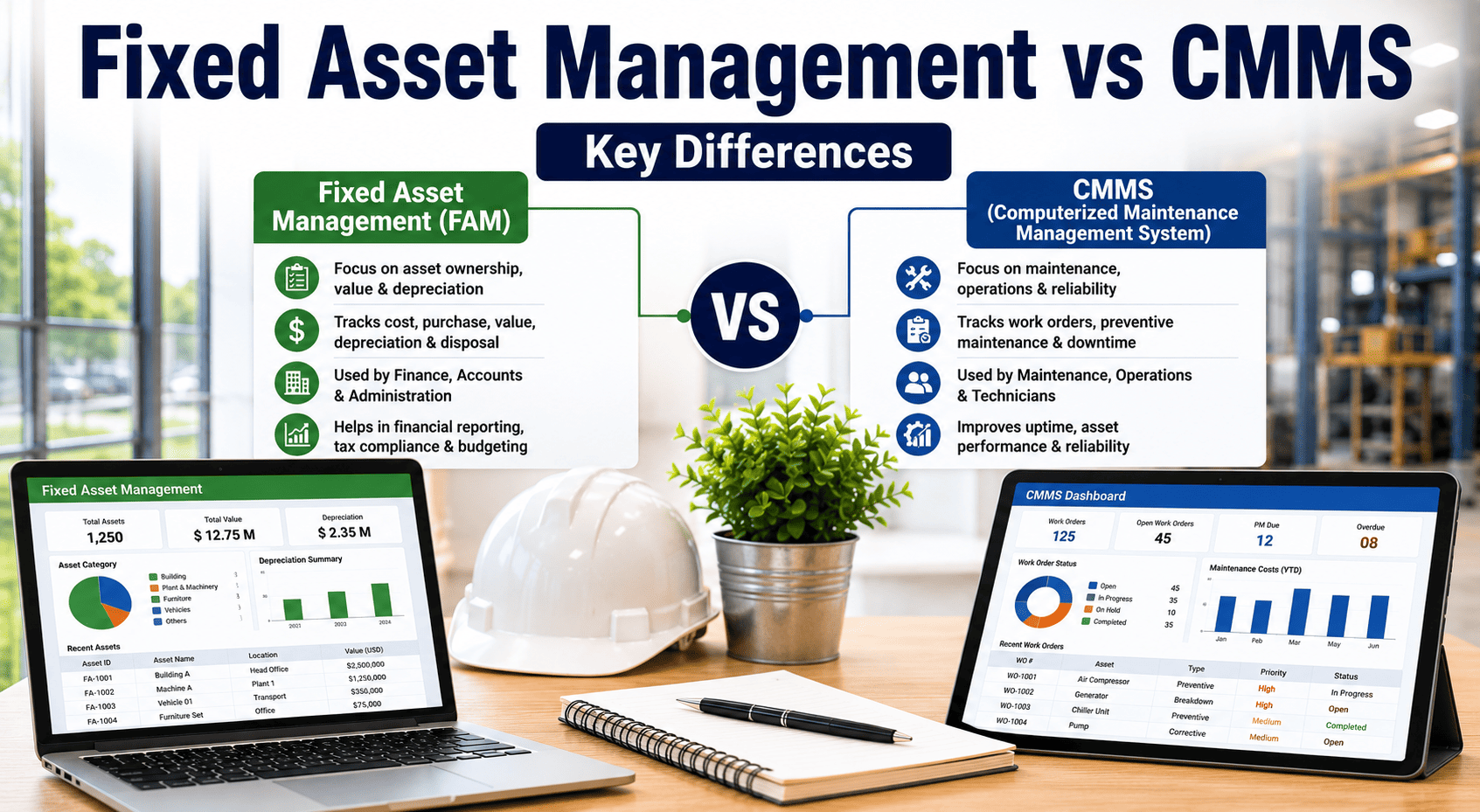
An equipment asset register is a structured database of every physical asset your organization owns, operates, or maintains — including its location, specifications, maintenance history, and lifecycle data. It is the single source of truth that connects work orders, PM schedules, spare parts, and compliance records to specific equipment. Without it, your CMMS is just a task tracker with no asset context.
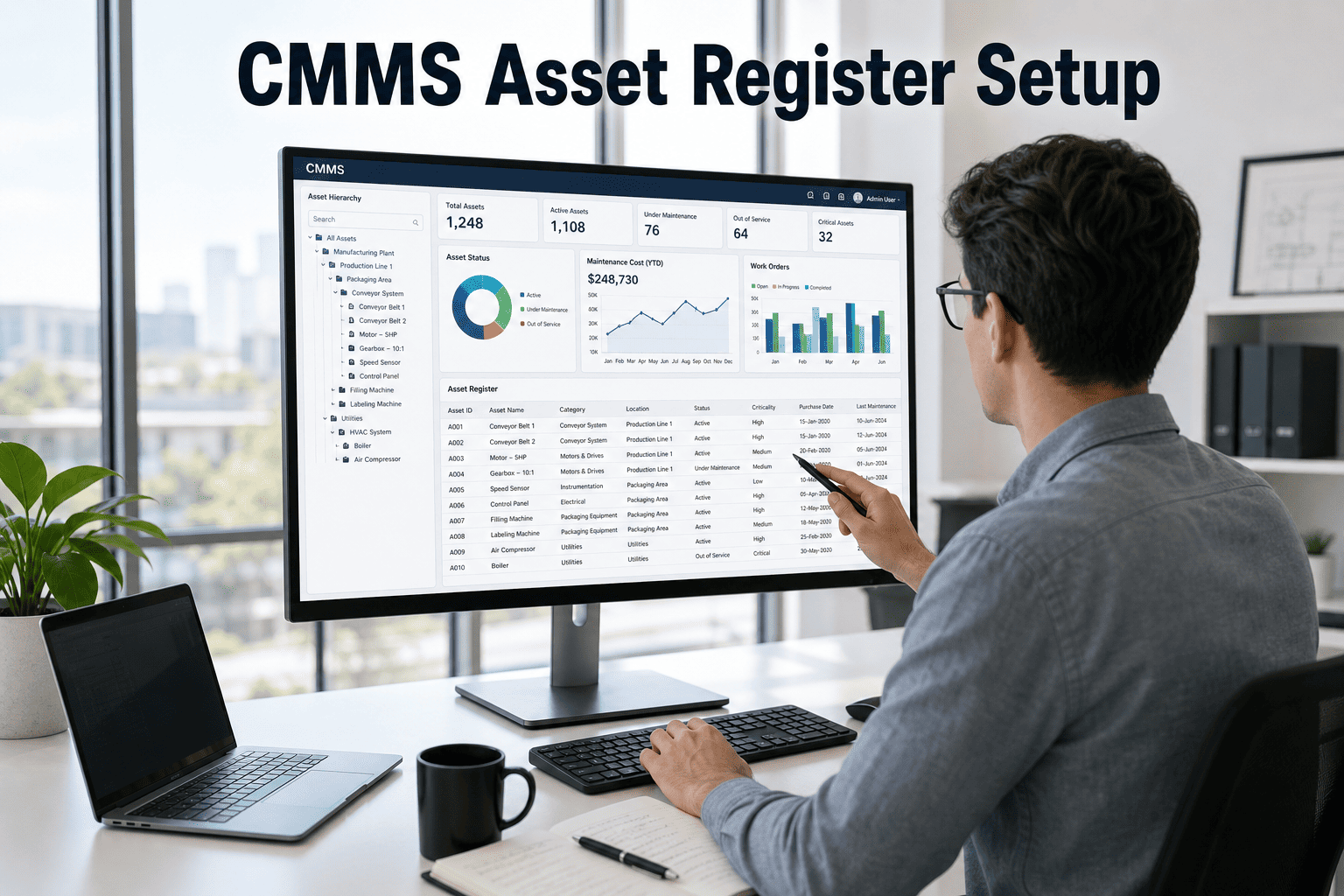
A mature asset register goes beyond an equipment list. It captures the asset hierarchy (site → building → system → asset → component), criticality ratings, failure history, warranty status, and replacement value — giving maintenance, operations, and finance teams a shared data foundation for decisions that otherwise happen in silos.
Oxmaint's asset management module structures this data automatically from QR-scan work orders and inspection records, so the register builds itself as your team works rather than requiring a separate data entry project.
Structure assets top-down: Site → Facility → System → Asset → Component. This hierarchy determines how work orders, PM schedules, and costs roll up to each level. A flat list without hierarchy makes multi-site reporting impossible and breaks parent-child PM inheritance.
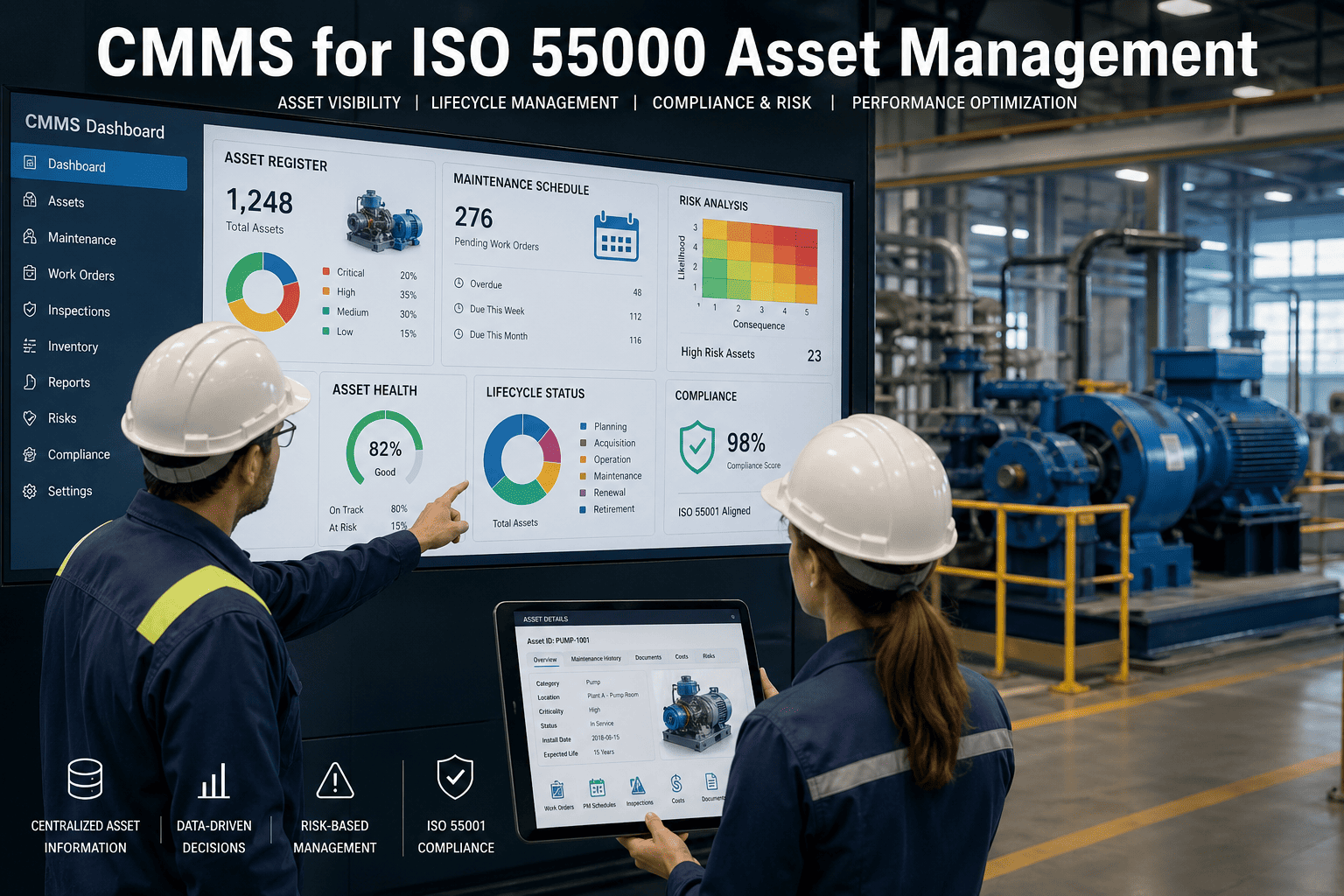
Classify every asset as Critical (failure stops production or creates safety risk), Major (failure degrades output but workarounds exist), or Minor (failure inconvenient but low impact). Criticality drives PM frequency, spare parts stocking, and work order priority — without it, everything gets treated the same urgency.
Walk every area and record: asset name, make, model, serial number, location, and current condition. Use a mobile app to scan existing nameplates rather than transcribing manually. This walk typically uncovers 10-15% more assets than any existing list — and reveals ghost assets that exist on paper but not in reality.
Create a naming convention before tagging: SITE-SYSTEM-TYPE-SEQUENCE (e.g., MFG-HVAC-CH-003 for the third chiller in the HVAC system at the manufacturing plant). Consistent IDs prevent duplication, enable filtering, and make asset lookups instant for technicians in the field.
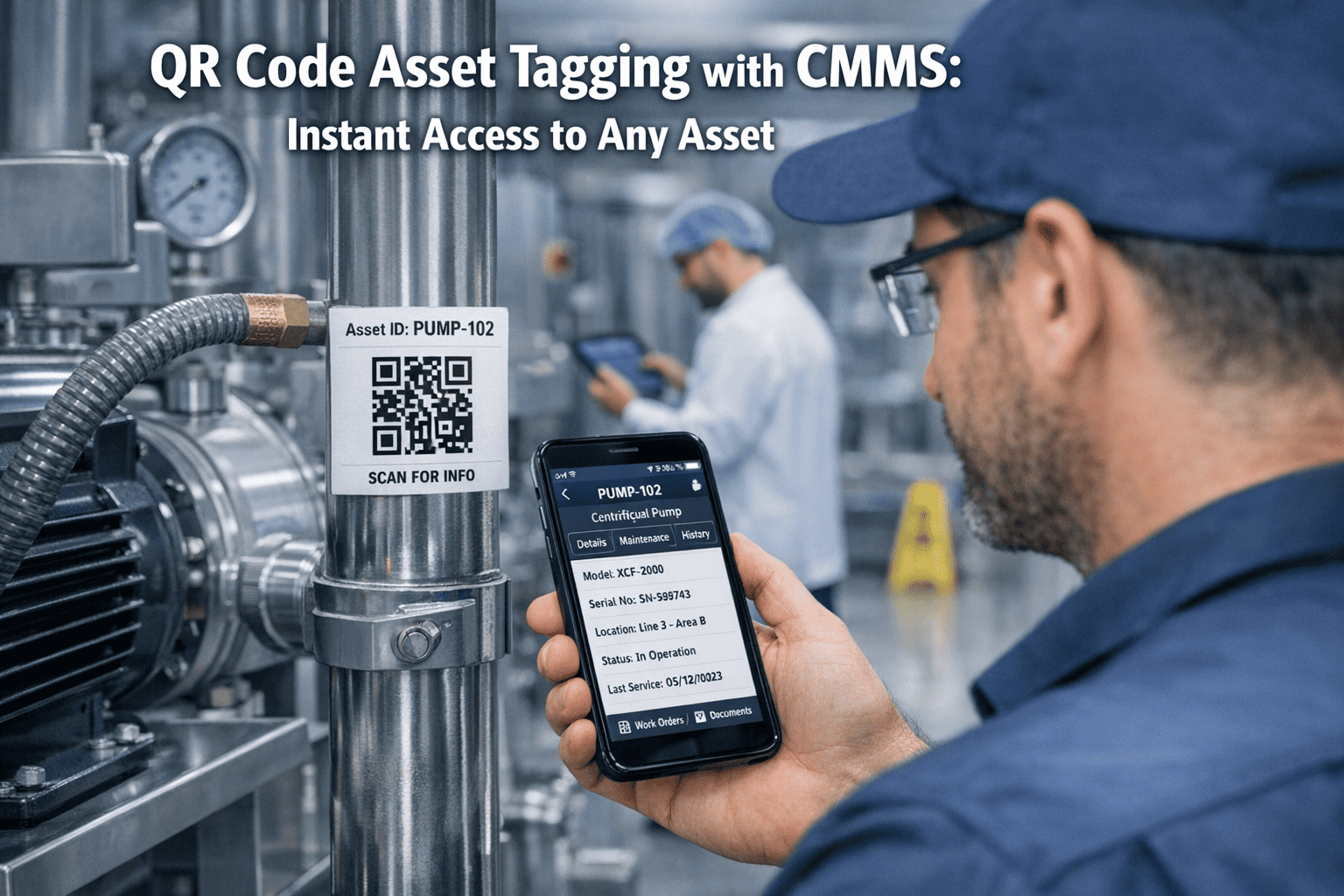
Physical tags connect the real-world asset to the CMMS record. QR codes are the standard for most facilities — low cost, scan with any smartphone, printable on-site. RFID suits high-volume automated environments. Each tag links to the full asset profile, maintenance history, and open work orders. Oxmaint QR scanning creates work orders from tag scans in under 30 seconds.
For each asset: enter OEM specs, recommended PM intervals, associated spare parts, and any historical failure data you can recover from paper records or technician knowledge. Start with your 20% most critical assets first — they drive 80% of maintenance cost and risk. Fill the remaining assets over the first 90 days of operation.
Connect each asset record to its preventive maintenance schedule in your CMMS. Preventive maintenance schedules tied to asset records auto-generate work orders at the right interval, assign to the right technician, and track completion against the asset history — creating the feedback loop that improves data quality over time.
An asset register is only as good as its last update. Assign ownership for data quality, set a quarterly audit cadence, and define the process for adding new assets, retiring decommissioned ones, and updating specification records. Without governance, registers degrade to ghost-asset-filled lists within 18 months.
Teams that attempt to register every asset simultaneously stall within 60 days. The volume is overwhelming, data quality suffers, and the project dies in a partially-complete state that is worse than the original spreadsheet. Start with your top 20% critical assets and build outward. Oxmaint's mobile-first entry makes parallel field capture manageable.
When three technicians name the same asset type "Pump," "Centrifugal Pump," and "P-Unit," filtering and reporting break immediately. Duplicate records accumulate. PM schedules get attached to some records but not others. Define and enforce a naming standard before the first asset gets entered — not after 400 inconsistent records need cleaning.
A flat asset list cannot answer "what is the total maintenance cost for Building A" or "which system has the highest failure rate." Without parent-child hierarchy, the register is only useful for individual asset lookups — not for the operational intelligence that justifies the investment in building it.
The most common asset register failure mode: excellent initial build, zero maintenance governance. New equipment gets installed without records. Decommissioned assets remain listed as active. Specs go stale. Within 18 months, the register has enough ghost assets and errors that technicians stop trusting it — and revert to tribal knowledge. Assign a named data owner from day one.
Struggling with any of these? Book a demo and an Oxmaint specialist will walk through your current data situation and recommend the fastest path to a clean, CMMS-ready register.
Technicians scan nameplates with the Oxmaint mobile app, populate make/model/serial in the field, and attach photos of asset condition — all without returning to a desktop. The register builds in real time as the team walks the facility, cutting data entry time by 60% vs spreadsheet workflows.
Oxmaint structures assets in a configurable Site → Facility → System → Asset → Component hierarchy from day one. Maintenance costs, PM completion rates, and failure history roll up through each level automatically — enabling portfolio-wide reporting without spreadsheet aggregation. See asset management details.
Print QR tags directly from Oxmaint, attach to assets, and any technician can scan to create a work order, view maintenance history, or log an inspection — in under 30 seconds, from any smartphone. No dedicated scanner hardware required. Reduces "wrong asset" work order errors by eliminating manual lookup.
Assign criticality ratings during registration and Oxmaint automatically applies the corresponding PM template, spare parts list, and inspection frequency. Critical assets get more frequent inspection schedules and higher work order priority — without manual configuration per asset.
Oxmaint flags assets with no work orders, no PM activity, and no scan history over a configurable period — the signature of ghost assets. Quarterly data quality reports surface stale records for review before they corrupt reliability metrics and inflate maintenance costs for equipment that no longer exists.
From day one, the register feeds Oxmaint analytics: maintenance cost per asset, MTBF by asset class, PM compliance rate, and open work order aging — all updated in real time. No spreadsheet export, no quarterly report compile, no lag between activity and insight.
| Capability | Spreadsheet / Manual | Oxmaint CMMS |
|---|---|---|
| Asset search | Ctrl+F through hundreds of rows; no filter by location or type | Instant search by ID, name, location, status, criticality, or QR scan |
| Work order linkage | Separate spreadsheet or paper system; no connection to asset record | Every work order auto-linked to asset; full history on asset profile |
| PM scheduling | Manual calendar reminders; no enforcement, no compliance tracking | Auto-generated PM work orders per asset; live compliance dashboard |
| Multi-site reporting | Copy-paste aggregation from site spreadsheets; days of effort | Real-time portfolio view across all sites in one dashboard |
| Data accuracy | No version control; multiple conflicting copies; stale by next week | Single source of truth; updated in real time from field activity |
| Ghost asset detection | Manual audit required; typically discovered at annual review | Automated flagging of assets with no activity in configurable period |
| Mobile field access | Printed lists or laptop required; no QR scan capability | Full register access on any smartphone; QR scan to asset record |
Oxmaint clients with structured asset registers and AI-driven PM scheduling
QR scan to work order vs manual asset lookup and entry
After CMMS-driven quarterly data quality audits vs manual annual reviews
Per asset annually when PM schedules are tied to structured asset records
Calculate your facility's potential savings at the Oxmaint ROI Calculator, or start a free trial to see live results on your actual asset data.
How long does it take to build an equipment asset register for a medium-sized facility?
What is the right asset hierarchy structure for a multi-site manufacturing company?
Should we migrate our existing spreadsheet asset list into the CMMS or start fresh?
How do we keep the asset register accurate after the initial build?
Oxmaint gives you mobile asset capture, QR-tag generation, built-in hierarchy, auto-linked PM schedules, and ghost asset detection — all live in days, with no implementation fees and no heavy onboarding. 1,000+ maintenance teams across 9 industries use Oxmaint as their single asset management source of truth.