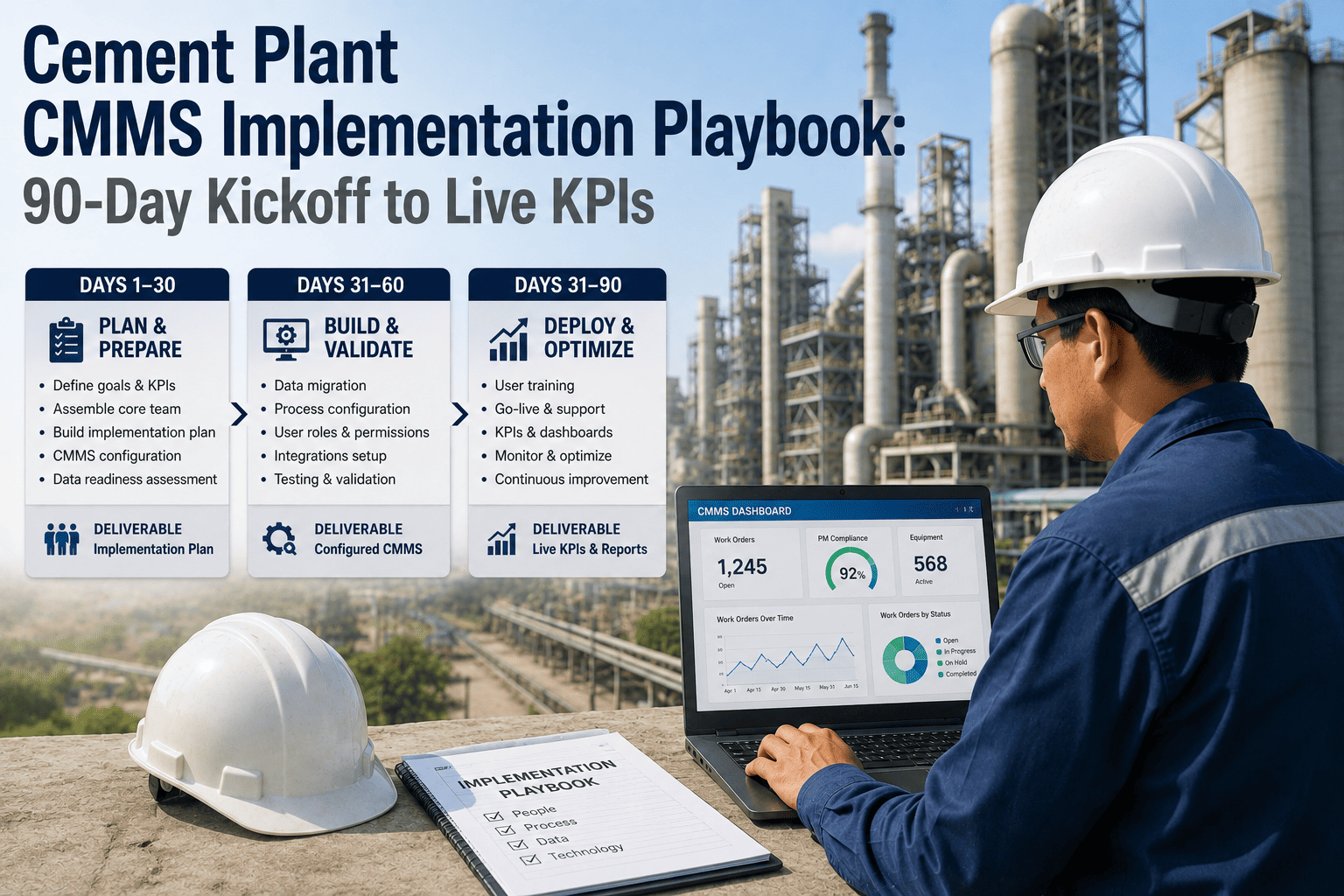
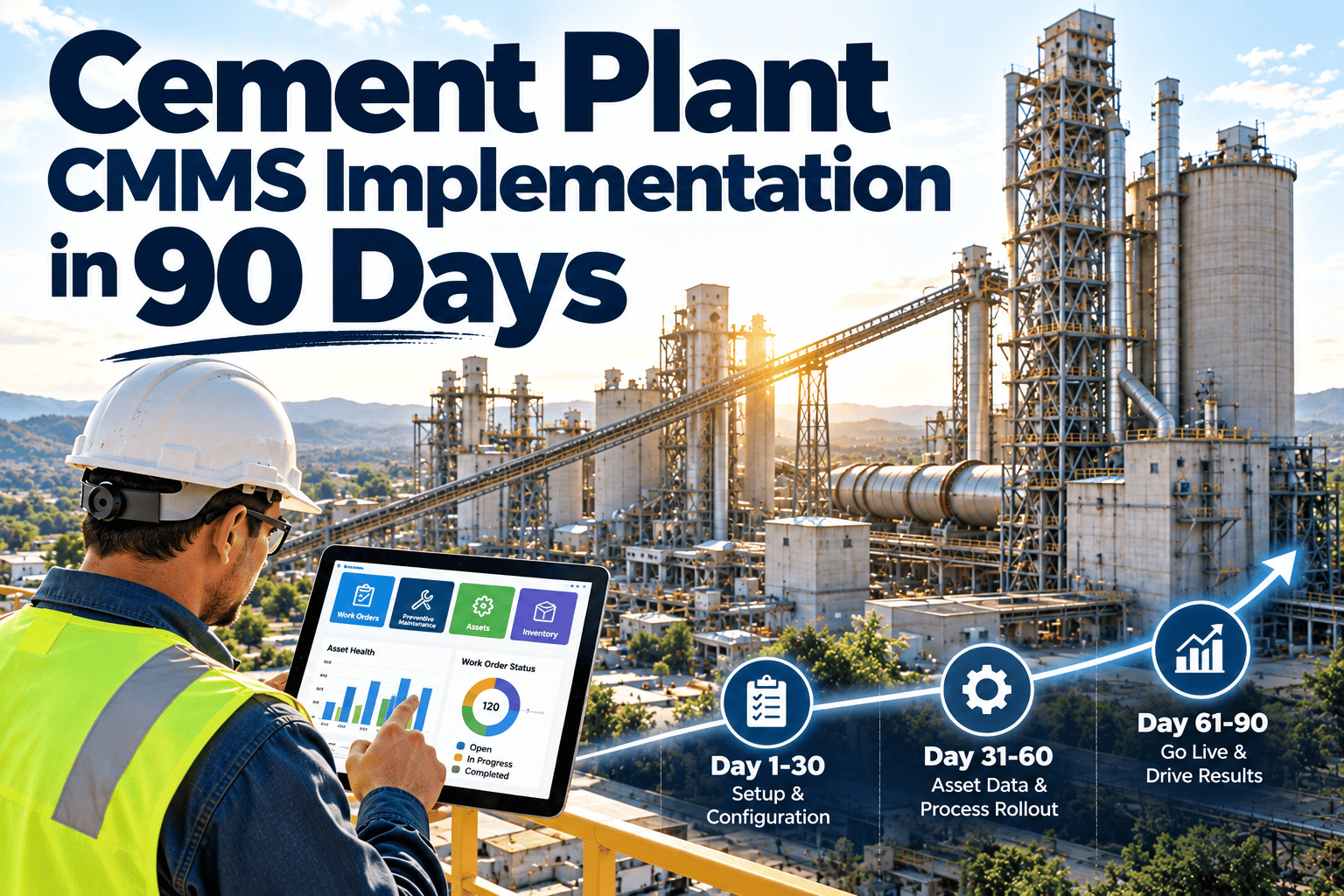
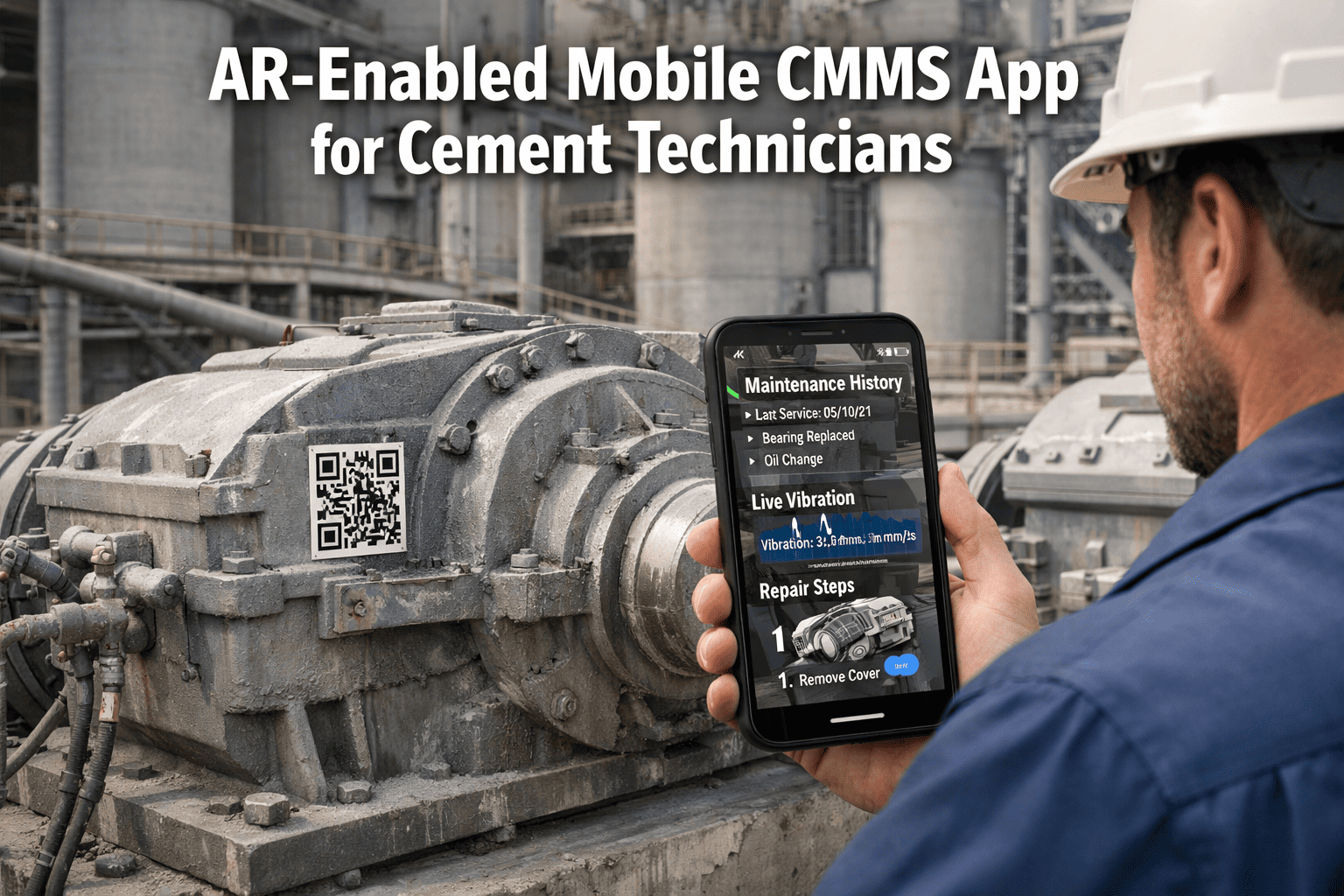
A CMMS that goes live in 18 months delivers 18 months of no ROI, no compliance records, and no data — while your maintenance team keeps running on spreadsheets and gut instinct. For cement plants handling kiln campaigns, conveyor networks, and major outages, a delayed CMMS is not a neutral outcome: it is a missed opportunity to prevent failures and a compliance liability that grows every day. This playbook covers how to go from contract signing to live KPIs in 90 days — asset import, mobile rollout, technician training, and audit-readiness milestones included. Start a free Oxmaint trial and apply this playbook to your cement plant's implementation from day one.
90
Days
From contract signing to live KPI dashboards tracking your highest-priority assets
60
Days
To first auto-prevented failure from PM or predictive alert on a monitored asset
3
Phases
Structured deployment: Foundation → Activation → Optimization with clear milestones
85%
Adoption
Target technician mobile adoption rate by end of Phase 2 before Phase 3 begins
Before Day One
What Must Be Ready Before Implementation Begins
Most CMMS implementations run over schedule because the plant arrives at kickoff without the data that implementation depends on. Preparing these four items before your kickoff call will compress your timeline by four to six weeks and prevent the most common implementation stalls.
A
Asset List with Parent-Child Hierarchy
Export your existing asset register — from your current CMMS, SAP, or spreadsheet — with each asset's parent relationship identified. Minimum fields: asset name, asset ID, parent asset, location, and equipment class. Kiln, mills, conveyors, and crushers are your priority import.
B
Existing PM Schedules by Asset Class
Collect your current PM procedures — even if they live in Word documents or a legacy system. These become the PM templates imported into the CMMS. Without them, your implementation team builds from scratch and your go-live date slips by weeks.
C
Critical Spares List Linked to Assets
The minimum spare parts data set for implementation is: part name, part number, current stock level, reorder point, and the asset it is stocked for. Full inventory data can be imported post-go-live — but your top 50 critical spares should be in the system on day one.
D
Named Internal Project Owner
Assign a single internal owner with authority to make configuration decisions — not a committee. This person attends every implementation call, approves asset structures, and signs off on PM templates. Without a named owner, every decision becomes a meeting and every milestone slips.
Phase 1 — Days 1 to 30
Foundation: Asset Import, Hierarchy Configuration, and PM Library Build
Phase 1 is not about going live — it is about building the foundation that makes everything else work. A poorly configured asset hierarchy means five years of maintenance records that are impossible to analyze. The time spent getting Phase 1 right is the most important investment in your entire implementation.
Week 1
Kickoff and System Configuration
Asset hierarchy structure agreed and approved by internal owner
User roles and permission matrix configured: administrator, planner, technician, supervisor, read-only
Location hierarchy mapped to plant layout: quarry, crusher, raw mill, kiln, cooler, cement mill, dispatch
Integration architecture reviewed: SAP, DCS, or condition monitoring systems identified for connection
Week 2
Asset Import and Hierarchy Validation
Asset import completed for all priority equipment classes: kiln, mills, conveyors, crushers, fans
Parent-child relationships verified — each asset sits under the correct process node
Kiln configured with refractory zone structure: each zone as a child asset with condition tracking enabled
Conveyor belt assets configured with belt length, splice joint count, and last replacement date
Week 3–4
PM Library Build and Schedule Activation
PM templates created for all priority equipment classes — task list, frequency, estimated duration, required parts
PM schedules activated on kiln, mills, and major conveyors — first work orders generated and assigned to shift crews
Critical spare parts imported and linked to assets — reorder points configured
Phase 1 sign-off: internal owner validates asset hierarchy, PM schedule completeness, and spare parts accuracy
Phase 1 Exit Milestone: All priority assets live in the system with active PM schedules generating work orders automatically
Phase 2 — Days 31 to 60
Activation: Mobile Rollout, Technician Training, and First Work Orders Closed
Phase 2 is where the CMMS either wins or loses in the field. A system that planners love but technicians avoid creates a data gap that makes every dashboard meaningless. Mobile rollout and training must be treated as an operations change management project — not an IT event.
Week 5–6
Mobile App Deployment and Field Training
Mobile app installed on all field technician devices — offline mode tested in plant coverage dead zones
Two-hour hands-on training session per shift: open a work order, log readings, add photos, close and sync
Shift supervisors trained on work order assignment, priority management, and daily backlog review
QR code asset tags installed on priority equipment — technicians scan to access asset history and open work orders without search
Week 7
First Full Week of Live Work Order Execution
All PM work orders for the week executed and closed through the mobile app — no paper backups permitted for tracked assets
Daily adoption check: how many work orders were opened, completed, and closed through the system vs. unrecorded
Friction points identified: tasks that took technicians more than 4 minutes to complete flagged for workflow simplification
First reactive work orders logged: technicians report breakdowns through the app rather than by radio
Week 8
Integration Go-Live and Adoption Review
SAP or ERP integration activated: work order cost posting flows automatically, no dual-entry
Condition monitoring integration live: first auto-generated work orders from sensor alerts tested and confirmed
Adoption target reviewed: 85% of scheduled work orders for tracked assets closed through the system
Phase 2 sign-off: technician adoption confirmed, integrations stable, first KPI data visible in dashboard
Phase 2 Exit Milestone: Field teams using the system daily, first integrations live, KPI data accumulating in real time
Phase 3 — Days 61 to 90
Optimization: KPI Dashboards, Outage Planning, and Audit Readiness
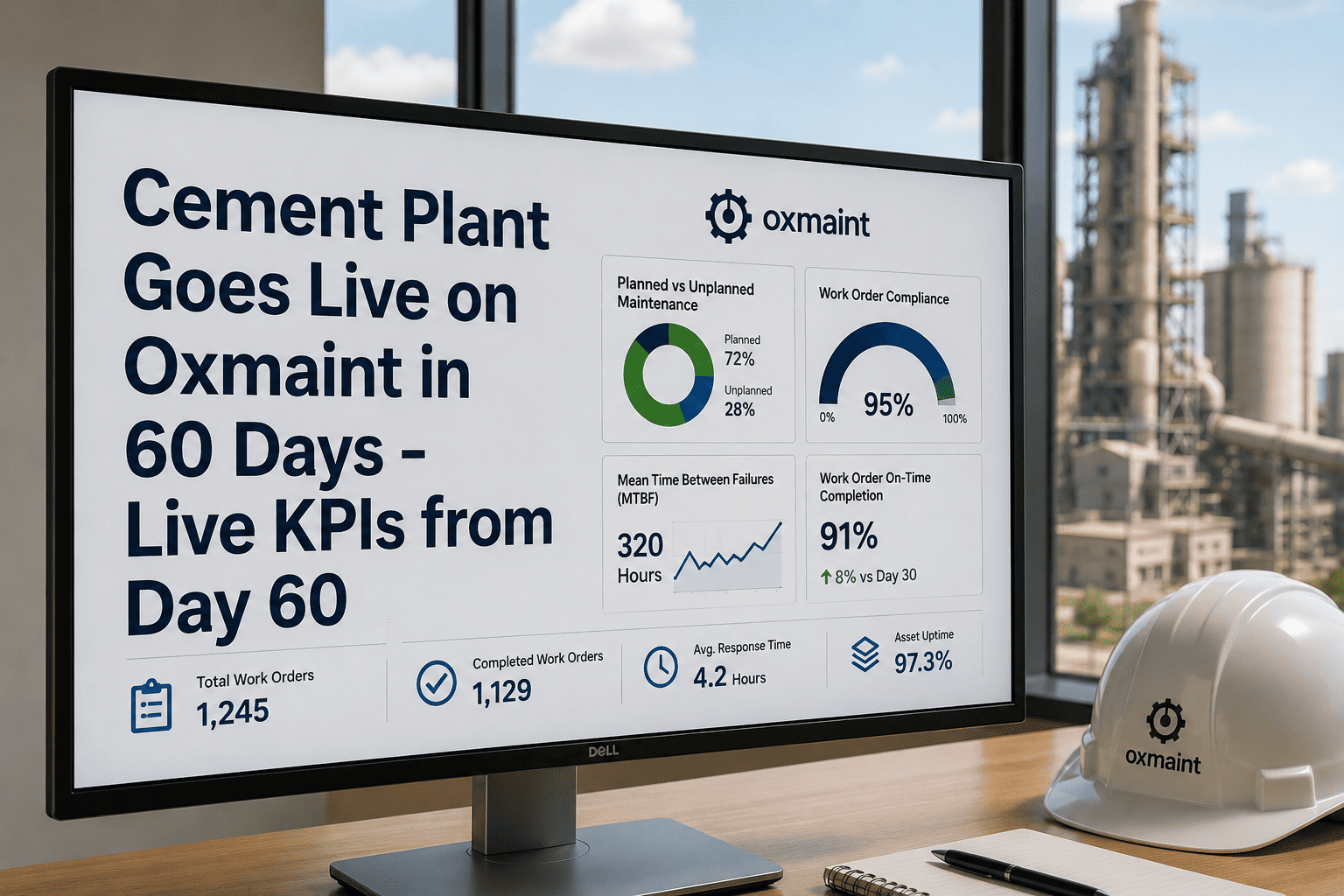
Phase 3 shifts from getting the system operational to making it deliver measurable value. By day 90, your maintenance KPIs should be live and visible, your first outage should be planned inside the CMMS, and your compliance records should be audit-ready without any manual compilation.
Week 9–10
KPI Dashboard Configuration and Review Cadence
MTBF, MTTR, planned vs. unplanned ratio, schedule compliance, and backlog aging dashboards activated and reviewed in weekly management meeting
Asset-level failure analysis reports generated for first time — which assets have the most reactive work orders in the past 30 days
Refractory wear trending activated on kiln zones — first campaign thickness readings entered and baseline established
Parts consumption reports reviewed — which spares are being consumed faster than anticipated
Week 11
First Major Outage Planned Inside the CMMS
Next planned kiln or mill outage fully planned in the system: job list, crew assignments, sequence, parts list, permit requirements
Contractor work orders created and linked to the outage plan — contractor access configured without exposing internal data
LOTO and confined space permit templates configured and linked to relevant outage work orders
Outage readiness review: all pre-outage PMs scheduled, critical spares confirmed in stock
Week 12
Audit Readiness and 90-Day Review
Compliance record audit: all LOTO records, confined space permits, and inspection certificates accessible and exportable from the system
90-day performance review: planned vs. unplanned ratio, adoption rate, work orders completed, first failures prevented
Expansion plan agreed: which additional asset classes and plant areas will be added in months 4 to 6
Phase 3 sign-off: live KPIs, first outage planned, audit records confirmed — implementation complete
Phase 3 Exit Milestone: Live KPI dashboards, first outage managed in-system, compliance records audit-ready — 90-day playbook complete
Get Your Cement Plant from Contract to Live KPIs in 90 Days
Oxmaint's structured implementation model is built specifically for cement operations — pre-built PM templates for cement equipment, cement-specific asset hierarchy configurations, and a deployment team that understands the difference between a kiln zone and a conveyor splice joint. No 18-month project. No generic rollout.
Common Implementation Failures
Why Cement Plant CMMS Implementations Stall — and How to Avoid Each One
Training That Works in Cement
How to Train Technicians Who Will Actually Use the System
2h
Hands-On Mobile Session — Not a Classroom
Training happens in the plant, not a conference room. Technicians walk to an asset, scan the QR code, open a real work order, log a reading, add a photo, and close the work order. Two hours of hands-on beats eight hours of slides every time in cement plant environments.
3min
The 3-Minute Work Order Test
Before training is complete, each technician demonstrates they can open, complete, and close a standard PM work order in under 3 minutes on mobile. If any technician cannot pass this test, the workflow needs simplification — not more training time.
1wk
Supervisor-Led Enforcement in Week 5
Training alone never drives adoption. Shift supervisors must stop accepting work order completion reports by radio or paper from week 5 onward. If the work order is not closed in the system, it is not closed. This is the single most effective adoption lever.
30d
30-Day Reinforcement Check
Run a 30-day adoption report: which technicians have not closed a work order in the system, which asset areas have zero recorded work orders, and which shifts have the lowest compliance rates. Address gaps immediately — after 30 days of non-use, habits form around the old system.
Frequently Asked Questions
CMMS Implementation in Cement Plants: Common Questions
What is the minimum asset data set required to start a CMMS implementation?
The minimum viable data set is: asset name, asset ID, parent asset for hierarchy, location within the plant, and equipment class. PM schedules, spare parts data, and historical failure records can be added after go-live — waiting for complete historical data before starting implementation is the most common reason projects stall.
Start a free Oxmaint trial and import your priority assets on day one.
How do we handle implementation during an active production period — can we go live without a plant shutdown?
Yes — CMMS implementation does not require a production shutdown. Asset import and PM configuration happen in the system background without affecting operations. Mobile rollout runs per shift during normal operating windows. The only integration that requires a maintenance window is the DCS or SCADA connection, and that is scoped to a 2-to-4-hour window.
Book a demo to review the deployment schedule against your plant's production calendar.
What happens to our existing work order history and maintenance records during migration?
Historical records are migrated in a structured import after the system goes live — not before. The priority is getting your asset hierarchy and PM schedules live so the system starts generating value immediately. Historical data migration runs in parallel during Phase 2 and 3 without delaying the go-live milestone.
How do we measure whether the 90-day implementation was successful?
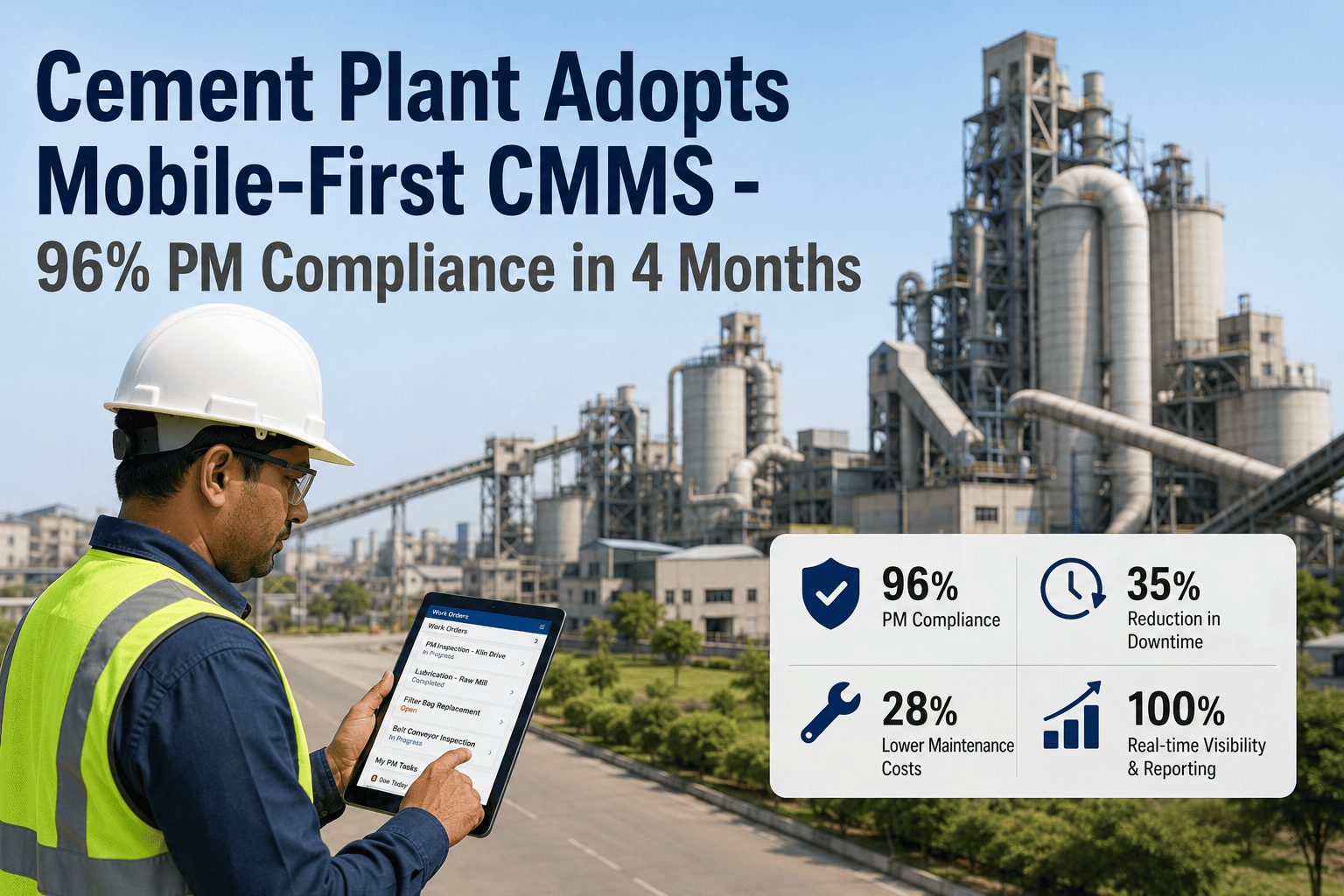
Four metrics define a successful 90-day implementation: 85% or higher technician adoption rate on mobile, planned maintenance ratio above 60% (vs. reactive), first auto-prevented failure documented, and compliance records for all LOTO and permit-required work accessible from the system without manual document retrieval.
Book a demo to review these benchmarks against Oxmaint cement plant deployments.
What support does the vendor provide during and after the 90-day implementation?
During implementation, expect weekly implementation calls, a dedicated configuration engineer for asset import and PM template build, and on-site mobile training support for field crews. After go-live, ongoing support should include configuration changes, new asset class additions, and integration troubleshooting with agreed response time SLAs — not just a help desk ticket queue.
Your Cement Plant Deserves a CMMS That Goes Live in 90 Days — Not 18 Months
Every week without a functioning CMMS is a week of missed PM records, untracked failures, and compliance gaps that grow harder to close. Oxmaint deploys in 90 days with a structured cement plant implementation playbook — asset import, mobile rollout, technician training, and your first outage planned in the system before day 90. No long projects. No generic rollouts.