3D Printing Robots in Makerspaces: Maintenance Tips
By Oxmaint on February 16, 2026
A single clogged nozzle on an idle 3D printer costs your makerspace more than the $8 replacement part—it costs an entire class period of lost learning, a frustrated instructor scrambling for backup plans, and a semester-long STEM project that falls behind schedule. With school makerspaces now running fleets of 10 to 30 printers across campus buildings, a CDC/NIOSH emissions study finding that 59% of workers who regularly use 3D printers reported weekly respiratory symptoms, and maintenance responsibilities falling to already overstretched facility teams, the gap between what this equipment demands and what your institution can deliver is growing fast. The schools and universities that build structured 3D printing robot maintenance programs with integrated spare parts inventory today will recapture up to 40% of lost instructional time while meeting NIOSH and OSHA safety requirements for student and staff protection. Schedule a free consultation to see how Oxmaint helps campuses build, track, and optimize makerspace equipment maintenance and inventory programs.
The Makerspace Maintenance Gap: What the Numbers Reveal
3D printers, laser cutters, and CNC machines have moved from university engineering labs into K-12 classrooms, libraries, and community makerspaces across North America. But the maintenance infrastructure has not kept pace. Schools are deploying additive manufacturing equipment in spaces that were never designed for it, managed by staff who were never trained to maintain it—and every unplanned failure cascades directly into lost instructional time, wasted consumables, and potential health exposure for students and staff.
59%
of workers who regularly use 3D printers reported respiratory symptoms at least once per week
CDC/NIOSH 3D Printing Emissions Study, 2025
84%of schools report custodial and technical support positions are "difficult" or "very difficult" to fill
500 hrsrecommended nozzle replacement interval—easily reached mid-semester in high-use makerspaces
30-60 minrequired for weekly maintenance per printer—7.5 to 15 staff-hours per week across a 15-unit fleet
4-6 ACHminimum air changes per hour required for 3D printer rooms—most school classrooms fall well short
Close the maintenance gap before it shuts down your STEM program. Oxmaint centralizes preventive maintenance schedules, spare parts inventory, and safety compliance records so your makerspace stays safe, stocked, and running.
What a World-Class 3D Printer Maintenance Program Looks Like
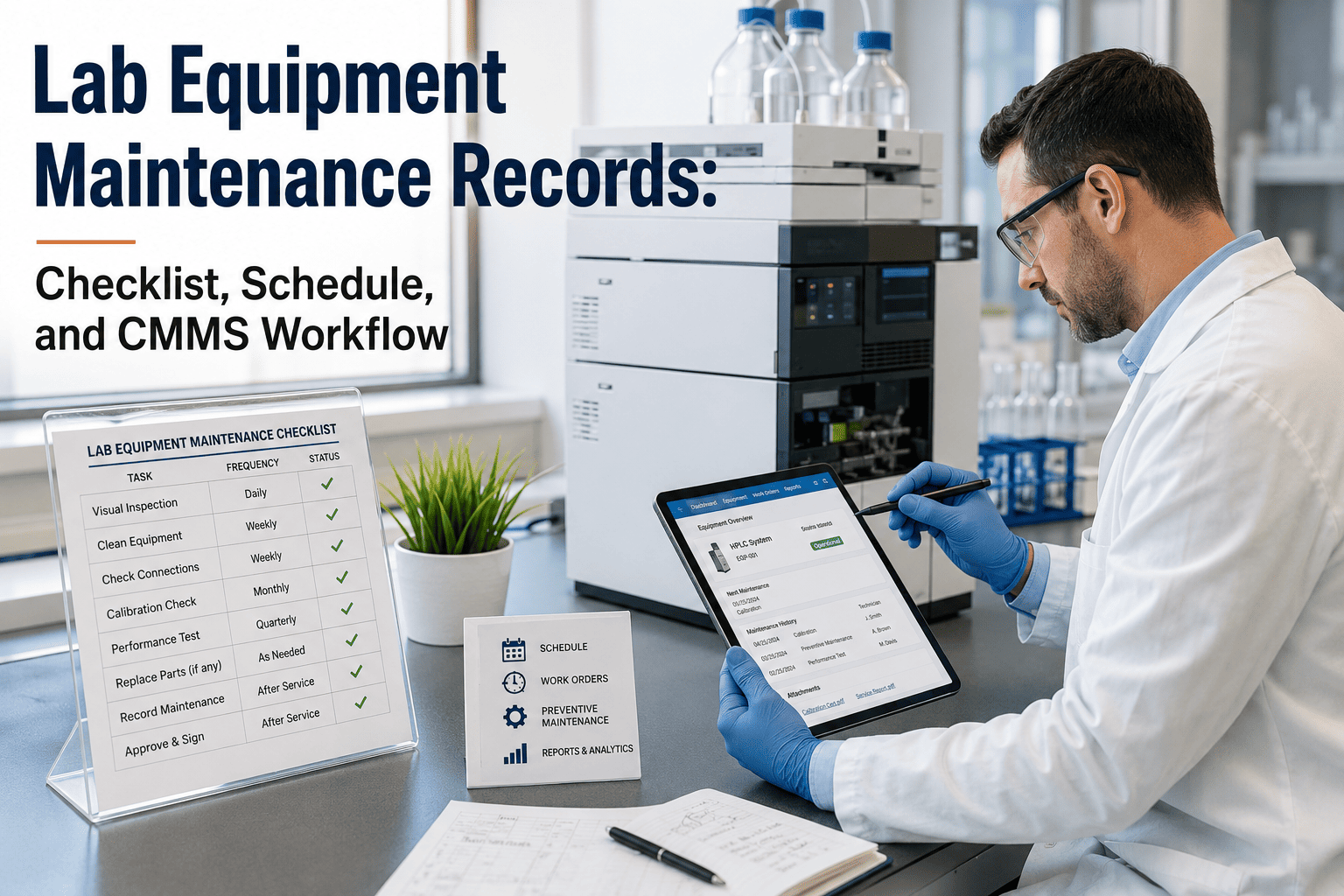
The most effective makerspace maintenance programs are not ad-hoc checklists taped to the wall. They are tiered, role-specific, and progressively structured—ensuring that daily operator tasks are completed by trained student aides or instructors, while deeper mechanical work is scheduled automatically and tracked through a CMMS. Here is the maintenance architecture that leading campus makerspaces are implementing in 2026.
Progressive 3D Printer Maintenance Architecture
Level 1
Daily Operator Checks (Student / Instructor)
Clear debris from build area & under platformCheck nozzle for residual filament before printingWipe build plate with isopropyl alcoholVerify filament spool feeds smoothly—no tanglesConfirm ventilation or enclosure system is active
~5 min/unit
Level 2
Weekly Inspection (Lab Technician / Instructor)
Clean nozzle with brass brush or cold pullInspect belts & pulleys for wear or loosenessTighten frame screws loosened by print vibrationExamine filament path for obstructionsCheck HEPA/carbon filter condition in enclosures
Lubricate linear rods, rails & lead screwsCalibrate bed leveling & Z-axis alignmentInspect cables near hotend for heat degradationReplace PTFE tubes showing wear or kinksUpdate firmware & verify slicer settings
~60 min/unit
Level 4
Quarterly Lifecycle Service (Facilities / Vendor)
Replace brass nozzles (every 500 print hours)Replace build surface if adhesion degradesDeep clean hotend—disassemble if cloggedReplace HEPA & activated carbon filtersAudit spare parts inventory & reorder triggers
~90 min/unit
Five Phases to Launch a Makerspace Maintenance Program That Works
Most makerspace maintenance "programs" are really just a teacher doing their best between classes. The institutions that protect their investment and keep students safe follow a structured, data-driven process that connects every maintenance task to equipment uptime, student safety, and budget accountability.
Makerspace Maintenance Program Launch Roadmap
1
Weeks 1-2
Equipment & Safety Baseline Audit
Catalog every 3D printer, laser cutter, and CNC by make, model, age, and condition. Assess ventilation against NIOSH guidelines (4-6 ACH minimum). Identify which printers lack UL 2904 certification or HEPA-filtered enclosures and flag them for priority action.
2
Weeks 3-4
PM Schedule & Spare Parts Inventory Build
Create tiered maintenance schedules (daily, weekly, monthly, quarterly) for each equipment type. Build a minimum-stock spare parts inventory: nozzles, PTFE tubes, build plates, belts, HEPA filters, and filament. Set reorder points based on fleet size and usage rates.
3
Weeks 5-8
Staff & Student Operator Training
Train instructors and lab aides on Level 1 and Level 2 maintenance tasks. Create laminated SOP cards for each printer station. Brief facility staff on monthly and quarterly PM procedures. Document all training in a centralized system for compliance records.
4
Ongoing
Automated Scheduling & Inventory Tracking
Deploy a CMMS to automate recurring PM work orders, track spare parts consumption, and send alerts when inventory hits reorder thresholds. Sign up for Oxmaint to digitize your entire makerspace maintenance and inventory workflow from day one.
5
Quarterly
Measure, Report & Optimize
Track fleet uptime, spare parts spend, work order completion rates, and safety compliance scores. Correlate PM adherence to equipment availability and present data to administration as proof of program ROI and budget justification for the next fiscal cycle.
Manage Your Entire Makerspace Fleet in One Place
Oxmaint gives makerspace managers a single platform to schedule preventive maintenance, track spare parts inventory with automatic reorder alerts, attach photo SOPs to every work order, and generate compliance reports—across every building and every printer on campus.
How Leading Campuses Maintain 3D Printers: Strategies Compared
No single maintenance approach covers everything a makerspace fleet demands. The programs that maximize equipment life and minimize disruption strategically layer multiple strategies based on part type, failure risk, and budget constraints. Here is how the most commonly used approaches compare for school and university 3D printing operations.
Maintenance Strategy Effectiveness for 3D Printer Fleets
Makerspaces achieving the highest equipment availability layer usage-based PM with spare parts inventory buffers and trained student operators—never relying on reactive maintenance alone.
Safety & Compliance Standards Worth Knowing
Makerspace safety is no longer a "best practice" suggestion—NIOSH, OSHA, and state health departments have published specific guidance on 3D printing ventilation, emissions, and operational safety for schools. Tracking compliance manually across a multi-building fleet is an audit risk. A CMMS like Oxmaint automates safety task scheduling and keeps every inspection record centralized and audit-ready.
Priority Compliance Frameworks for School Makerspaces
NIOSH
NIOSH Pub. 2024-103: Approaches to Safe 3D Printing
The definitive CDC/NIOSH guide for makerspaces, schools, and libraries covering ventilation requirements, enclosure engineering controls, filament selection, and standard operating procedures to reduce UFP and VOC exposure.
OSHA
OSHA Hazard Communication Standard (HazCom)
Requires Safety Data Sheets for all filaments and resins used in makerspaces. Staff must receive training on chemical hazards associated with printing materials including PLA, ABS, ASA, and photopolymer resins.
UL
ANSI/CAN/UL 2904 — Emissions Testing for 3D Printers
Voluntary standard setting maximum allowable emission rates for VOCs and total particles from 3D printers. NIOSH and multiple universities now recommend purchasing only UL 2904 or GREENGUARD-certified printers for occupied spaces.
NFPA
NFPA Fire Code — NRTL Listing Requirements
All 3D printers in institutional settings must be listed by a Nationally Recognized Testing Laboratory for electrical and fire safety. Unattended print operations require additional fire detection and suppression considerations.
STATE
State Board of Health Rules (e.g., WAC 246-366-080)
Several states now mandate local mechanical exhaust ventilation for 3D printers in primary and secondary schools. Washington State requires this by code—internal HEPA filters alone are insufficient for compliance.
ISO
ISO 55001 — Asset Management System Principles
Provides the framework for systematic asset lifecycle management. Applying ISO 55001 principles to makerspace equipment ensures maintenance programs are audit-ready, budget-justified, and aligned with institutional risk management.
Never miss a filter replacement or ventilation inspection again. Oxmaint automatically schedules recurring safety tasks and sends alerts before compliance deadlines lapse—keeping your makerspace audit-ready year-round.
Proving the Return: Preventive Maintenance Impact on Makerspace Operations
A structured 3D printing robot maintenance program is one of the few investments that pays back across every metric a facilities director cares about simultaneously—equipment availability, student safety, consumables waste, and spare parts budget all improve when maintenance is planned instead of reactive. Here is what the data shows from campuses that have implemented structured programs.
80%+
Fleet uptime target achieved
Campuses with tiered PM programs maintain 80%+ printer availability versus under 50% in reactive-only environments
40%
Less consumable waste
Clean nozzles and calibrated beds eliminate mid-print failures that destroy filament, waste electricity, and produce unusable scrap
3-5x
Emergency vs. planned repair cost
An emergency motherboard swap with rush shipping costs $350-$600 versus a $75-$120 planned replacement from on-hand inventory
100%
Audit-ready compliance
Digitized filter change logs, ventilation inspection records, and SDS documentation ensure your makerspace passes state safety audits on the first visit
How CMMS Technology Supercharges Makerspace Management
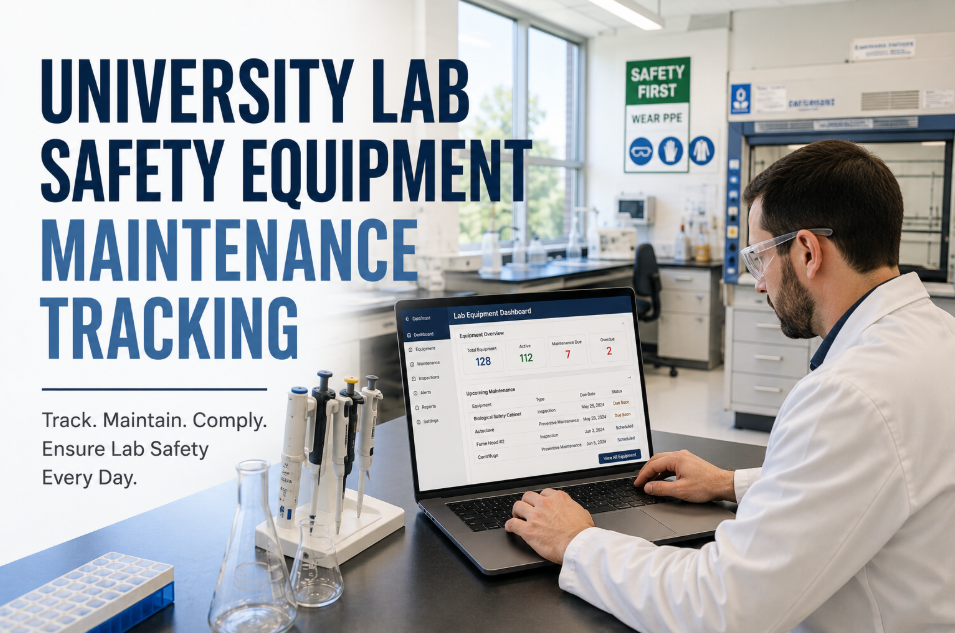
A modern CMMS is not just a work order tool—it is the operational backbone that connects your maintenance schedule, spare parts inventory, safety compliance records, and budget reporting in one system. When filter change reminders fire automatically, nozzle inventory triggers reorder alerts at minimum stock, and every task is documented with timestamped photos, your makerspace stops being someone's side job and starts running like institutional infrastructure. Book a demo to see how Oxmaint makes this work for education.
Oxmaint Makerspace Maintenance & Inventory Features
Photo SOPs Embedded in Work Orders
Attach step-by-step nozzle cleaning procedures, belt inspection photos, and filter change videos directly to each PM task—so instructors and student aides follow the same process every time, on any device.
Spare Parts Inventory with Reorder Alerts
Track every nozzle, PTFE tube, belt, build plate, and HEPA filter across buildings. Set minimum stock thresholds and receive automatic alerts when it is time to reorder—eliminating emergency procurement and rush shipping premiums.
Automated Recurring PM Scheduling
Configure daily, weekly, monthly, and quarterly maintenance tasks once—Oxmaint generates and assigns work orders on schedule, sends reminders, and escalates overdue tasks so nothing falls through the cracks between semesters.
Fleet Analytics & Budget Reporting
See fleet uptime, parts consumption, work order completion rates, and total cost of ownership per printer in real-time dashboards. Generate reports that justify maintenance budgets and equipment replacement decisions to administration.
See makerspace management in action. Our team will walk you through spare parts tracking, PM scheduling, and compliance reporting configured for your campus equipment and building layout.
Reactive vs. Preventive: Why "Fix It When It Breaks" Costs You More
Makerspaces that run without structured maintenance face a predictable pattern: printers degrade silently, failures cluster at the worst possible time—mid-semester, before showcases, during grant-funded programs—and emergency repairs consume budgets that should have funded new equipment or consumables. Building a preventive maintenance program with spare parts inventory eliminates these cascading failures and creates a more resilient, budget-predictable operation.
Maintenance Approach Comparison
Reactive / Break-Fix Only
Preventive + Inventory Managed
Printers fail mid-class; instructor scrambles for alternatives
Issues caught and resolved before they affect instruction
Emergency part orders at 3-5x rush shipping cost
Spare parts on-hand; replacements happen same-day from stock
No filter change records; fails state health inspection
Timestamped compliance records ready for any audit
Full clog causes hotend jam. Instructor disassembles without SOP, damages PTFE tube and heat break.
+$25 parts + 2 hrs labor
Week 5
Loose belt (never inspected) causes layer shifting. Three printers now offline. No spare parts on-hand.
+$85 rush parts + $45 shipping
Weeks 6-7
Two-week wait for parts. Classes use only remaining printers, creating bottleneck. Semester project deadline missed.
+3 lost class periods
Total: $195+ in parts/waste + 3 lost class periods + student frustration
VS
WITH PM + INVENTORY
Weekly
Automated CMMS work order triggers nozzle cleaning and belt check. Student aide completes in 30 minutes using photo SOP.
30 min labor
Month 2
Usage-based alert fires: nozzle at 450 hrs. Replacement pulled from on-site stock and swapped in 15 minutes.
$8 nozzle from stock
Quarterly
Scheduled deep clean and belt tension check catches early belt wear. Belt replaced from inventory before any failure occurs.
$12 belt from stock
Ongoing
Inventory system auto-reorders nozzles and belts when stock drops to minimum threshold. Parts arrive before needed.
Standard shipping rates
Total: ~$20 in planned parts + zero downtime + zero lost instruction
Bottom line: 30 minutes of weekly preventive maintenance and a $200 spare parts buffer prevents $195+ per incident in emergency costs and lost instruction. Across a 15-printer fleet over one academic year, this gap compounds into thousands of dollars and dozens of lost class periods.
END DECISION-TREE INFOGRAPHIC
Protect Your Investment. Protect Your Students. Keep Your Makerspace Running.
Your 3D printers are only as reliable as the maintenance program behind them. Oxmaint gives makerspace managers a mobile-first platform to schedule every PM task, track spare parts inventory with reorder alerts, embed safety SOPs into daily workflows, and prove program ROI with real operational data—so your equipment stays running and your students stay learning.
How much does it really cost to maintain a school makerspace 3D printer fleet annually?
For a typical FDM 3D printer, annual consumable maintenance parts—nozzles, PTFE tubes, belts, build surfaces, and HEPA filters—run between $80 and $150 per unit. A 15-printer fleet should budget $1,200-$2,250 per year in parts plus 15-20 staff-hours per month in labor. Using a CMMS to manage scheduling and inventory keeps these costs predictable and eliminates emergency procurement premiums that can inflate costs by 3-5x per incident. Schedule a consultation for a customized cost estimate based on your fleet.
Can instructors and student aides handle daily maintenance, or does it require a trained technician?
Level 1 daily tasks—build plate cleaning, filament checks, debris removal, ventilation confirmation—are designed for instructors and trained student aides. Level 2 weekly tasks like nozzle cleaning and belt inspection can be handled by an instructor with basic training and photo SOPs. Monthly and quarterly deep maintenance should involve a facilities technician or trained lab coordinator. Oxmaint's embedded SOP system ensures everyone follows the same procedure regardless of experience level.
What spare parts should we keep on-hand to avoid downtime?
For a fleet of 10-15 FDM printers, maintain minimum stock of: 10-15 brass nozzles (0.4mm standard), 3-5 PTFE tubes, 3-5 replacement belts, 2-3 build plates or PEI sheets, a set of replacement fans, and HEPA/activated carbon filters matching your enclosure model. Set reorder points at 30% of your initial stock level. Oxmaint tracks every part, sends reorder alerts at your configured thresholds, and logs consumption history so you can optimize stock levels over time.
What are the key safety requirements for 3D printers in schools?
NIOSH recommends ventilated enclosures or local exhaust ventilation for all 3D printers, minimum 4-6 air changes per hour in printing rooms, use of PLA over ABS or ASA when possible, UL 2904 certified printers for occupied spaces, Safety Data Sheets for all materials, and printers placed away from student workstations. Several states now mandate these requirements by code. A CMMS ensures that ventilation inspections, filter changes, and safety checks are scheduled and documented for compliance.
How does Oxmaint help manage makerspace maintenance specifically?
Oxmaint provides automated recurring PM work orders for daily through quarterly tasks, spare parts inventory tracking with minimum-stock reorder alerts, photo SOP attachment to every work order so any team member follows the correct procedure, QR-code asset tagging for quick mobile access to each printer's history, multi-building fleet dashboards, and compliance reporting for safety audits. The platform is mobile-first so instructors complete tasks directly from the makerspace floor. Book a demo to see it configured for your campus.