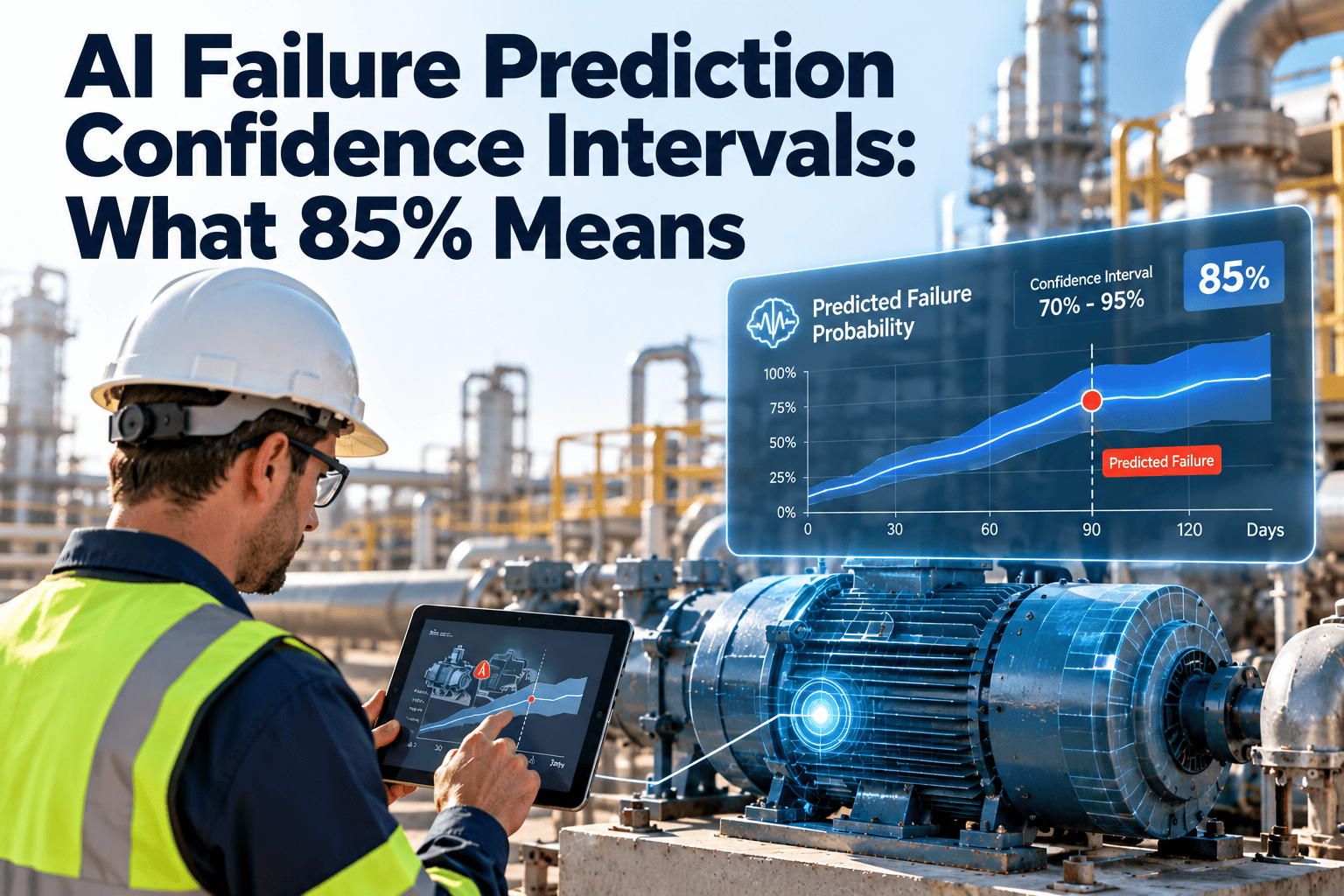
A maintenance alert that says "pump failure likely, 85% confidence" sounds precise. To a technician standing at the asset, it raises real questions. Does it mean the pump will fail 85 times out of 100? Should I drop what I am doing? What if the number were 60 or 95? The answer depends on how the model was built and whether its scores are calibrated. This guide explains what confidence means in failure prediction, how to set action rules by band, and how Oxmaint predictive maintenance workflows can turn alerts into controlled work.
AI Failure Prediction Confidence Intervals: What 85% Means
Learn to read confidence scores, understand their limits, and set clear action thresholds so technicians act on predictions with the right level of urgency.
What a Confidence Score Does and Does Not Tell You
- How strongly the model's pattern match favors failure
- How to rank assets against each other
- Which alerts deserve a closer look first
- That failure is guaranteed at the stated rate
- When the failure will happen, unless the model also predicts timing
- That the model was trained on equipment like yours
A score is only a reliable probability when the model is calibrated, meaning that of alerts scored near 85%, roughly 85% actually proved correct.
Confidence Score Versus Confidence Interval
| Term | Plain meaning | Example |
|---|---|---|
| Confidence score | Model output representing likelihood of the predicted event | Bearing failure: 0.85 |
| Confidence interval | Range of uncertainty around an estimate | Remaining life 12 to 30 days |
| Calibration | How well scores match real outcomes | 85% alerts correct about 85% of the time |
| Precision | Share of alerts that were real failures | Fewer false alarms |
| Recall | Share of real failures that were alerted | Fewer missed failures |
Ask your vendor or data team which of these the displayed number represents. Different products use the same word differently.
Working Example Using 100 Alerts
Suppose a calibrated model raises 100 alerts at about 85% confidence. The illustration below shows what that implies.
- Inspecting all 100 finds roughly 85 real problems.
- Skipping all 100 risks missing most of those faults.
- The cost of 15 wasted inspections is usually small compared with one unplanned failure on a critical asset.
Turn Alerts Into Controlled Work
Connect condition data to inspections and work orders so every prediction has an owner, a due date, and a recorded outcome.
Action Rules by Confidence Band
These bands are examples. Set your own thresholds based on history, asset criticality, and the cost of a miss.
Why Criticality Changes the Threshold
| Asset type | Cost of failure | Sensible action point |
|---|---|---|
| Life-safety or process-critical | Very high | Act at lower confidence and verify quickly |
| Important with redundancy | Moderate | Verify at mid confidence, plan at high |
| Low-impact or easily replaced | Low | Wait for higher confidence or run to failure |
What Affects Prediction Reliability
Checklist for Technicians Receiving an Alert
Building the Prediction Loop in Maintenance Software
- Use asset records so alerts attach to the correct equipment history.
- Use work orders to track every alert to a recorded result.
- Use reports to measure how often alerts were confirmed.
- Use inventory data so parts are ready when a plan is triggered.
Confidence FAQs
Does 85% mean the asset will fail?
Is 95% always better than 85%?
How do I know if scores are calibrated?
What should I do with low-confidence alerts?
Can I start without sensors?
Why Technicians Distrust AI Alerts
Many teams have lived through alerts that cried wolf. Trust is earned by showing how often alerts were right, and by giving technicians a clear way to respond.
- Early deployments often produce many false alarms while thresholds are being tuned.
- A score with no explanation feels arbitrary to someone who has repaired the machine for years.
- Alerts that arrive without a recommended action leave technicians guessing.
- When outcomes are never recorded, nobody can say whether the model improved.
What builds trust
- Share a hit rate by confidence band every month.
- Show which readings or patterns drove the alert.
- Let technicians mark an alert as confirmed, not found, or inconclusive.
- Credit confirmed catches in team reviews, so the system is seen as help.
False Positives and False Negatives: The Trade-Off
| Outcome | What happened | Typical cost | How threshold affects it |
|---|---|---|---|
| True positive | Alert raised and a real fault existed | Planned repair, avoided breakdown | Goal outcome |
| False positive | Alert raised but no fault found | Wasted inspection time, lost trust | Rises when threshold is lowered |
| False negative | No alert but a failure occurred | Unplanned downtime, emergency repair | Rises when threshold is raised |
| True negative | No alert and no failure | None | Normal operation |
No threshold removes both error types. Choose where to sit based on the cost of each error for that specific asset.
Reading Intervals Around a Remaining-Life Estimate
Some models predict time to failure rather than a yes or no. They often give a range, which is easy to misread.
- A statement such as 14 to 30 days with 85% confidence means the model expects the failure to fall inside that window in most cases.
- A wide interval signals uncertainty, so plan for the early end of the range on critical equipment.
- A narrow interval is only useful if the model is well calibrated, otherwise it creates false precision.
- Intervals usually widen for assets with little history or unusual operating conditions.
Planning against an interval
- Schedule the repair before the early end of the range when the consequence of failure is high.
- Order long-lead parts as soon as confidence rises, not when failure seems close.
- Re-run the estimate as new readings arrive, since intervals shrink with fresh data.
Setting Thresholds With Your Own History
Condition-Based Triggers That Work Alongside AI
Predictive scores work best alongside simple, transparent rules. These rules give technicians something they can verify without trusting a model.
- Vibration, temperature, or current readings that exceed a defined limit.
- A trend that rises across several readings, even when each reading is within range.
- Run-hour or cycle counts that reach a maintenance interval.
- Oil analysis or filter differential pressure beyond guidance.
- Repeated alarms on the same asset within a short period.
Combining signals
- Treat an AI alert plus a rule-based trigger as stronger evidence than either alone.
- Treat an AI alert with no supporting readings as a prompt to verify.
- Record both in the work order so the reasoning is visible later.
Governance for AI in Maintenance
Metrics to Judge Whether Predictions Are Paying Off
If confirmation rates are not tracked, you cannot tell whether 85% means what the dashboard says. Make outcome recording part of every alert workflow.
Introducing Predictive Alerts to a Maintenance Team
- Start with assets where failure is costly and data is already available.
- Run in advisory mode first, so alerts guide inspections without forcing repairs.
- Hold a short monthly meeting to review confirmed catches, misses, and false alarms.
- Share results with technicians so the people closest to the equipment shape the thresholds.
- Expand only when confirmation rates justify more trust.
Common mistakes
- Turning on every alert at once and overwhelming the team.
- Skipping outcome recording, which prevents any later tuning.
- Treating the score as a command instead of evidence.
- Applying one threshold to every asset regardless of criticality.
Example Alert Responses by Asset Type
| Asset | Example alert | Verification step | Likely planned action |
|---|---|---|---|
| Rooftop air handler motor | Bearing wear pattern, 78% confidence | Check vibration and listen for noise at the next visit | Schedule bearing replacement if readings confirm |
| Chiller compressor | Efficiency decline, 88% confidence | Compare approach temperatures and current draw | Plan service and order parts before the cooling season |
| Circulation pump | Cavitation signature, 92% confidence | Inspect suction conditions and seals | Repair during the next window and review system balance |
| Elevator door operator | Rising fault frequency, 65% confidence | Review fault codes and run a door cycle test | Add to routine service if confirmed |
These examples are illustrative. Actual actions depend on manufacturer guidance, asset criticality, and the condition found on inspection.
Documenting Alert Outcomes in Work Orders
- Reference the alert and its confidence score in the work order description.
- Record what was inspected and the measured readings at the time.
- Select an outcome code: confirmed, not found, or inconclusive.
- Note the corrective action and parts used when a fault was confirmed.
- Add the time between alert and completion, for lead time reporting.
- Attach photos or readings that support the finding.
Why this discipline matters
- It creates the dataset needed to test whether confidence scores are calibrated.
- It lets new technicians learn from previous alerts on the same asset.
- It provides evidence for budget requests about monitoring and sensors.
Key Takeaways for Maintenance Teams
- Confidence is evidence, not certainty, and only a calibrated model supports reading it as a probability.
- Action thresholds should reflect asset criticality and the cost of a missed failure.
- Low-confidence alerts still have value when they are logged and checked for repeats.
- Recorded outcomes are the only way to prove or improve a model over time.
- Technicians keep the final judgment, supported by readings, history, and experience.
- Review thresholds every quarter, and after any major repair or operating change.
Give Every Prediction a Clear Next Step
Set confidence thresholds, link alerts to work orders, and learn from every outcome in one maintenance platform.