A $180,000 conveyor overhaul gets approved in the ERP, executed through the CMMS, and then reconciled manually by a finance analyst who spends two days matching purchase orders to work orders across disconnected systems. SAP holds the budget. The CMMS holds the asset history. Neither talks to the other. The result is maintenance decisions made without financial context and financial reporting built on data that is always weeks stale. Facilities that connect their CMMS to their ERP eliminate this reconciliation gap entirely — syncing work orders, parts consumption, and cost data bidirectionally so maintenance and finance always operate from the same numbers.
CMMS Integration with ERP Systems: Connecting Maintenance to Finance
Integrate your CMMS with SAP, Oracle, and Microsoft Dynamics. Connect maintenance operations with financial planning, procurement, and asset accounting for unified management.
The Disconnection Problem: Two Systems, Zero Visibility
ERP systems like SAP, Oracle, and Microsoft Dynamics are built around financial workflows — procurement, accounts payable, general ledger, and cost center management. CMMS platforms are built around physical workflows — asset records, preventive maintenance schedules, work orders, and technician tasks. Both systems touch maintenance, but from fundamentally different angles. When they operate in isolation, a shadow system of manual spreadsheet reconciliation emerges between them — absorbing hours every week, introducing errors, and ensuring that neither team has the full picture.
Duplicate Purchase Orders
Maintenance creates parts requests in CMMS. Procurement creates POs in ERP. Without sync, the same part gets ordered twice — or the CMMS request is ignored entirely, causing stockouts.
Phantom Inventory
The CMMS shows 4 bearings in stock. The ERP shows 2. The storeroom has 1. When actual usage is not synced back in real time, inventory records diverge and reorder logic fires on wrong data.
Cost Allocation Errors
Labor hours and parts costs recorded in CMMS need allocation to cost centers and asset accounts in ERP. Manual rekeying introduces errors that distort maintenance cost reporting and budget variance analysis.
Delayed Month-End Close
Reconciling CMMS work order costs against ERP financial records takes days without automation, delays close timelines, and forces finance teams to work from stale maintenance data.
How CMMS-ERP Integration Works: The Data Flow
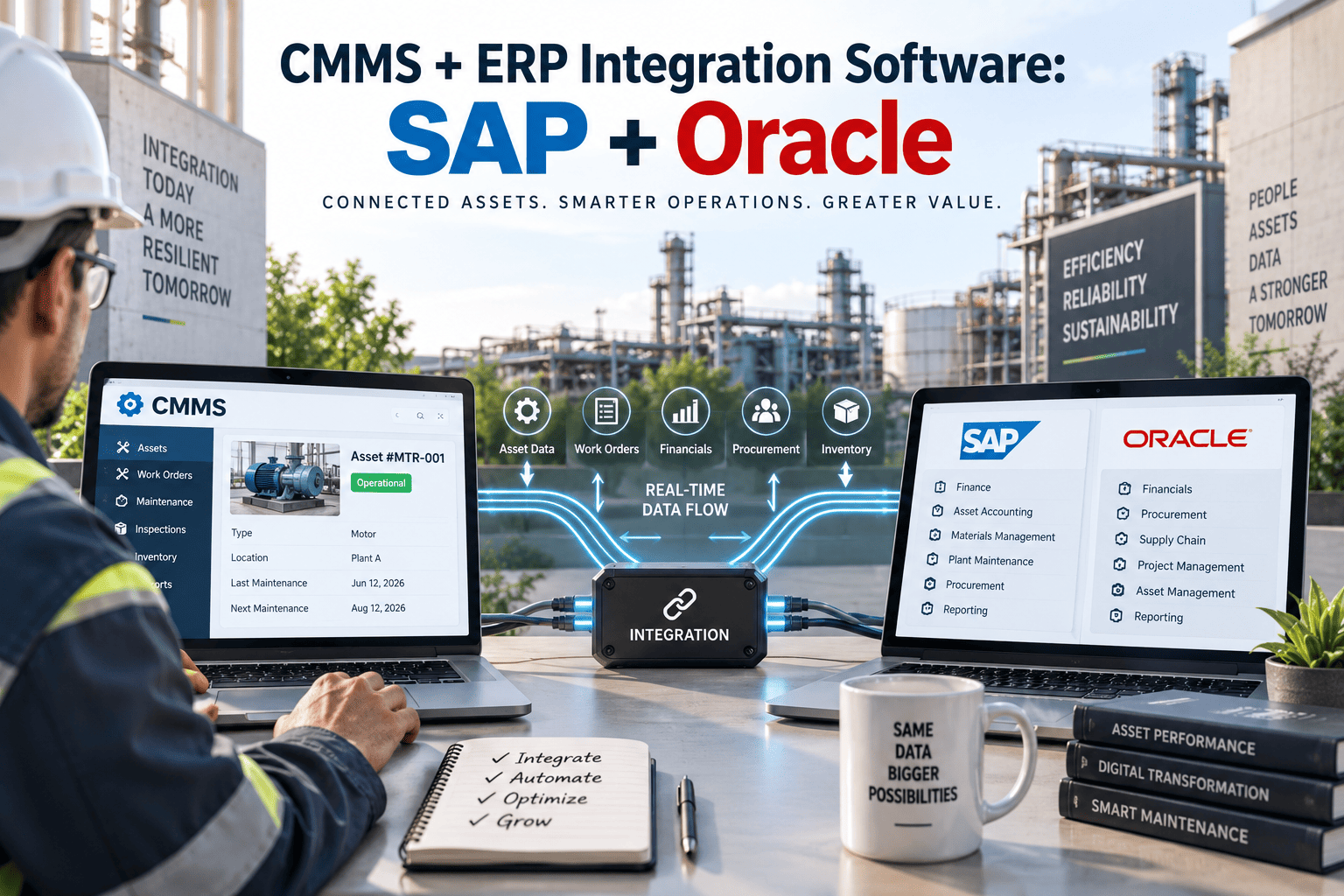
Oxmaint creates a live, bidirectional data bridge between your CMMS and ERP. Data created in either system propagates to the other automatically — no manual exports, no middleware scripts, no reconciliation. Book a demo to see the live data flow mapped to your specific ERP platform.
Supported ERP Platforms
Oxmaint maintains pre-built connectors for the three most widely deployed ERP platforms in industrial operations. Each integration is configured through the Oxmaint admin panel — no custom development required for standard data flows. Sign up for Oxmaint to explore your ERP connector options.
Connects through OData services, BAPIs, RFCs, and IDocs. Supports SAP PM, MM, and FI/CO module integration. Organizations migrating from ECC to S/4HANA maintain their Oxmaint connection throughout the transition.
REST APIs with OAuth 2.0 provide clean cloud-to-cloud integration. Connects to Oracle Asset Management, Procurement Cloud, and Cost Accounting modules with real-time event-based sync via Oracle Integration Cloud.
Integrates through Dataverse API, OData endpoints, and Power Automate. Oxmaint provides the field-level mobile experience that D365 lacks natively while keeping Dynamics as the ERP financial backbone.
Before vs. After: What Integration Changes
The operational gap between disconnected and integrated CMMS-ERP environments is measurable across every maintenance and finance workflow.
| Workflow Area | Before Integration | After Integration |
|---|---|---|
| Parts Procurement | Dual entry, duplicate POs, 2-3 day lag | Auto-sync, single PO, real-time |
| Inventory Accuracy | 60-70% match between systems | 95%+ match with live sync |
| Cost Allocation | Manual rekeying, monthly reconciliation | Auto-posted at work order close |
| Month-End Close | 3-5 days of manual matching | Same-day close, pre-reconciled |
| Budget Visibility | Lagged reports, reactive decisions | Real-time spend vs. budget dashboards |
| Technician Adoption | Low (complex ERP interface) | High (mobile-first CMMS app) |
What Oxmaint Brings to Your ERP
Oxmaint integrates alongside your existing ERP configuration — no modifications to your core system. SAP, Oracle, or Dynamics stays your system of record while Oxmaint becomes the execution layer your technicians actually use. Sign up free to explore how Oxmaint connects to your ERP stack.
Mobile-First Execution
Technicians complete work orders, log parts, and record labor on a mobile app designed for field conditions. Data flows to ERP automatically — no desktop login required.
Bidirectional Sync
Work orders, inventory levels, purchase orders, and cost postings update in both systems simultaneously. Changes in ERP reflect in CMMS within minutes, and vice versa.
Automated Cost Attribution
Every dollar spent on maintenance is tagged to the correct asset, cost center, and GL account in your ERP. No manual rekeying, no month-end reconciliation surprises.
Compliance Audit Trail
Every data exchange between CMMS and ERP is logged with timestamp, user, and transaction ID. Provides the audit trail chain connecting physical maintenance activity to financial transaction.
Finance knows the budget. Maintenance knows the assets. When the two systems finally connect, you stop making decisions in the dark and start managing the full cost picture in real time.
-- Maintenance Integration Director, Industrial Manufacturing
Connect Maintenance to Finance in Weeks, Not Months
Oxmaint's implementation team has configured SAP, Oracle, and Dynamics integrations across dozens of industrial sites. We map the data flows to your specific ERP version, module setup, and chart of accounts before writing a single line of configuration.